
Software We Build
Infinite Expansion
The business platform that does the busywork for you.
Email, CRM, help desk, projects, documents and accounting in one system, all already linked. The AI built into it writes your replies, reads your documents and tells you which clients you're about to lose, so your team spends its time on clients, not on software.
Also in Microsoft Outlook: same panel, same features.
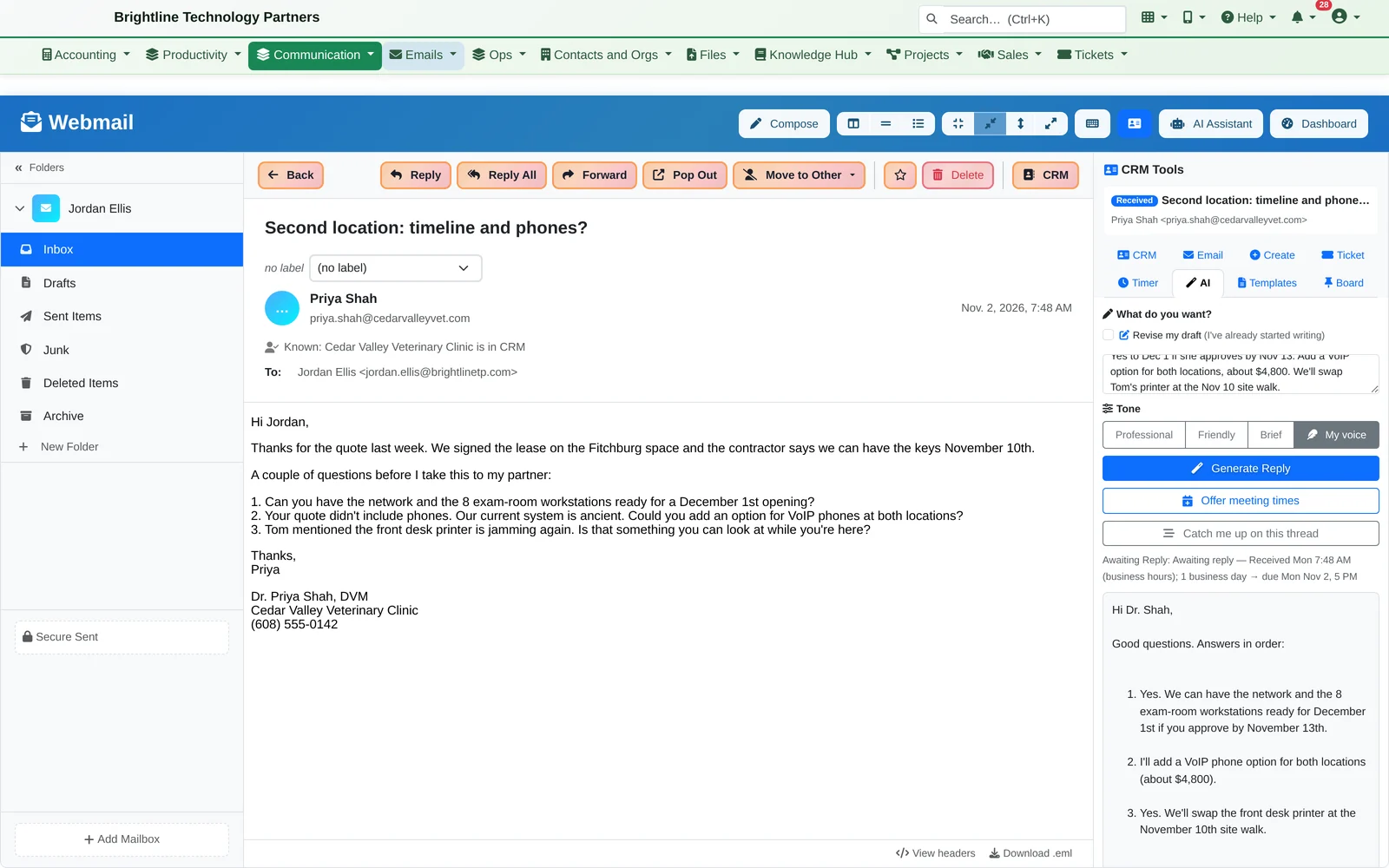
We run our own company on it. The I.T. Connection serves its clients from Infinite Expansion every day. What you see on this page is what we use ourselves.
AI Email Assistant
Email that keeps its promises.
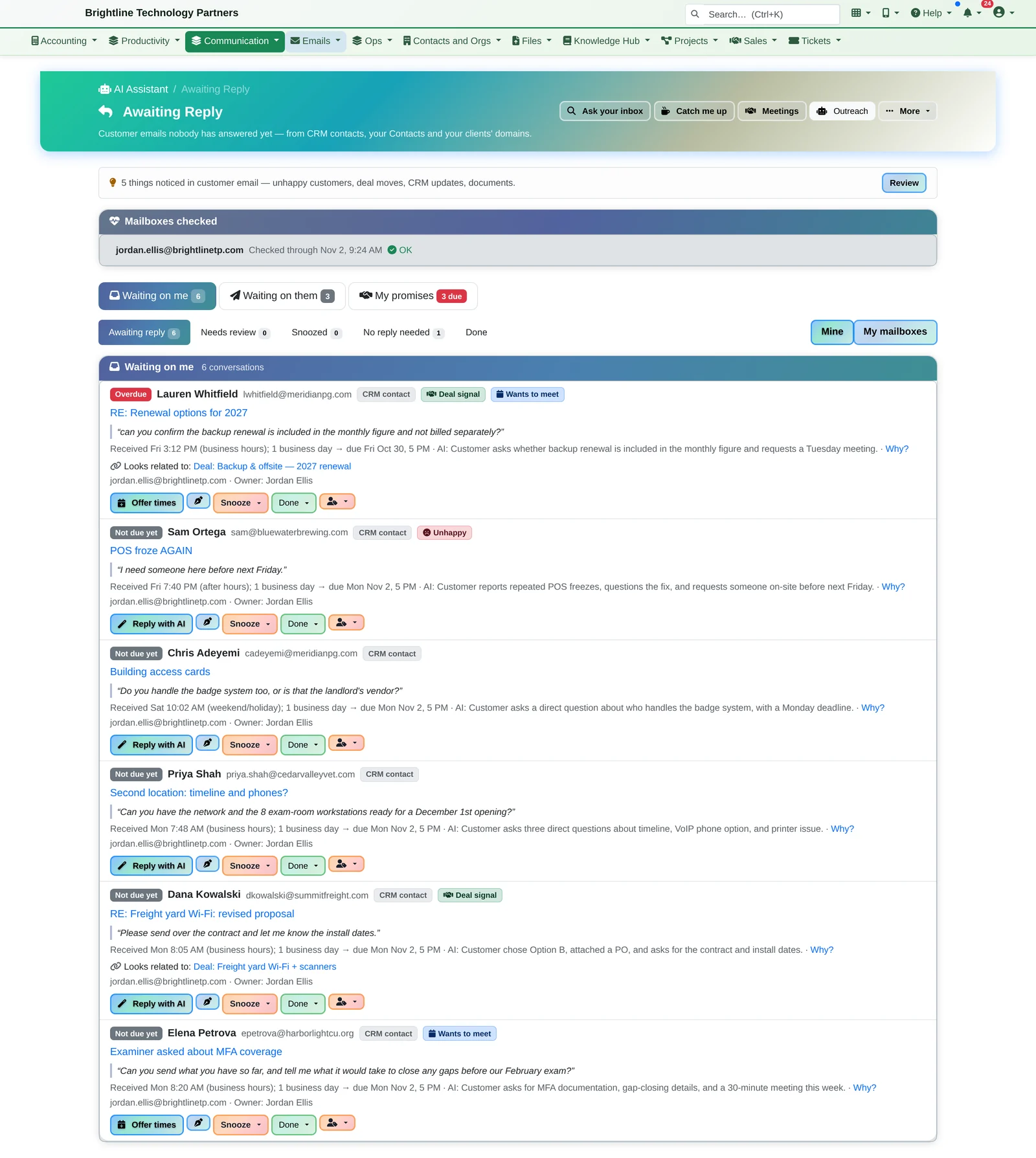
Infinite Expansion checks your customer email so nothing slips, and drafts the answer in your own voice, in your browser or right inside Microsoft Outlook.
- Who's waiting on you, overdue first, with the customer's own words and the deal it belongs to
- Who never answered you, with a polite nudge already drafted
- What you promised, “I'll send it Monday”, with its due date
- Replies in your own voice: My voice learns how you write from your sent email
- Meeting times from your calendar, a brief before every call, and answers to plain-English questions about your inbox
Nothing is sent until you press Send.
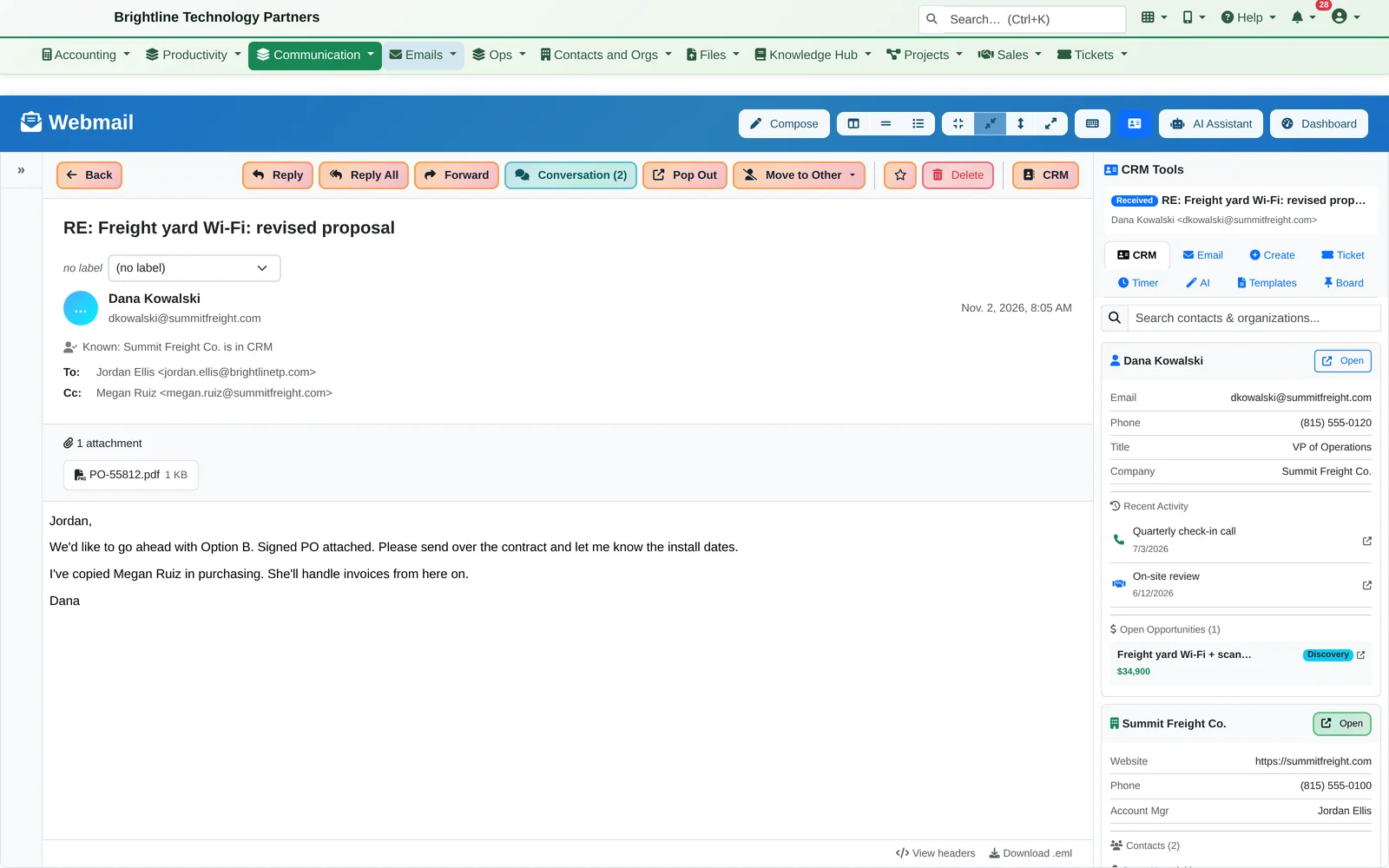
One click links the email to everything else.
Without leaving the inbox — webmail or Outlook — the side panel turns any email into:
- A CRM record of the conversation, filed against the right contact, organization and project
- A help-desk ticket with the subject, contact and original message pre-filled
- A call or meeting log, or a new sales opportunity
- A running timer for billable time on that client
- A pinned note on your board, or an instant AI summary of a long thread
Live in Microsoft Outlook? Our Outlook add-in gives you the same side panel right inside Outlook, plus a Follow-ups tab with what's waiting on you and what you promised.
CRM & AI Relationship Alerts
Your CRM should tell you who to call. Ours does — and drafts the email.
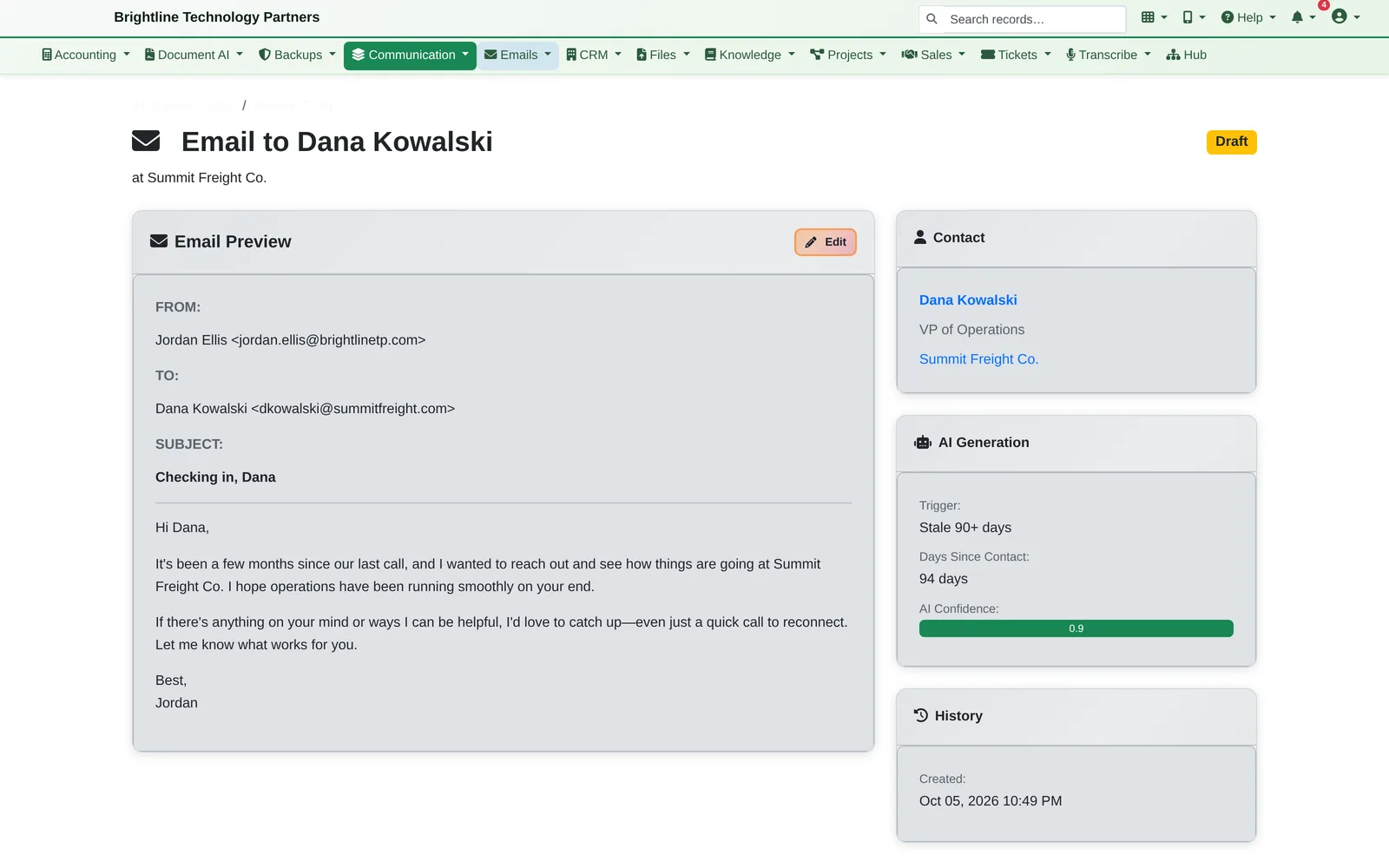
Infinite Expansion watches every account you manage. When a decision-maker hasn't heard from you in two months, or a deal has gone quiet, you're told. Then the AI writes the check-in email and waits for your OK.
- Alerts for decision-makers with no calls, meetings, emails or notes in 60+ days (adjustable per organization or contact)
- Alerts for deals with no activity in 14+ days, overdue tickets and projects, and unbilled time
- AI-drafted check-in emails, queued for your review
- Organizations and contacts can be opted out of alerts or outreach
- Every client record on one page, organized into tabs, and one search box for the whole platform
Nothing goes out without a person approving it.
Sales Pipeline
See every deal. Know which ones need you today.
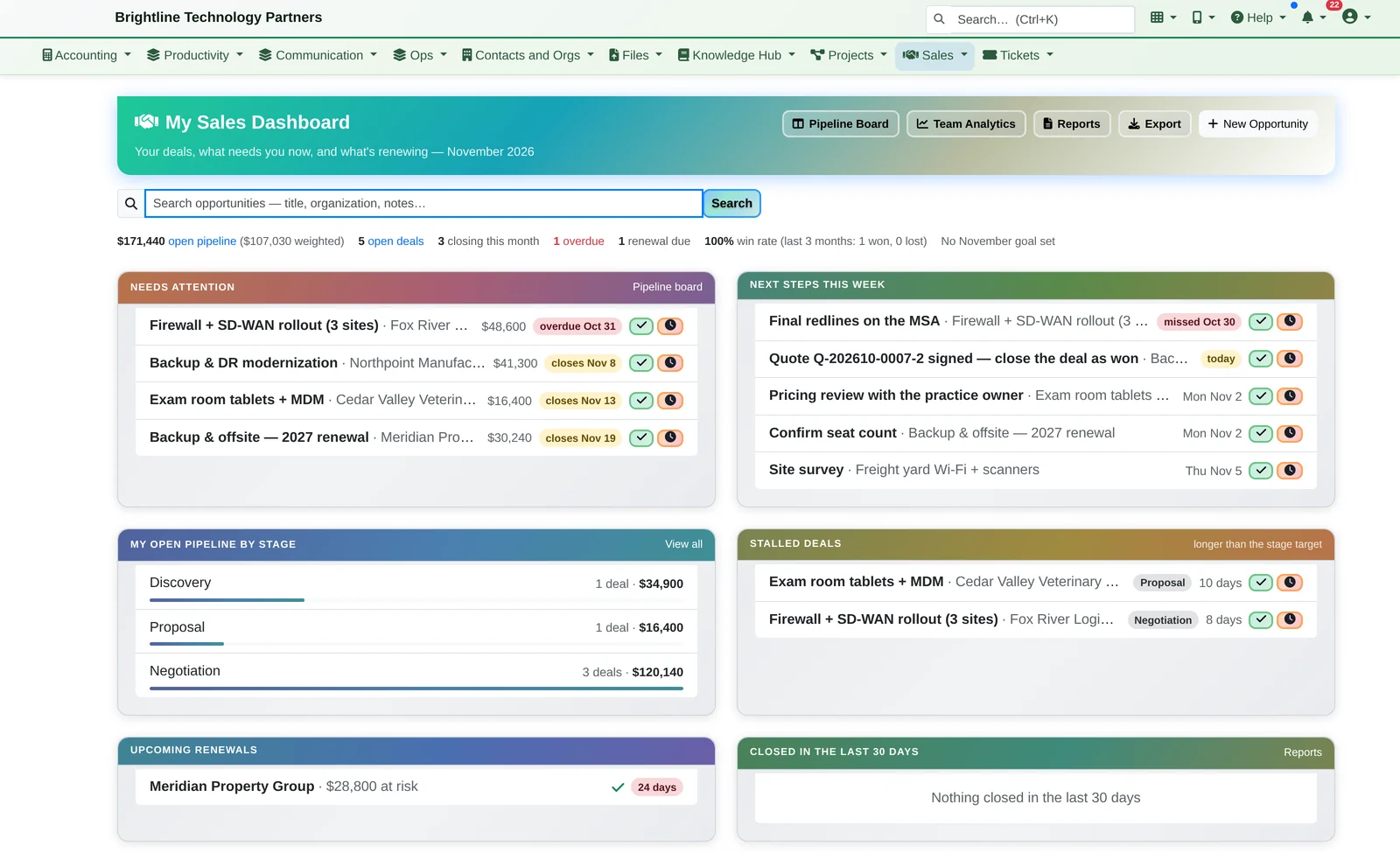
Sales opens on a to-do list, not a wall of charts: deals past their close date, next steps due this week, and deals stalled in one stage too long.
- Turn any deal into a numbered quote, and send it for signature
- An accepted quote becomes a draft invoice and, with one click, a project
- An AI Deal Coach gives a short read on any deal when you ask
- This quarter's forecast against your team's goal, and what changed since last week
eSignature
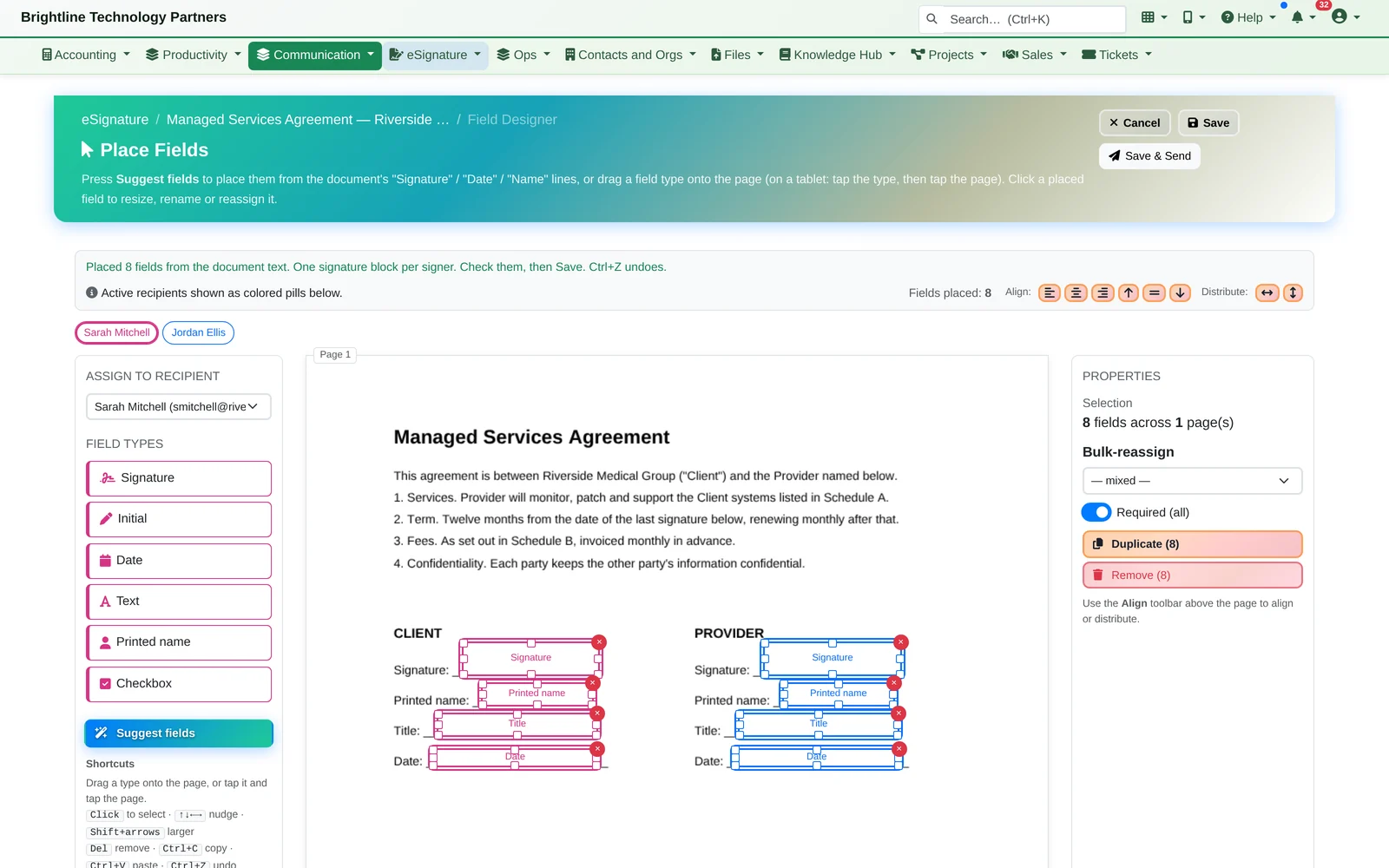
Send it, they sign it on their phone, and you can prove it.
Upload a PDF and the fields place themselves. Your customer signs from the link in their email — no account needed — and a Certificate of Completion records exactly how it happened. The signed agreement lands on the customer's CRM record.
Voice AI Receptionist
Every call answered. Every caller taken care of.
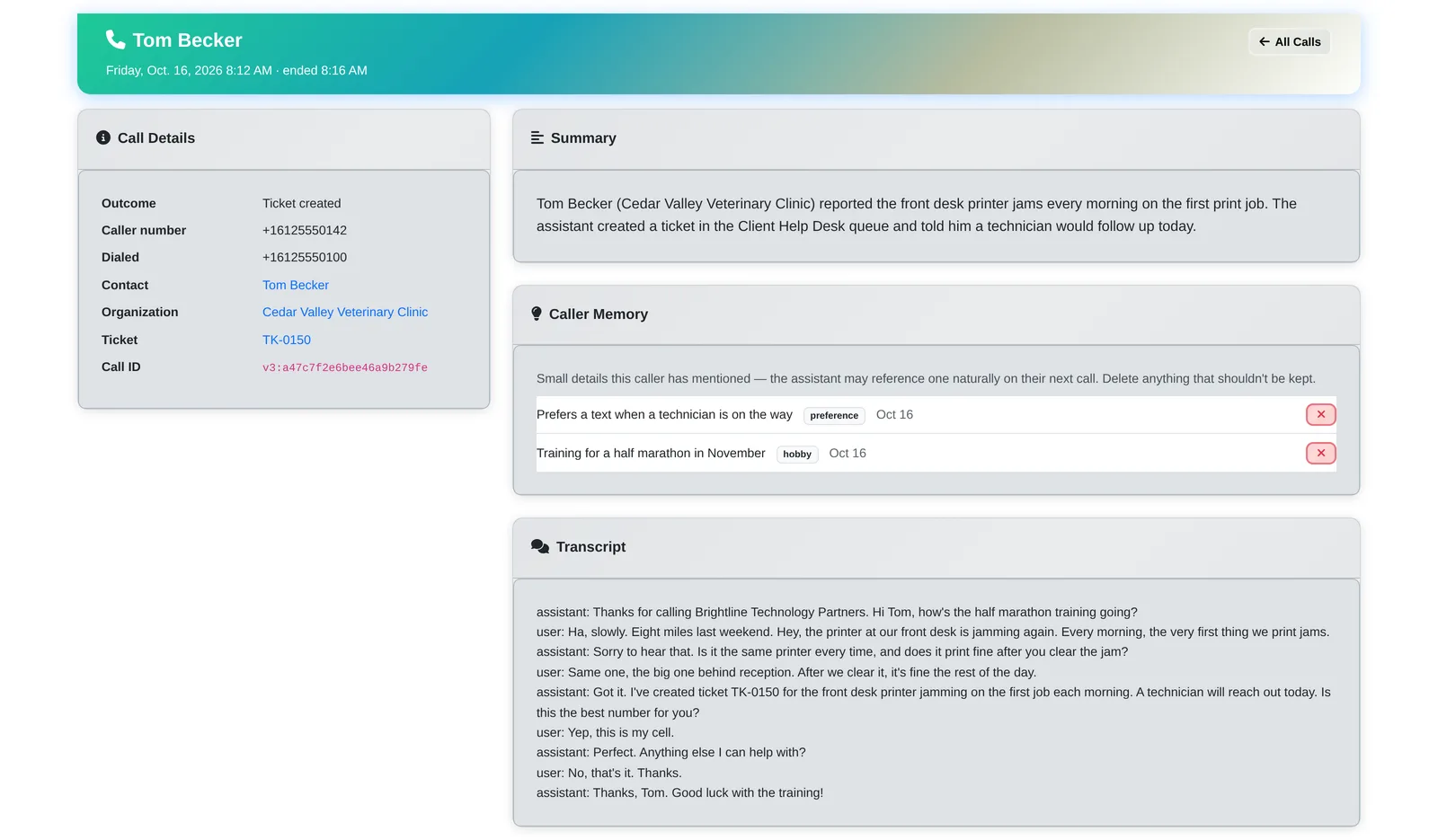
An AI receptionist answers your support line and works directly inside Infinite Expansion, so a call turns into real work instead of a sticky note.
- Recognises callers from the CRM, and remembers the small things they mention
- Opens help-desk tickets during the call and reads back ticket status
- Schedules appointments on your calendar
- Checks with your team in chat, transfers to a person when needed, and screens junk calls
We use it at The I.T. Connection today.
Accounting & Payments
Real accounting, built in, not bolted on.
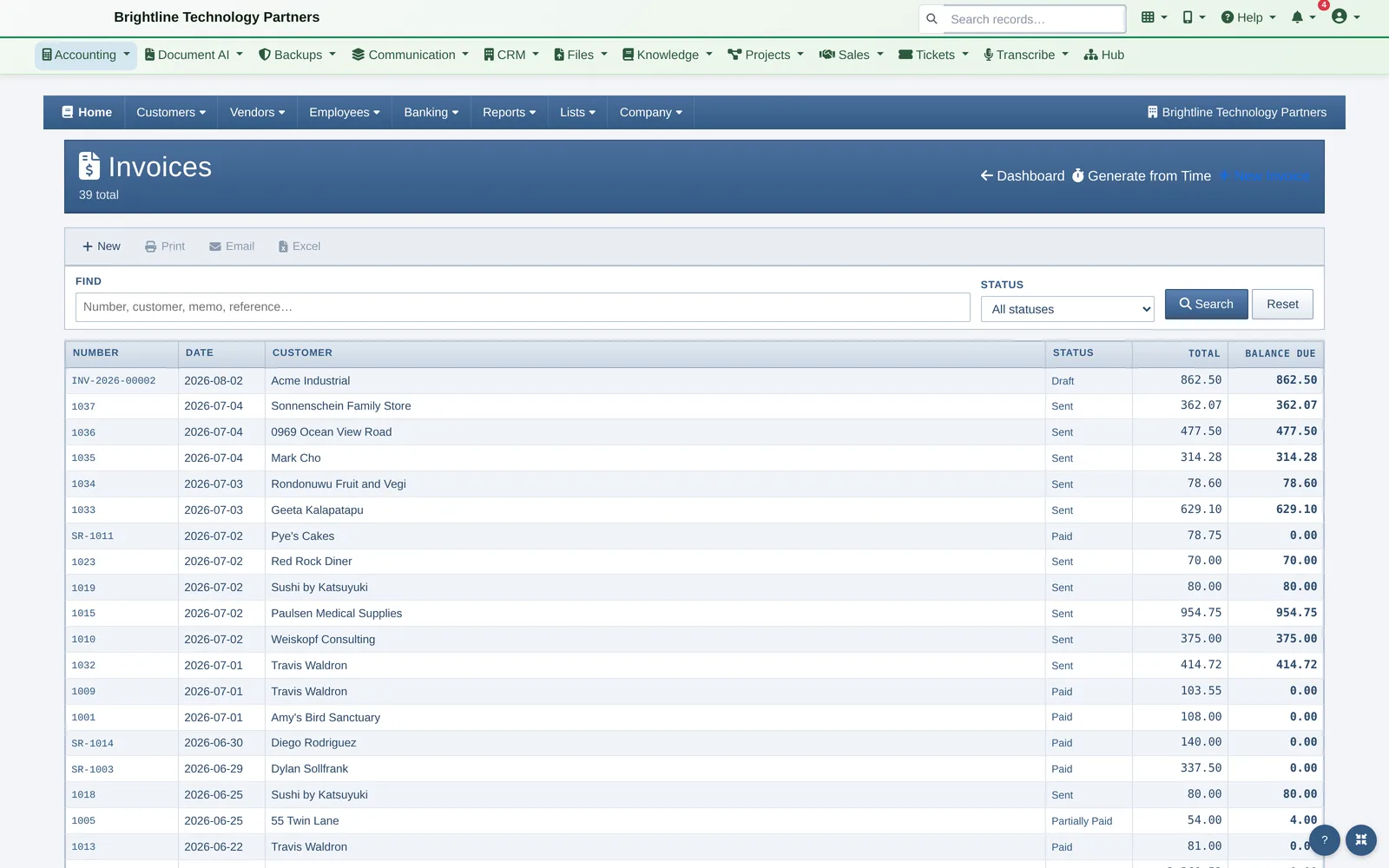
Full double-entry accounting with the familiar QuickBooks-style workflow. Because it lives in the same platform, billable time and project work turn into invoices without re-typing, and the CRM knows every client's balance.
- Invoices, estimates, recurring billing and statements
- Clients pay invoices online by card
- Invoices generated from tracked time
- Vendors, bills, banking, sales tax and payroll
- Coming from QuickBooks? A one-way sync brings your QuickBooks data in, so you can confirm every number matches
Your Day
One screen, one email, everything that needs you today.
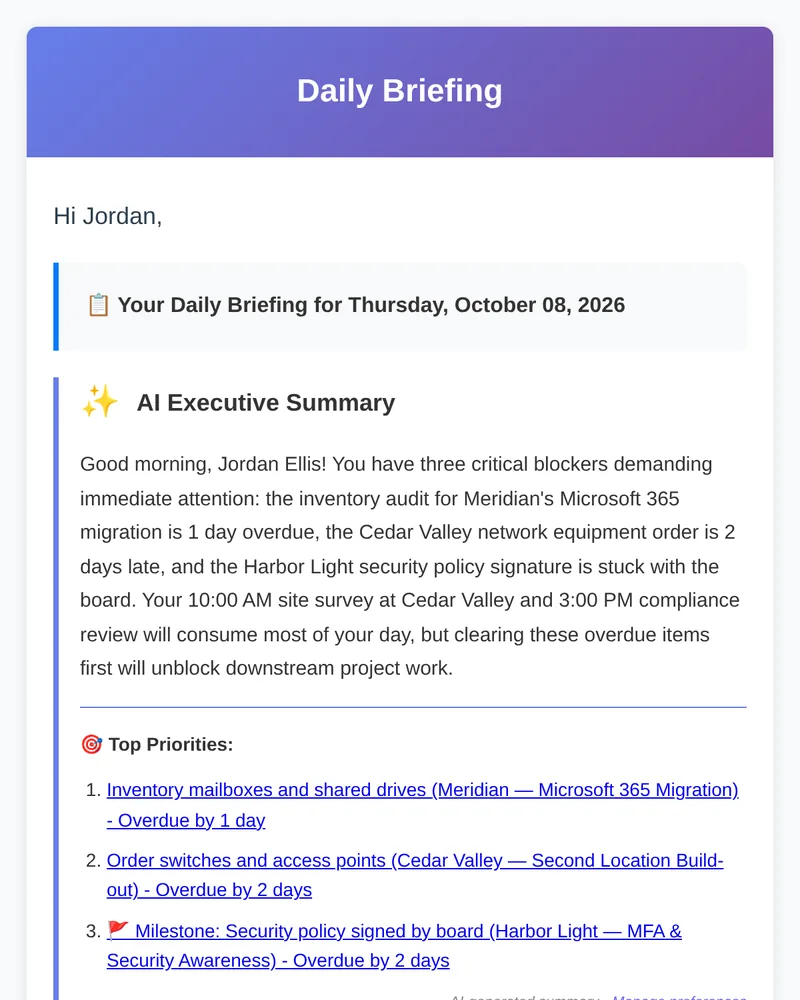
Your tasks, meetings, deals, tickets and time all live in one system, so Infinite Expansion can put them together. Every morning a Daily Briefing arrives with an AI summary of what to tackle first, and Note Boards let you plan the day with emails and tickets pinned as sticky notes or a to-do list.
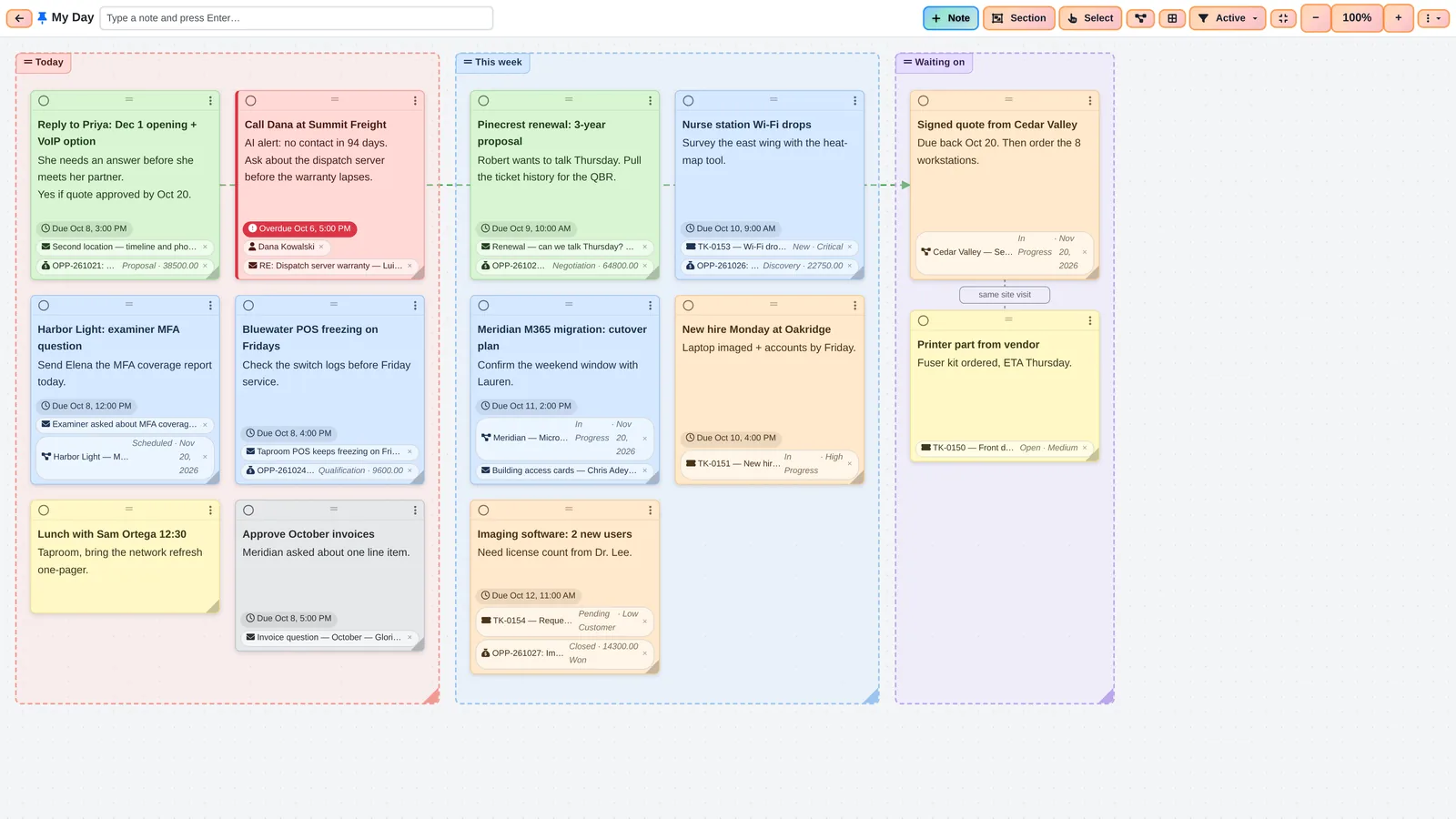
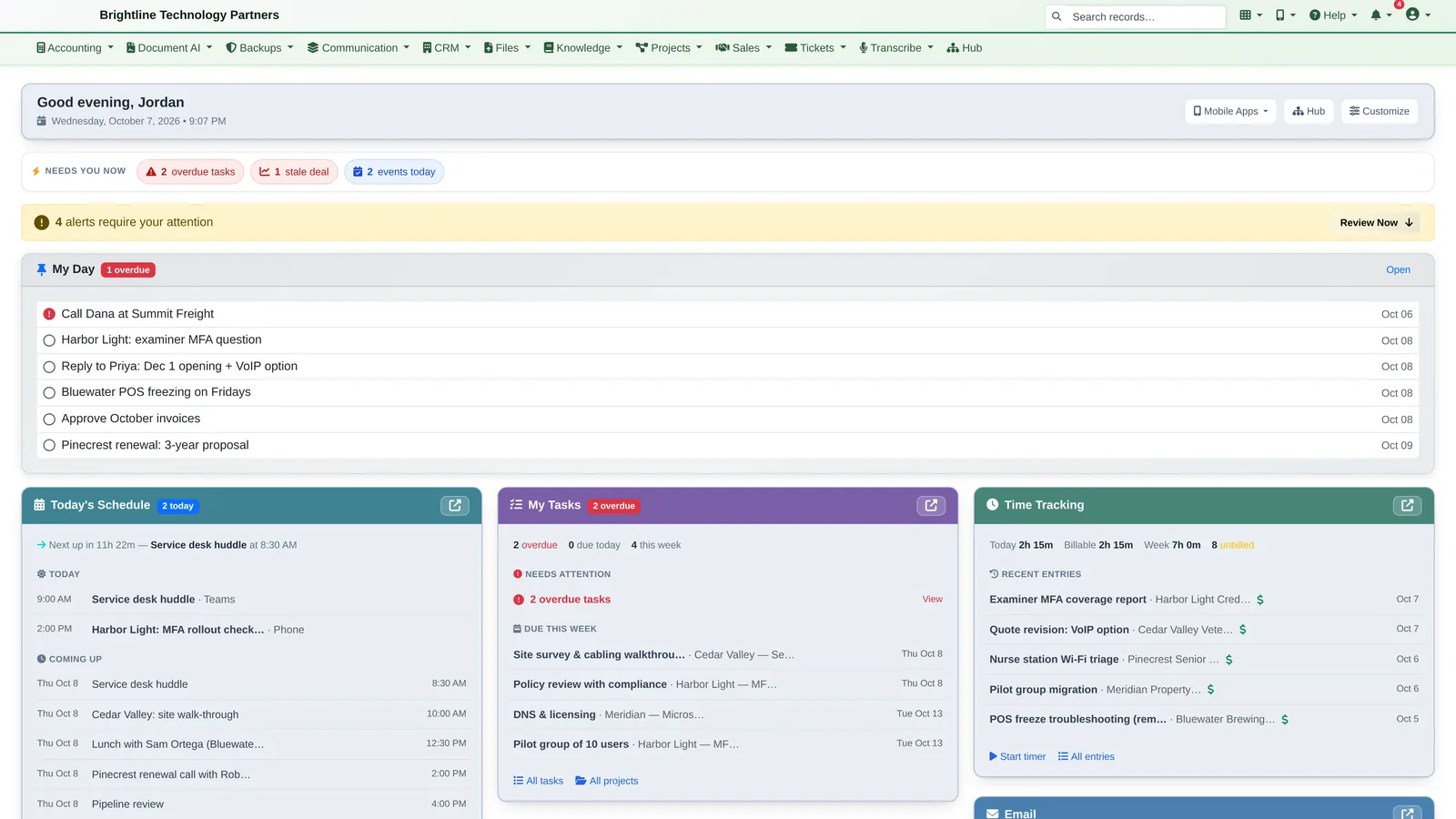
Your morning, briefed.
- A Daily Briefing email every morning and a Weekly Outlook every Monday
- An AI Executive Summary and top three priorities at the top
- Pulls from projects, tasks, milestones, calendar, tickets, the sales pipeline and time tracking
- Choose which sections are included; days with nothing to report send nothing
Most tools send a digest of their own data. This one is written from all of it at once, so it can tell you that an overdue task is putting a milestone at risk, or that a deal went quiet just before your call with that client.
Help Desk & Document AI
Every request read and summarized before you open it.
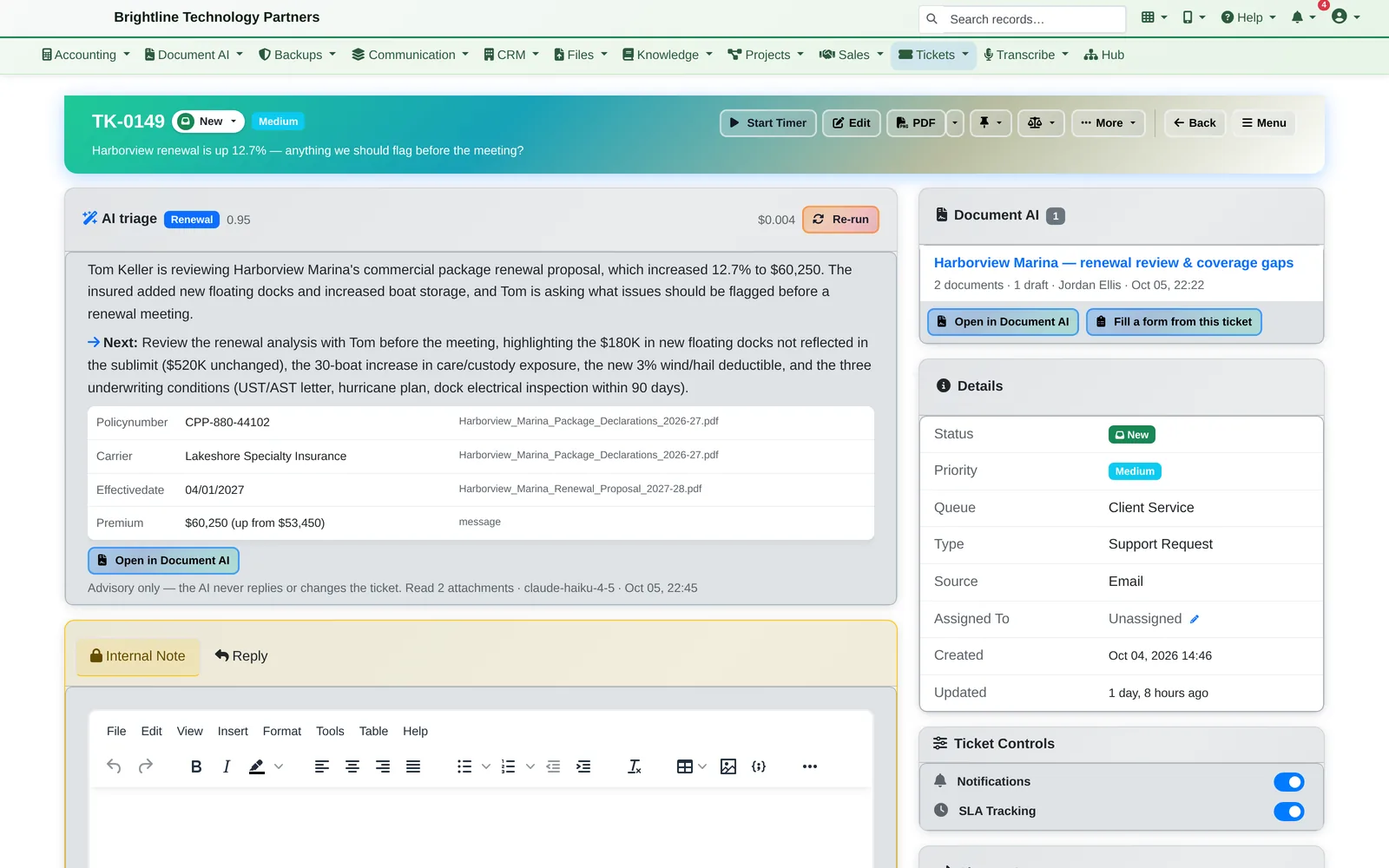
Help desk with AI triage
Client emails become tickets automatically or in one click. The AI reads the message and its attachments, writes a plain-English summary, pulls out the key details and suggests the next step. It's advisory only: it never replies to a client or changes a ticket on its own.
- Queues, priorities, due dates and SLA timers with business hours
- Internal notes, canned responses and satisfaction surveys
- Clients follow their tickets through the client portal
Document AI
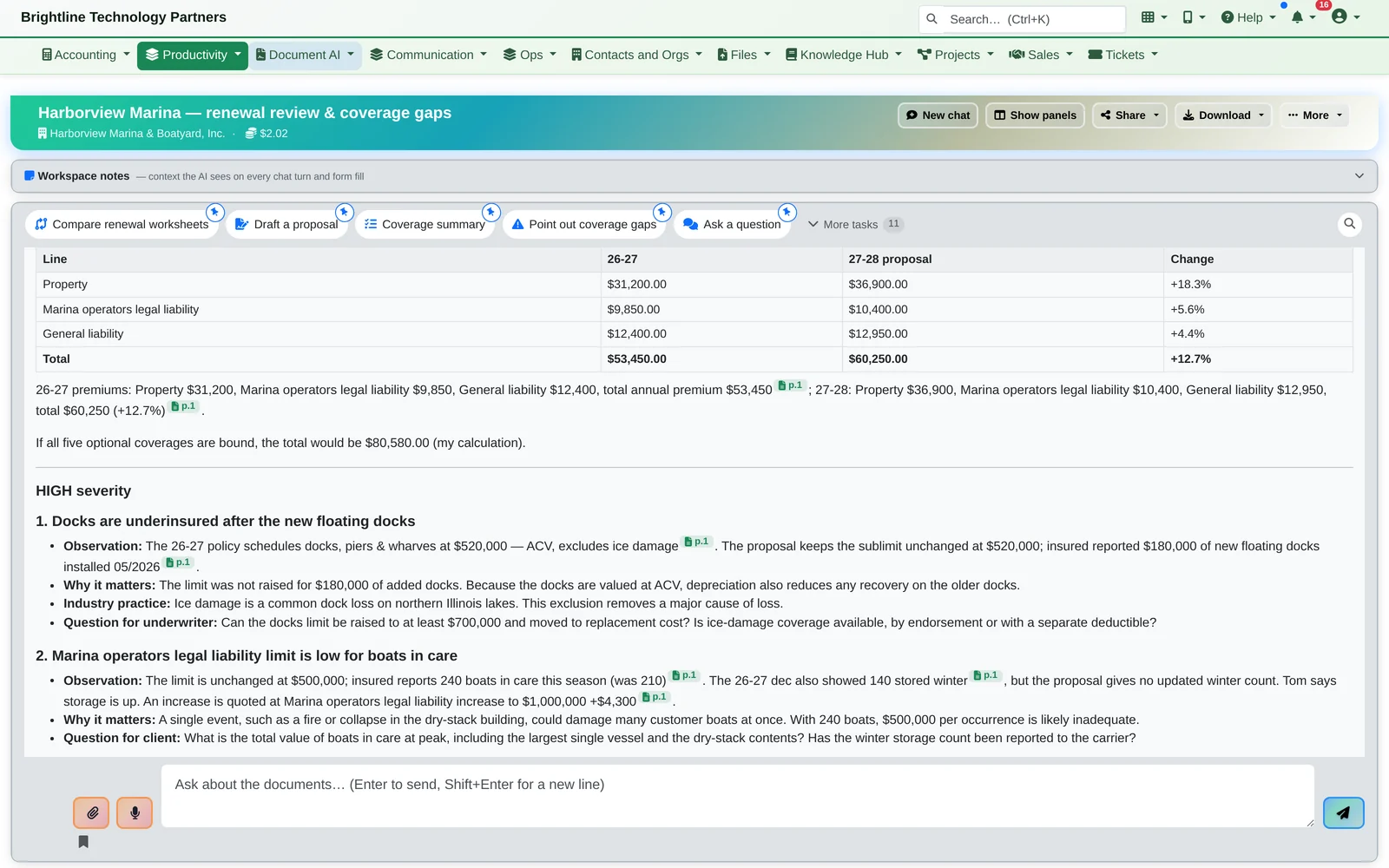
Drop in quotes, policies, contracts or reports. Ask a question or click a ready-made task, and get a structured answer in seconds — with every figure cited to the page it came from. Here, a renewal reviewed line by line: +12.7%.
- Workspaces per client, linked to the CRM and the original ticket
- Comparisons, summaries and drafted letters
- Form filling, reviewed by a person before use
Meeting Notes
Meetings that write their own to-do list.
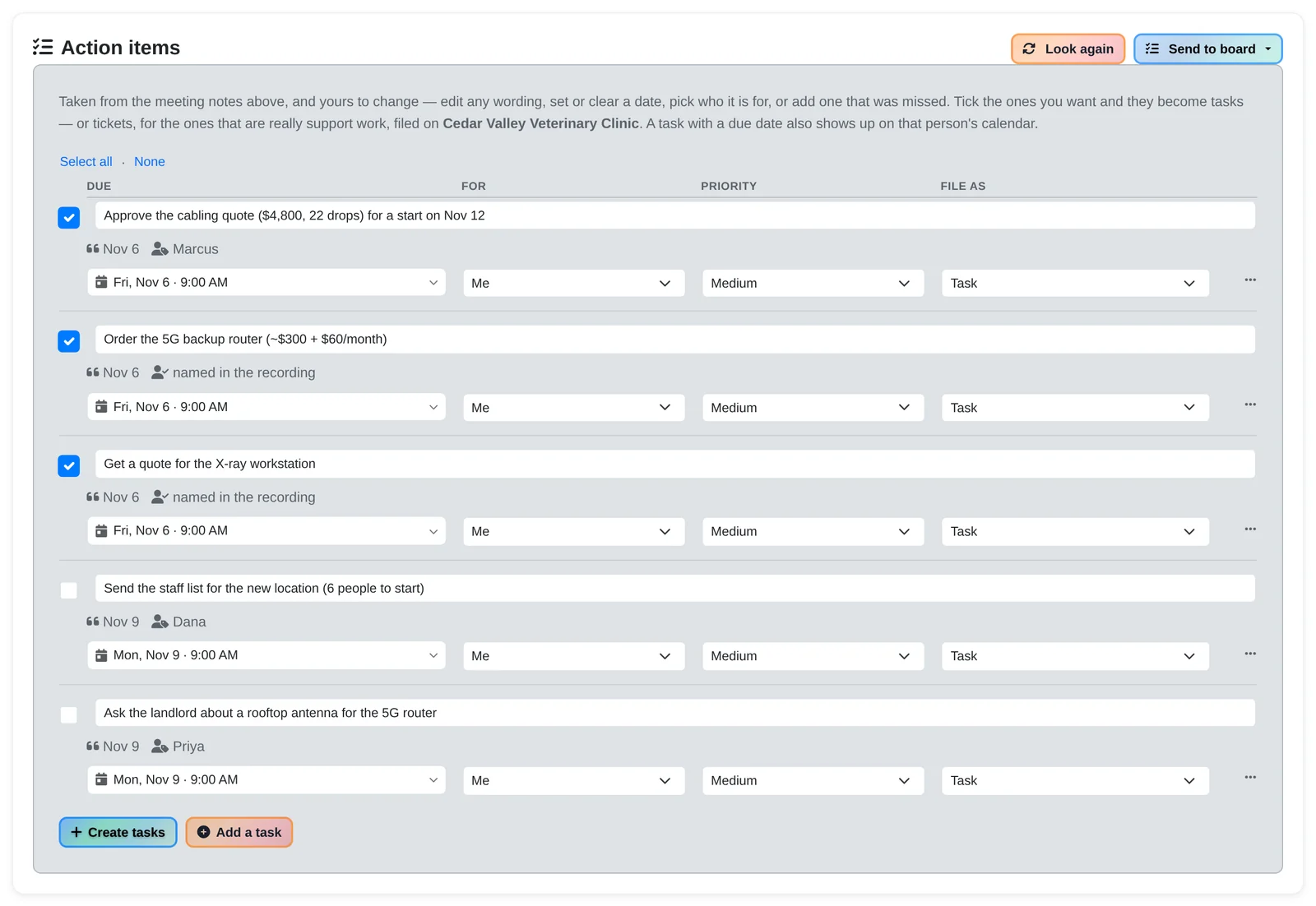
Record from your Windows or Mac desktop, your phone or the browser. Minutes after the meeting ends you have a transcript with names and meeting notes, and the action items arrive as suggested tasks: tick the ones you want and they become tasks or tickets on the client. Dictate a voice note on your phone and the same thing happens. Then ask the meeting anything: “draft the follow-up email”.
Team Chat
Team chat that lives where the work is.
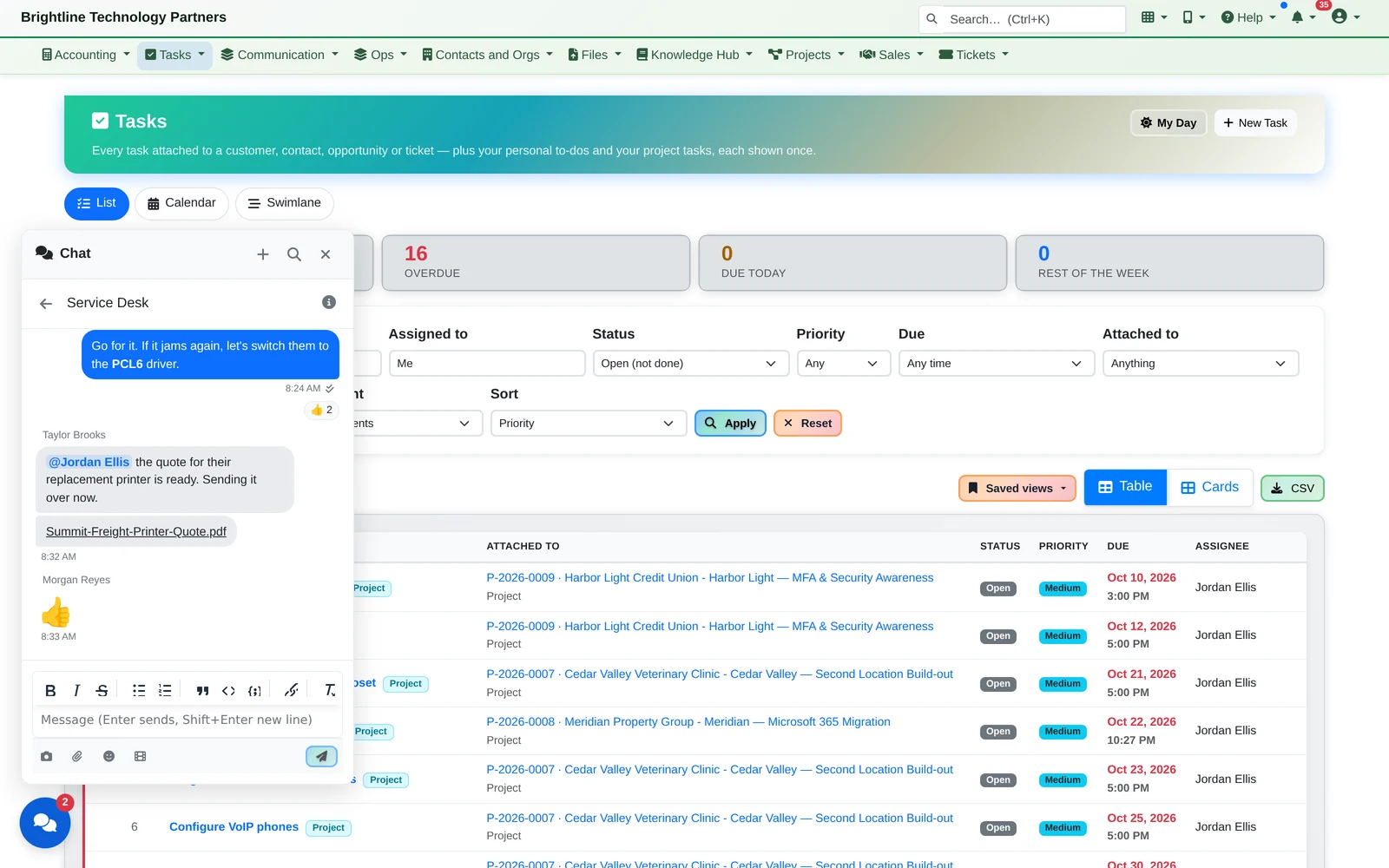
Direct messages, group chats and team channels, built in. Paste a screenshot, answer from the chat panel on any page, and take it with you on your phone. The people are already your users, and the same permissions, audit trail and legal holds cover every conversation.
For IT Teams
Give your team — and an AI — access to production, without giving away the keys.
Infinite Expansion includes privileged access for Linux servers: a browser terminal and code editor where nobody ever holds the server keys, every session is recorded, and an AI engineer troubleshoots under the same rules and recording as your people.
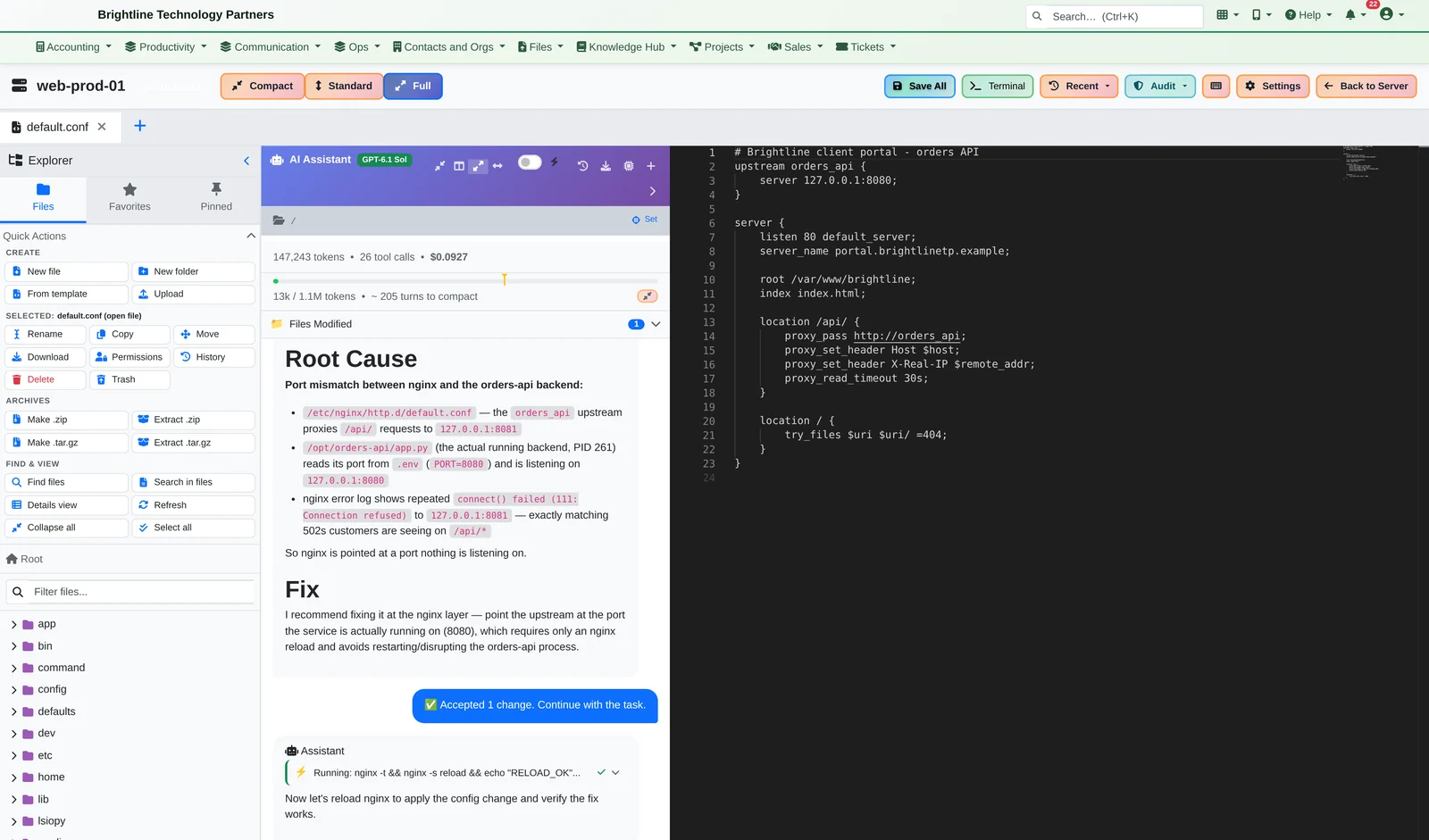
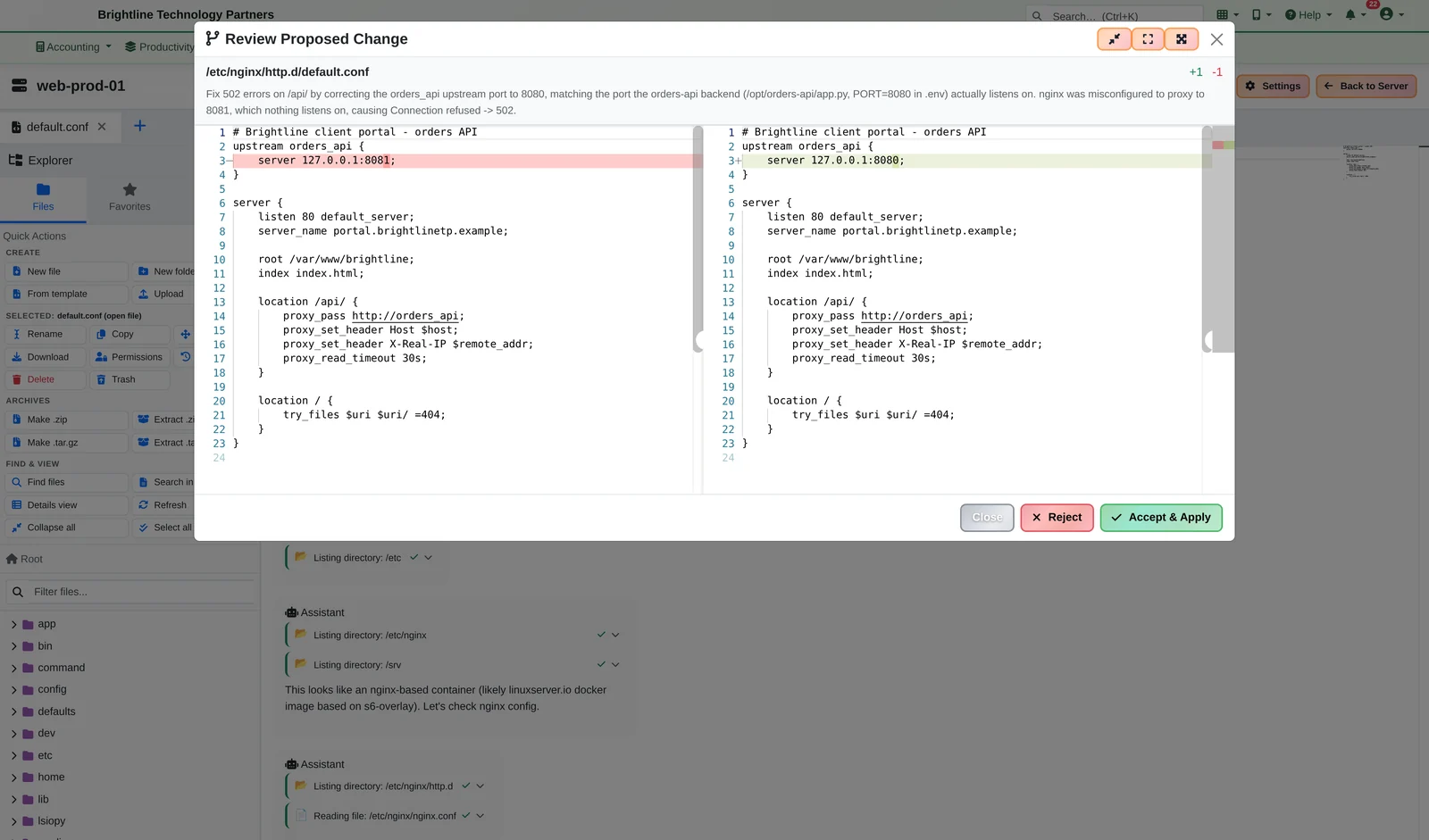
Enterprise privileged access management, built in: View, Connect, Sudo and Root access levels, just-in-time and break-glass access, tamper-evident recordings, and evidence mapped to SOX 404, PCI DSS 10.5 and HIPAA 164.312. Phone apps let you approve the AI's fix with a tap and open an SSH terminal from anywhere.
Field Operations
Field operations, start to finish.
Catalog, stock, purchasing, shop builds, truck loading, delivery with driver sign-off, and crew scheduling, all tracking the same items. Built for businesses that stock, ship and install: HVAC, electrical, cabinetry, landscaping and equipment dealers.
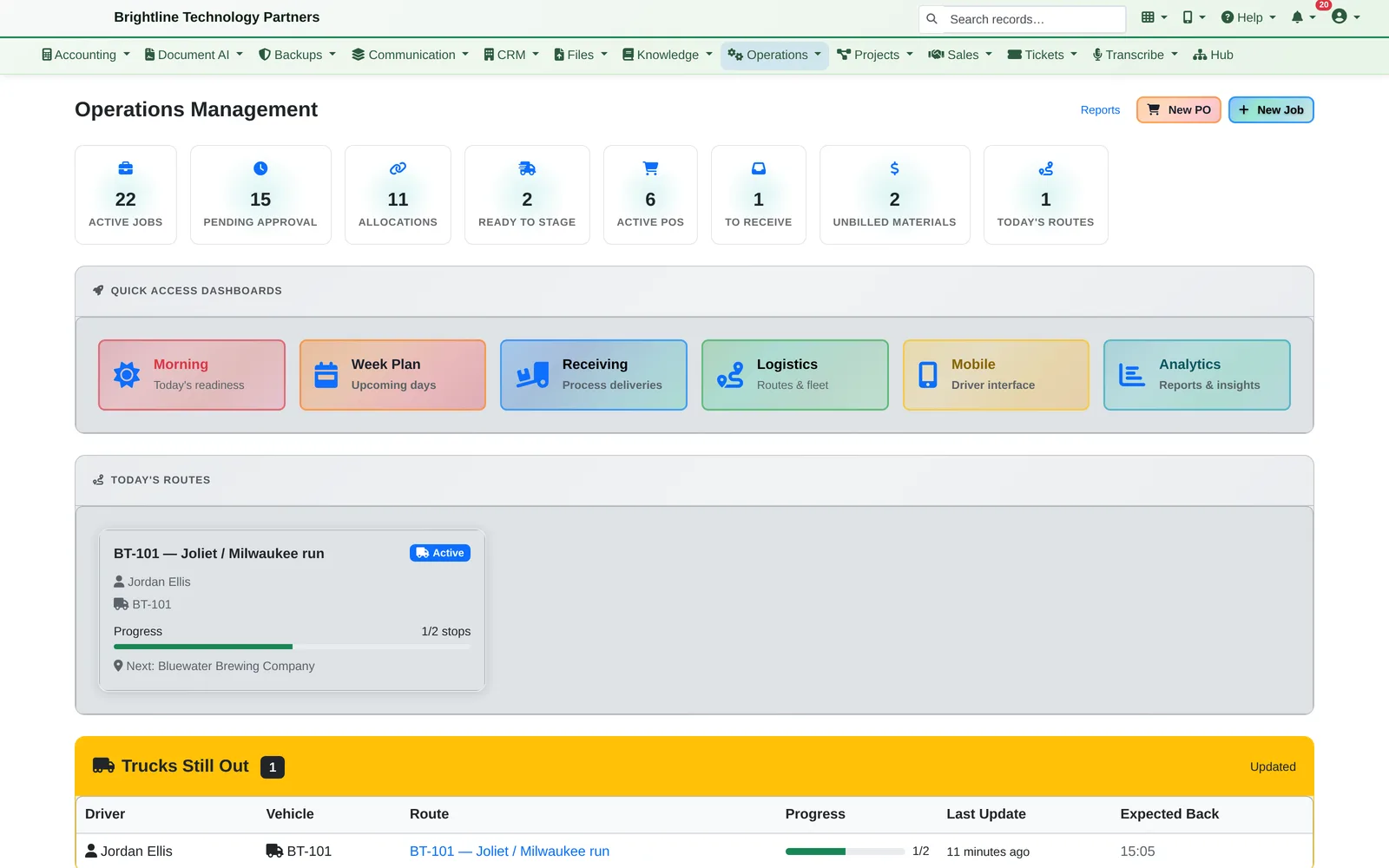
Built for Your Industry
Set up for how your business actually works, in one click.
Vertical packs set the platform up for your industry: the right names, fields, menus, saved views and automation rules. Three of them go much further.
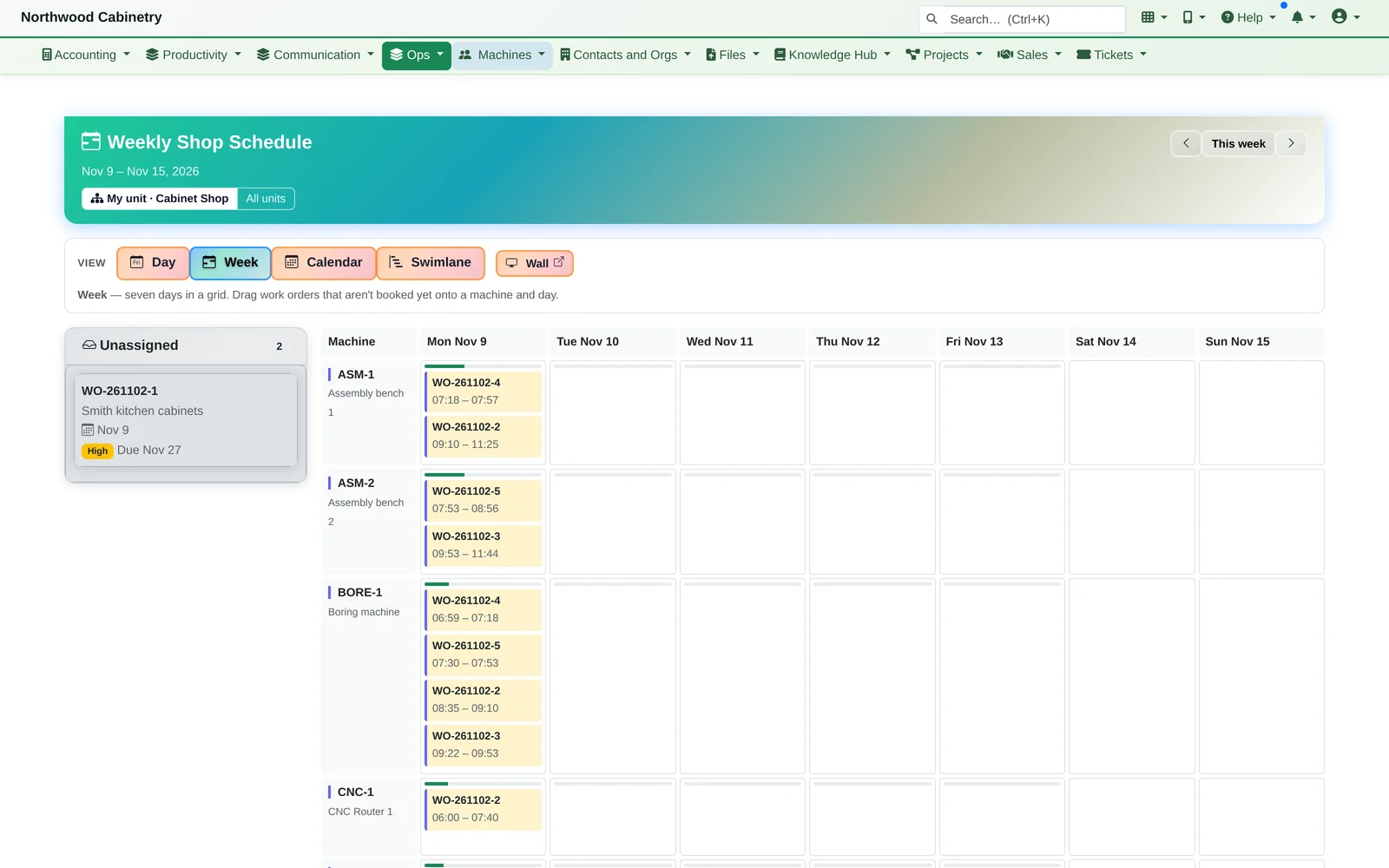
Manufacturing
Products with materials lists and machine rules, orders from a project, auto-scheduled machines, an operator station on the shop floor, and the real cost of every order.
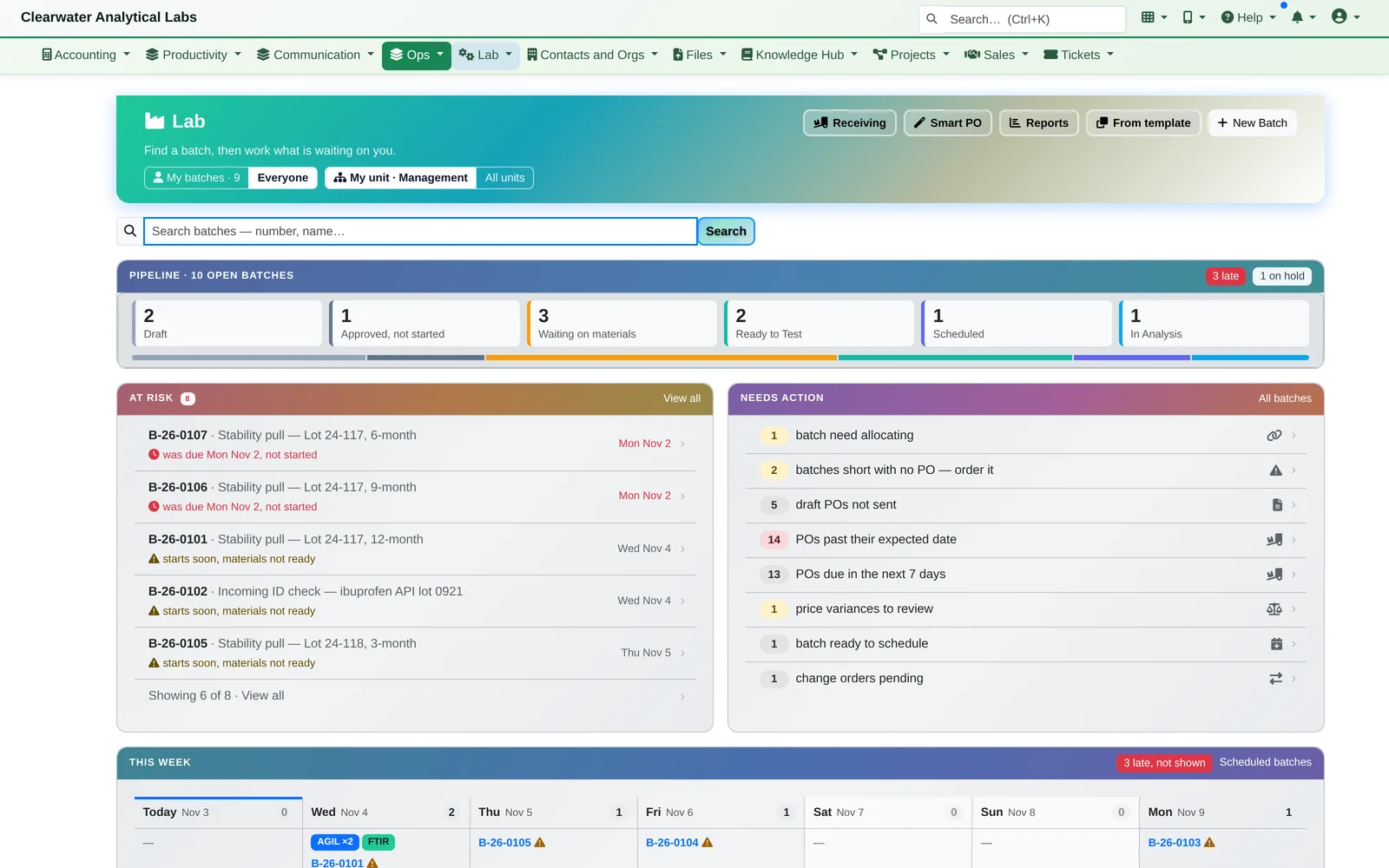
Laboratories
Batch templates, reagent lots and expiry, best-price ordering, and every instrument booked in the right order, tied back to the study.
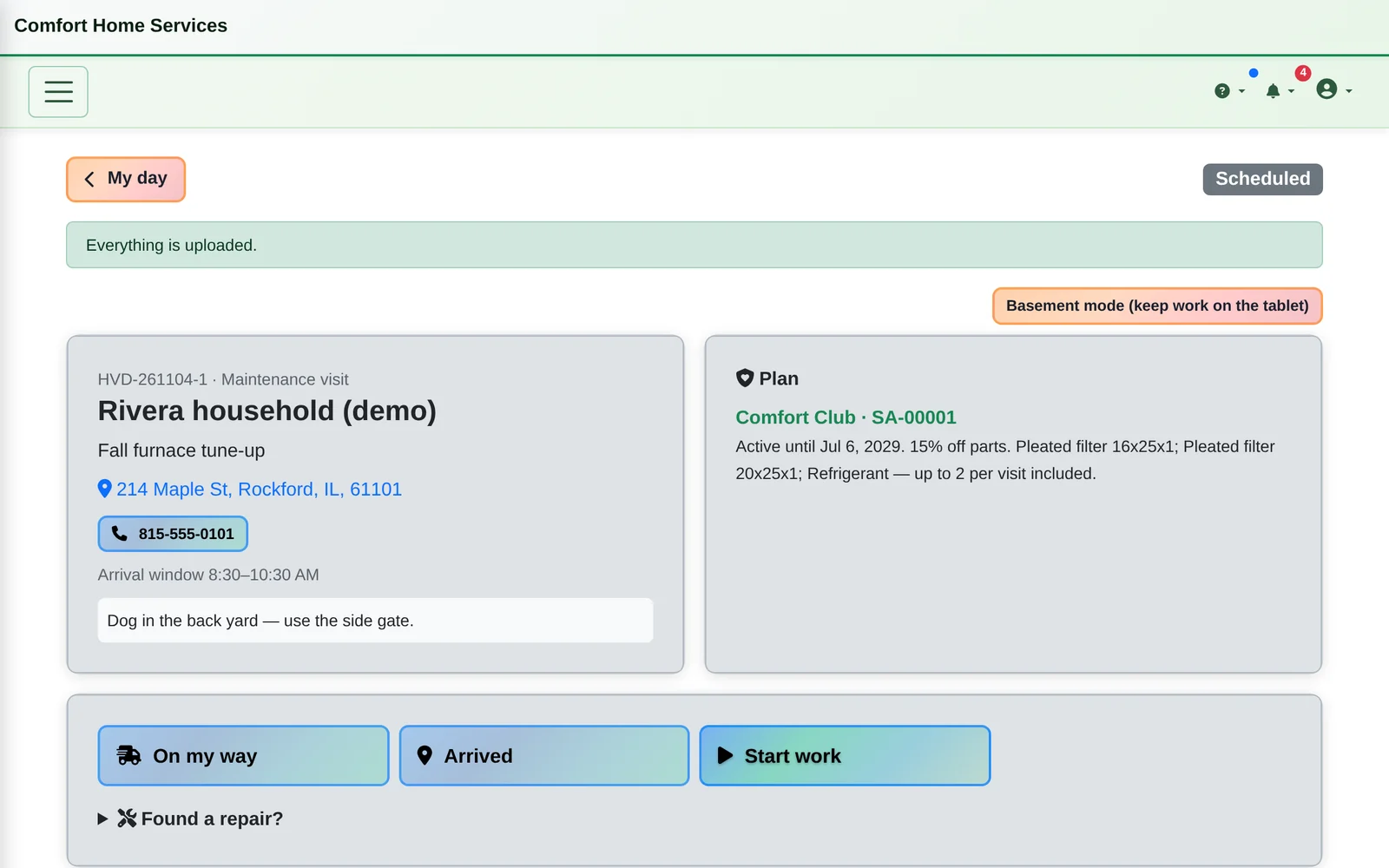
Home Services
The service call on one tablet: an estimate signed on the glass, parts off the truck, the invoice with plan savings and payment at the door, plus maintenance plans.
Built for Trust
For businesses that can't afford to lose a record.
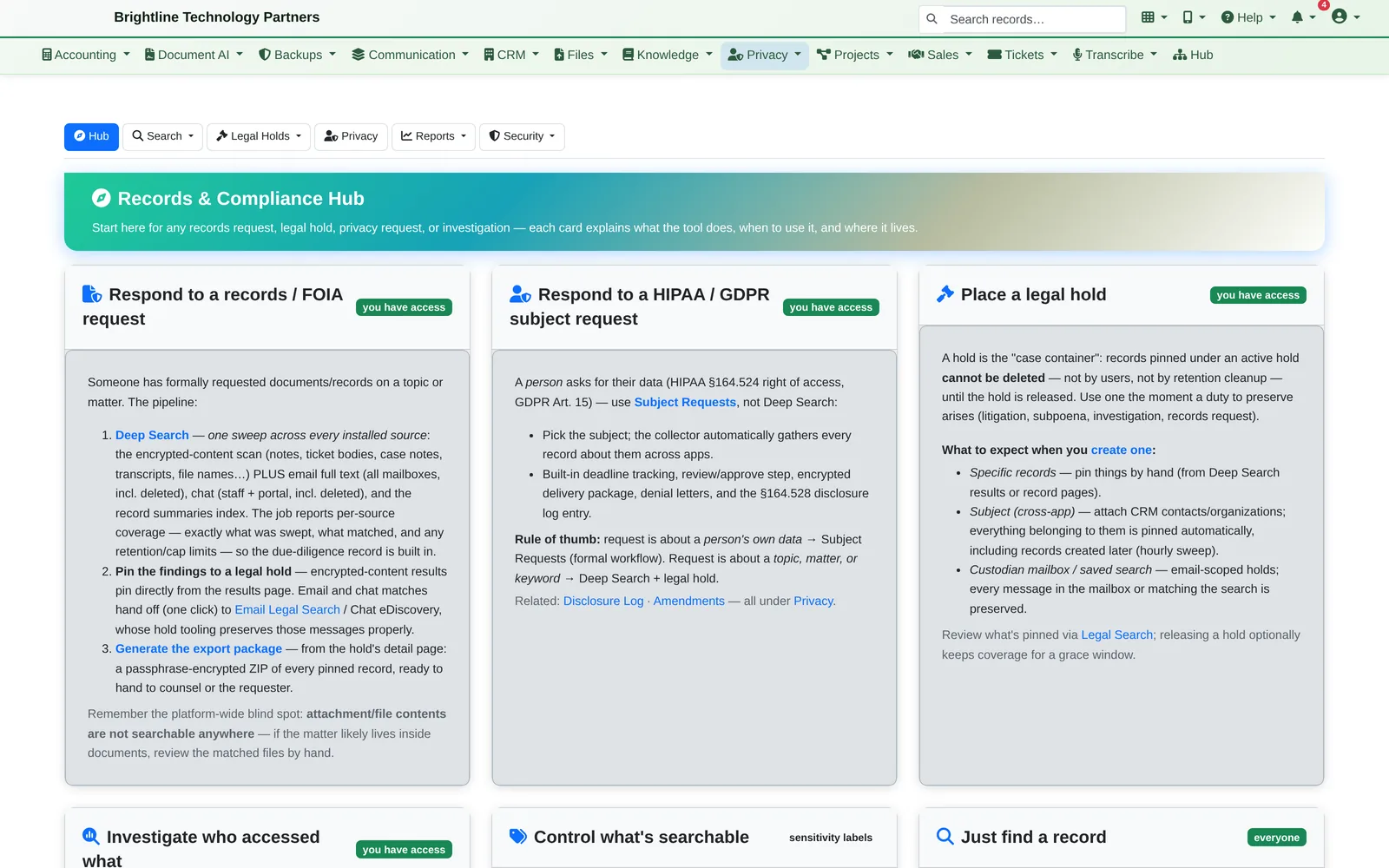
Sensitive data is encrypted, and every view, change and deletion is audited. When a records request, a lawsuit or a privacy request arrives, the tools to answer it are already there.
- Encryption of sensitive fields, documents and stored email
- Audit trail of who viewed and changed what, with field-level history
- Access control by team and by app role; multi-factor sign-in and single sign-on
- One hub for records and FOIA requests, HIPAA and GDPR subject requests, and legal holds
- Built for HIPAA, GDPR and records-retention workflows
Your Data, Your Way
In our cloud, or in your building.
Hosted and managed by us
We run it, secure it, back it up and keep it updated. Your team just signs in.
On-site, on your own hardware
Wary of the cloud? We install the hardware at your location and everything is stored there, literally on your site. Backups are encrypted, and you can hold the encryption keys yourself.
Your choice of AI
Use AI from OpenAI, Anthropic or Google, or a mix of them, with a choice of voice AI services too. You're never locked in to one AI company.
Built to grow with you
Designed for organizations of up to 5,000 users, with access control by team and role as you grow.
Everything Included
Stop paying for apps that don't talk to each other.
Every app plugs into the same system, so nothing needs to be re-typed from one to the next.
- CRM
- Sales pipeline
- Email & webmail
- Outlook add-in
- Voice AI receptionist
- Text messaging
- Help desk
- Projects
- Time tracking & billing
- Accounting & invoicing
- Online card payments
- QuickBooks sync
- Payroll
- Document AI
- E-signature
- Fax
- Team chat
- Meeting transcription
- Phone apps
- Knowledge base
- Files
- Calendars
- Catalog, inventory & purchasing
- Field operations & delivery
- Crew scheduling
- Manufacturing & machine scheduling
- Lab batches & instruments
- Home services & maintenance plans
- Client portal
- Workflow automation
- Reports
- Compliance & records
- Secure server access
See it for yourself.
We'll show you the AI writing a reply, the relationship alerts and anything else you'd like to see, in about 20 minutes. It's the same system we run The I.T. Connection on.