Infinite Expansion · Field Operations

Field operations, start to finish.

Every item, from the supplier's price list to the customer's signature.

One system for what you sell, what's on the shelf, what's on the truck and who's installing it. Order it, build it, reserve it for a job, load it, deliver it and get it signed for, with every step recorded against the item and the job.

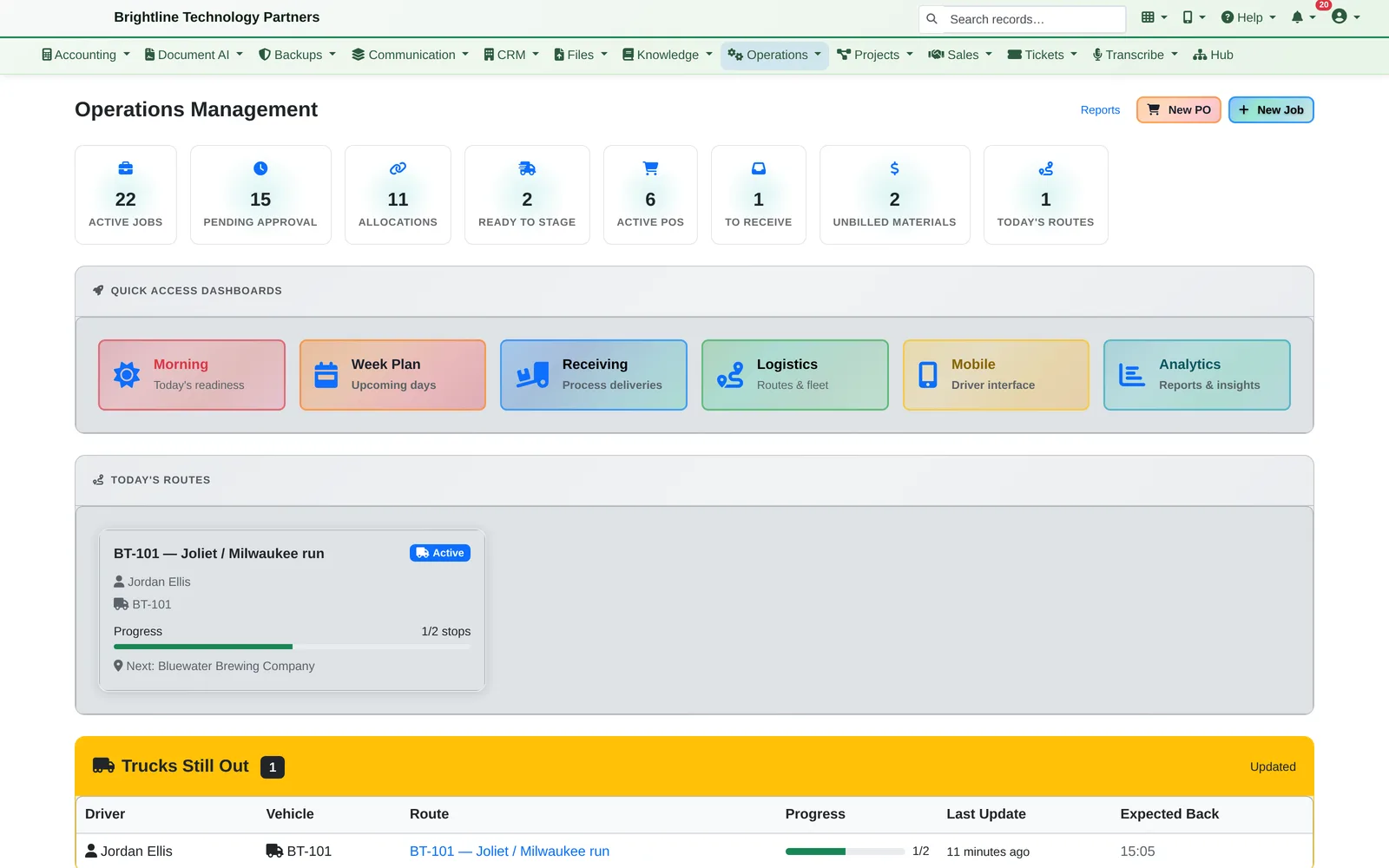
Operations dashboard with job and purchasing counters, today's route card and a Trucks still out panel
Today at a glance: jobs, reservations, purchase orders and trucks on the road.

Built for businesses that stock, ship and install. Our demo company builds and installs shop furniture, but the same flow fits HVAC, electrical, cabinetry, landscaping and equipment dealers.

One Job, One Page

Every job tells you where it stands, and what happens next.

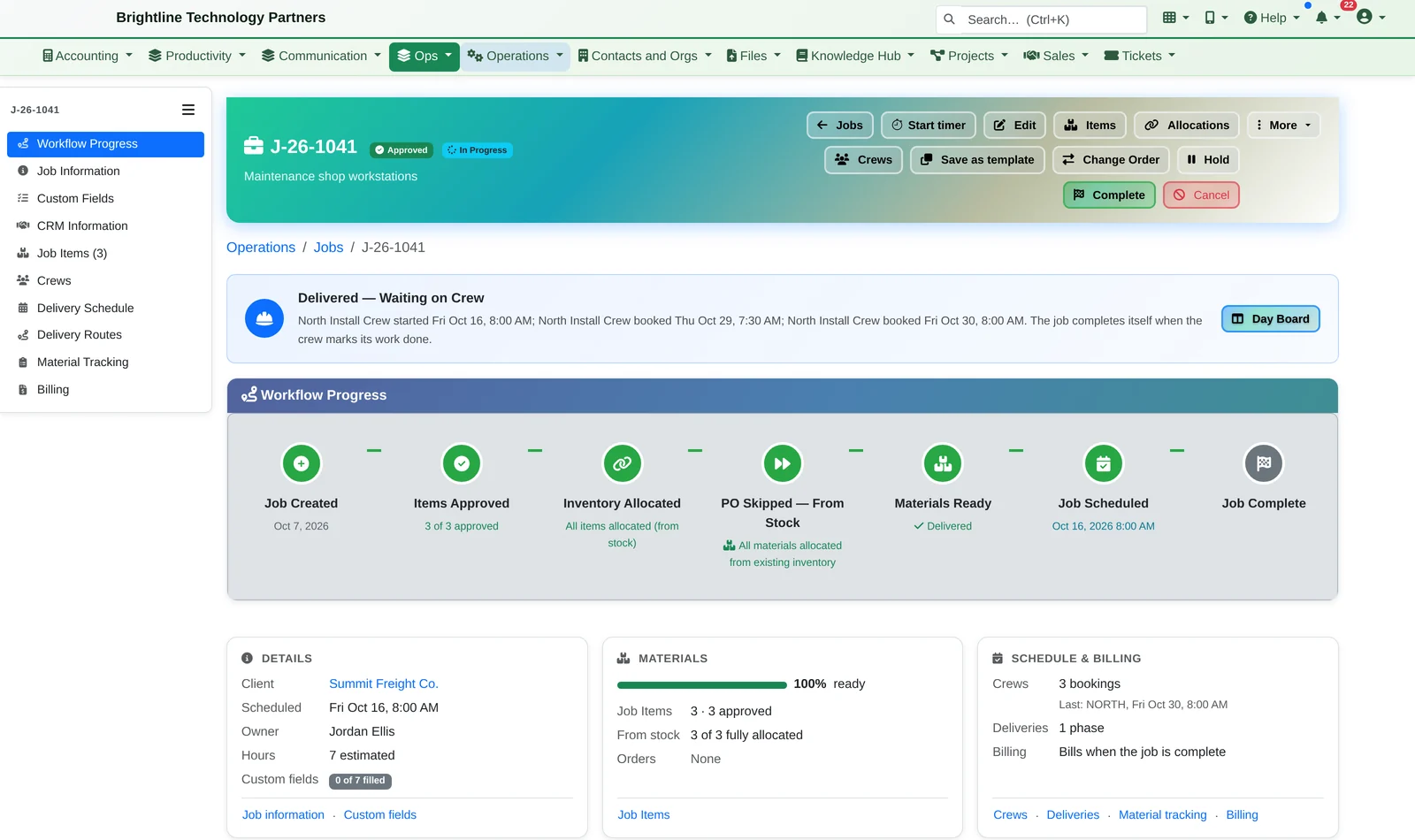
Every job page reads top to bottom: a banner saying where the job stands and what happens next (“Delivered: waiting on crew”), a progress bar from job created to job complete, and three summary cards for the details, the materials, and the schedule and billing.

Tabs below hold the detail: the job's items, its schedule (crew bookings, deliveries and routes), and complete & bill.

Job J-26-1041 for Summit Freight with a Delivered, Waiting on Crew banner, a workflow progress bar from Job Created to Job Complete, and Details, Materials and Schedule and Billing summary cards
Every job tells you where it stands and what happens next.

Crews, deliveries and the route, in one tab.

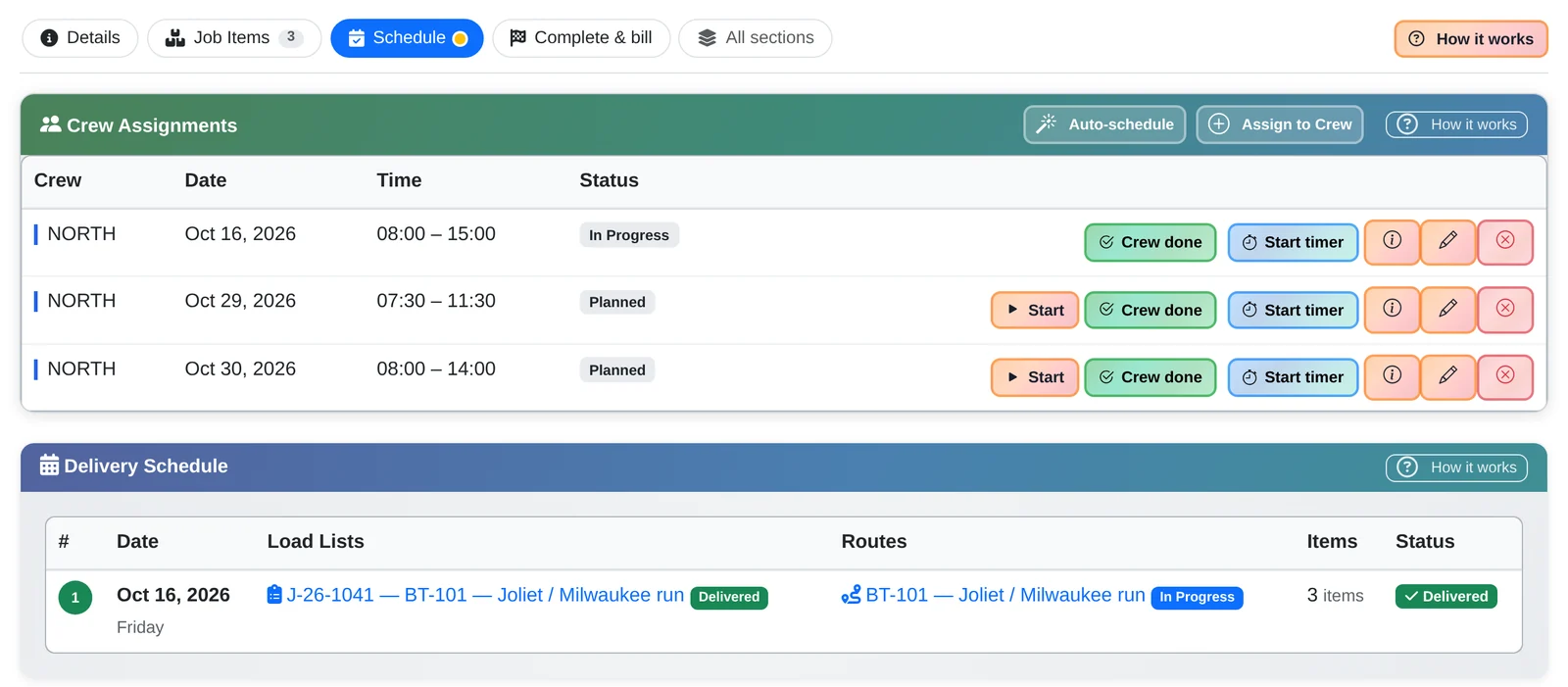
The Schedule tab lists every crew booking for the job, its delivery and the route it's on, with each one's status.

Job Schedule tab with three North crew bookings and a delivery schedule row marked Delivered with its load list and route
The job's schedule: crew days, deliveries and the route, in one tab.

How It Works

Follow one workbench through the business.

  1. It starts in the catalog. “Heavy-Duty Workbench — 72 in.” is a catalog item with a SKU, a price, a unit and its accounting codes. The steel tube, plywood top and leveling feet it's made from are catalog items too, each with supplier pricing.
  2. The shop builds it. A shop work order says “build 8 workbenches” and lists the materials per unit. When the crew posts the finished units, those materials come out of stock and 8 workbenches go into finished goods, valued at what they cost to make.
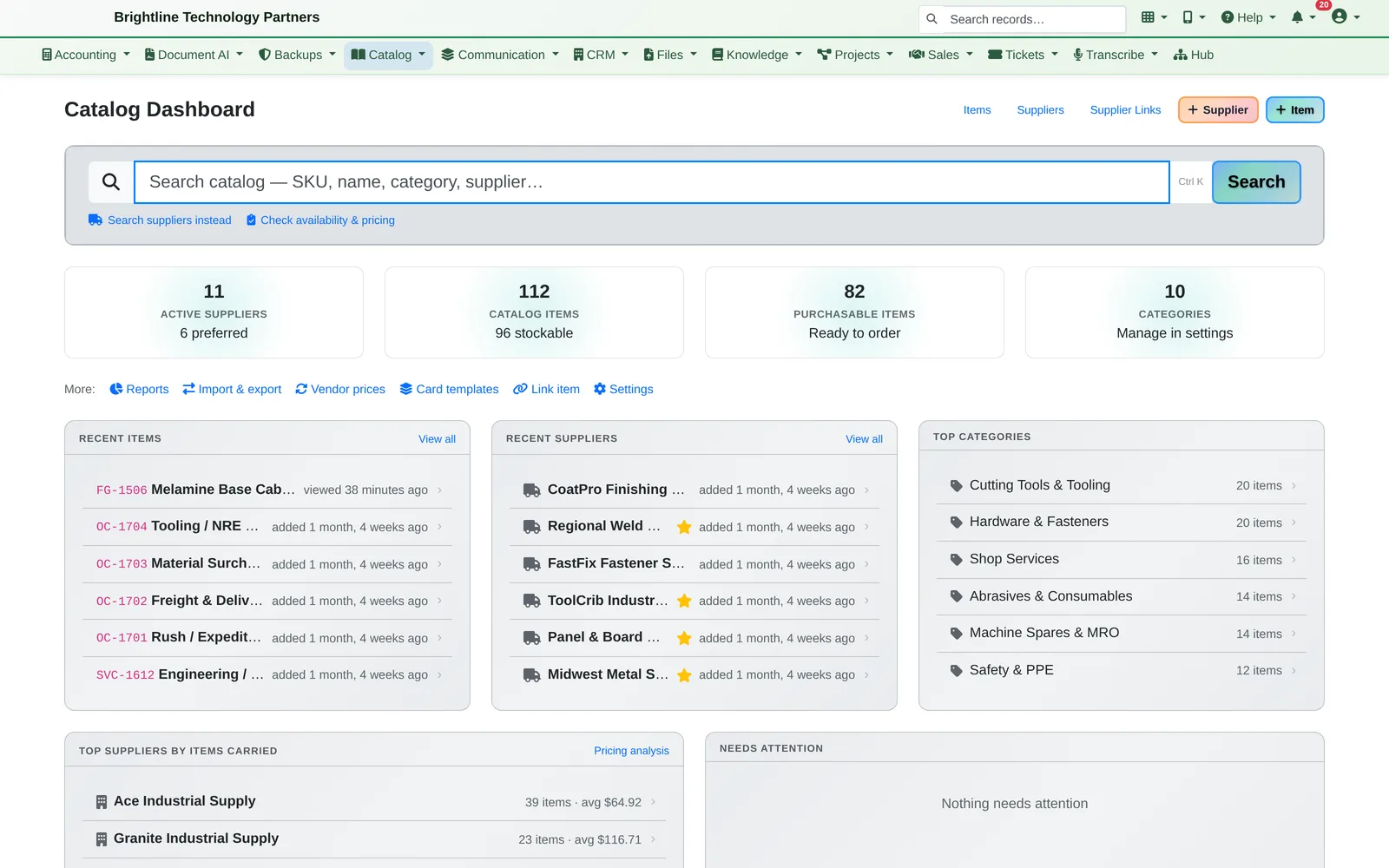
Catalog dashboard with suppliers, catalog items, categories and top suppliers by items carried
Your catalog and suppliers, searchable in one box.
  1. It's reserved for a customer job. Summit Freight's job needs 6 workbenches, 2 parts carts and a tool cabinet. Each line is allocated from a specific stock location, so the shop knows those 6 benches are spoken for.
  2. Anything missing gets ordered for the job. Another job needs drawer slides and shelf pins. The purchase order says which job they're for, and when the delivery is received, the stock is allocated to the waiting job automatically.
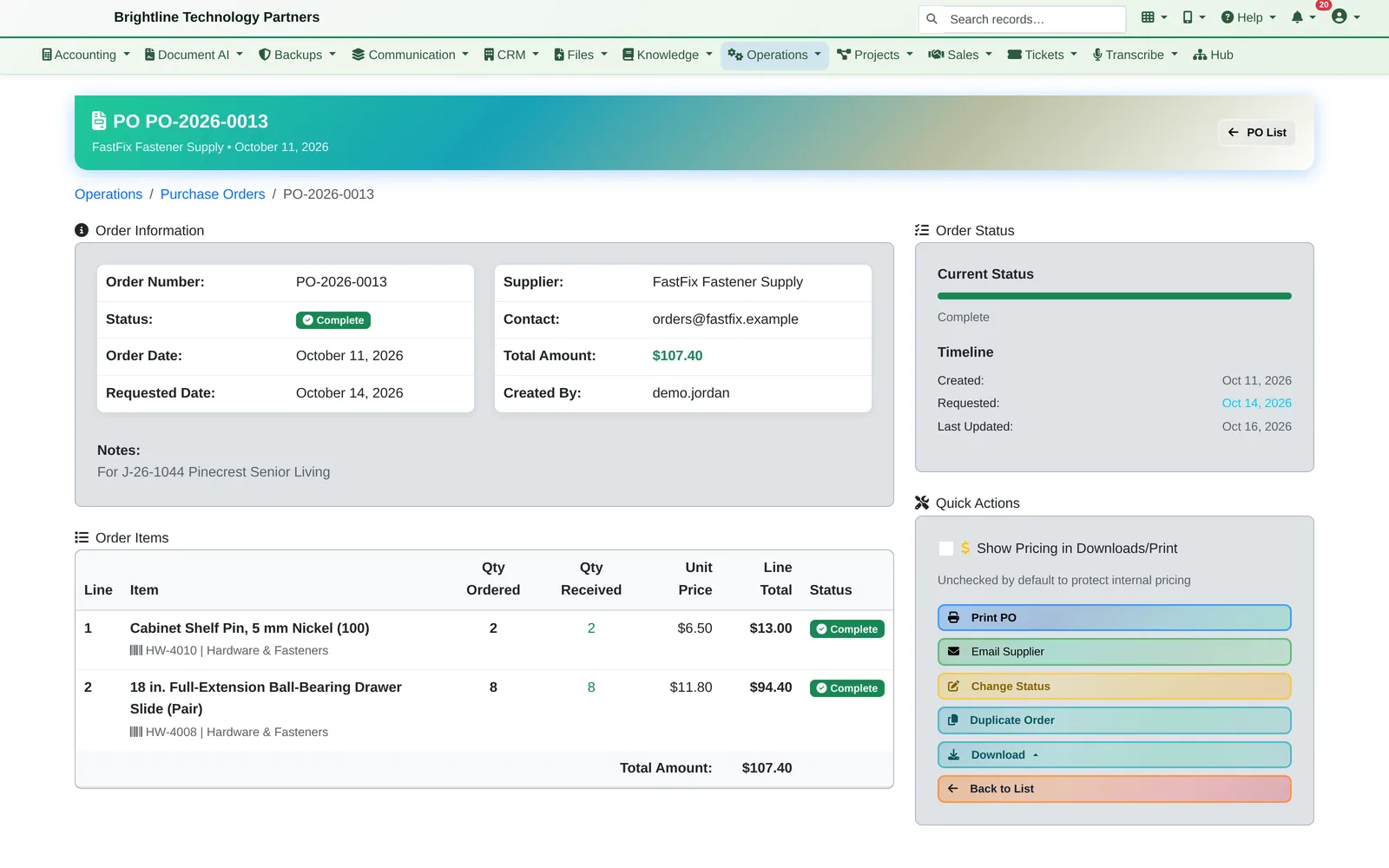
Purchase order for drawer slides and shelf pins, noted for a specific customer job
Order for the job. When it's received, it's allocated to that job automatically.
  1. It's loaded on the truck. A load list tells the crew what to pick and where from. Loading each item moves the stock onto the truck, because trucks are inventory locations too.
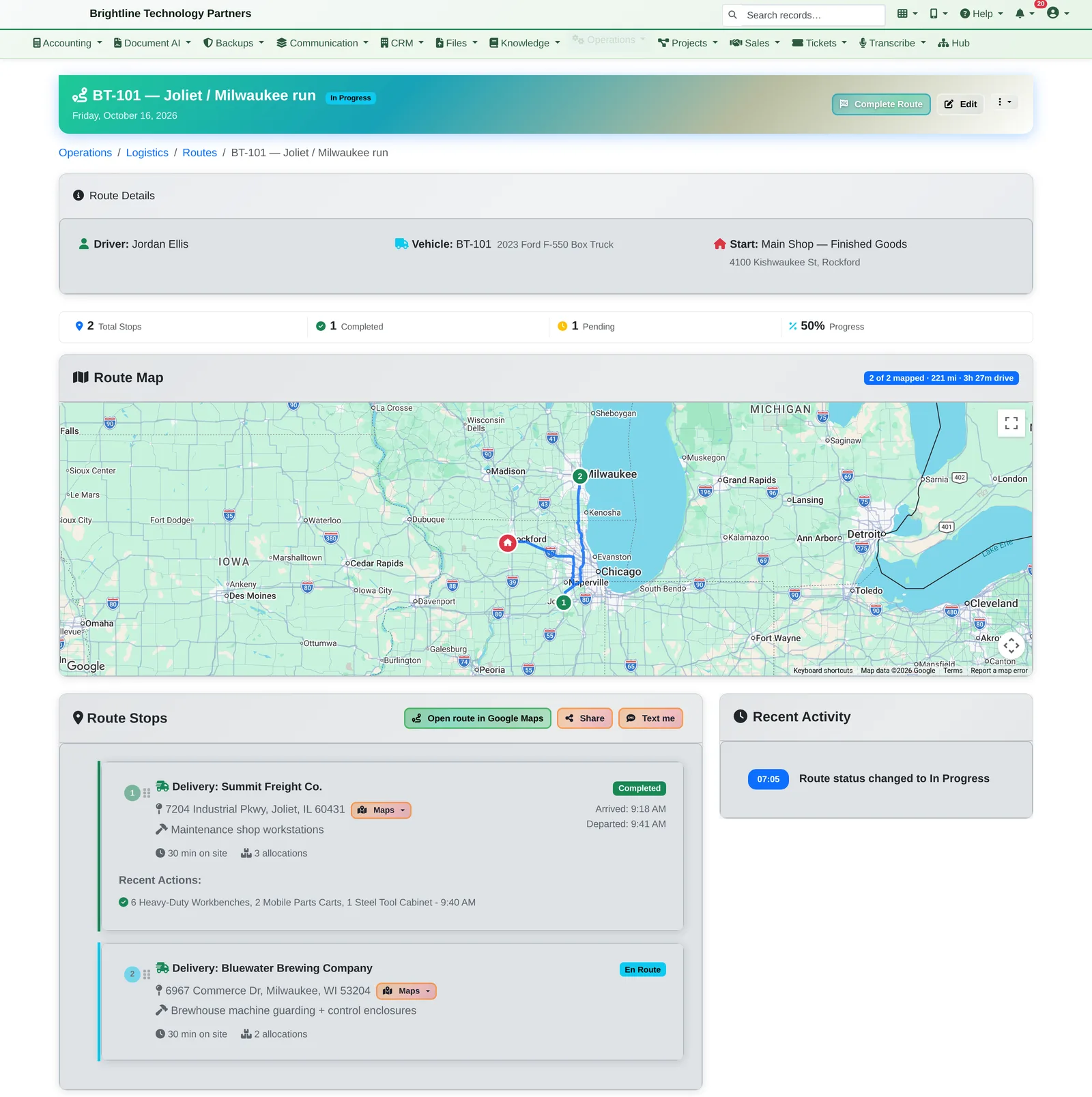
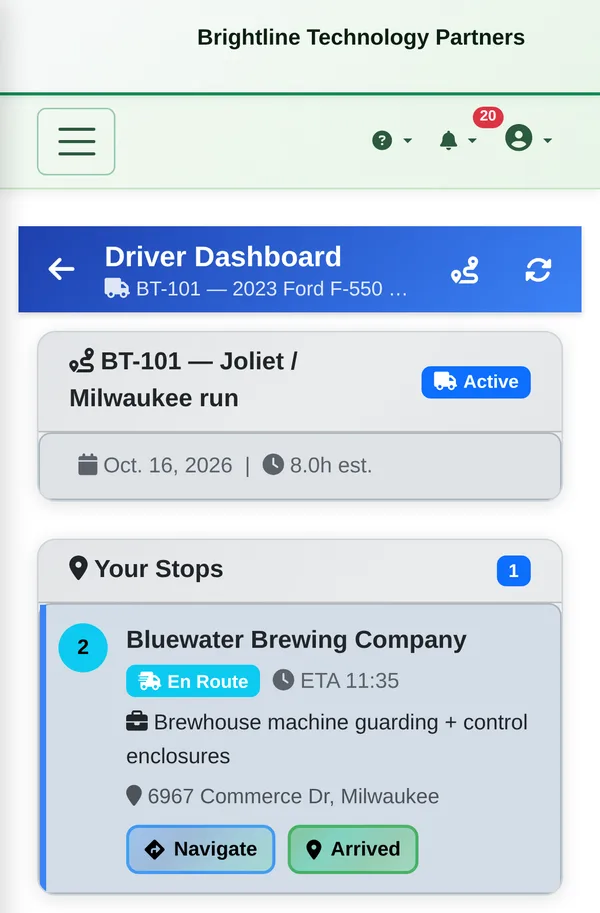
  2. The driver delivers it. This morning's route runs from the shop in Rockford to Summit Freight in Joliet, then Bluewater Brewing in Milwaukee. The route is planned on a Google map with road miles and drive time, and the driver works from their phone — Navigate, Arrived, Delivered — and can capture a signature, photos and damage notes at each stop. The customer can be emailed a delivery confirmation.
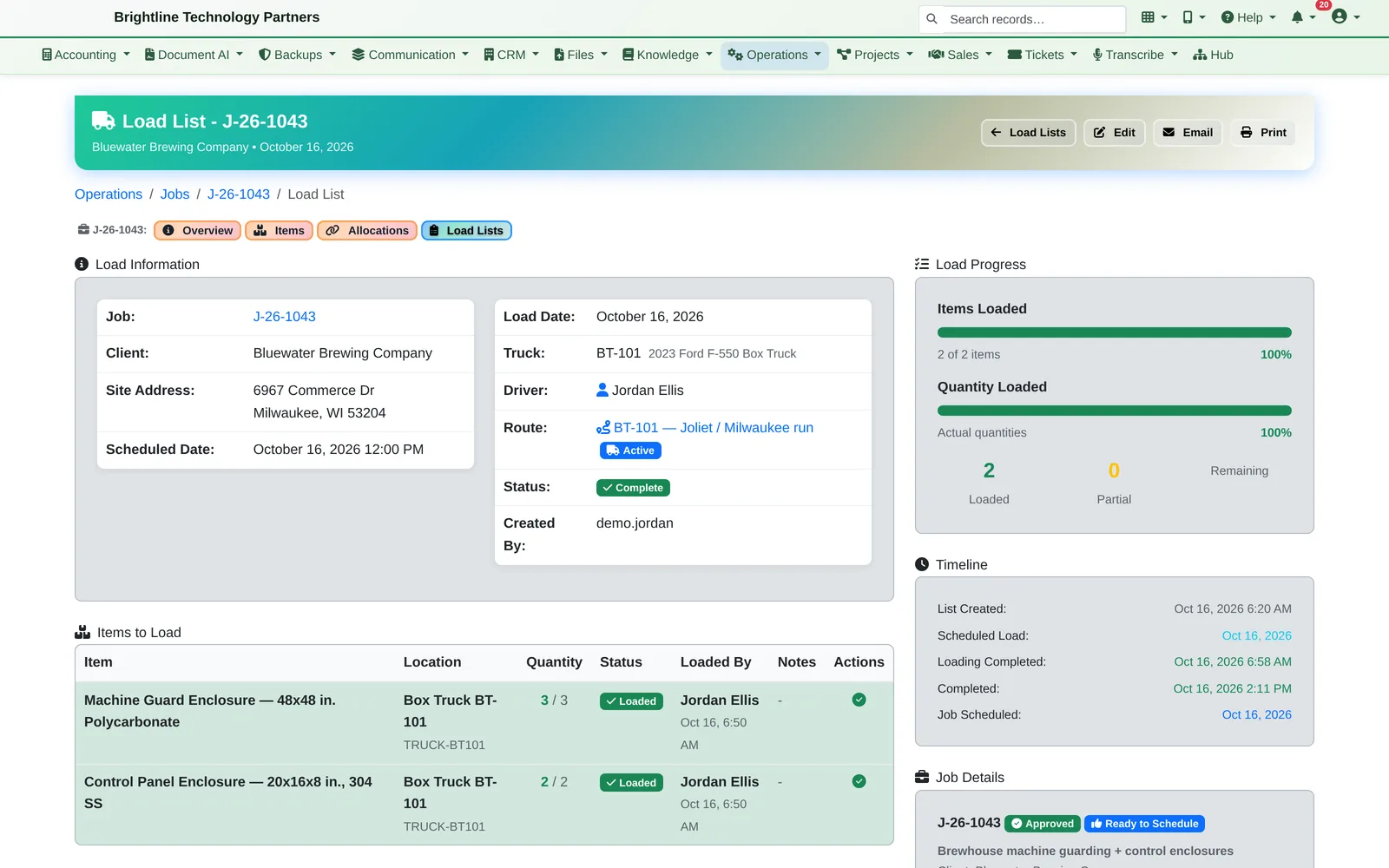
Load list showing two items loaded on box truck BT-101 with who loaded them and when
What's on the truck, and who loaded it.
Route page with a Google map of the Rockford to Joliet to Milwaukee route, 221 miles and 3 hours 27 minutes of driving, a completed stop and an en-route stop
One route on a Google map, with road distance and drive time. Done stops show arrival and departure times.
Phone screen showing the driver's route and next stop with Navigate and Arrived buttons
The driver's phone: next stop, Navigate, Arrived.
  1. The crew installs it. The North Install Crew has the Summit job on its board today, and dispatch sees every crew's day on one wall screen.
  2. The job closes out. Completing a job finalizes every item and writes its material ledger: planned vs. used, extras the crew grabbed off the truck, and anything returned. Unplanned extras are flagged “needs billing”.

Know exactly what was used on every job, and never forget to bill the extras.
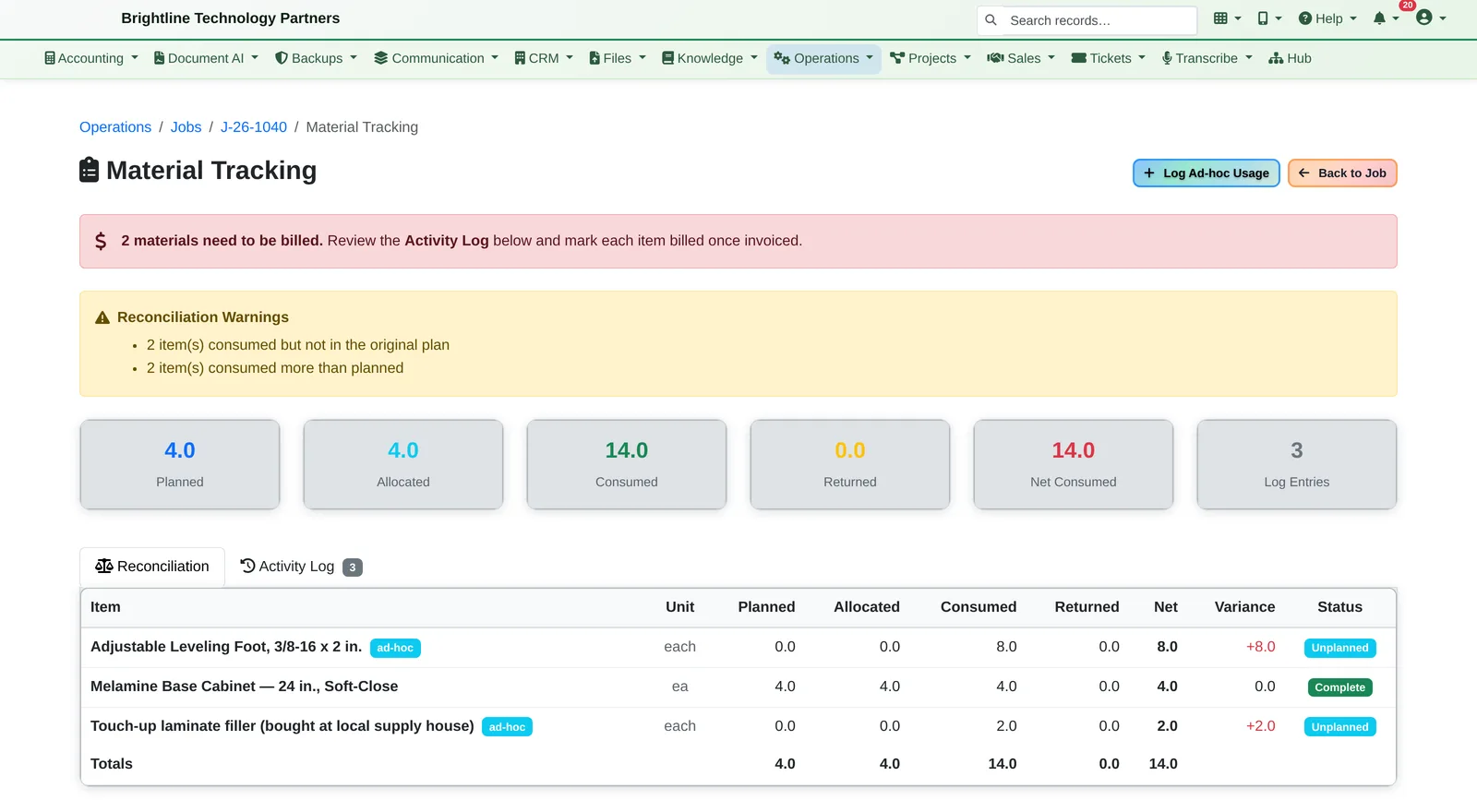
Material tracking page with a 2 materials need to be billed banner and a planned versus used reconciliation table
Planned vs. used on every job, and a reminder to bill the extras.
  1. And you can trace it backwards. Every stock record keeps its full movement history: built, reserved, loaded on which truck, delivered, by whom and when.
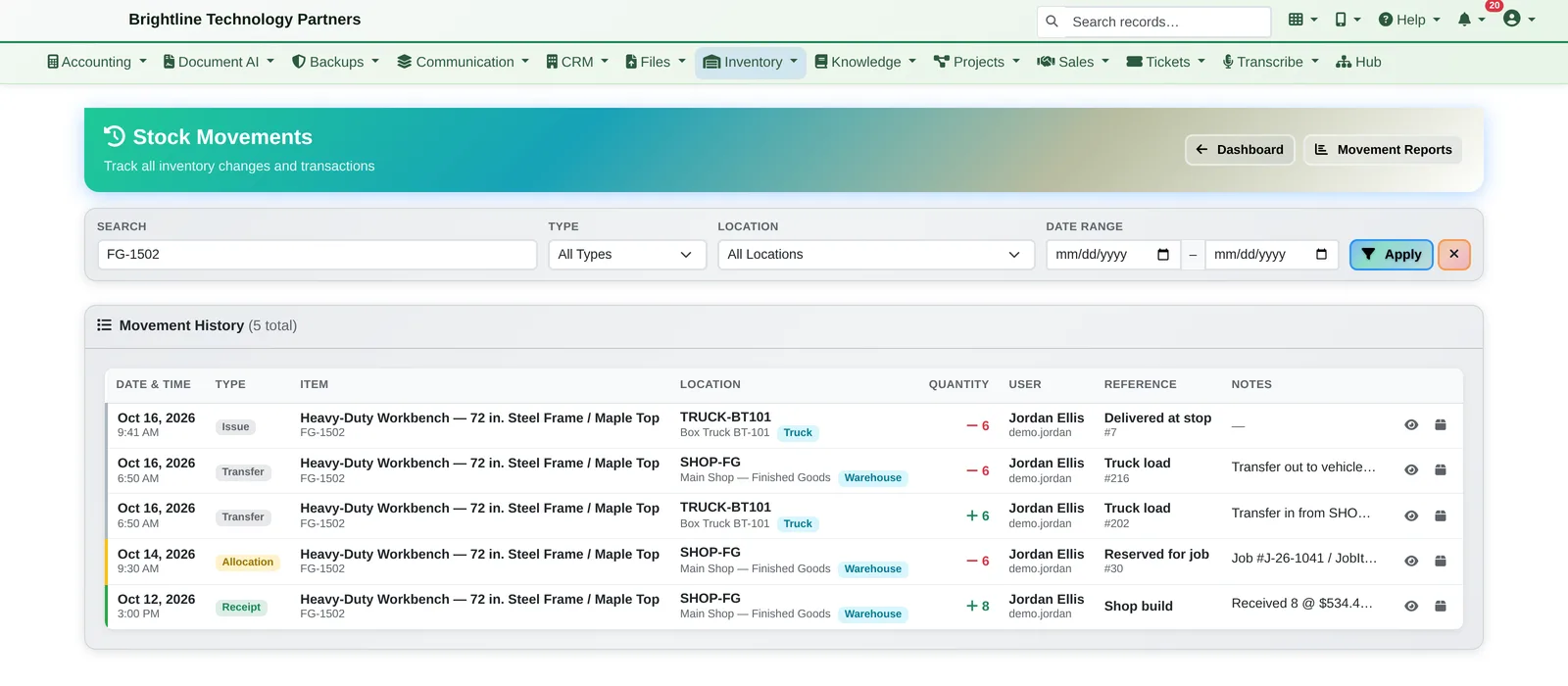
Stock movement log for the workbench: shop build receipt, job reservation, truck load transfers and the delivery at the stop
Trace any item: built, reserved, loaded on the truck, delivered.

Catalog, Purchasing & Inventory

Know what you have, where it is, and who it's for.

Catalog & purchasing

  • Items, services, kits and finished goods, with categories, units, barcodes and accounting codes
  • Suppliers and supplier pricing; compare suppliers on price and lead time
  • Purchase orders linked line by line to the job that needs the item
  • Receiving built for a tablet in the warehouse: record damage, receive into a warehouse, leave goods at the supplier for pickup, or deliver straight to the job site

Inventory & shop production

  • Stock across warehouses, staging areas, supplier yards and trucks
  • Low-stock warnings, reorder points, lot numbers and expiry dates
  • Every movement logged: receipts, allocations, transfers, adjustments and deliveries
  • Shop work orders build finished items from a bill of materials, at actual cost; scrap is recorded with a reason
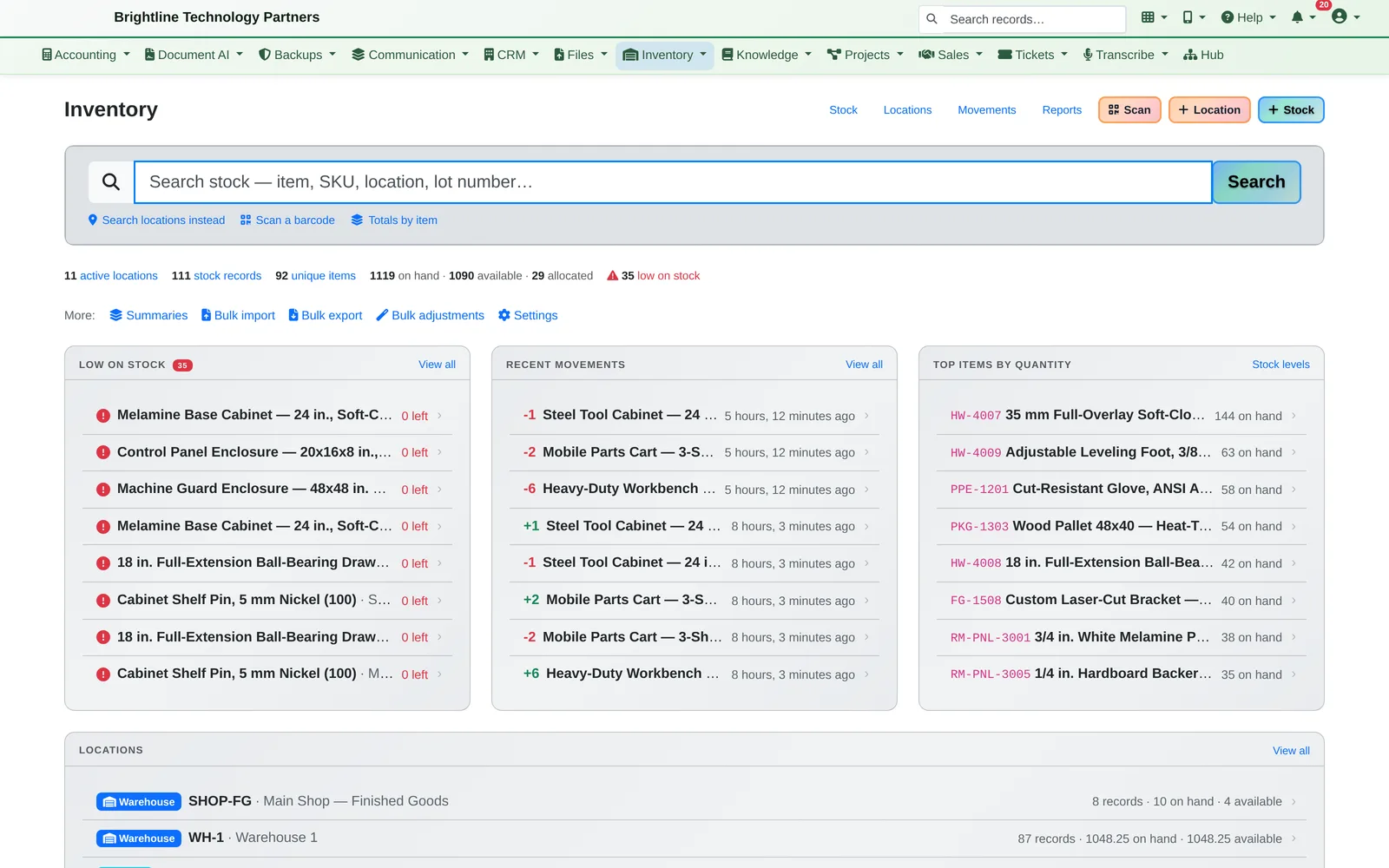
Inventory dashboard with stock totals, low-stock items, recent movements and locations
Stock levels across locations, with low-stock warnings.
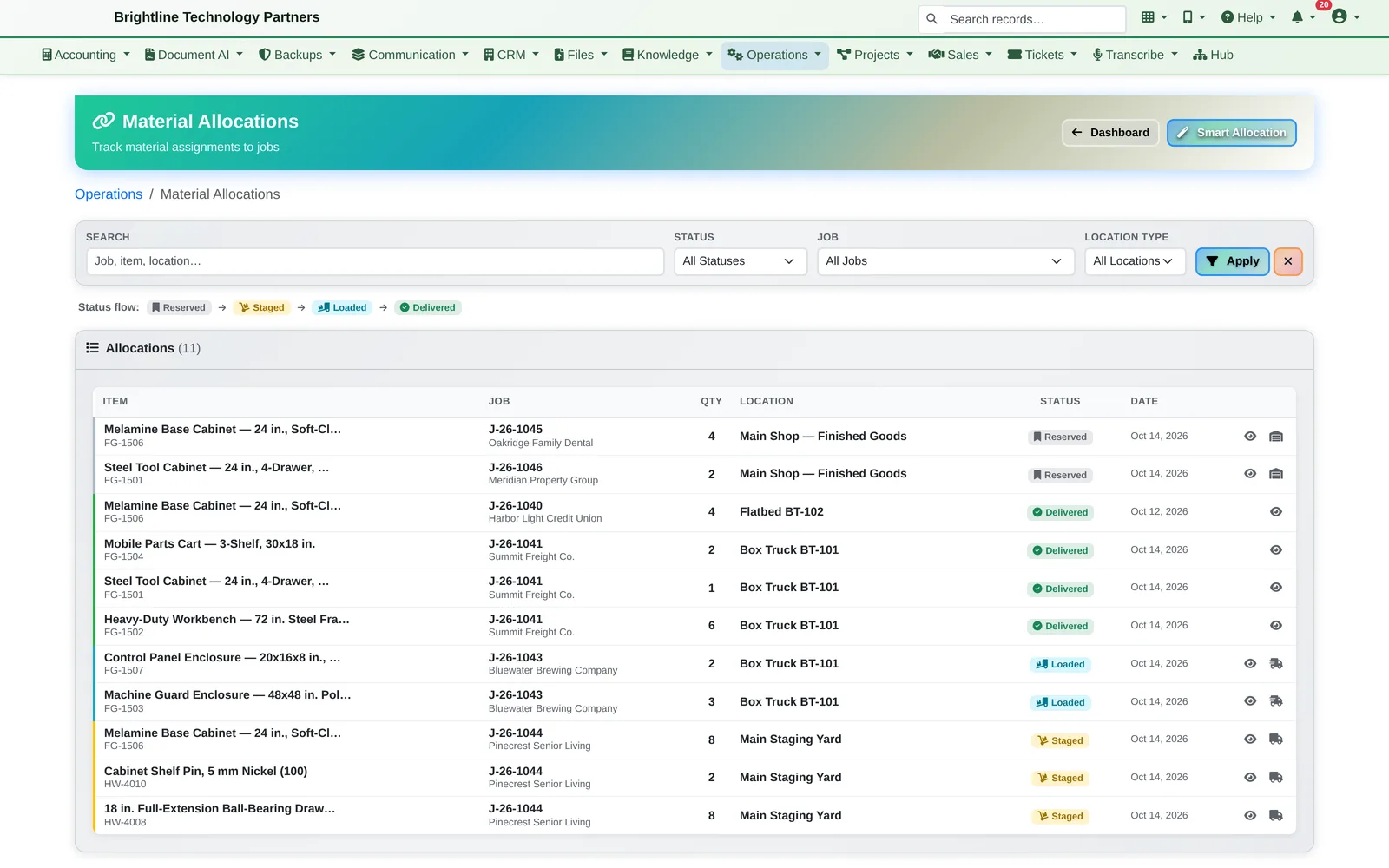
Allocation list with reserved, staged, loaded and delivered statuses for each job
Every reservation and where it is right now: shop, staging, truck or delivered.

Jobs, Loading & Delivery

Jobs that move themselves along.

  • Jobs with a site address, an arrival window and materials, and a stage that updates itself as materials are ordered, reserved, loaded and delivered
  • A Week Planner and a Morning Confirmation: what's going out today, what isn't on a route yet, and what needs attention
  • Load lists with staging and a truck-loading screen, plus weight and volume checks when the vehicle and items have them set
  • Delivery routes on a Google map that follows the roads, with total miles, drive time, supplier pickups and ETAs (each business connects its own Google account)
  • Open the whole route in Google Maps on the driver's phone, share it, or text it
  • Change orders after a job is locked, and returns to the yard
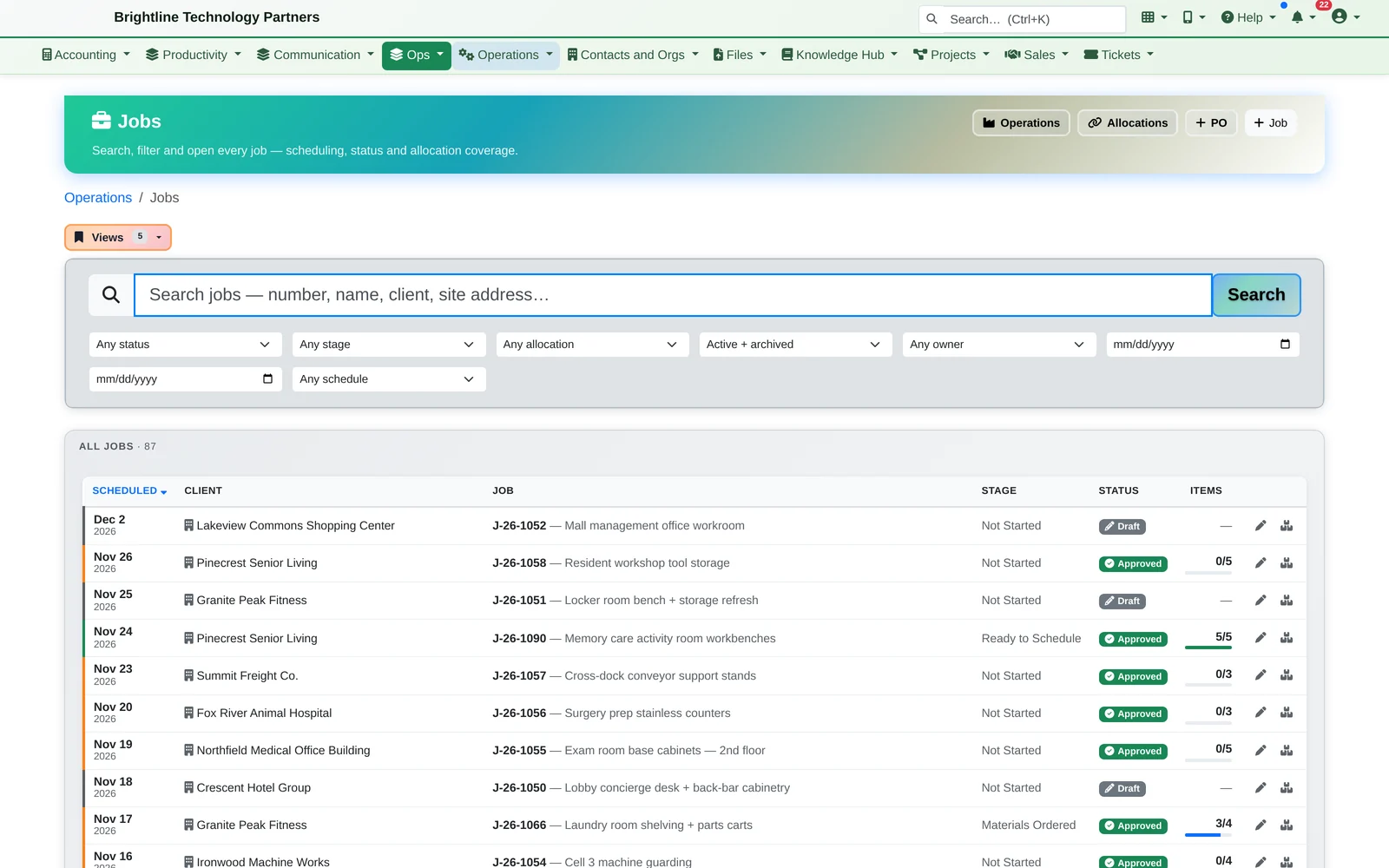
Job list showing customer jobs and shop work orders with stages and item progress
Every job and its stage, from “awaiting materials” to “complete”.

Crews & Scheduling

Schedule your crews.

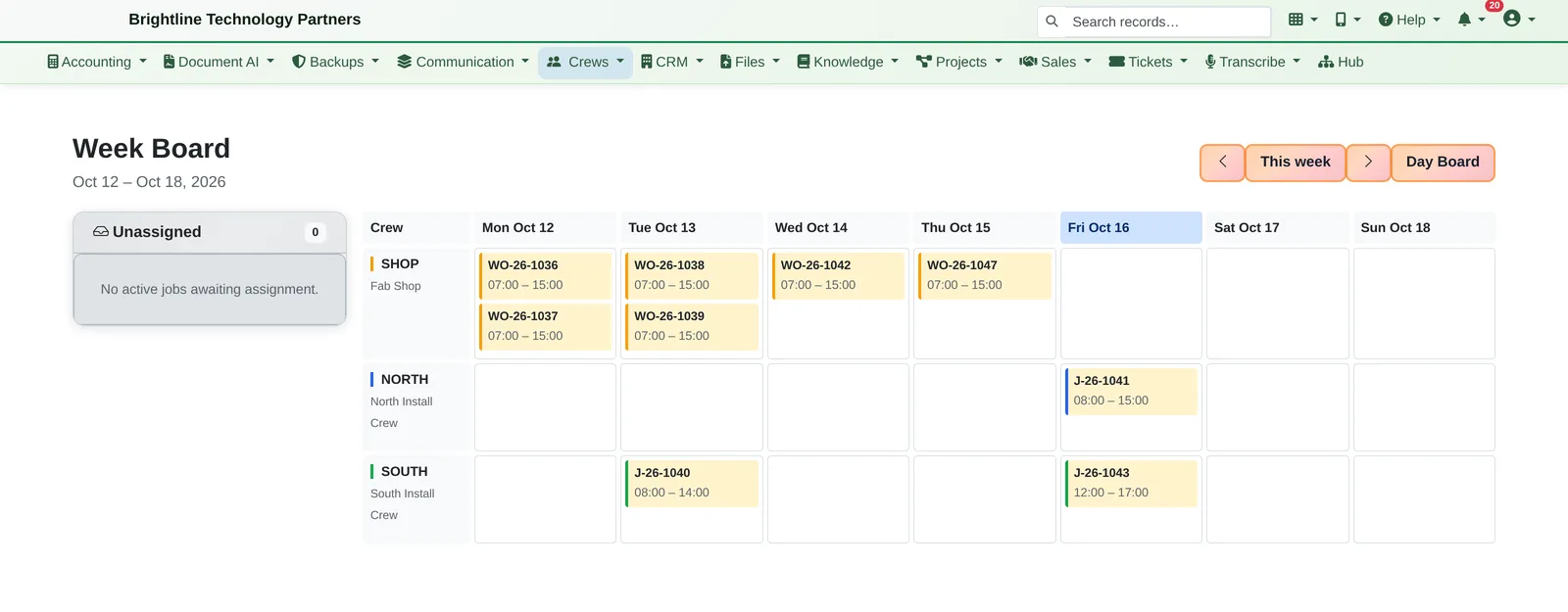
Drag jobs onto crews for the week, see each crew's day, and put the whole shop's schedule on the TV.

Week board with shop work orders and install jobs across three crews
Drag jobs onto crews for the week.
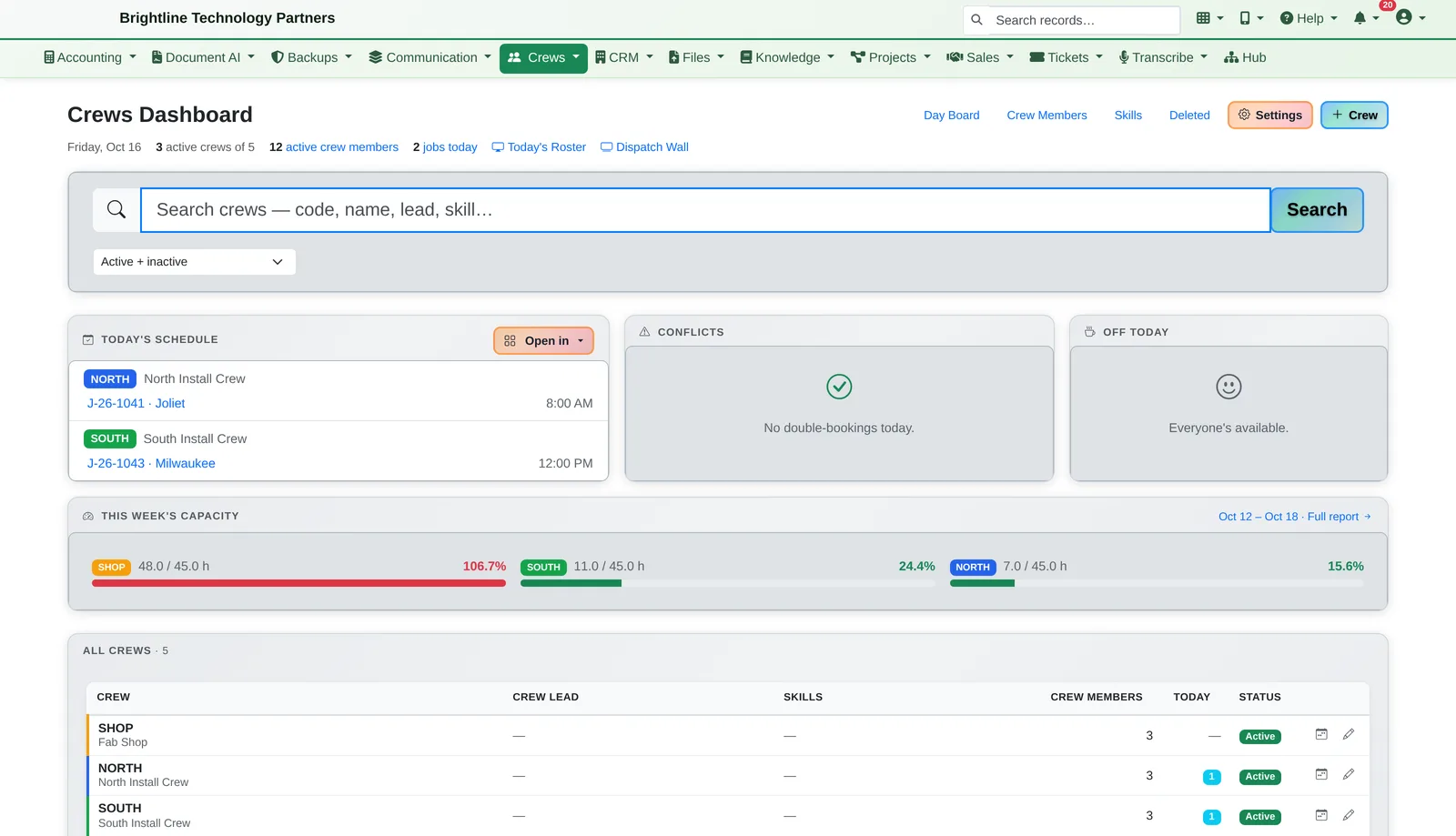
Crews dashboard with today's schedule, conflicts, time off and weekly capacity bars
Today's schedule, conflicts, time off and weekly capacity.
  • Crews with a lead, members, roles, skills, a default truck, working hours and time off; crew members don't need a login to appear on the boards
  • Week Board and Day Board with drag-and-drop scheduling, a long-range view months ahead, and a Dispatch Wall for the shop TV
  • Capacity per crew per week, and double-booking detection
  • Jobs appear on the crew's calendar, and sync to Outlook when Microsoft 365 calendars are connected
  • Weather day? Shift a crew's schedule by days in one action. Affected customers can be sent a notice.
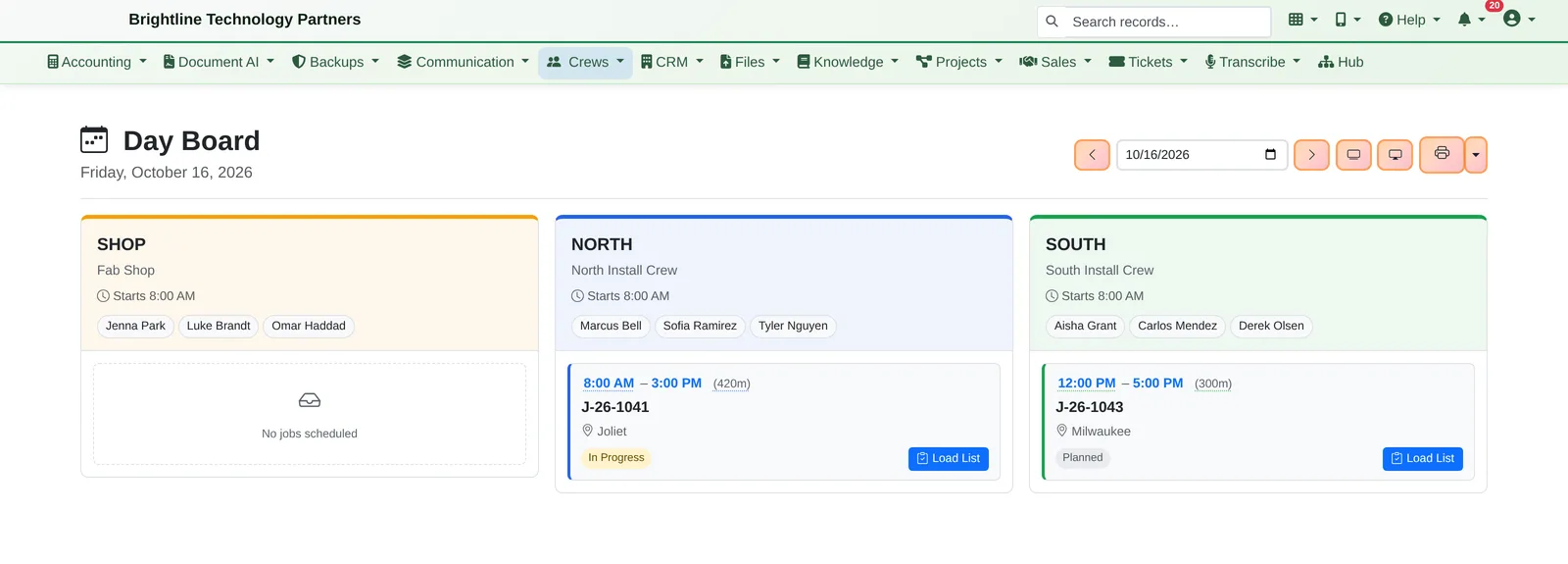
Day board with three crew columns and their jobs for today
Today, crew by crew.
Dark wall display listing today's crews, members and jobs
Put it on the shop TV.

Connected to Accounting

Never forget to bill the extras.

Extras flagged

Materials used on a job that weren't in the plan are flagged “needs billing”. The dashboard counts them until someone marks each one billed.

Job profitability

Invoices, bills and purchases in accounting can be tagged to a job, so you see what each job really made.

Time and catalog items

Time logged against a job flows into invoicing from time, and catalog items carry their accounting codes, so an invoice posts to the right accounts.

See it for yourself.

We'll walk a job from the catalog to the customer's signature in about 20 minutes, along with anything else in Infinite Expansion you'd like to see.