
Infinite Expansion · Home Services
The whole service call on one tablet: arrive, fix, sign, get paid.
From the driveway to paid, without a trip back to the office.
Technicians see the customer, the house's history and what their maintenance plan covers. They build the estimate, get it signed, use parts from the truck, present the invoice with the plan savings and take the card on the spot. The office sees it happen.
For heating and cooling, plumbing and electrical companies.
Built for companies that send technicians into homes, and for any field-service business that sells maintenance plans. The Home services preset switches it on per department, on top of Field Operations: the same catalog, truck stock and crew scheduling.
One Day on the Truck
Today's visits, and everything about each house.
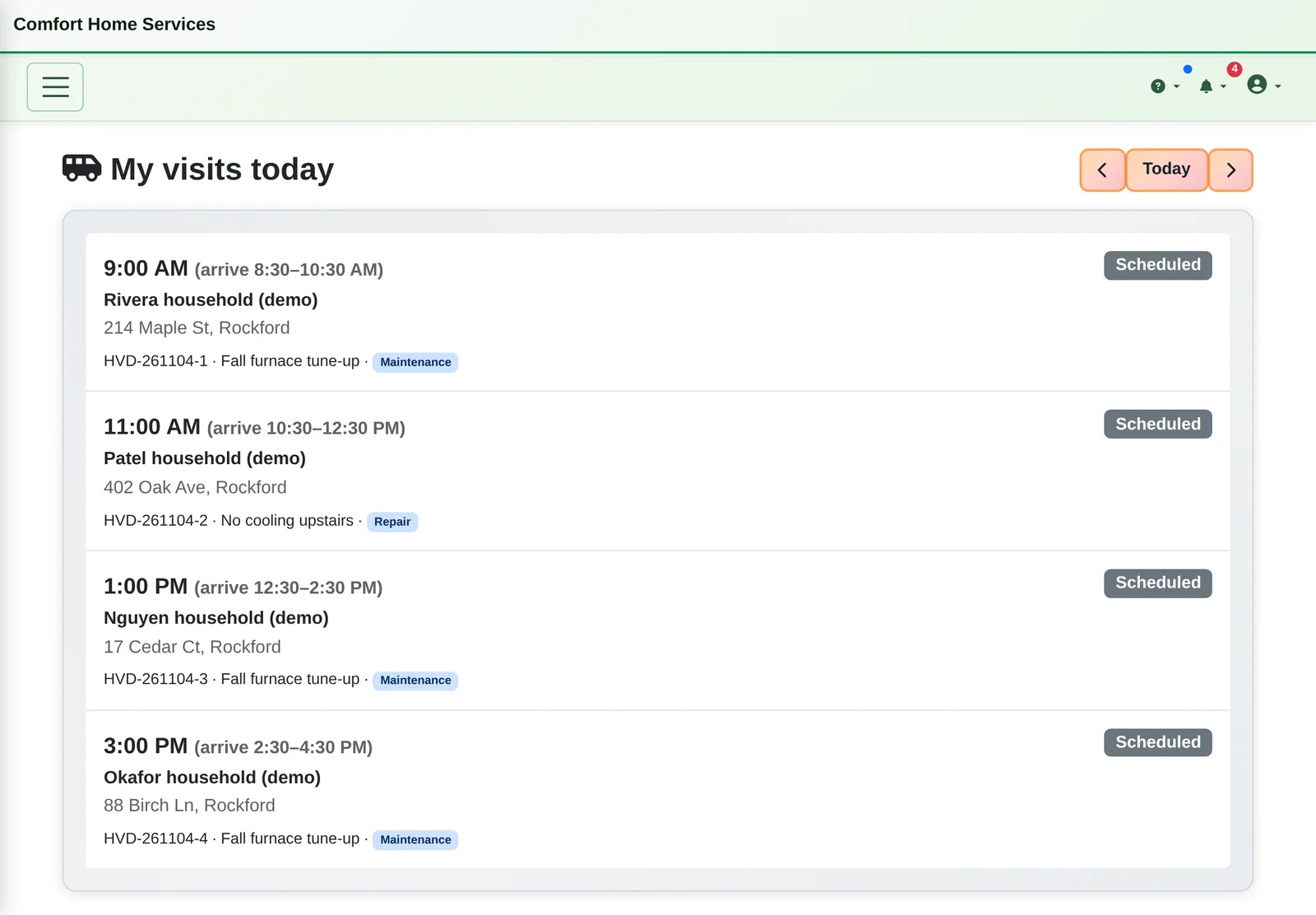
- The day on a tablet. Each technician sees today's visits for their truck: the arrival window, the customer, the address and the visit type.
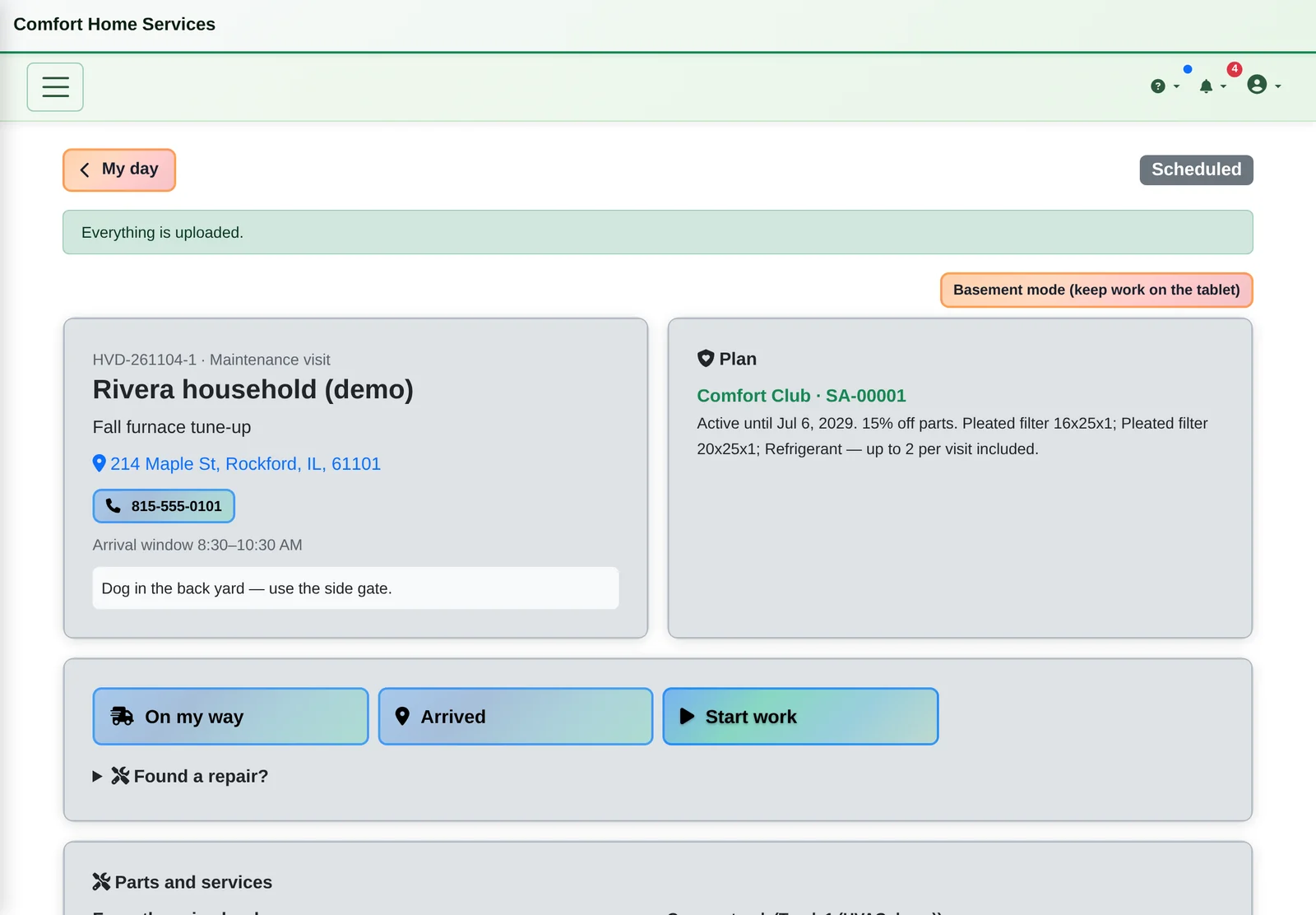
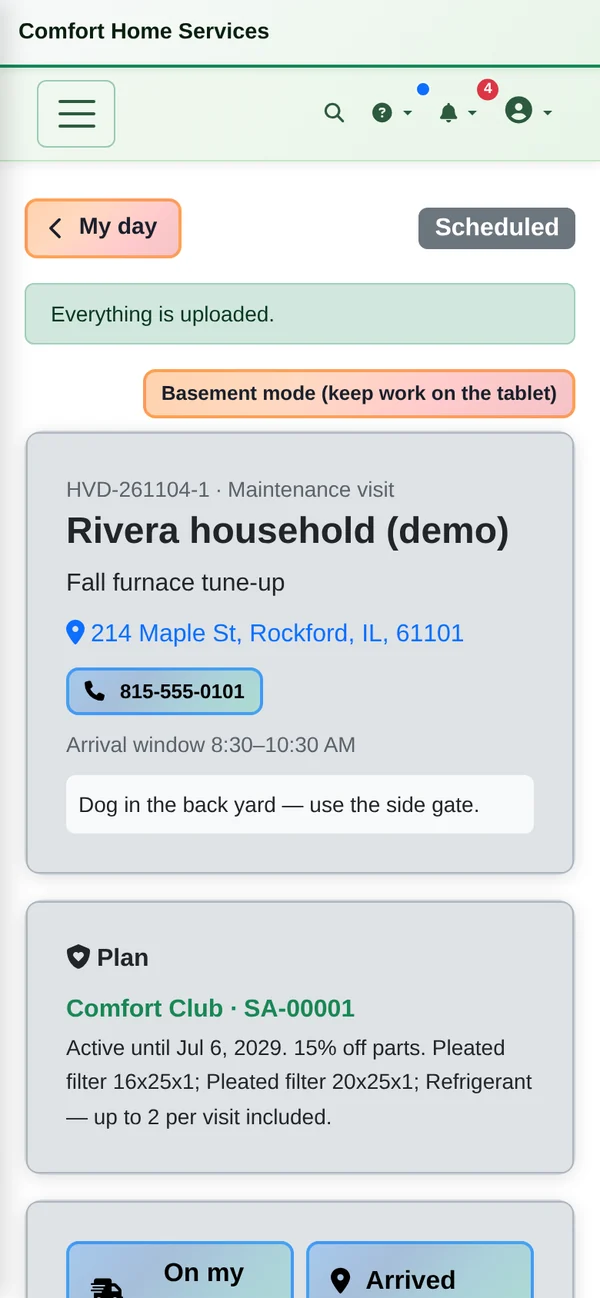
- Everything about the house in one place. Tap to call, open the map, read the job notes (“dog in the back yard”), see the maintenance plan that covers this address and the earlier visits there. On my way, Arrived and Start work run the clock on the job.
- Covered or billable labor is decided by the customer's plan, not by the technician
- Checklists per visit type, with spring AC and fall furnace tune-ups ready to use
- Photos straight from the tablet's camera
- Found a repair? turns into its own linked repair visit, so the tune-up stays covered
Estimate and Parts
Signed on the glass before the work starts.
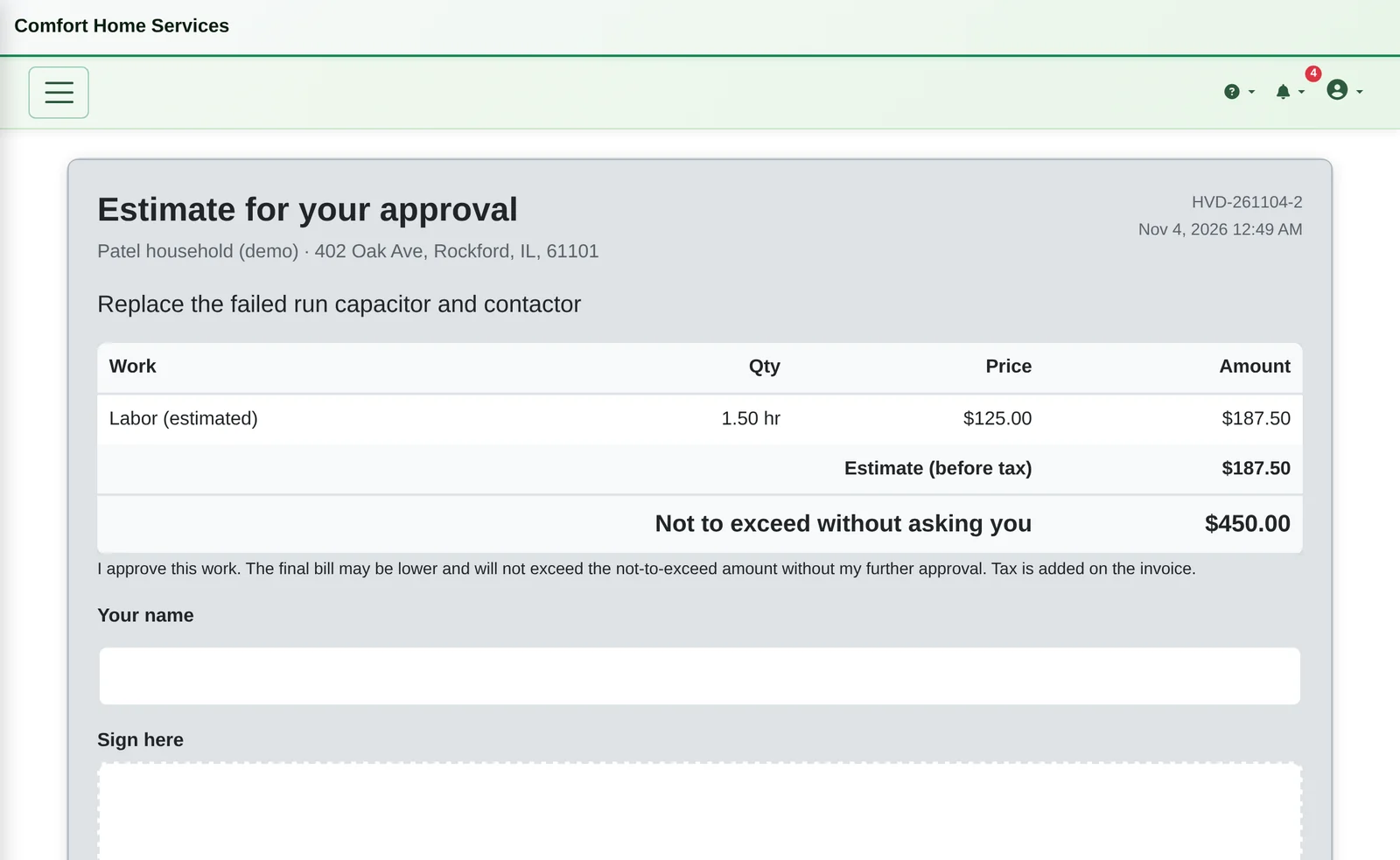
- Estimate first, signed on the tablet. For a repair, the technician prepares the work and a not-to-exceed amount, and the homeowner signs on the tablet. Extra parts that would go over the approved amount are blocked until the homeowner approves the change.
The final bill can be lower than the estimate. It can't go over the not-to-exceed amount without the homeowner's approval.
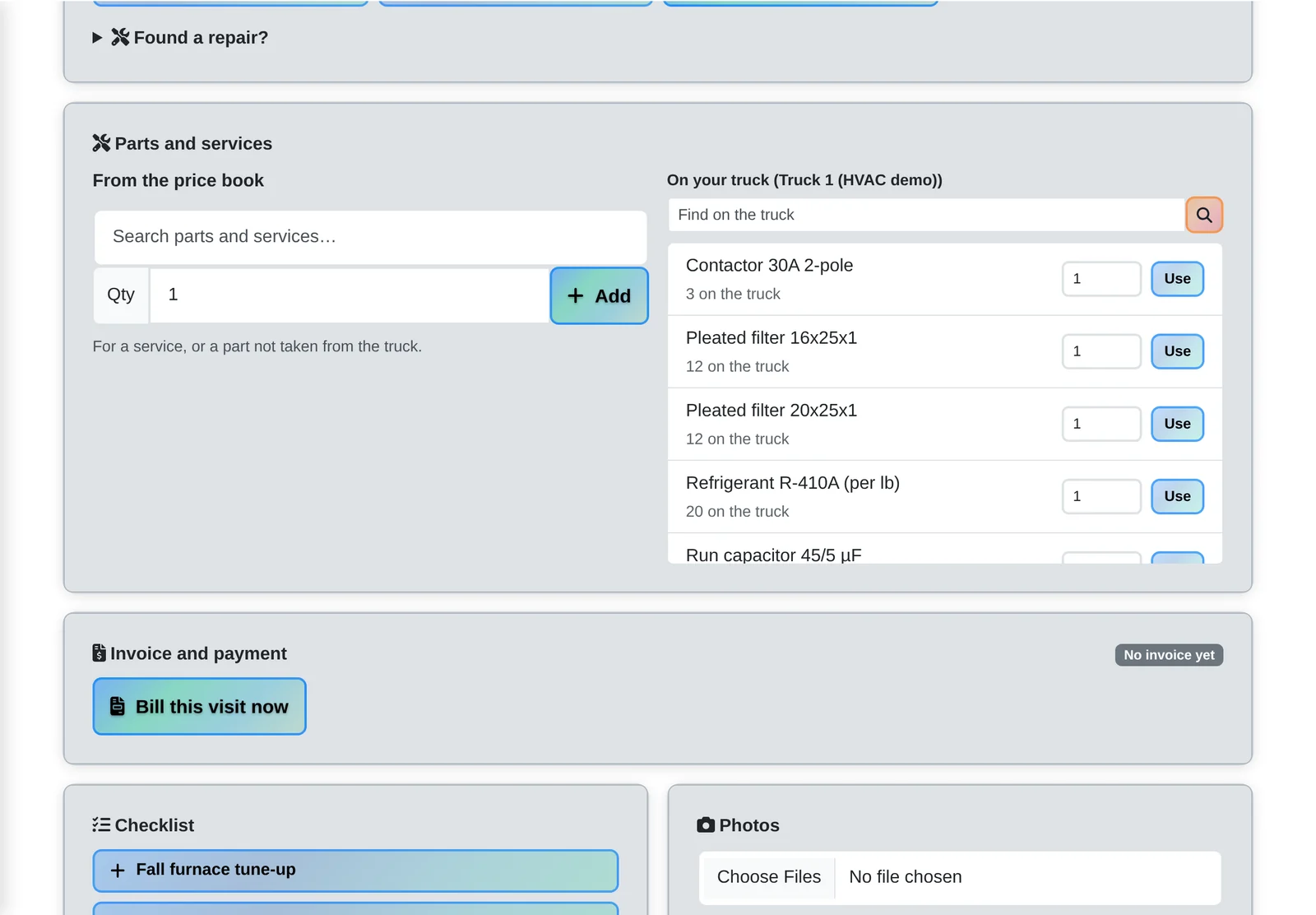
- Parts straight off the truck. Search the price book, or tap Use next to what's on the truck and it comes off the truck's stock. Each part shows whether the plan includes it, discounts it or bills it.
At the Door
Invoice, signature and payment before you leave the driveway.
- Invoice and payment at the door. Bill this visit now builds the invoice from the time and parts, with the plan's included labor and parts shown at $0 and its discounts on their own lines. The homeowner signs to accept it and pays by card on the reader, by scanning a code with their own phone, by cash or check, or with a financing approval. The receipt goes to their email.
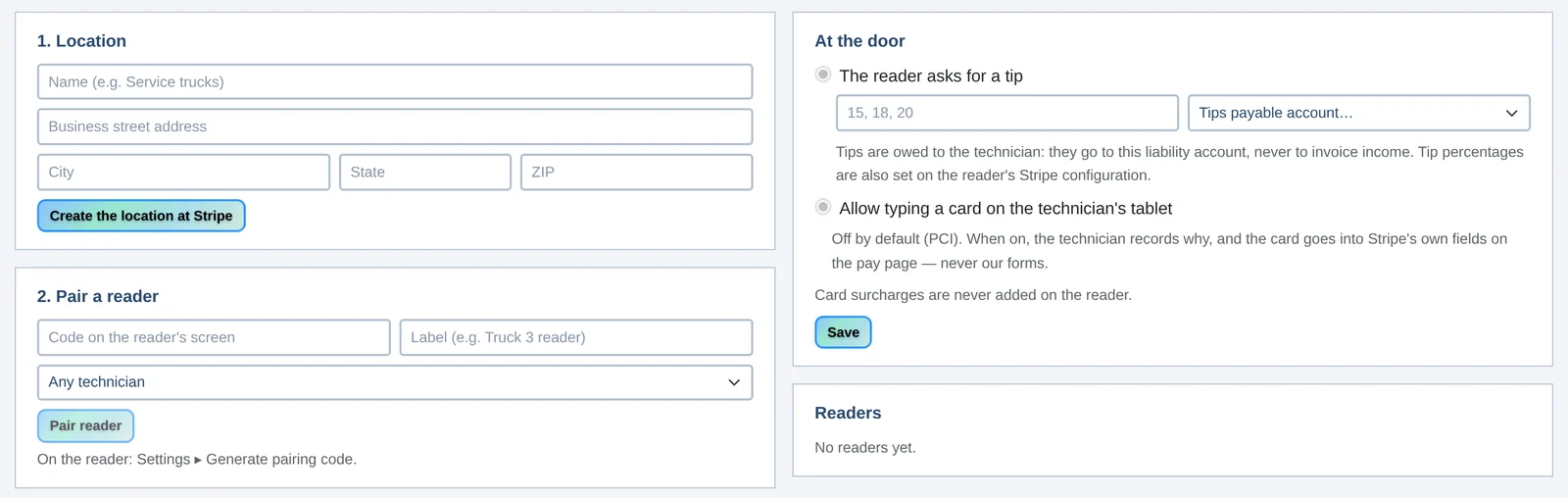
Card readers you manage. Pair a reader with the code on its screen and assign it to a technician. Switch tips on if you want them.
Tips go to a tips-payable account for the technician, never into your revenue.
Maintenance Plans
Sell the plan while you're there. Run it from the office.
- Sell the plan at the door. A customer without a plan sees what today's visit would have cost as a member (“Join today”), and a member whose plan ends soon is offered the renewal. They sign the terms on the tablet, and the plan starts when it's paid.
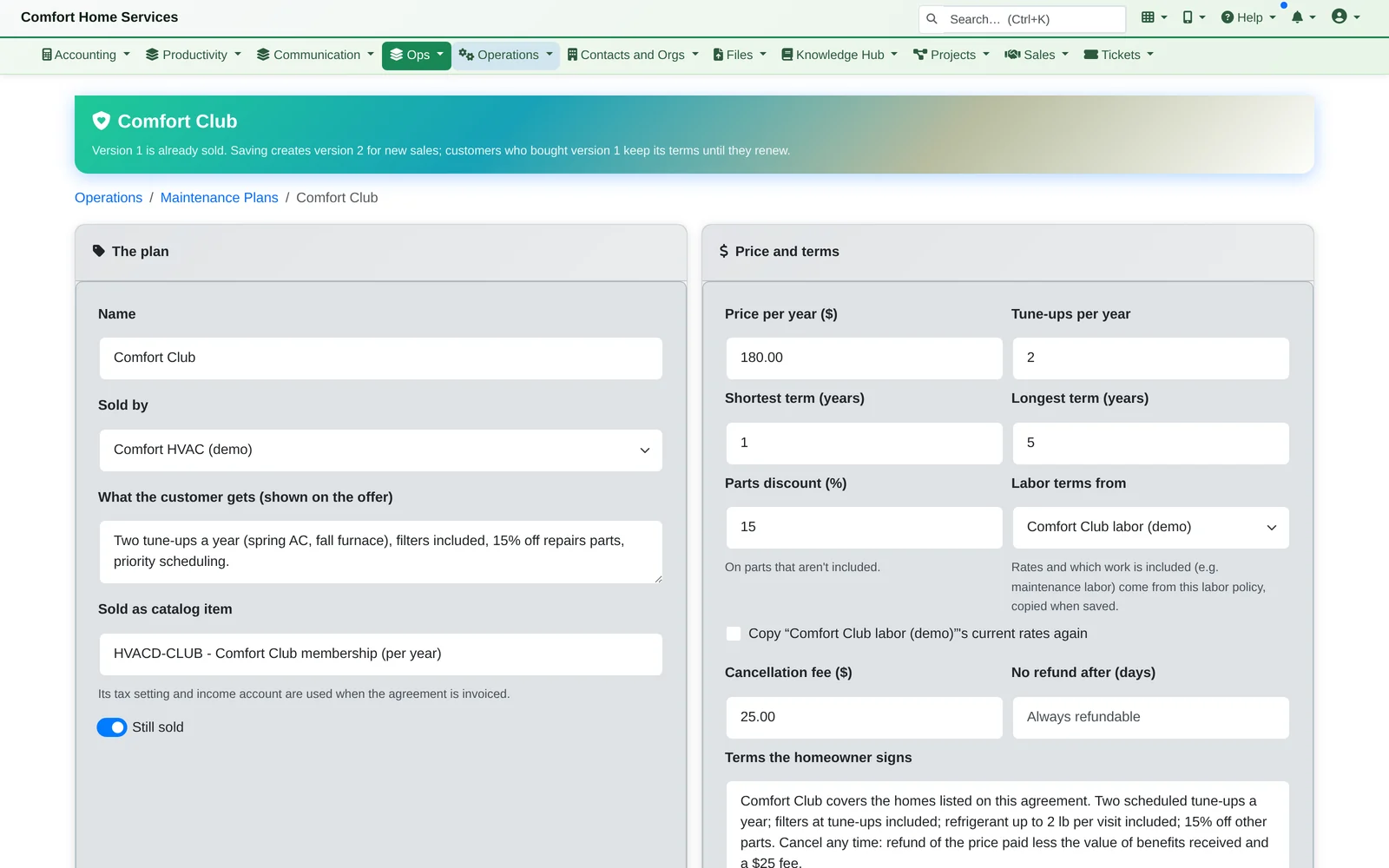
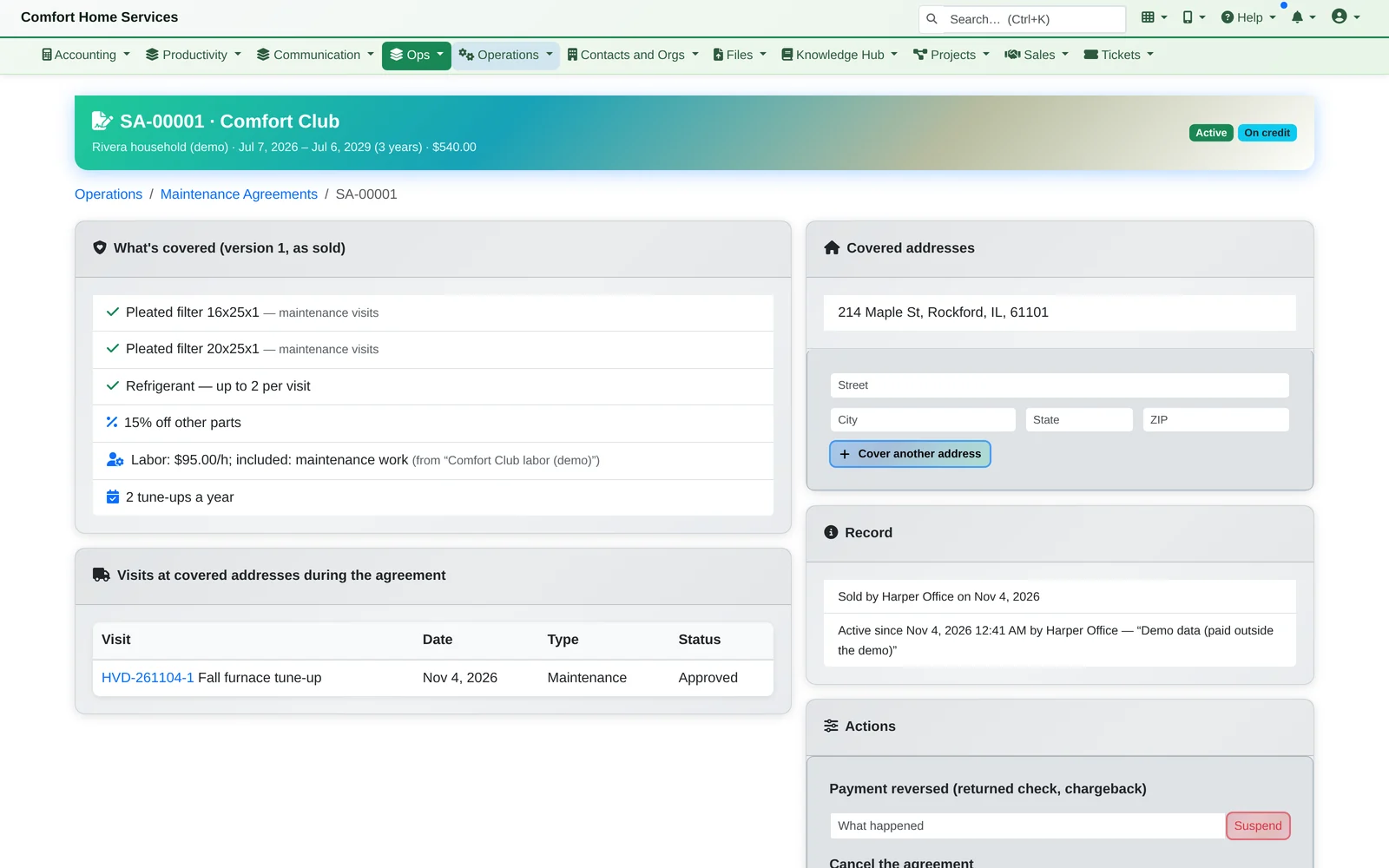
- Plans the office controls. Price, term, tune-ups a year, parts discount, labor terms, and exactly what's included: “filters on tune-ups”, “refrigerant up to 2 lb per visit”.
Plans are versioned. Changing a plan never changes what existing members bought.
Everything in Home Services
On the tablet, at the door and in the office.
On the tablet
- Today's visits per technician: tap to call, map, notes, plan and house history
- Status taps that run the job timer
- Checklists per visit type, photos from the camera
- Estimates with a not-to-exceed amount, signed on the tablet, plus change approvals and optional phone authorization
- Parts from the price book or the truck, with plan coverage shown as you add them
At the door
- An invoice built from the visit's time and parts, with plan coverage and savings line by line
- The homeowner signs to accept the exact invoice
- Card reader, scan-to-pay, cash, check and financing approvals
- Optional tips, booked separately from the invoice
- Join or renew a maintenance plan on the spot
In the office
- Maintenance plans with versioned terms, included parts and allowances, parts discounts and labor terms
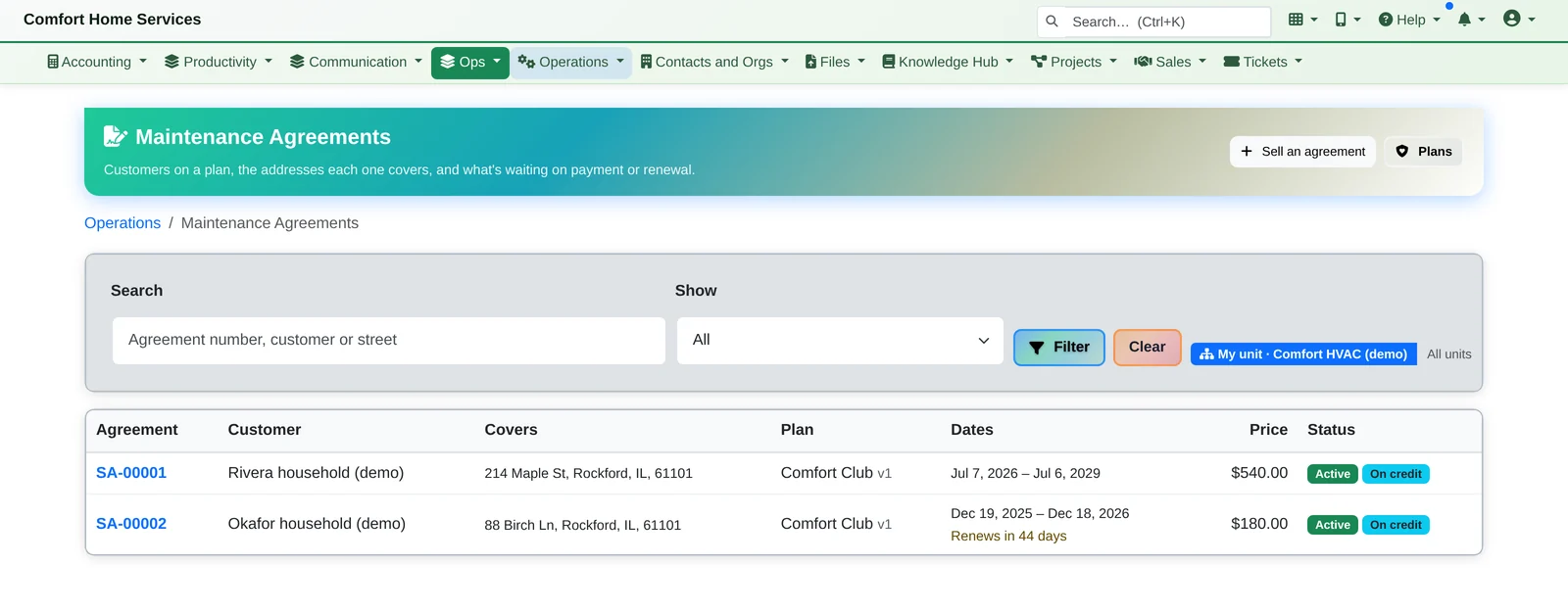
- Agreements per address: pending until paid, active, suspended after a returned payment, cancelled with the plan's refund rule
- Visit checklists and card readers, managed in one place
Follow one service call, start to finish.
We'll walk one visit from the technician's day to a signed estimate, parts off the truck and payment at the door, then the maintenance plans behind it.