
Infinite Expansion · Voice AI Receptionist
Every call answered. Every call becomes a ticket, an alert or nothing at all.
An AI that answers your support line.
The assistant answers your support number and recognises the caller from your CRM. It opens a ticket while they're still on the line, tells them where an existing ticket stands, and checks with your team in chat before transferring the call to a person. Every call is logged with a summary and the full transcript, linked to the contact, the client and the ticket.
We use it at The I.T. Connection today. A typical AI receptionist takes a message and emails it to you. This one works inside the systems where the work already happens, so a call becomes work your team can act on, not a message to retype.
How It Works
A morning on the support line.
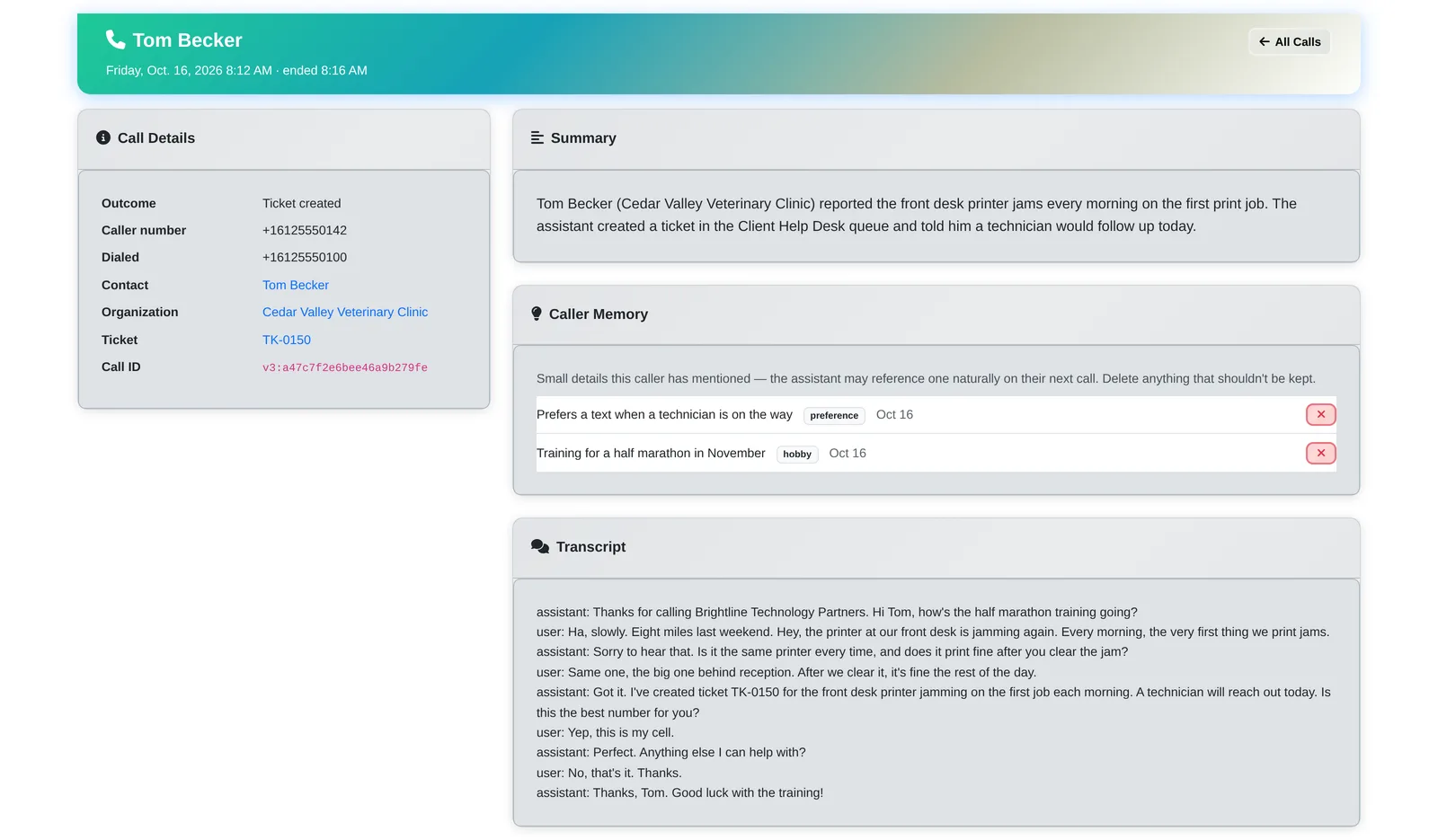
- 8:12 AM. Tom from Cedar Valley Veterinary Clinic calls. The assistant knows him from the CRM: “Hi Tom, how's the half marathon training going?” It remembered that from his last call.
- The front desk printer jams every morning. The assistant asks one clarifying question, opens ticket TK-0150 while he's still on the phone, reads him the number and confirms his callback number.
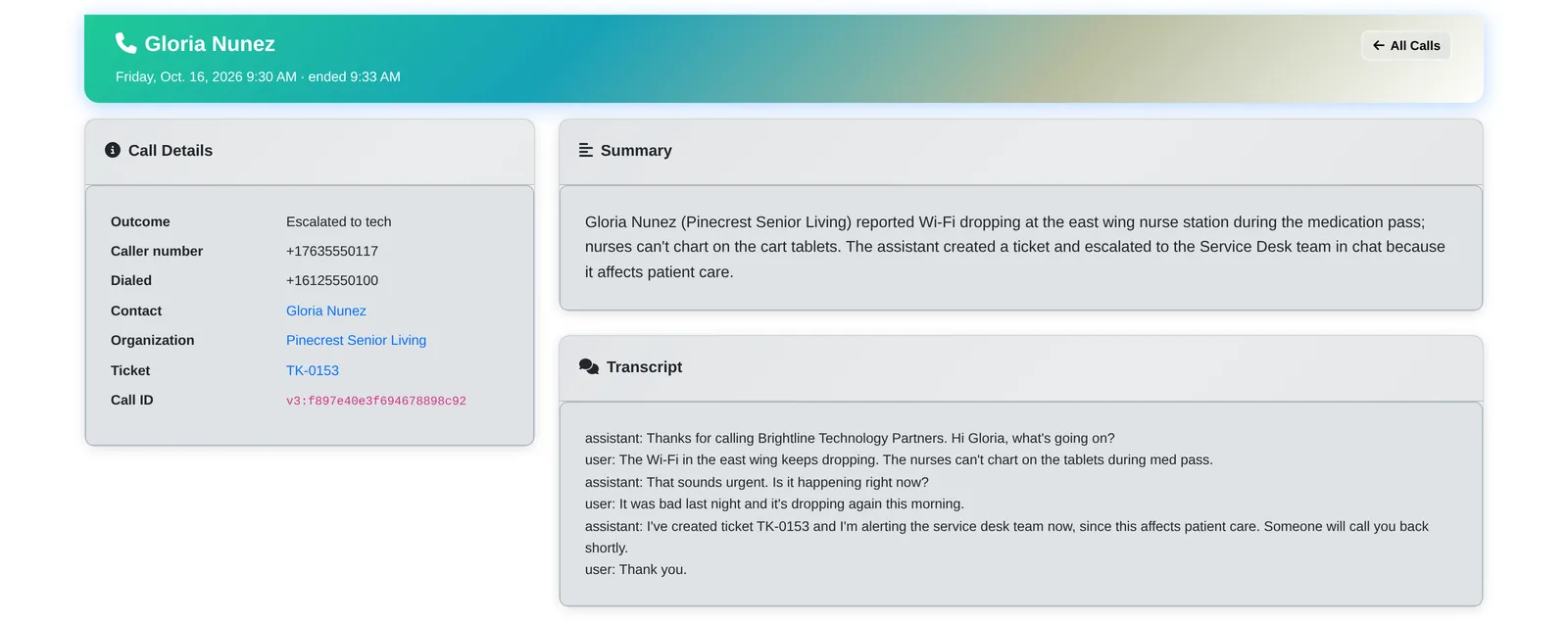
- 9:30 AM. Pinecrest Senior Living: the Wi-Fi at a nurse station keeps dropping during medication rounds. That affects patient care, so the assistant opens a ticket and alerts the service desk team in chat for a fast callback.
- A caller asks something the assistant can't answer on its own. Before transferring, it asks your team in chat. If a technician replies with the answer, the assistant reads it back to the caller. If not, it transfers the call to a person.
- 10:05 AM. A robocall about a car warranty. The assistant ends it politely and logs it as junk. Nobody on the team is interrupted.
- 10:41 AM. Oakridge Dental asks about a request. The assistant reads back the ticket's status: it's waiting on them for two user names. No technician needed.
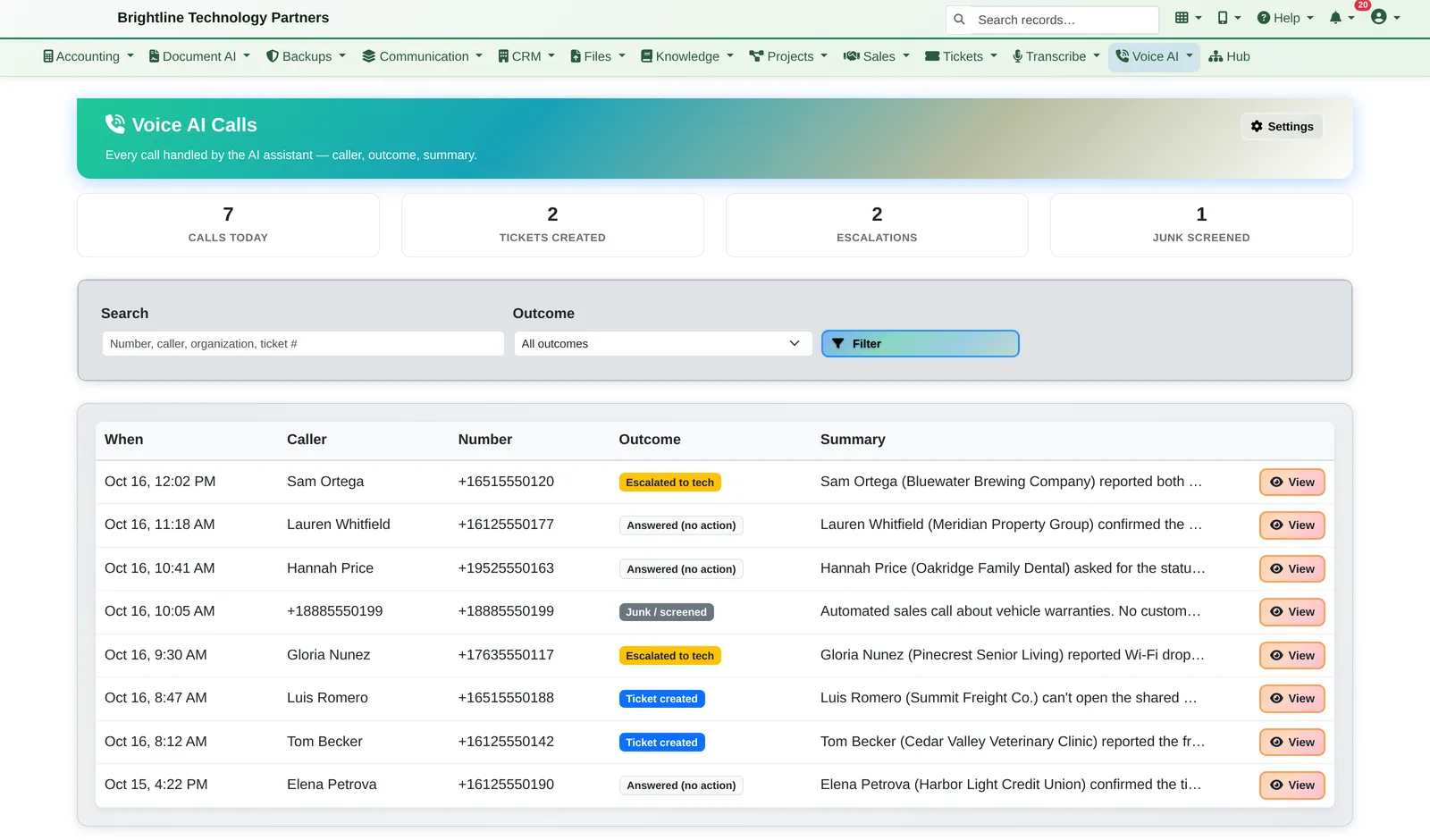
- By the end of the morning, the call log shows it all: 7 calls, 2 tickets, 2 escalations and 1 junk call screened, each with a summary.
What It Does
Answers like it knows your clients. Acts like part of the team.
Knows who's calling
- Recognises callers from their phone number and greets them by first name, with their company and open tickets in mind
- Caller memory: remembers a few small, friendly details a caller mentions (a trip, a hobby, “prefers a text”) for about five months, and can bring one up naturally on the next call
- Staff can see every remembered detail and delete any of them with one click. Memory is only kept for callers matched to a CRM contact.
Takes action during the call
- Opens help desk tickets while the caller is on the line and reads them the ticket number
- Reads back the status of the caller's own tickets, and only theirs
- Schedules appointments on your calendar
- Asks your team in chat first, then transfers live calls to a person when the caller needs one
- Escalates to a named team or to individual technicians, with emergency text alerts to the people who've opted in
- Screens junk calls and logs them without bothering anyone
A record of every call
- Call log with today's totals: calls, tickets created, escalations and junk screened
- Each call has its outcome, a summary, the full transcript, and links to the contact, the client and the ticket
- Search by number, caller, company or ticket, and filter by outcome
- Viewing a transcript is audit-logged, with separate roles for administrators and read-only viewers. Old calls are removed automatically after a retention period you set.
Fits your setup
- Works with your business phone number
- Works with or without the CRM, help desk and chat apps, and uses whichever ones you have
- Infinite Expansion supplies the caller details, the actions (tickets, status, chat, transfers) and the call record
See it for yourself.
We'll show you the call log from a real morning on our own support line, and how the assistant would answer yours.