
Infinite Expansion · Meeting Notes
Stop taking notes. Your meetings write their own, and hand you the to-do list.
Meetings that write their own to-do list.
Record a meeting with the desktop app for Windows and Mac, on your phone, in the browser, or upload a file. Infinite Expansion turns it into a transcript with the speakers named and meeting notes. The action items arrive as suggested tasks: tick the ones you want and they become tasks or help desk tickets, filed on the client the meeting was about.
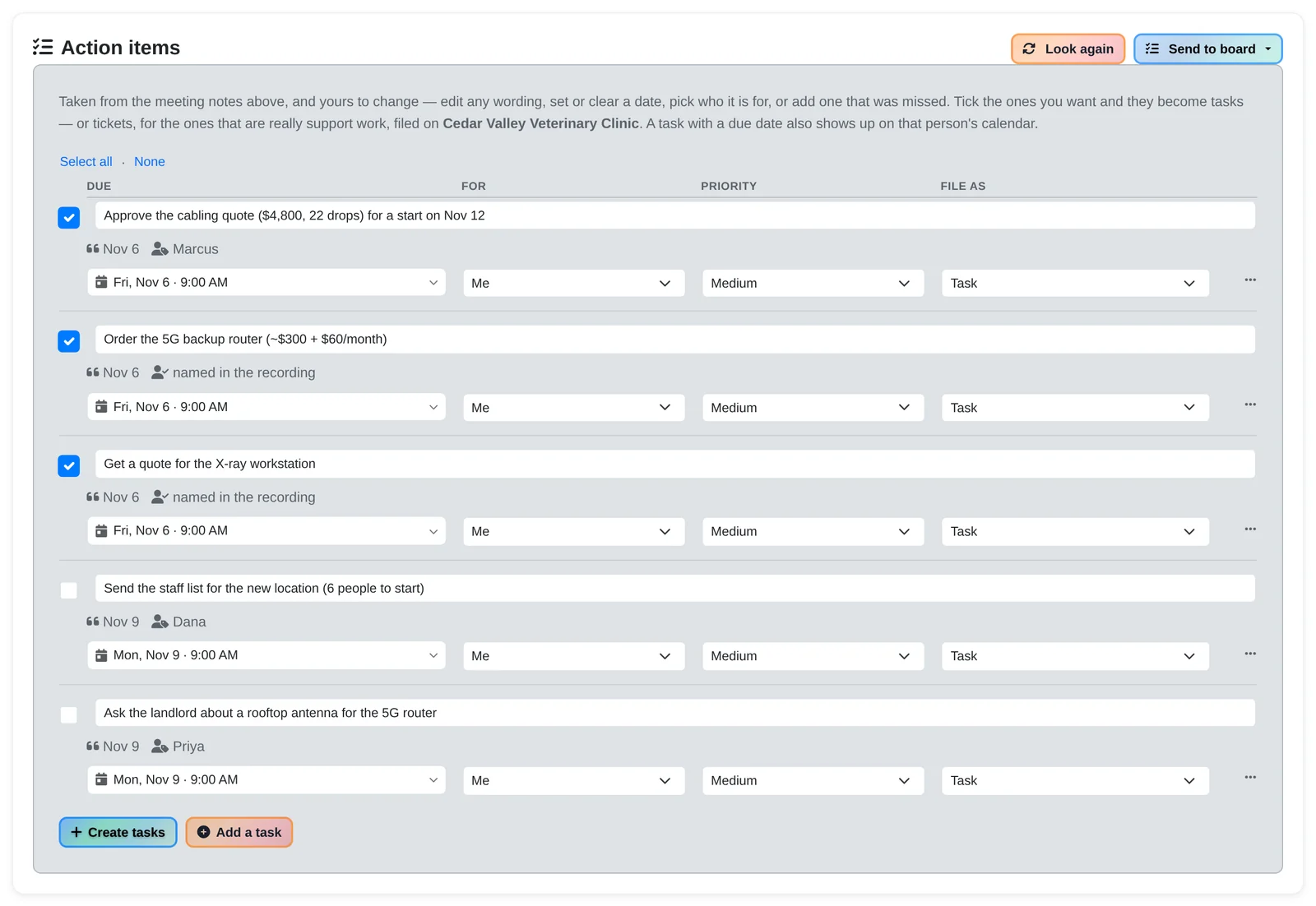
Standalone note-takers leave you retyping the to-do list somewhere else. Here the meeting sits with the client, the projects and the help desk, so its action items become real tasks and tickets on the right client in a couple of clicks.
How It Works
The notes write themselves. The tasks are already suggested.
- A kickoff call with Cedar Valley Veterinary Clinic about their second location. The desktop recorder is running, capturing the Teams call and the microphone on separate tracks. Nobody takes notes.
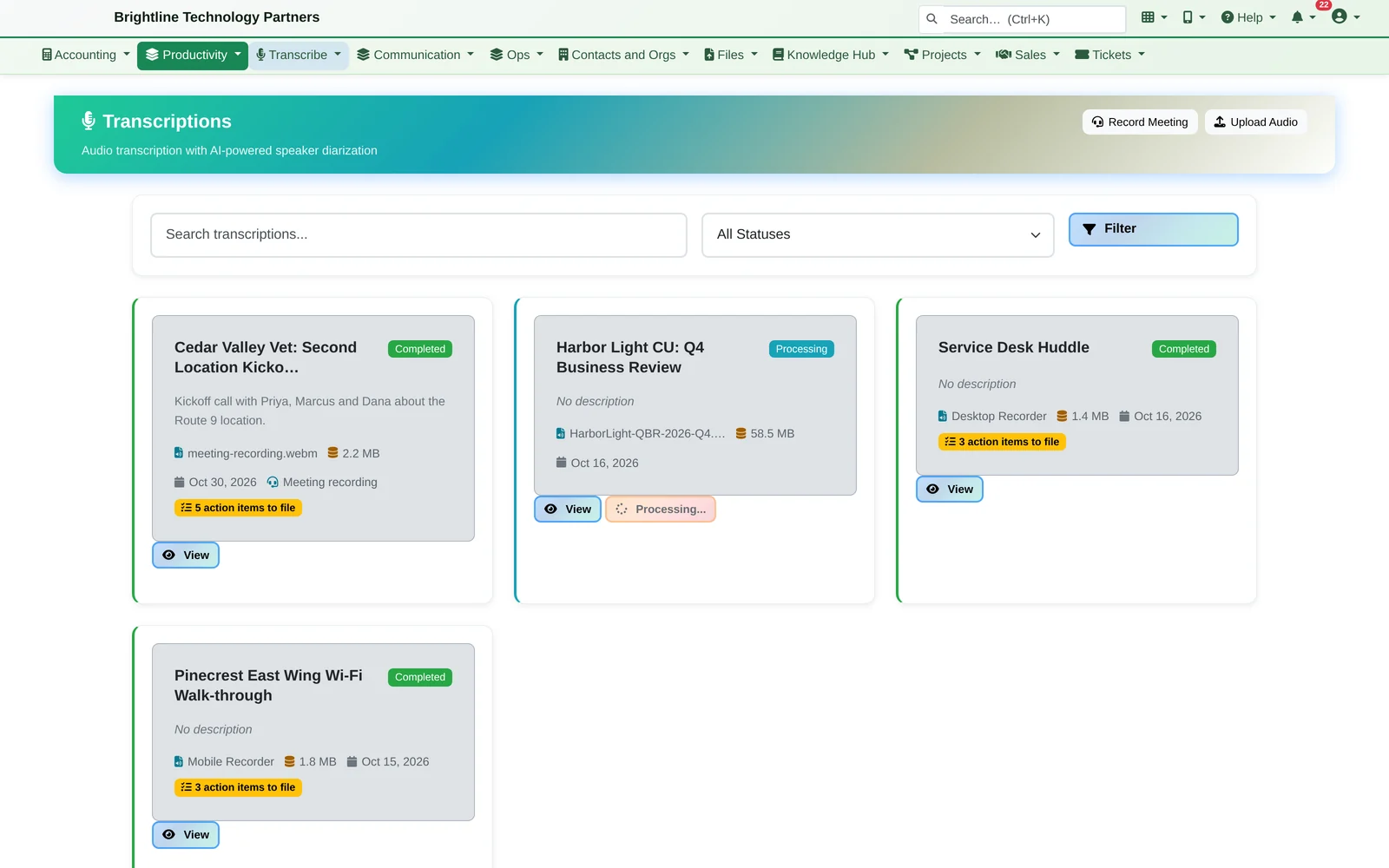
- A few minutes after the call, the notes are ready: a summary, five action items with owners and due dates, the decisions made and the open questions.
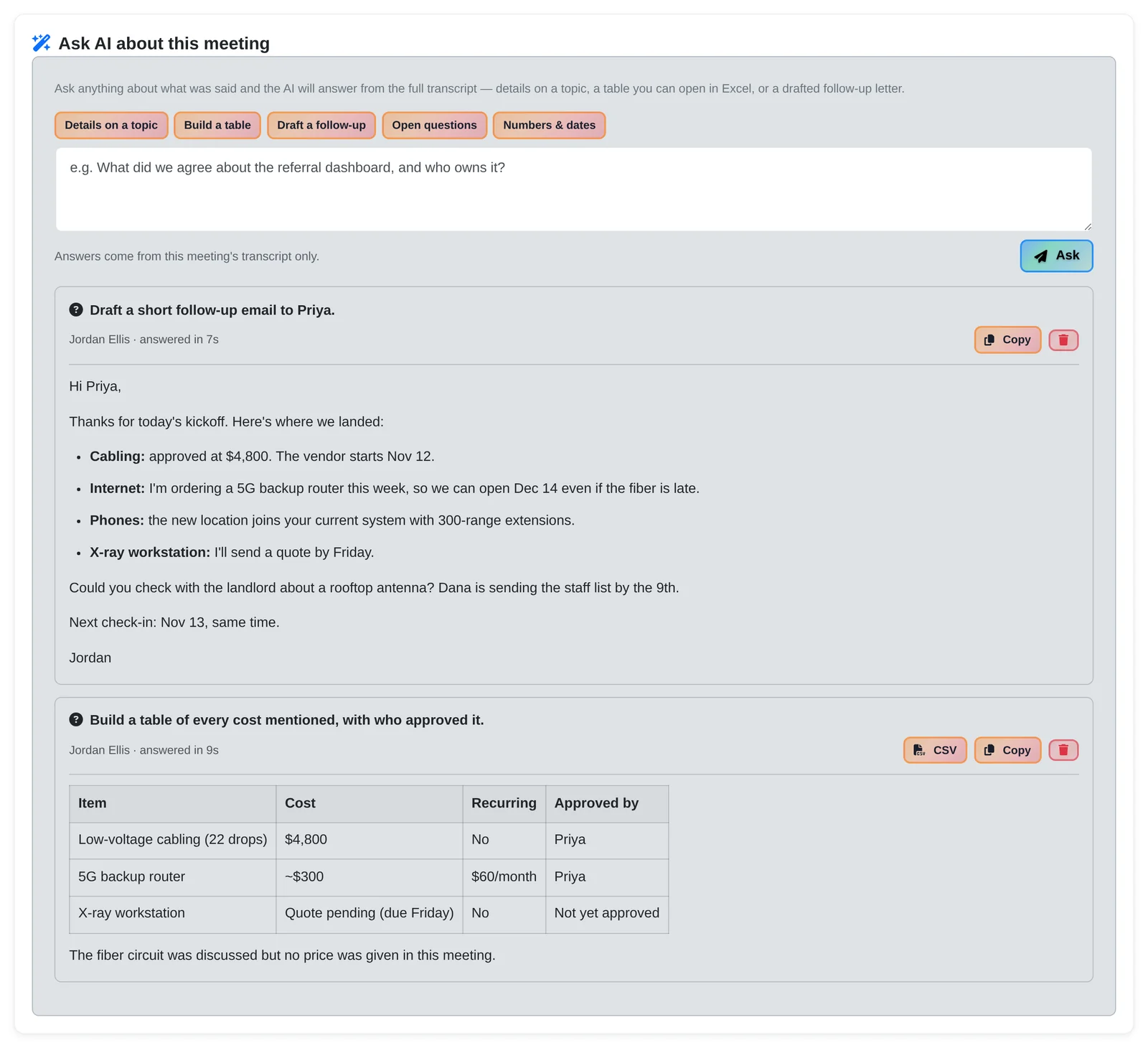
- The action items are already suggested tasks. “Approve the cabling quote, Marcus, due Nov 6.” “Order the 5G backup router.” Tick three, click Create tasks, and they're filed on Cedar Valley's account and show up on each person's calendar.
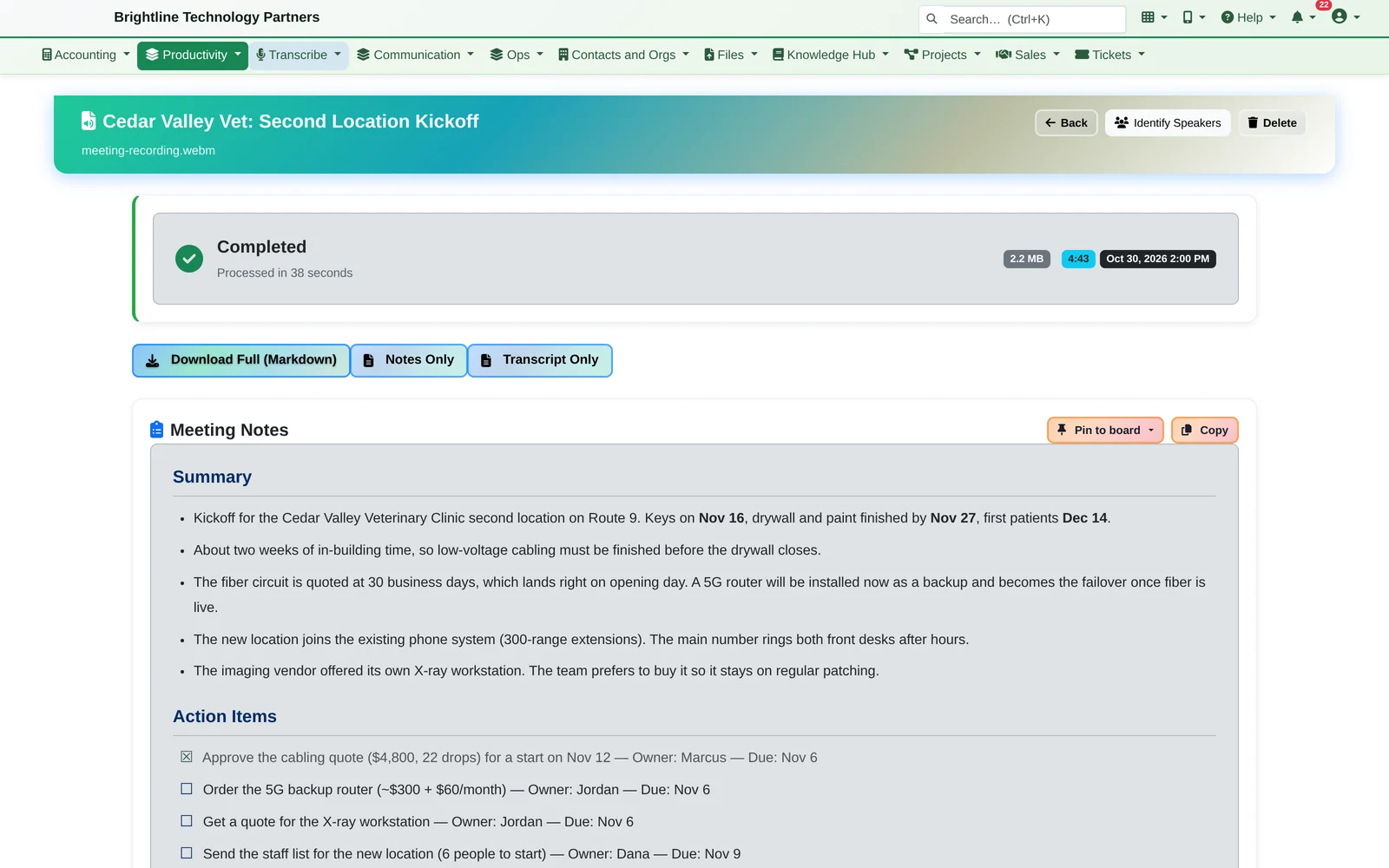
- You ask: “Draft a short follow-up email to Priya.” It's ready to paste. Then “Build a table of every cost mentioned, with who approved it”, and you get a table you can download as CSV.
- Answers come only from what was said in the meeting
- One-tap starters: Details on a topic, Build a table, Draft a follow-up, Open questions, and Numbers & dates
- Answers are saved with the meeting for everyone who can see it
Action Items Become Tasks
Suggestions, not a done deal.
- Edit the wording, change the date, pick who it's for, set the priority, or mark it “not needed”. Add one the AI missed.
- Due dates come from what was said: “by Friday”, “tomorrow”, “next week”. Every date reads in plain words (“Tomorrow, Nov 4”), and the picker's shortcuts (Today, Tomorrow, End of week, Next week, In two weeks) show the date they mean before you pick one.
- File each one as a task or a help desk ticket. Link the recording to a client and its follow-ups are filed on that client's record.
- A task with a due date shows up on that person's calendar
- Send action items to a note board, or pin the whole recording to one
- Recordings linked to a client are listed on that client's CRM page
Nothing is created until someone ticks the items and clicks Create tasks.
Voice Notes
Say it on the way back. File it when you park.
On the drive back from a client, you dictate a note about their Wi-Fi problem. By the time you park, it's written up properly, linked to the client, with four suggested tasks: order two access points by Wednesday, send the revised quote tomorrow, book the cabling crew next week, and have Marcus check the medication carts.
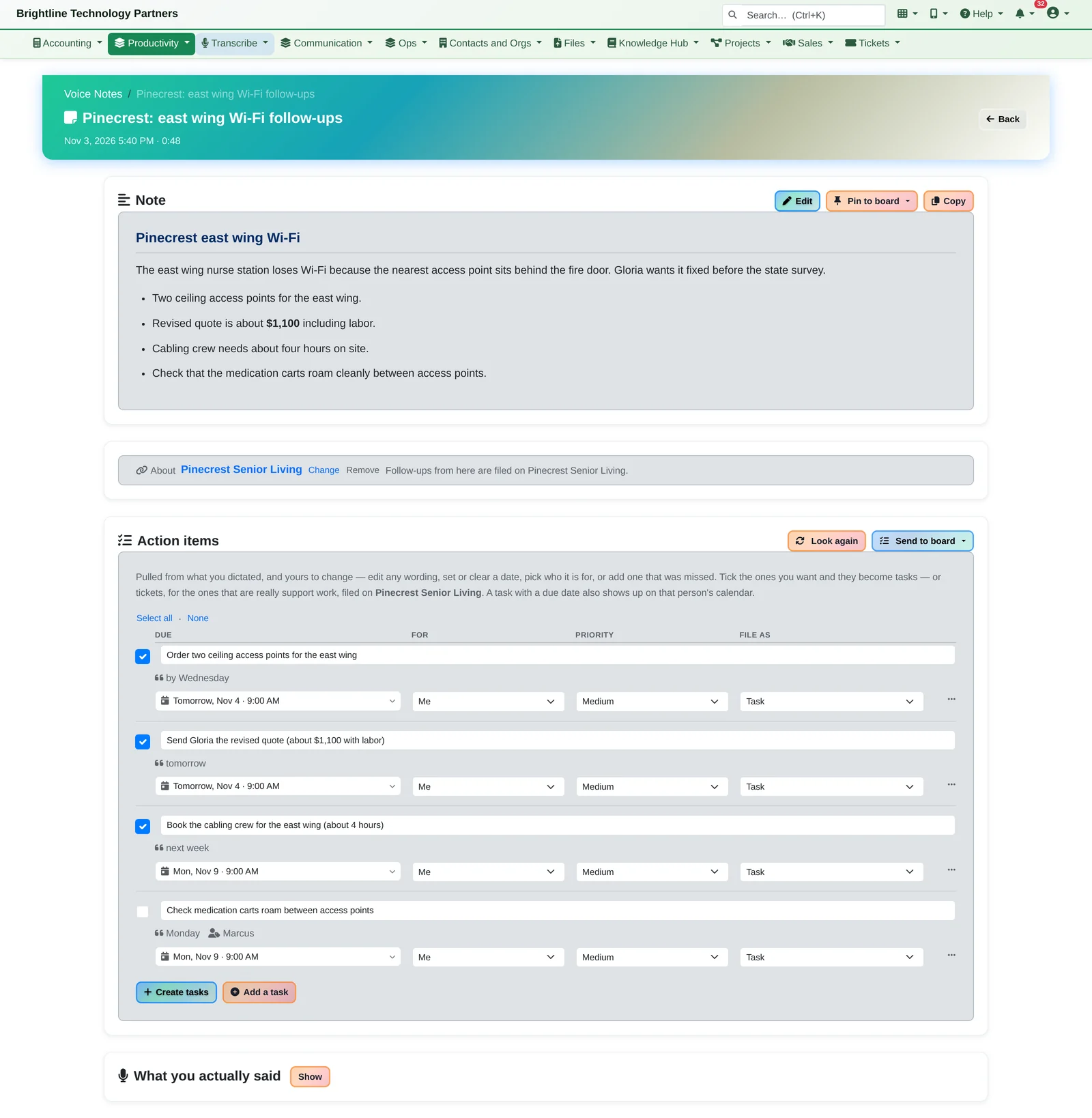
- “What you actually said” keeps the original dictation alongside the cleaned-up note, and you can edit the note by hand
- Link it to a client, pin it to a board, and find it again in the Voice Notes list
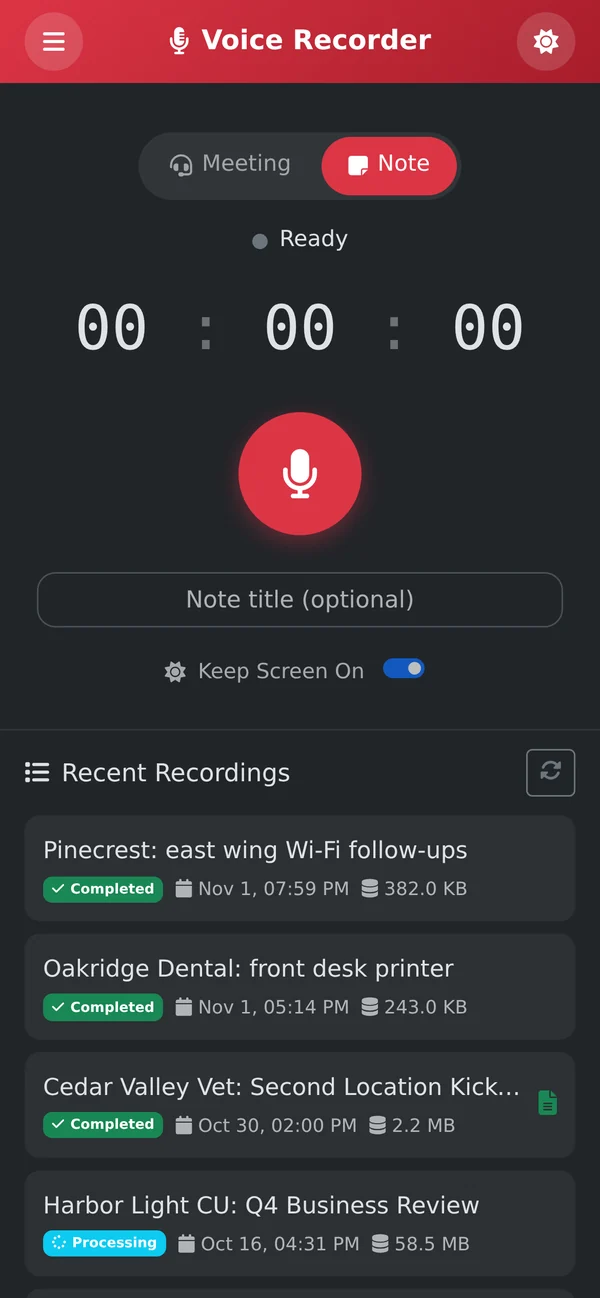
- Recordings are saved on the phone as you go, so one made with no signal (a basement, a server room, a truck) uploads when the connection comes back
Desktop Recorder for Windows and Mac
Your words are labelled “You” by design, not by guesswork.
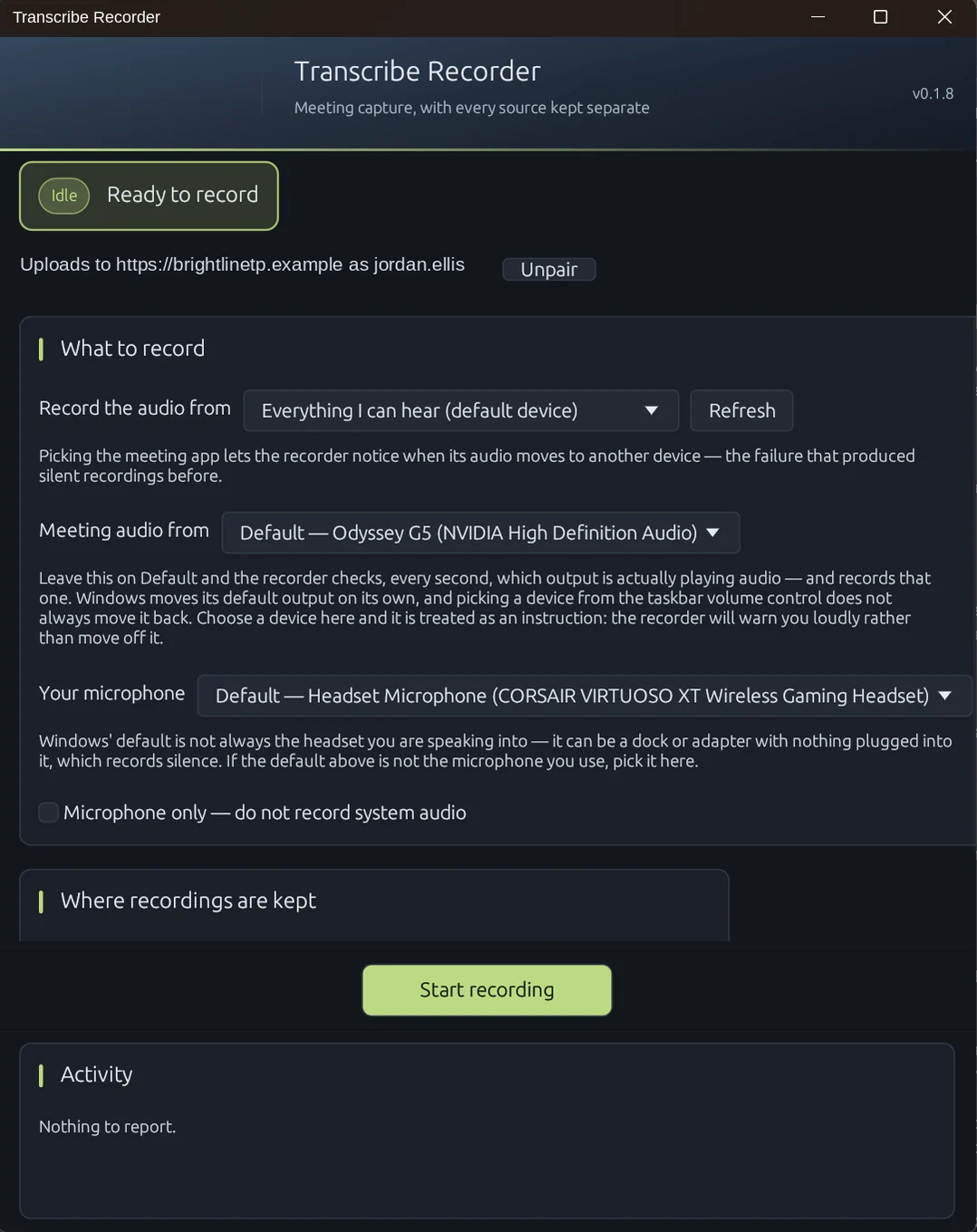
A small desktop app records your microphone and the computer's audio (Teams, Zoom, anything) as separate tracks.
- Record everything you can hear, or pick the meeting app. If its audio moves to another device, the recorder notices.
- Choose your microphone, or record the microphone only
- Each track is checked while recording, so a silent or failed microphone is flagged instead of quietly producing half a transcript
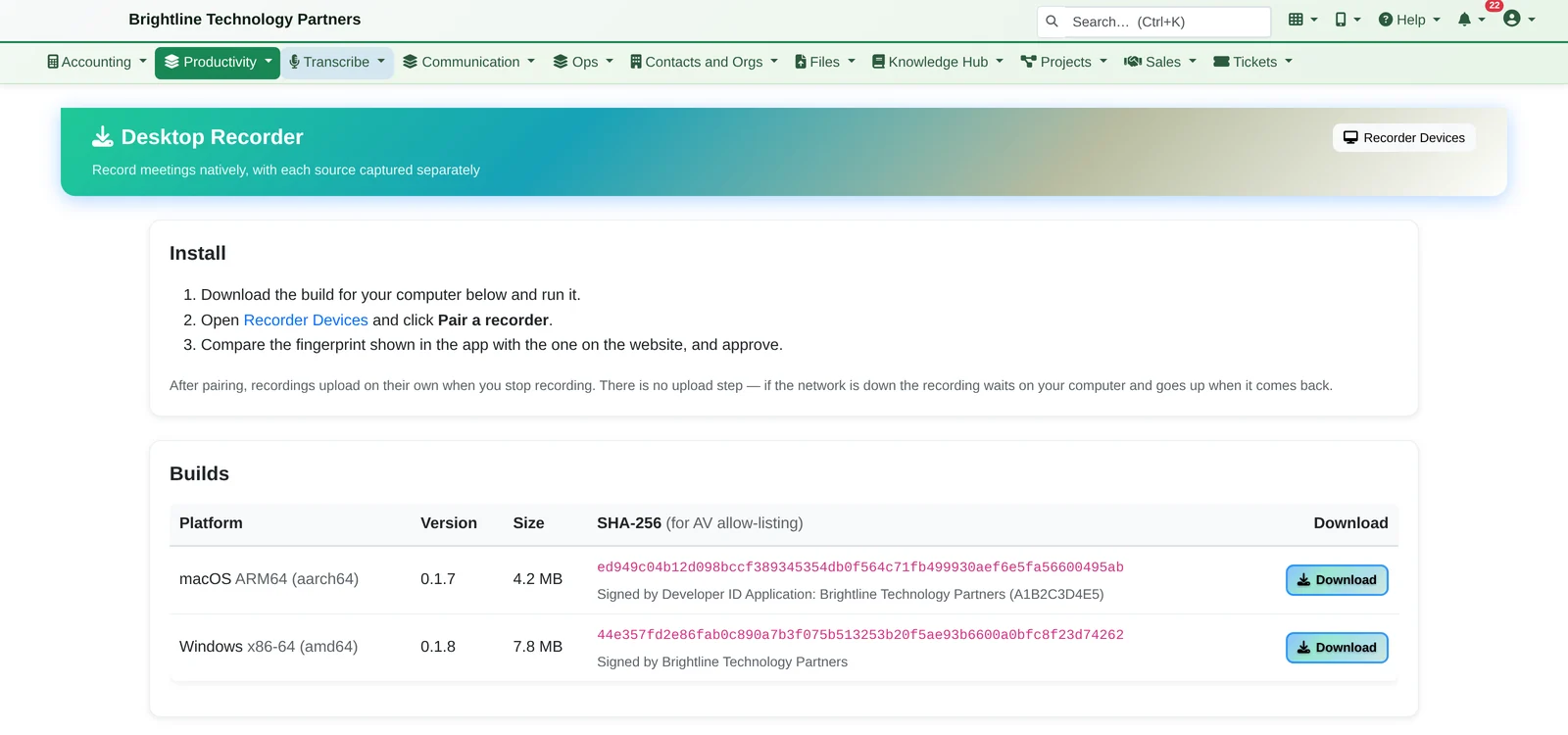
- Pair it with your account once by comparing a fingerprint. After that, recordings upload on their own when you stop, and if the network is down the recording waits on the computer until it's back.
- Signed builds, with a SHA-256 checksum on the download page for antivirus allow-listing
Other Ways to Record
Record it however the meeting happens.
- On your phone: the Voice Recorder app, with Meeting and Note modes
- In the browser: your microphone plus the meeting audio from a browser tab or your screen in Chrome and Edge. Firefox and Safari record the microphone only.
- Upload an existing recording. Long recordings are split and joined back automatically.
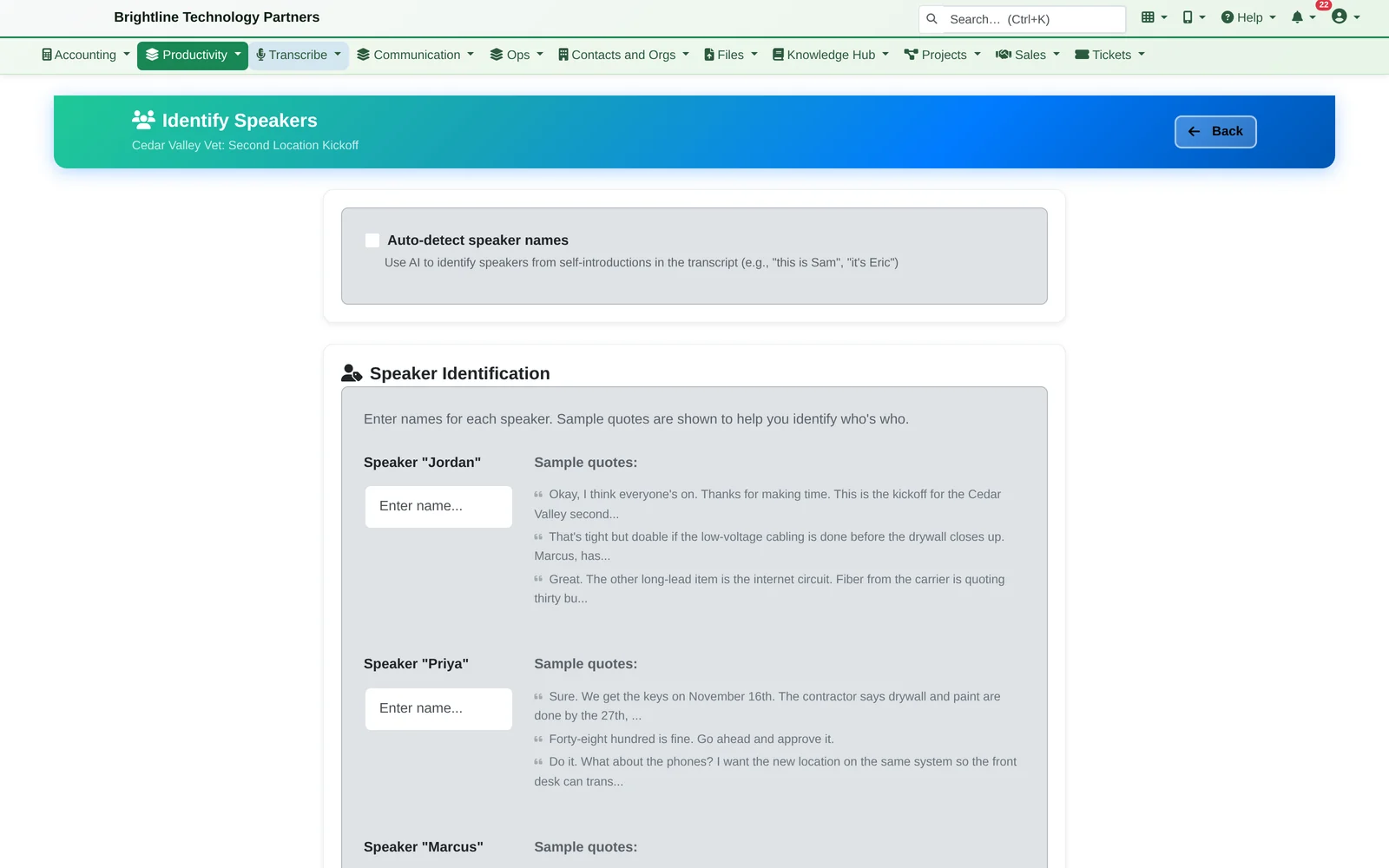
Put real names on the speakers
Identify Speakers finds names from introductions (“this is Priya”), or you type them. The transcript and notes are rewritten without paying to transcribe again.
Private by Default
Your meetings, your speech engine, your retention rules.
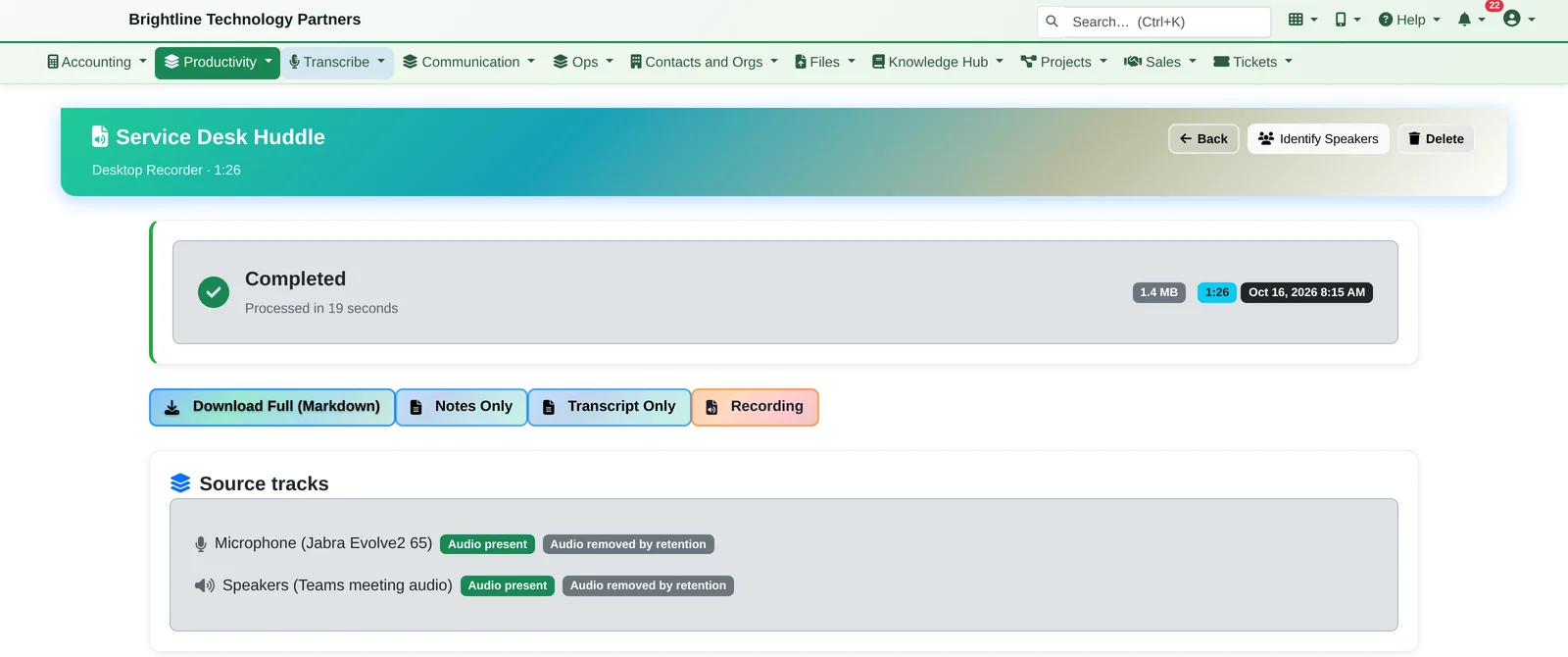
Keep the transcript, drop the audio
Audio can be deleted automatically on a schedule while the transcript is kept. Each recording still shows which tracks were captured and checked.
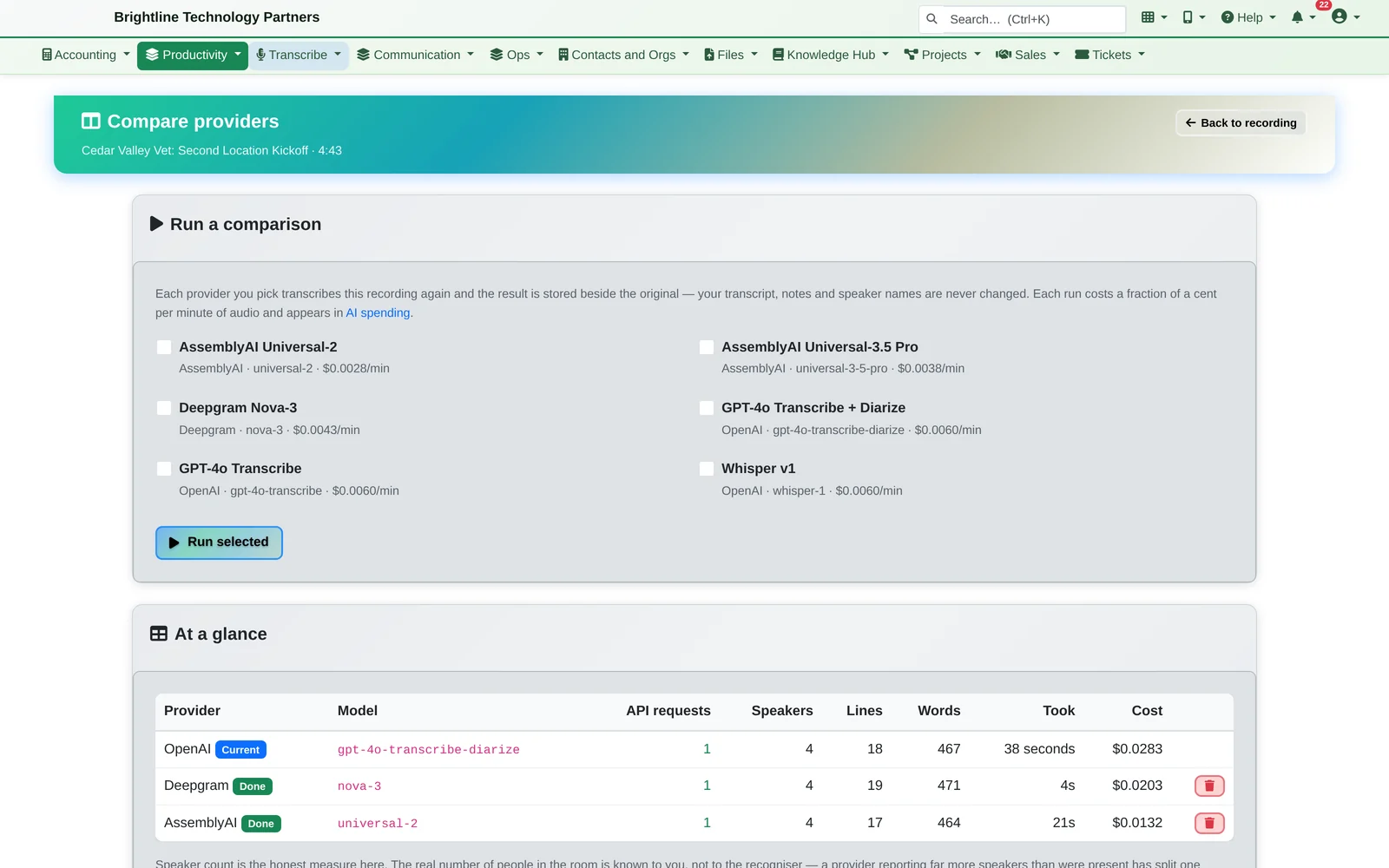
Choose your speech engine
Infinite Expansion works with several speech-to-text providers, and your administrator picks the default. Compare Providers runs the same recording through other engines and shows speakers found, words, time and cost side by side, without touching the original transcript.
- People see their own recordings unless they're given a broader role
- Audio, transcripts, notes and questions are encrypted at rest
- Download the full record, the notes only, the transcript only, or the original audio
- Every change is in the record's history, and AI costs appear in the platform's AI spending report alongside every other AI feature
See it for yourself.
Bring a recording of your own and we'll show you the notes, the suggested tasks and the answers.