Infinite Expansion · Secure Access

Give your team, and an AI, access to production. Keep the keys.

Enterprise privileged access management, built in.

Infinite Expansion includes a full privileged-access platform for Linux servers. Your team works in a browser terminal and a browser code editor, nobody ever holds the server keys, and every session is recorded. The AI engineer that can troubleshoot servers for you is logged down to its last command.

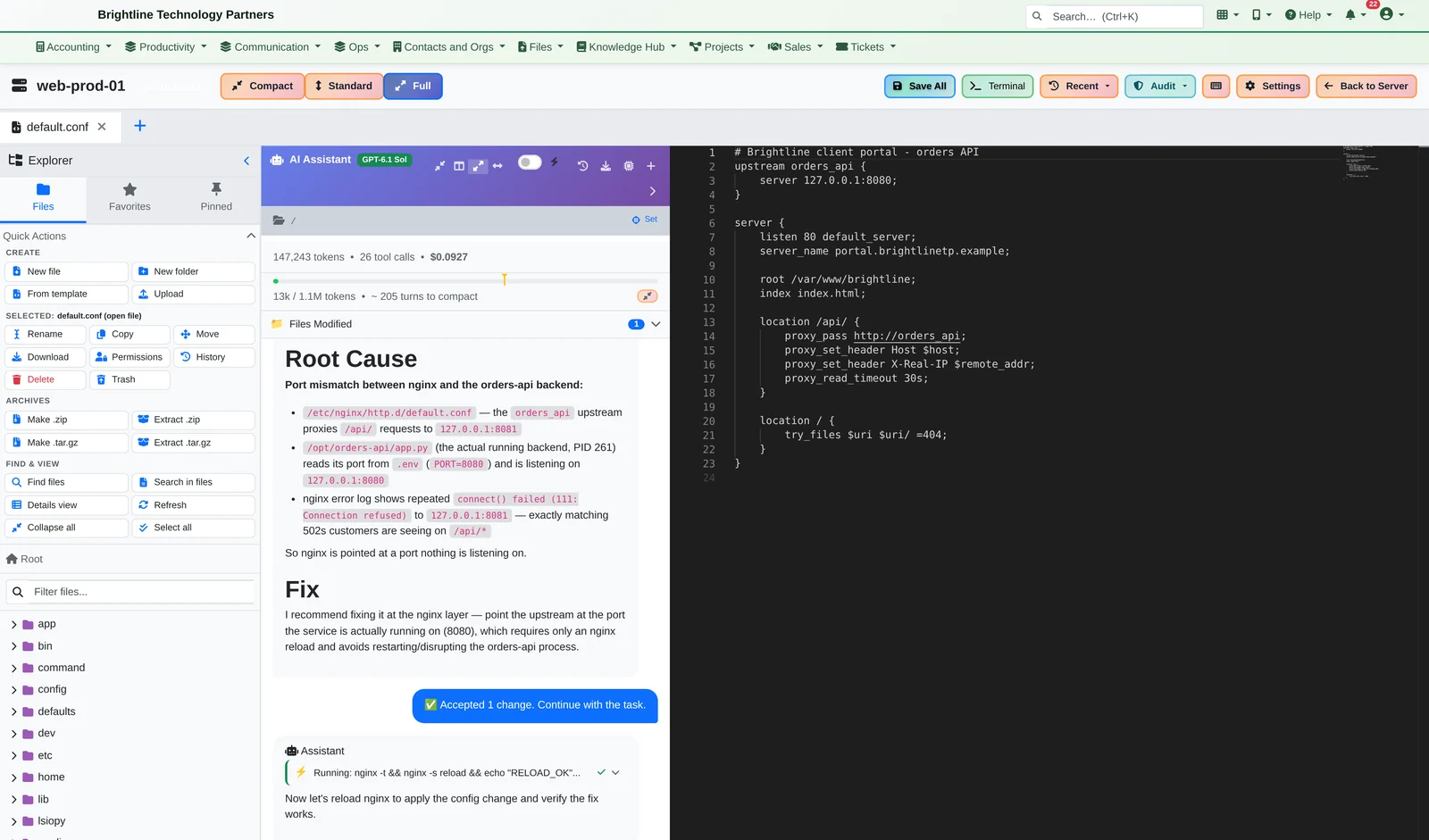
Browser code editor with an AI assistant explaining that nginx points at port 8081 while the API listens on 8080
Ask the AI why production is down. It investigates the server and explains the root cause: 26 tool calls in about a minute, for about 10 cents.

Most companies run servers on shared passwords and keys copied onto laptops. Nobody can say who changed what. Infinite Expansion fixes that inside the same platform that runs your tickets, projects and clients.

How It Works

3 AM: the client portal starts throwing 502 errors.

  1. The on-call engineer opens the server in the browser. No VPN, no SSH key on their laptop, no shared password. The platform holds the key and connects for them.
  2. They hand the problem to the AI assistant. “Customers are getting 502 errors on the client portal API. Find the cause and propose a fix.” The AI reads the nginx error log, checks which process is listening on which port, opens the app's settings and reports back: nginx is pointed at port 8081, but the API listens on 8080.
  3. The AI proposes the fix, but doesn't apply it. The engineer gets a side-by-side diff with the AI's explanation, then Accept & Apply or Reject. The AI can't quietly change files.
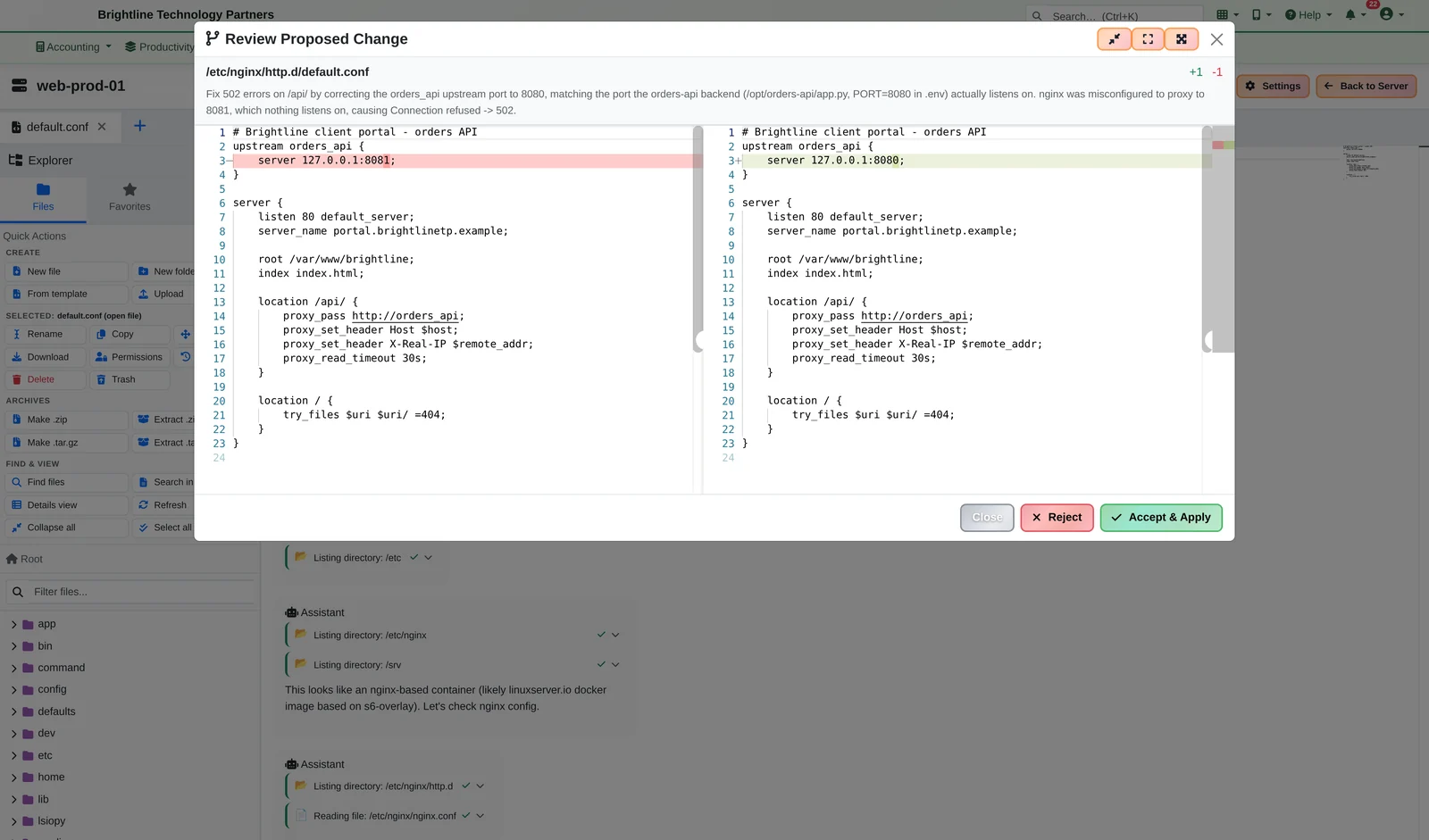
A side-by-side diff changing an nginx port from 8081 to 8080 with Reject and Accept and Apply buttons
The AI finds it. You approve it. Every AI change is a reviewable diff.
  1. The engineer reloads nginx and confirms HTTP 200 in the terminal built into the editor, without leaving the page. The login banner already said it: “This session is recorded.”
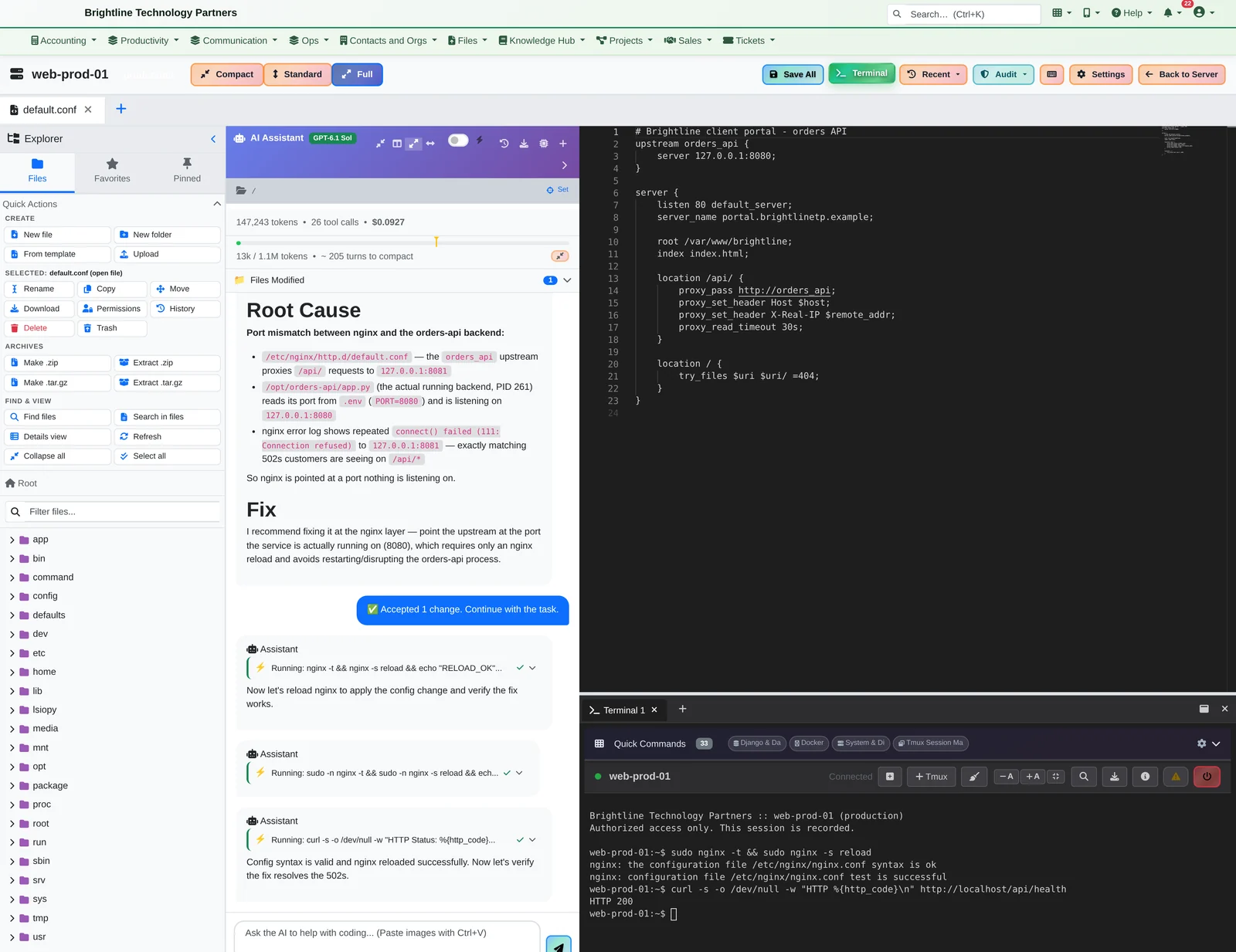
Full-width code editor with the file tree, the AI Assistant's root-cause analysis, the fixed nginx config, and a terminal below showing nginx reloaded and HTTP 200
Files, the AI, the code and a live terminal: one screen, full width.
  1. The next morning, the security lead replays the whole session like a video, with time-stamped comments. They read the AI's full conversation in the audit log (every message, every command it ran) and confirm the recordings haven't been altered.
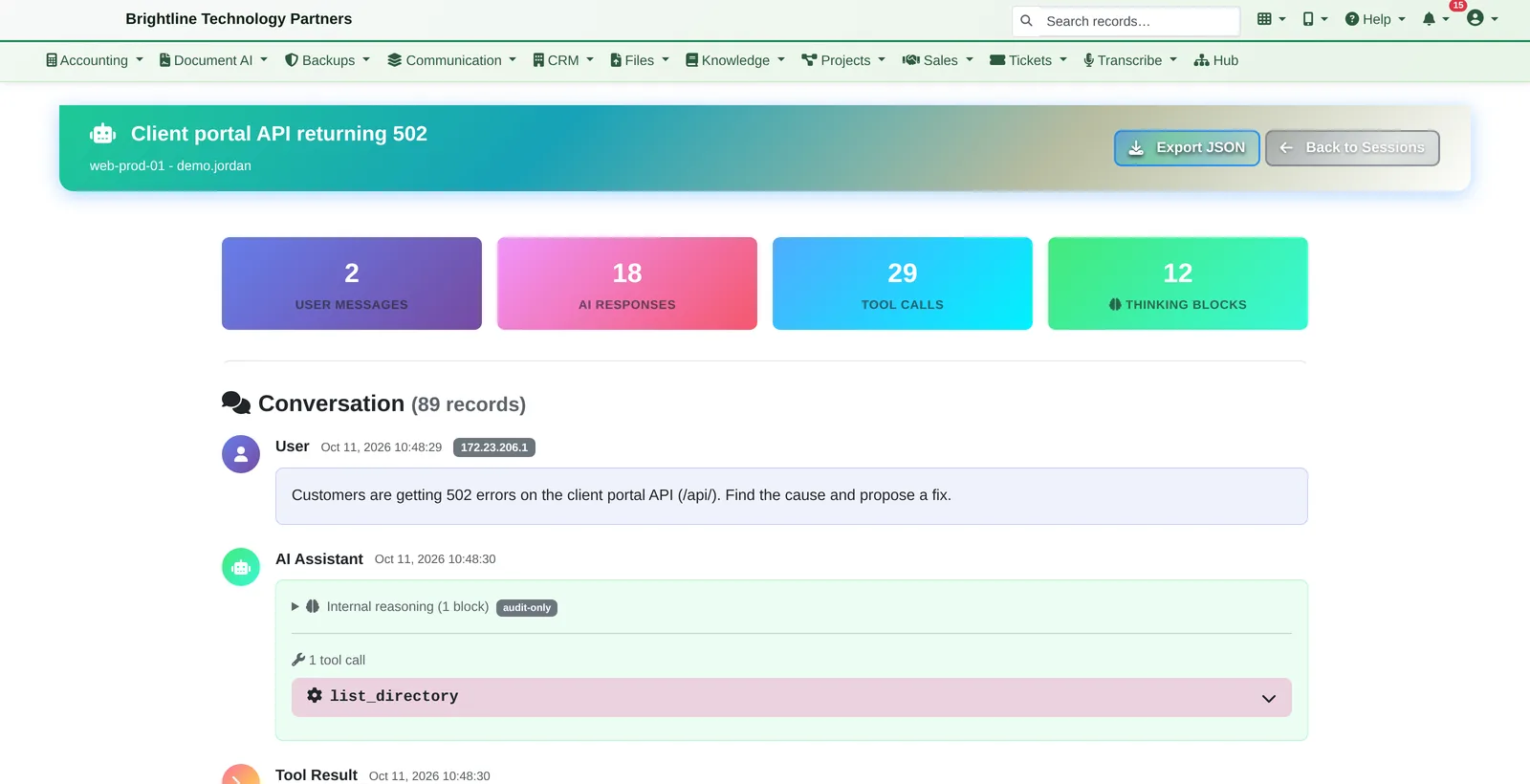
AI chat audit page showing the engineer's request, the AI's responses and its tool calls
Every AI conversation, message and command, in an append-only audit log.
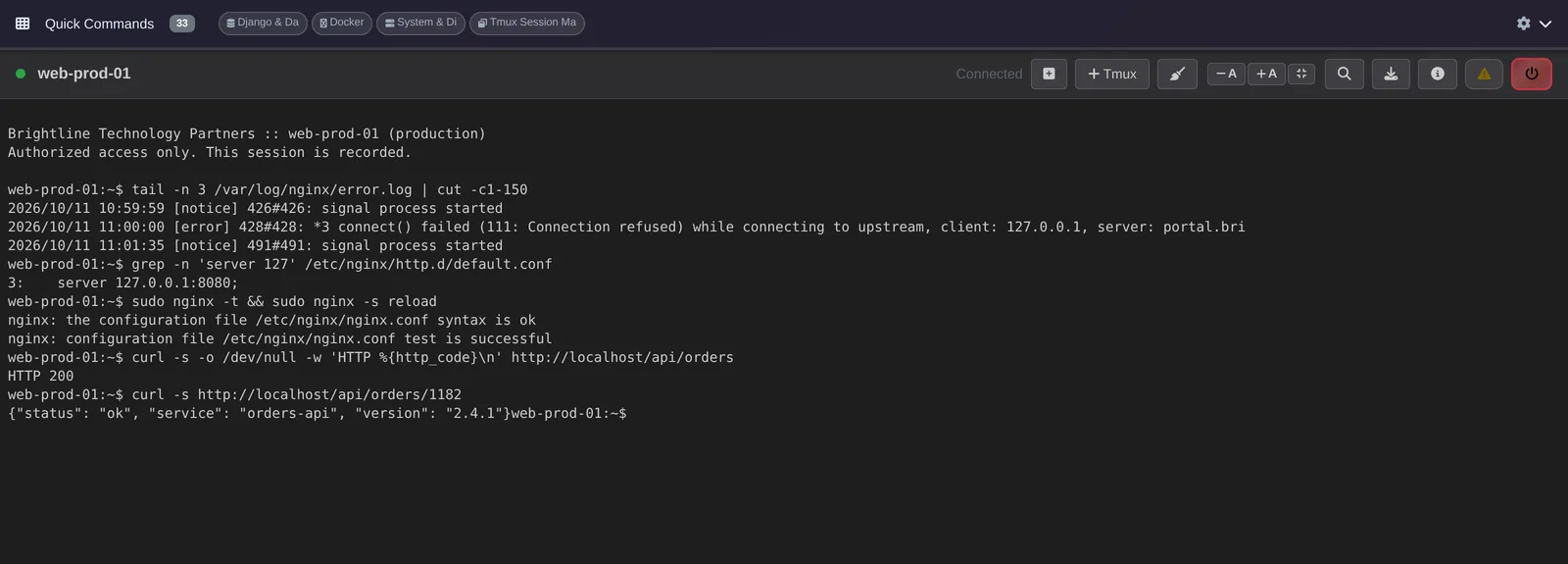
Browser terminal connected to web-prod-01 showing an nginx reload and an HTTP 200 check
A real SSH terminal in the browser, with no keys on anyone's laptop. Every session is recorded.
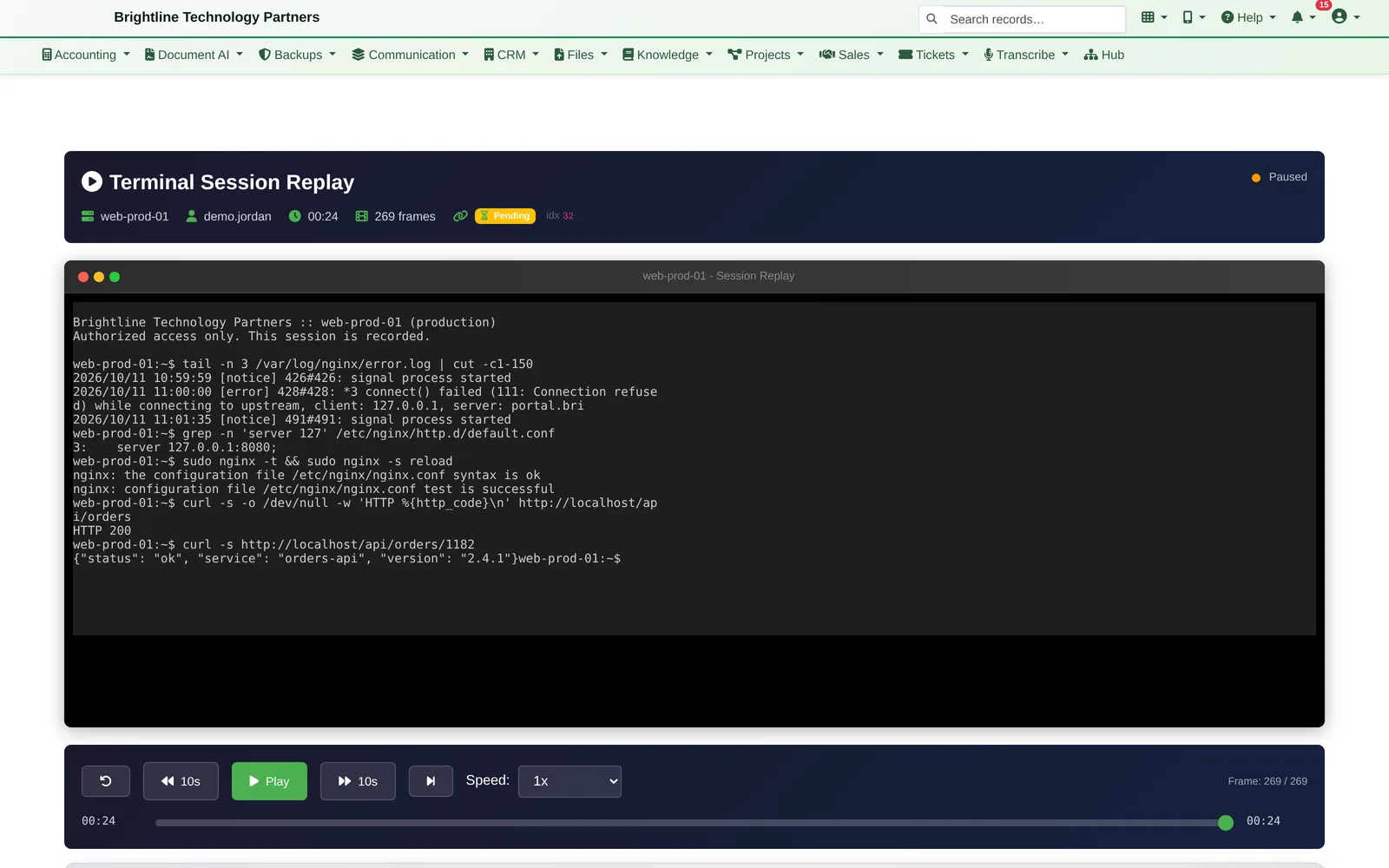
Session replay player showing a recorded terminal session with playback controls
Work in the browser. Replay it later.

Why It's Different

An AI engineer that follows the same rules as your people.

Dedicated access-management tools exist, but they're another product to buy and run. Infinite Expansion builds privileged access into the platform you already use, and adds something they don't have: an AI engineer that works on your servers under the same rules, approvals and recording as your team.

  • The AI reads files, searches, and runs diagnostic commands over SSH; destructive commands are blocked
  • The AI can't delete files, and file changes are always proposed as a diff for a person to approve (auto-accept is an opt-in switch)
  • The AI's audit log is append-only at the database level: no one can edit or delete what it did, and auditors can search and export it
  • Choose the AI model per session, see the token count and cost live, and set per-user spending caps
  • Full view uses the whole screen: file tree, AI assistant and editor side by side, with a built-in terminal to the same server underneath

On Your Phone

Fix production from the parking lot.

Infinite Expansion comes with installable phone apps, not just pages that shrink to fit. Each one installs to the home screen from the browser, opens full-screen and can carry your company's name and icon. Approving a fix on the phone uses the same approvals, recording and audit trail as approving it at a desk.

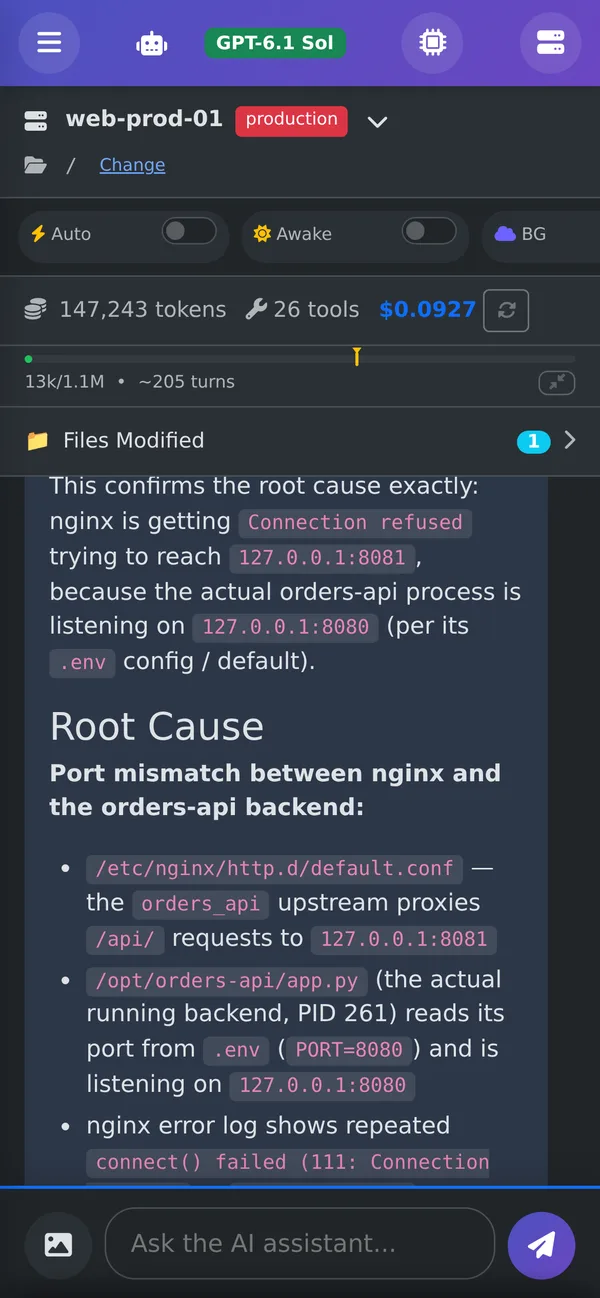
Phone screen of the AI Assistant explaining a port mismatch between nginx and an orders API on web-prod-01
6:40 PM, in the car: ask from your phone, and the AI explains the root cause.
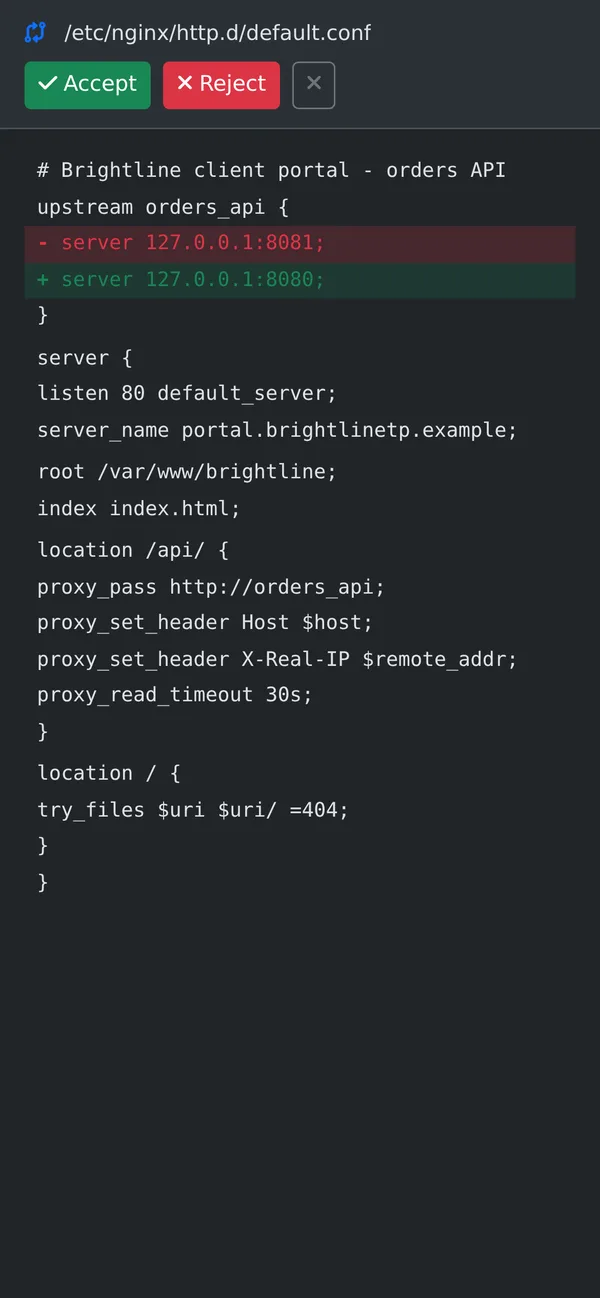
Phone diff view changing an nginx upstream from port 8081 to 8080, with Accept and Reject buttons
The AI proposes; you approve with a tap.
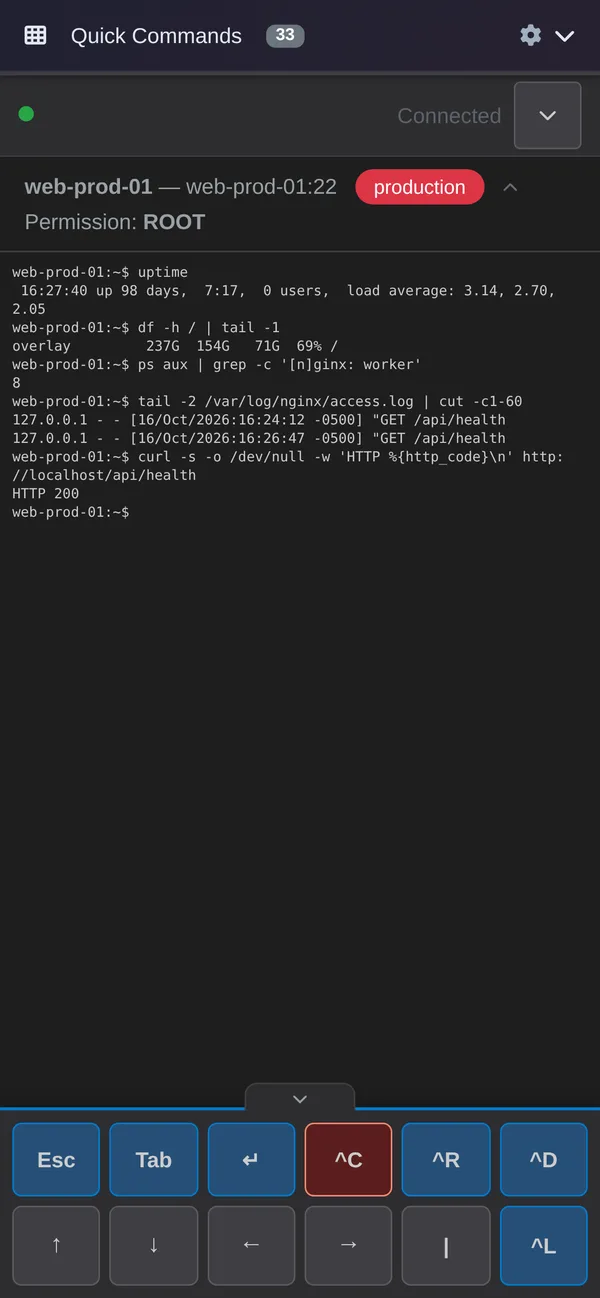
Phone terminal connected to web-prod-01 showing uptime, disk and an HTTP 200 check, with an Esc, Tab and Ctrl key bar
A real SSH terminal, with the keys a phone keyboard leaves out.
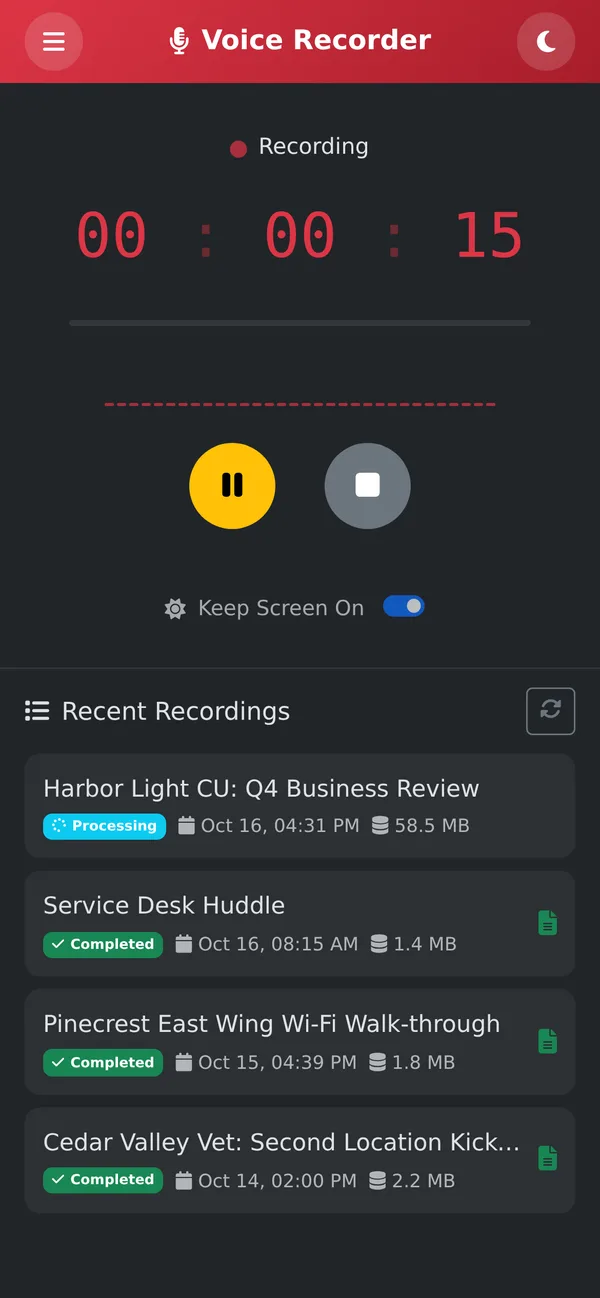
Phone voice recorder recording, with a red timer and pause and stop buttons
And a meeting recorder in the same pocket.

AI Assistant

  • Pick a server and ask in plain words. The AI reads files, searches and runs diagnostic commands on the server itself.
  • It proposes changes as a diff, and a person approves each one with Accept or Reject. An optional Auto switch for routine work has a server-side limit.
  • Background mode: start a long task, put the phone away, and get a push notification when it's finished or needs your review.
  • Tokens, tool calls and the cost so far for every session, live. Pick the AI model per session, or attach a photo of an error message.

Terminal and Voice Recorder

  • SSH to your Linux servers with nothing to install and no keys on the phone, plus a key bar for Esc, Tab, Ctrl-C, the arrows and the pipe.
  • Quick Commands: a one-tap library of the commands your team uses most. Reconnects automatically when you come back to the app.
  • The same recording, command policies and audit trail as the desktop terminal.
  • The Voice Recorder sends meetings to Meeting Notes, with the transcript and notes waiting when you're back at your desk.

Access Without Handing Out Keys

Keys belong to servers, not to laptops.

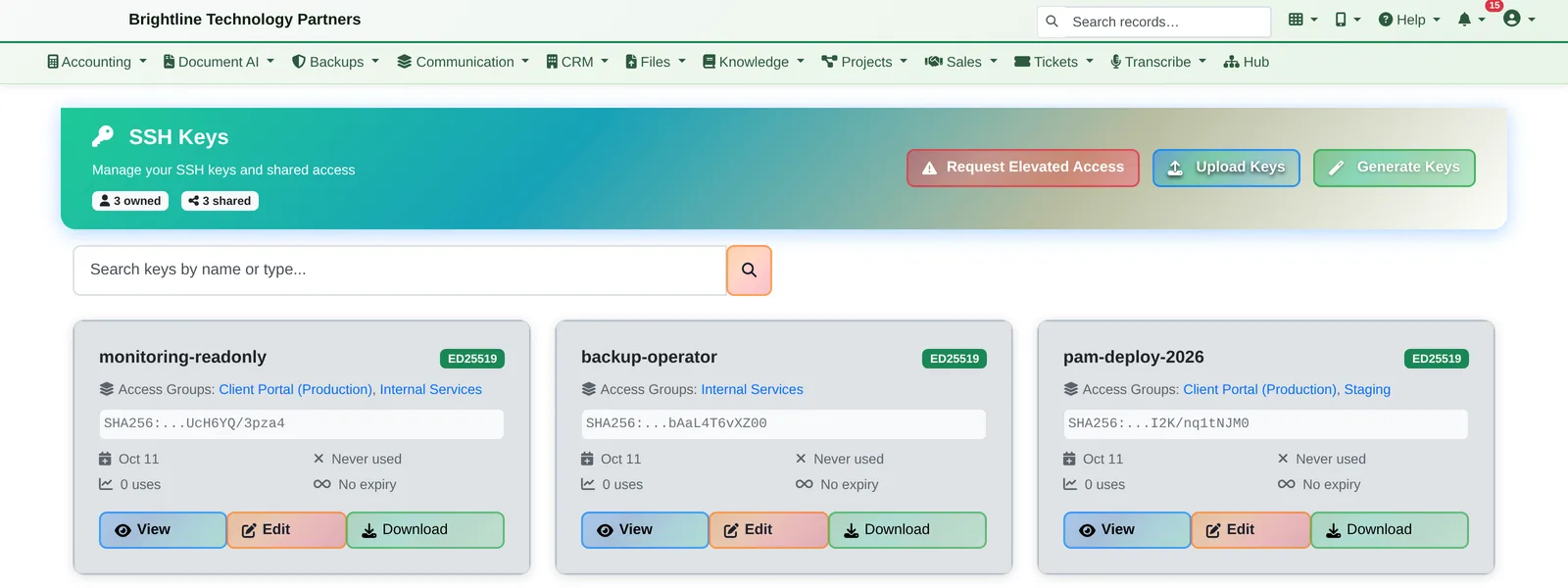
SSH key list showing three Ed25519 keys and the server groups they're assigned to

An SSH key vault

Keys and server credentials are stored encrypted and released only to the terminal service, never to anyone's browser, and every release is audited. Generate keys in the app (Ed25519, RSA, ECDSA) and share them with server groups, not with people.

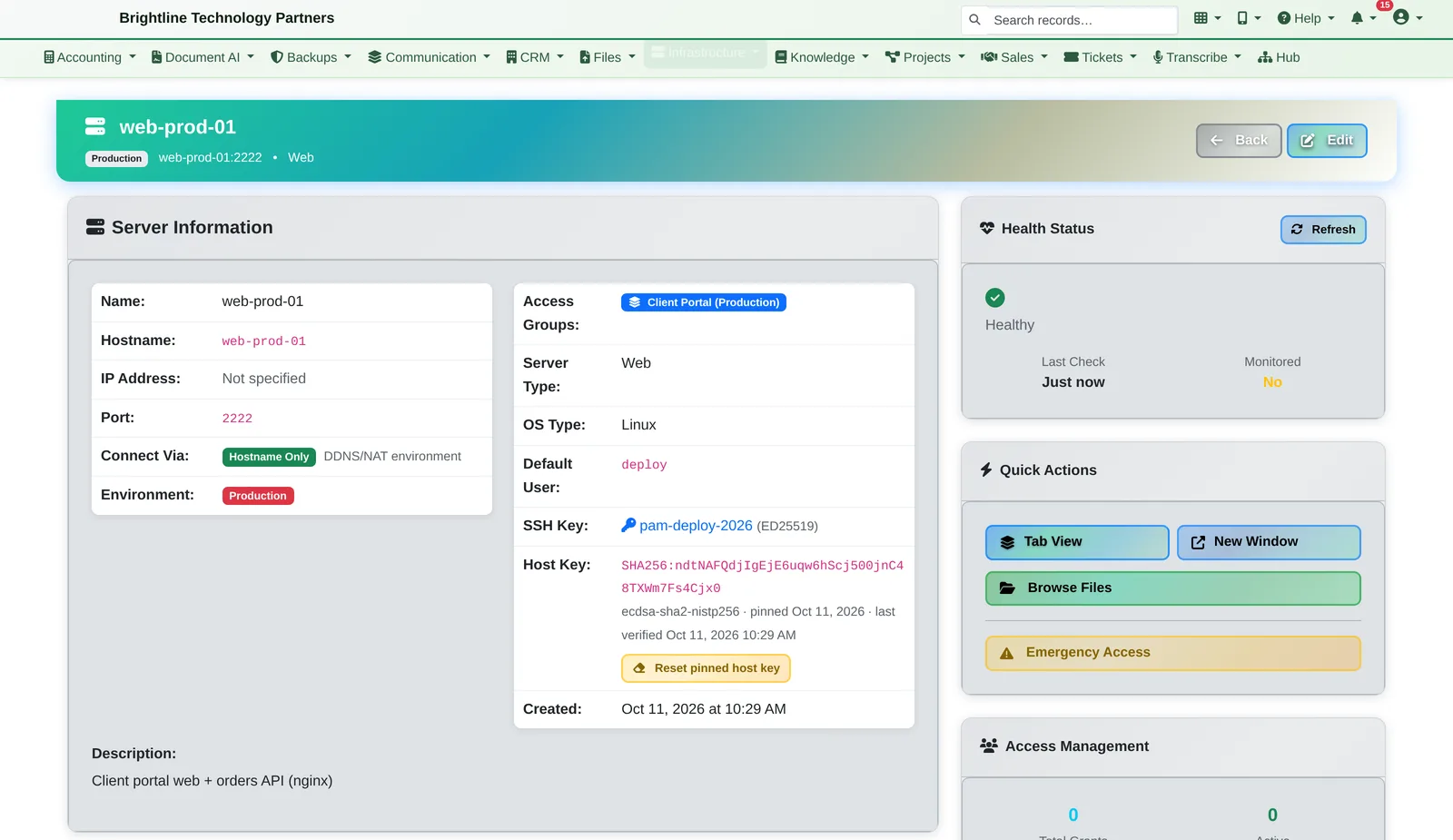
Server detail page showing access groups, the managed SSH key and the pinned host key

Pinned host keys

Every server's host key is pinned on first connect, and a changed key blocks the connection. Each server shows its access groups, managed key and health in one place.

  • Browser SSH terminal with tabs and sessions that survive a dropped connection. Nothing to install, and it works on a phone too
  • Four access levels per server or server group: View, Connect, Sudo and Root
  • Permanent, temporary, scheduled and IP-restricted access grants, with optional approval
  • Reach servers behind NAT or a firewall through an on-site relay, without opening inbound ports
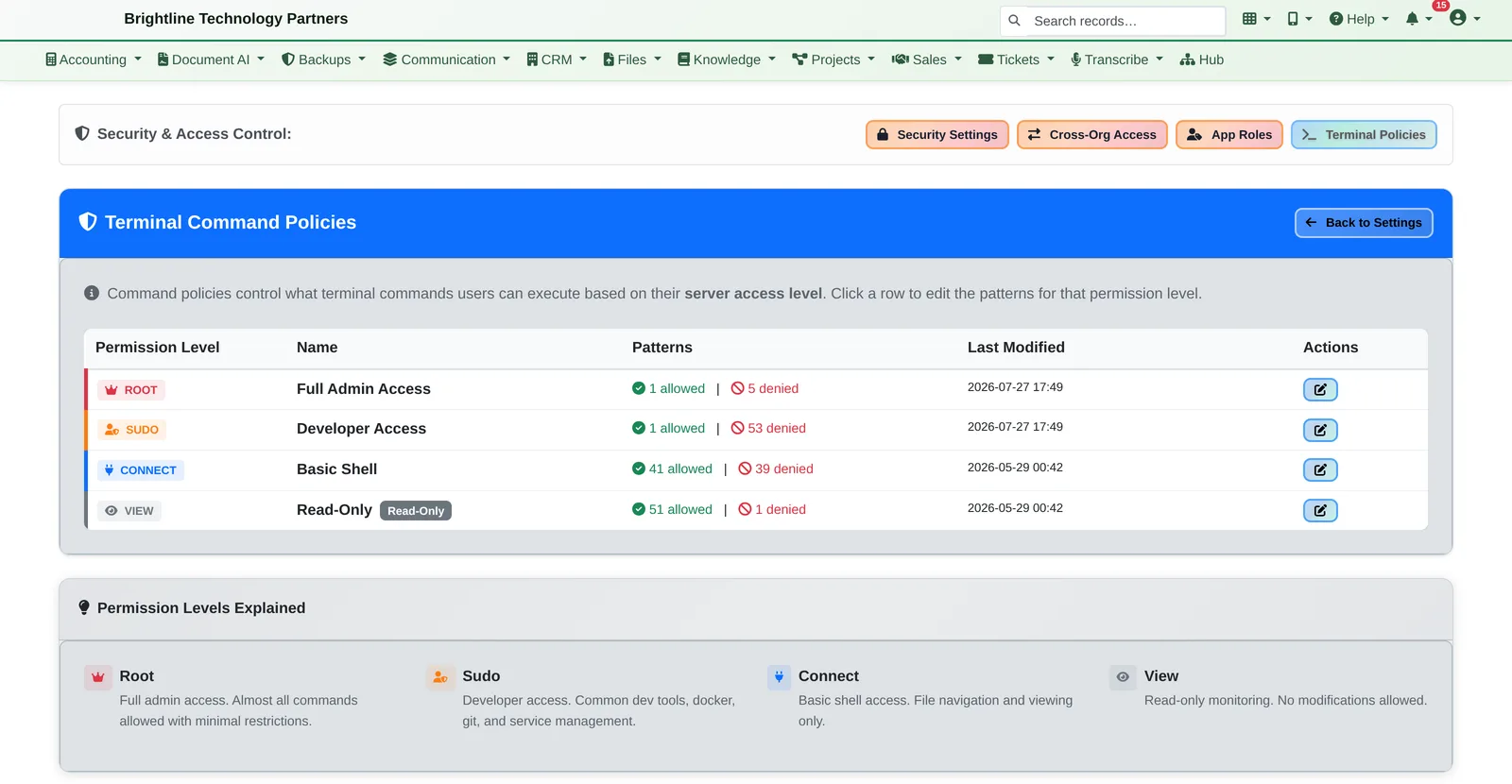
  • Command policies per access level, enforced as people type
Command policy table for Root, Sudo, Connect and View access levels with allowed and denied pattern counts
Command rules per access level, enforced as people type.

Just-in-Time & Emergency Access

Elevated access that expires on its own.

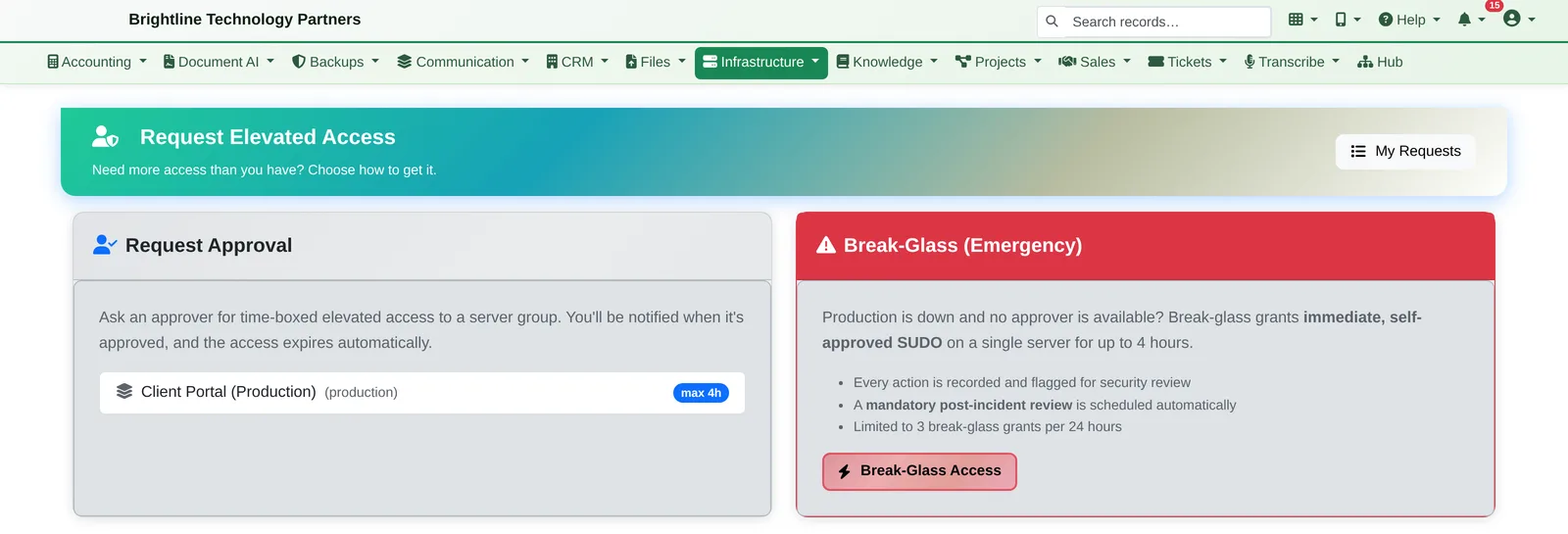
  • Request approval: ask for time-limited elevated access to a server group. An approver signs off, and access expires automatically
  • Break-glass: when production is down and nobody can approve, get immediate sudo on one server for up to four hours
  • Every break-glass action is recorded, and a post-incident review is created automatically and can't be skipped
Request Elevated Access page with Request Approval and Break-Glass panels
Time-limited access with approval, or break-glass when production is down.

Recording, Oversight & Evidence

Who did what, on which server, and proof it wasn't altered.

  • Every terminal session recorded and replayable, with time-stamped comment threads
  • Tamper-evident recordings: each one is fingerprinted into a signed chain, and an integrity report verifies the chain on demand
  • Optional write-once (WORM) archive storage for recordings
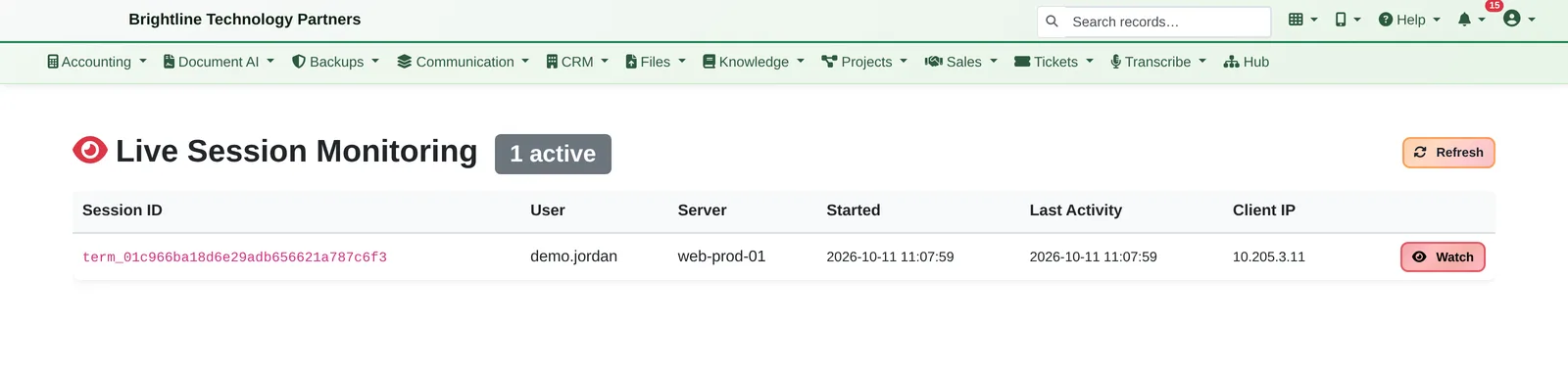
  • Live monitoring: authorized staff can watch a session as it happens and end it, and every watch is audit-logged
  • Command logging and full-text search across all sessions, with filters for privilege escalation, high-risk commands and sensitive files
  • Evidence bundles for auditors, mapped to SOX 404, PCI DSS 10.5 and HIPAA 164.312
  • Events can be sent to your SIEM (Splunk HEC or a webhook)
  • Browser code editor with a file tree, search across files, upload and download, and file locking
  • Every saved file is snapshotted with Git: see the history, diff any two versions and restore any one
  • Auditor portal: browse file changes by server or by user, with snapshot diffs
Live Session Monitoring list with one active session and a Watch button
Watch live sessions, and end them if needed.
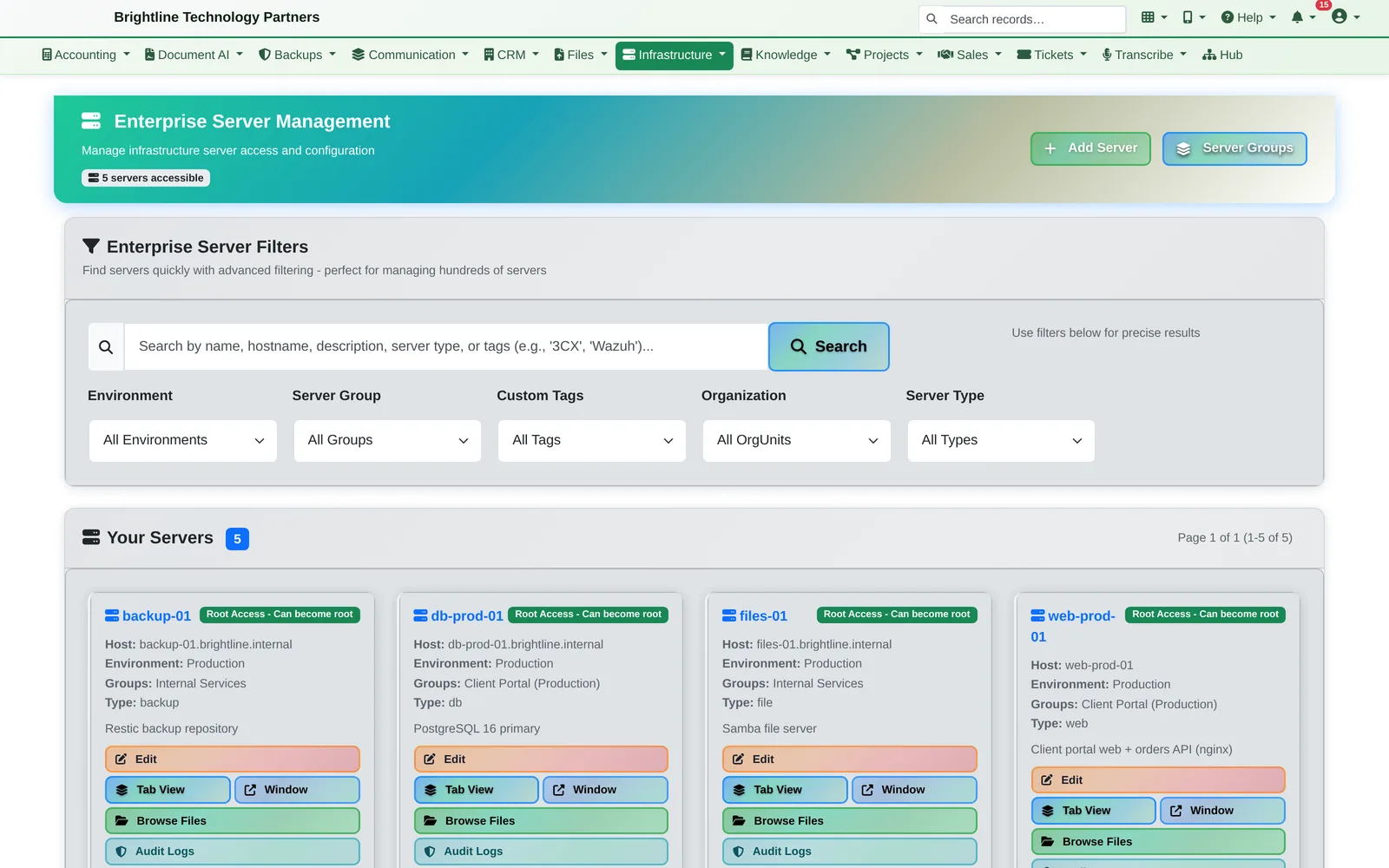
Server management page with filters and server cards for production servers
All your servers, by environment and group.

See it for yourself.

We'll show the AI tracking down an outage, the approval diff and the replay in about 20 minutes, along with anything else in Infinite Expansion you'd like to see.