
Infinite Expansion · Laboratories
Set up a batch once. The platform orders the reagents and books the instruments.
Run the lab, not the spreadsheet.
Batch templates know their steps, instruments and reagents. Create a batch from one and the platform reserves what's on the shelf, orders the rest at the best price, and books every instrument in the right order, waits included. The study's project knows the moment a batch is done.
Built for testing, QC and contract labs.
Stability studies, release testing, incoming-material checks, method validation. The Laboratory pack sets the platform up for a lab in one click: jobs become Batches, schedulable resources become Instruments, people become Analysts and skills become Methods. Stages read Received → Reagents Ordered → Ready to Test → Scheduled → In Analysis → Reported.
One Stability Study
A batch template, set up once.
Follow a fictional testing lab running stability pulls for a fictional pharmaceutical client.
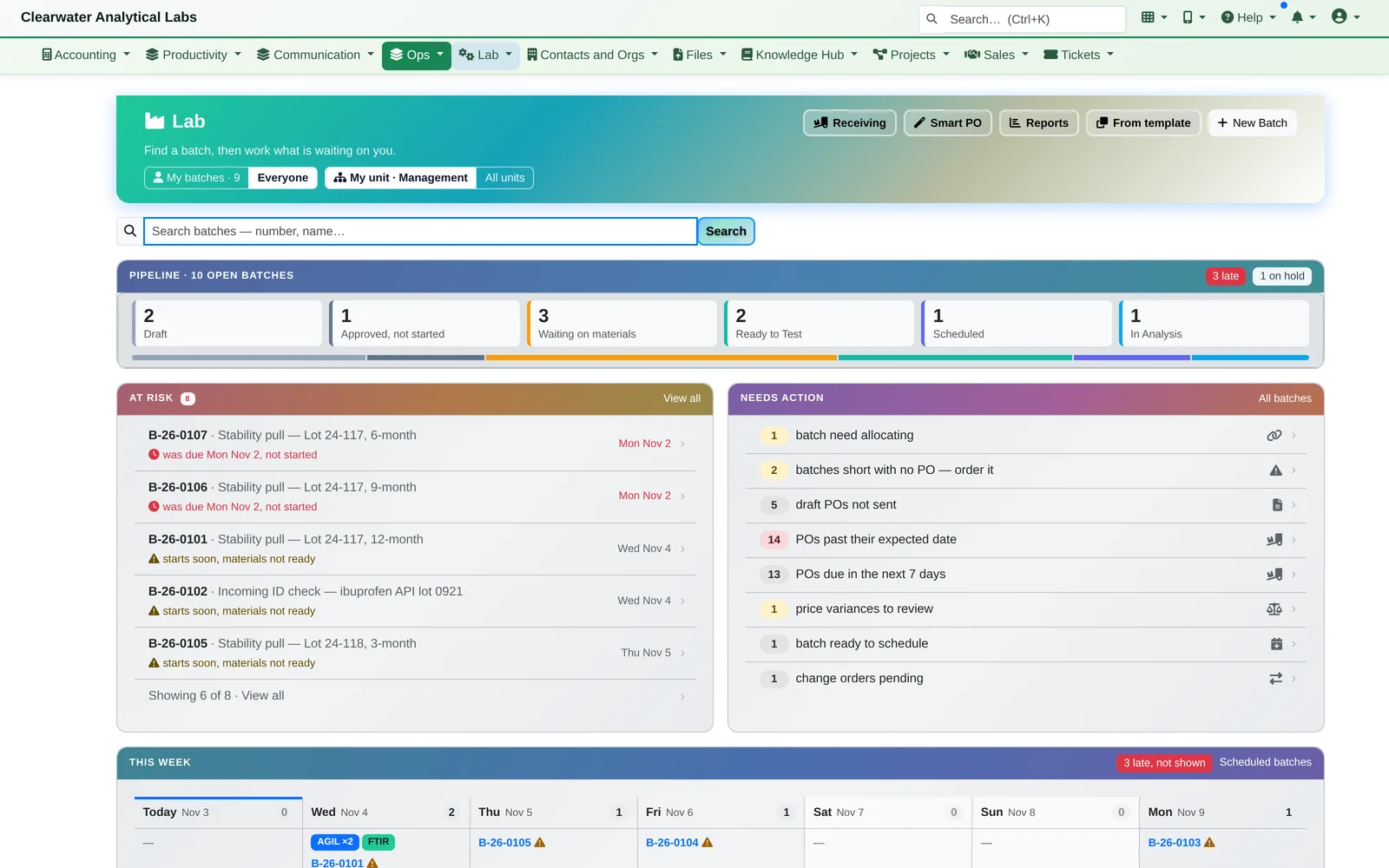
- The lab at a glance. The Lab dashboard shows the pipeline from Received to Reported, the batches at risk (due soon, reagents not in), what needs action, and the week's instrument bookings.
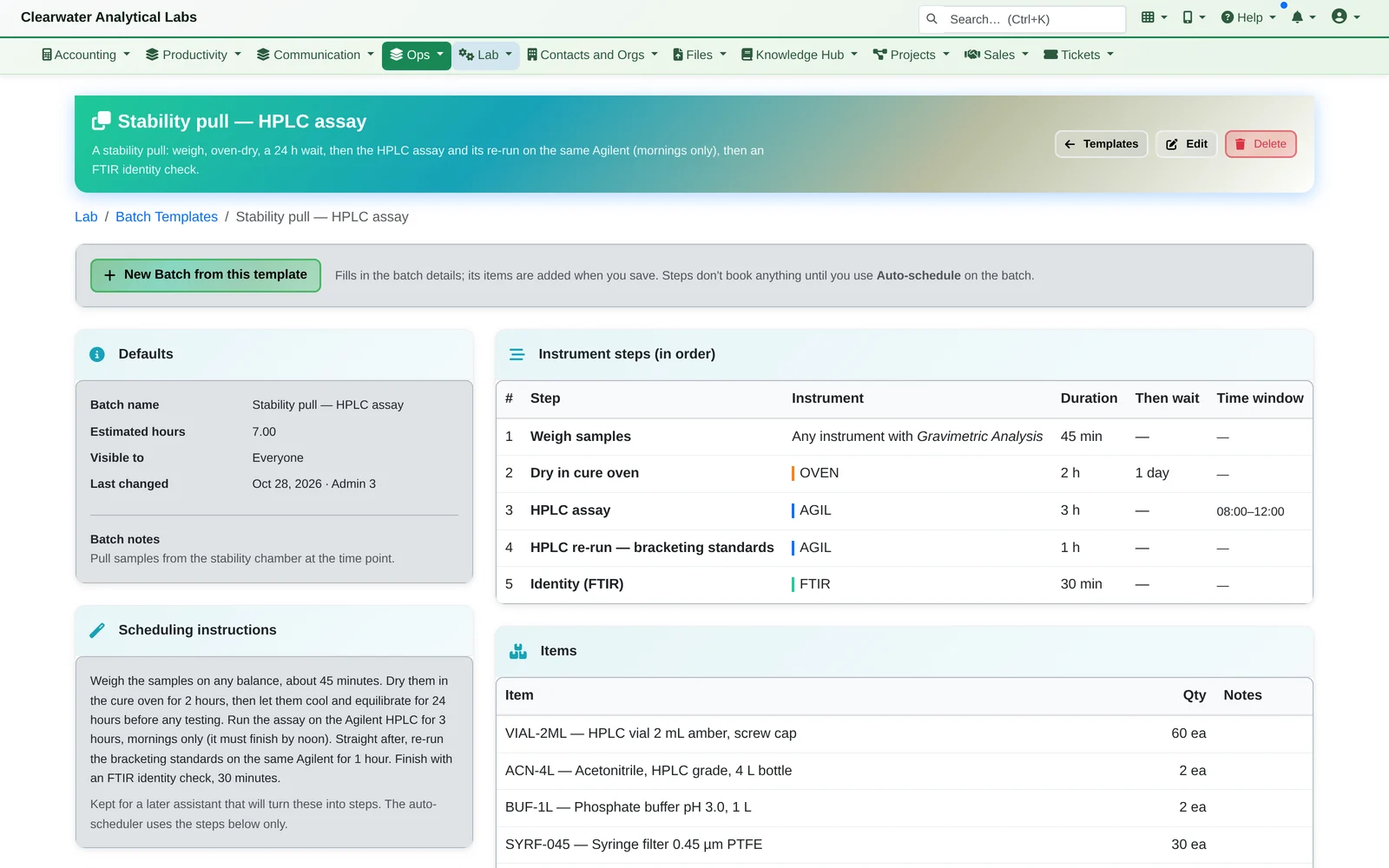
- Set up the template once. “Stability pull — HPLC assay” lists its steps in order: weigh on any balance, oven-dry, wait 24 hours, run the HPLC assay on the Agilent (mornings only), re-run the bracketing standards on the same Agilent, then an FTIR identity check. It also lists the reagents and consumables each batch uses.
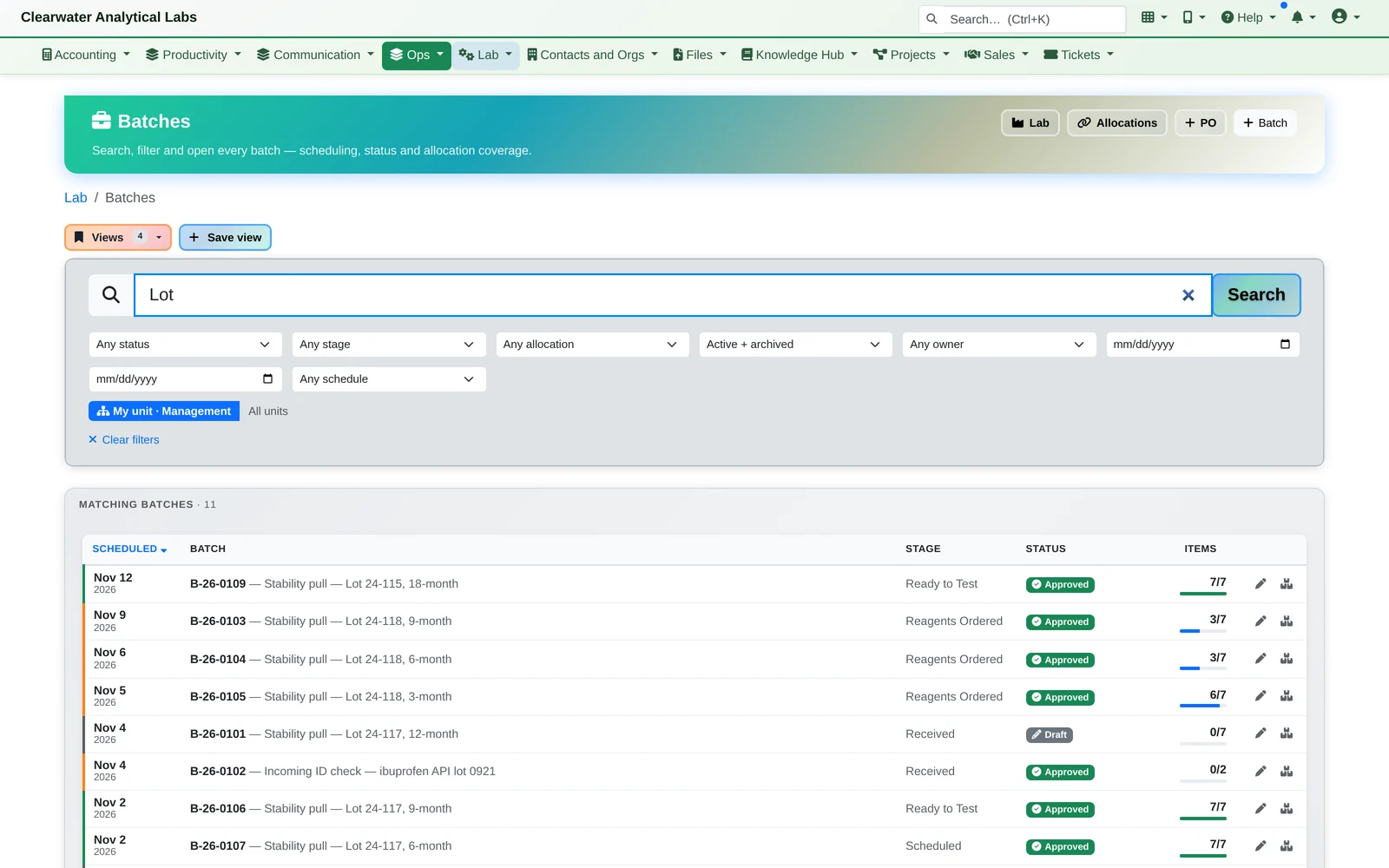
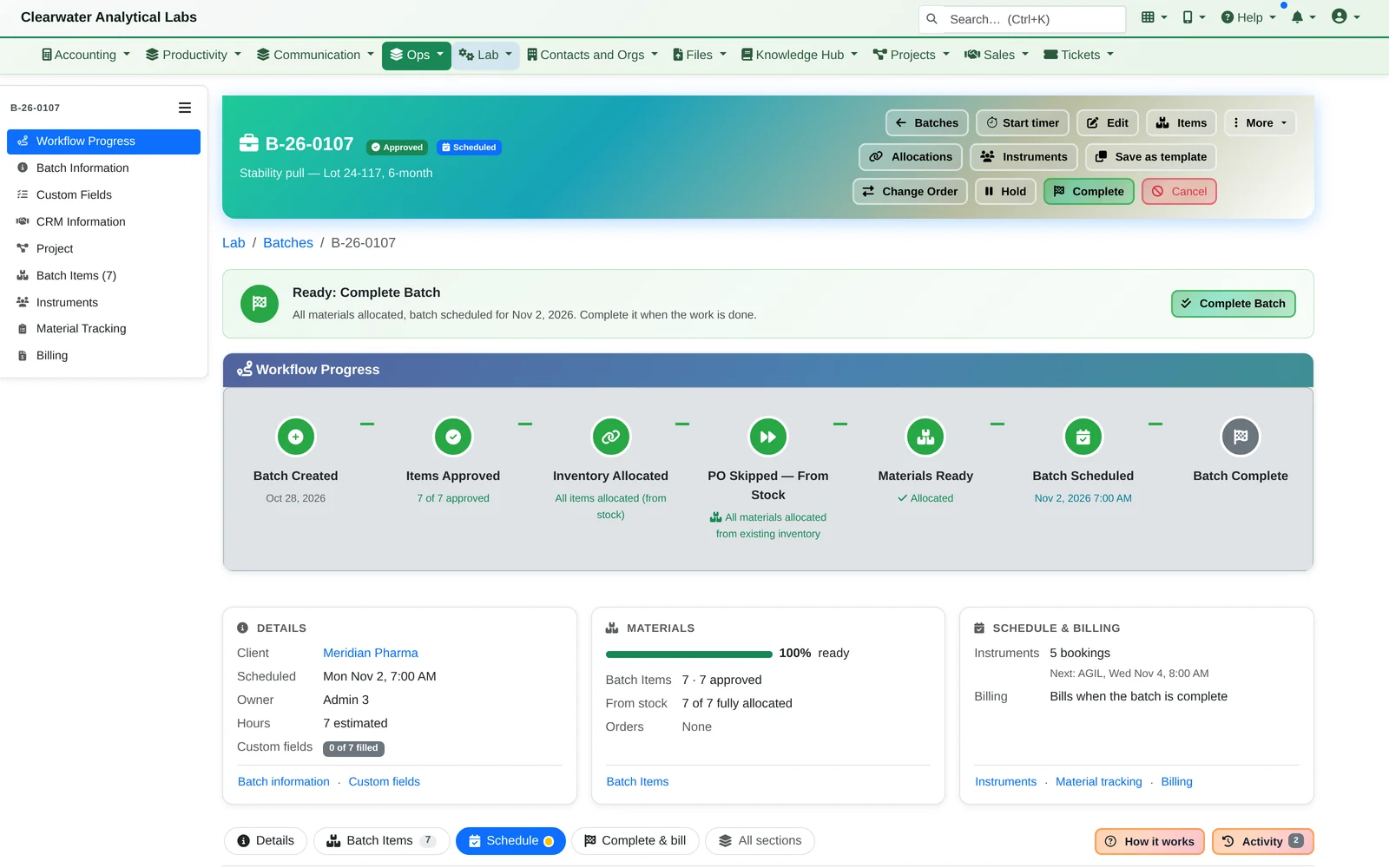
- Batches made from it. Every time point becomes a batch with its own number, stage and reagent readiness, and each batch says where it stands and what happens next.
Reagents and Purchasing
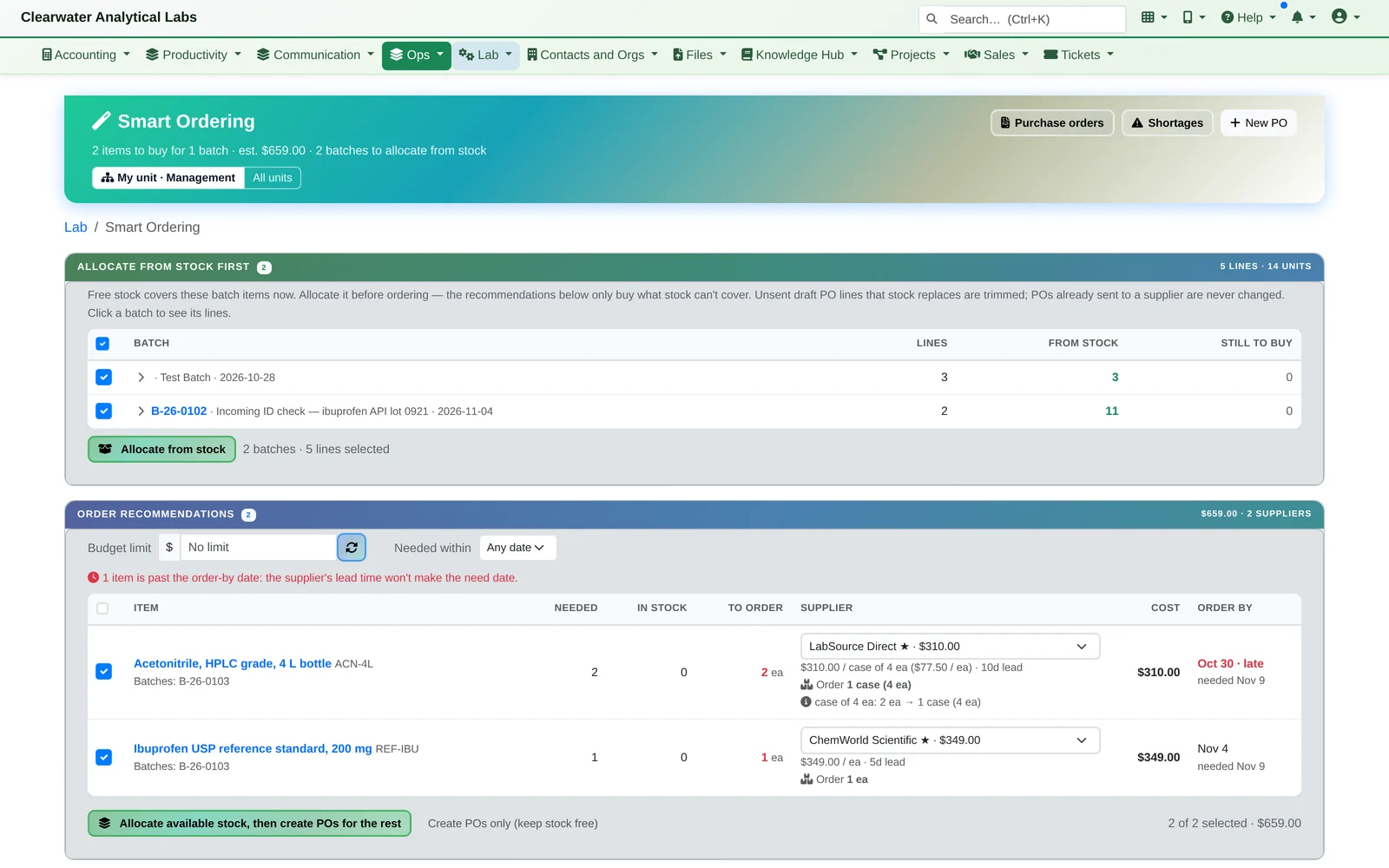
From the shelf first, then ordered at the best price.
- Stock on hand is reserved to the batch first. Smart Ordering buys only what's still missing. It compares suppliers on price, pack size and lead time, and shows an order-by date: the date the batch needs it, minus the supplier's lead time.
- Purchase orders and partial receiving
- A supplier's price rise is flagged against the catalog price for review
5. Reagent lots and expiry
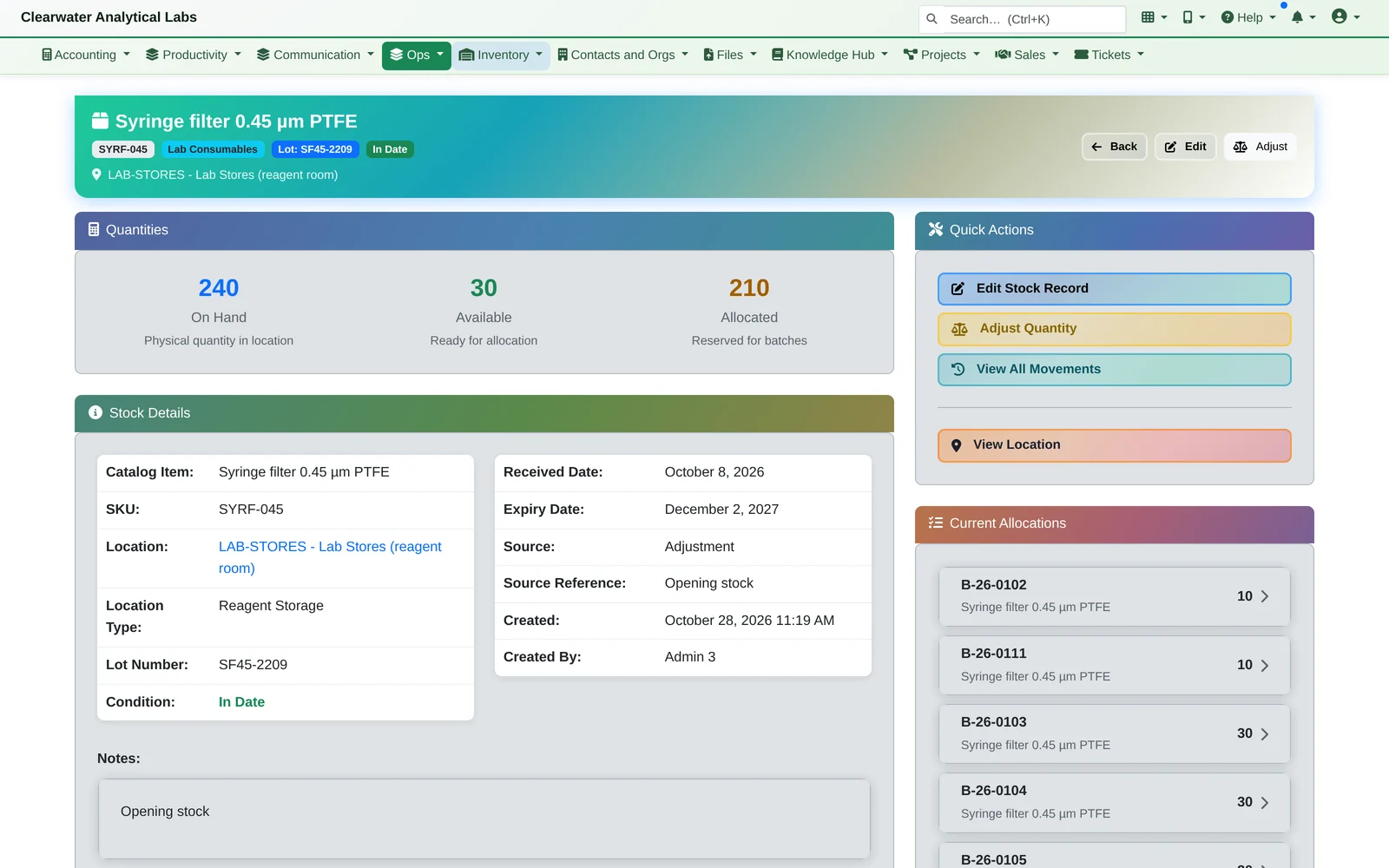
Every stock record carries its lot number, expiry date and condition, and shows which batches it's reserved for. Stock that's expiring or expired comes to you as a daily email digest.
6. Stock that's sitting idle
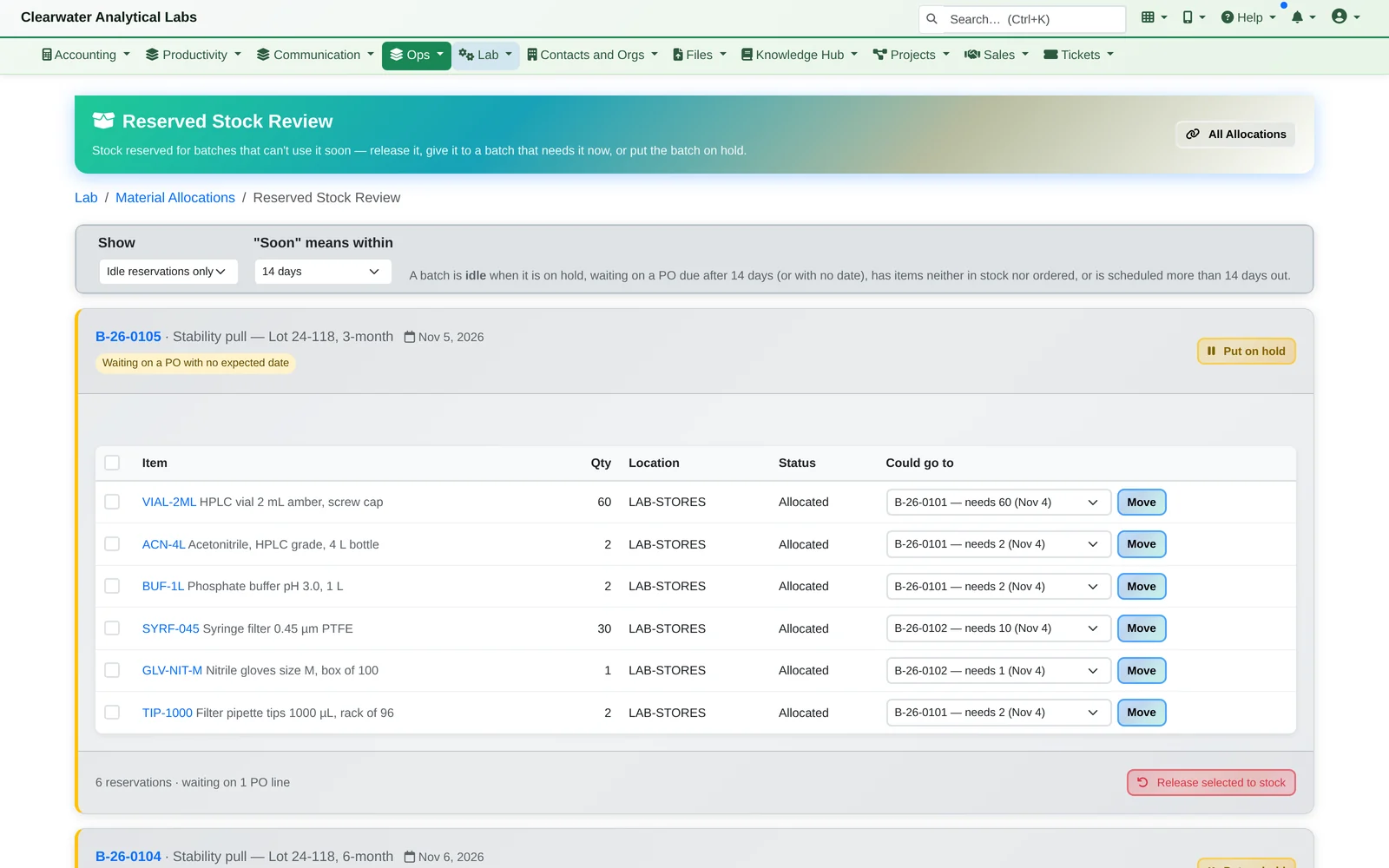
Reserved Stock Review finds reagents held for batches that can't use them soon, such as a batch on hold or waiting on a late order, and offers to move them to a batch that needs them now.
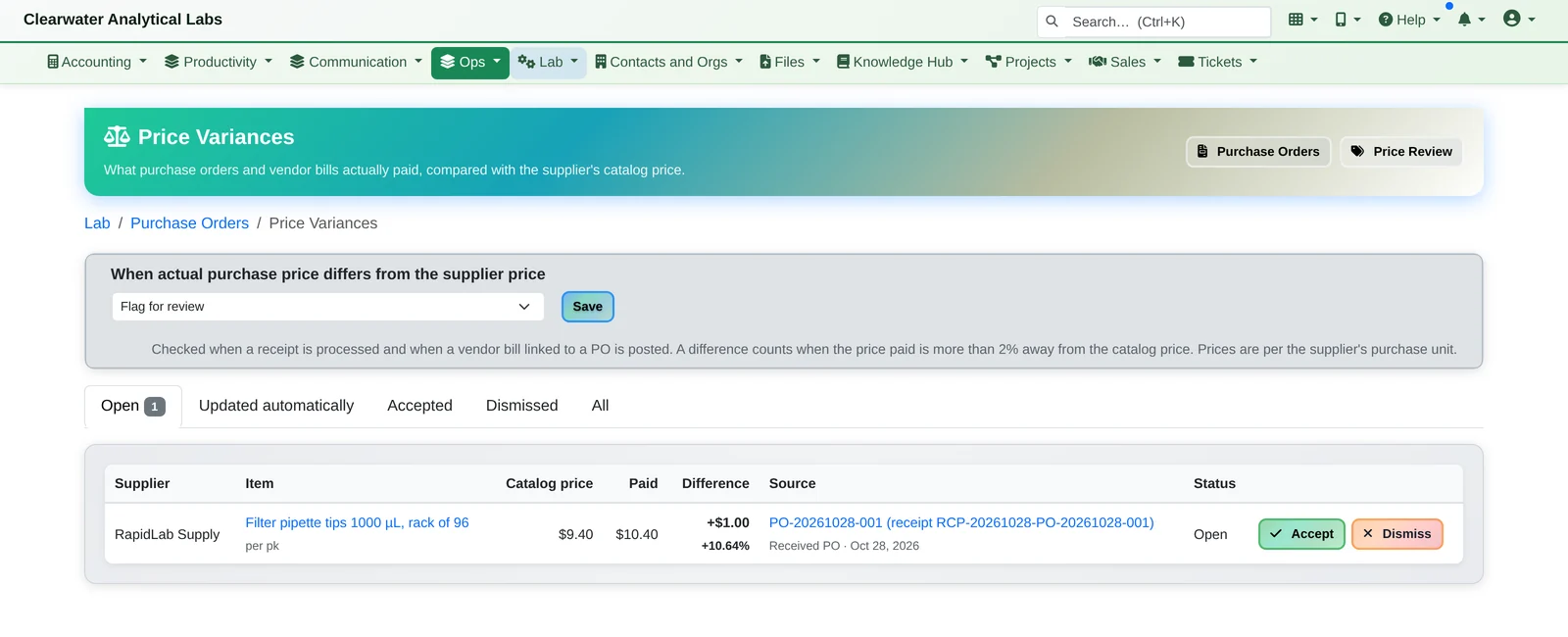
Price changes don't slip through
When a receipt or a vendor bill comes in more than 2% away from the supplier's catalog price, it's flagged for someone to accept or dismiss.
Instrument Scheduling
Book every instrument in one go, waits included.
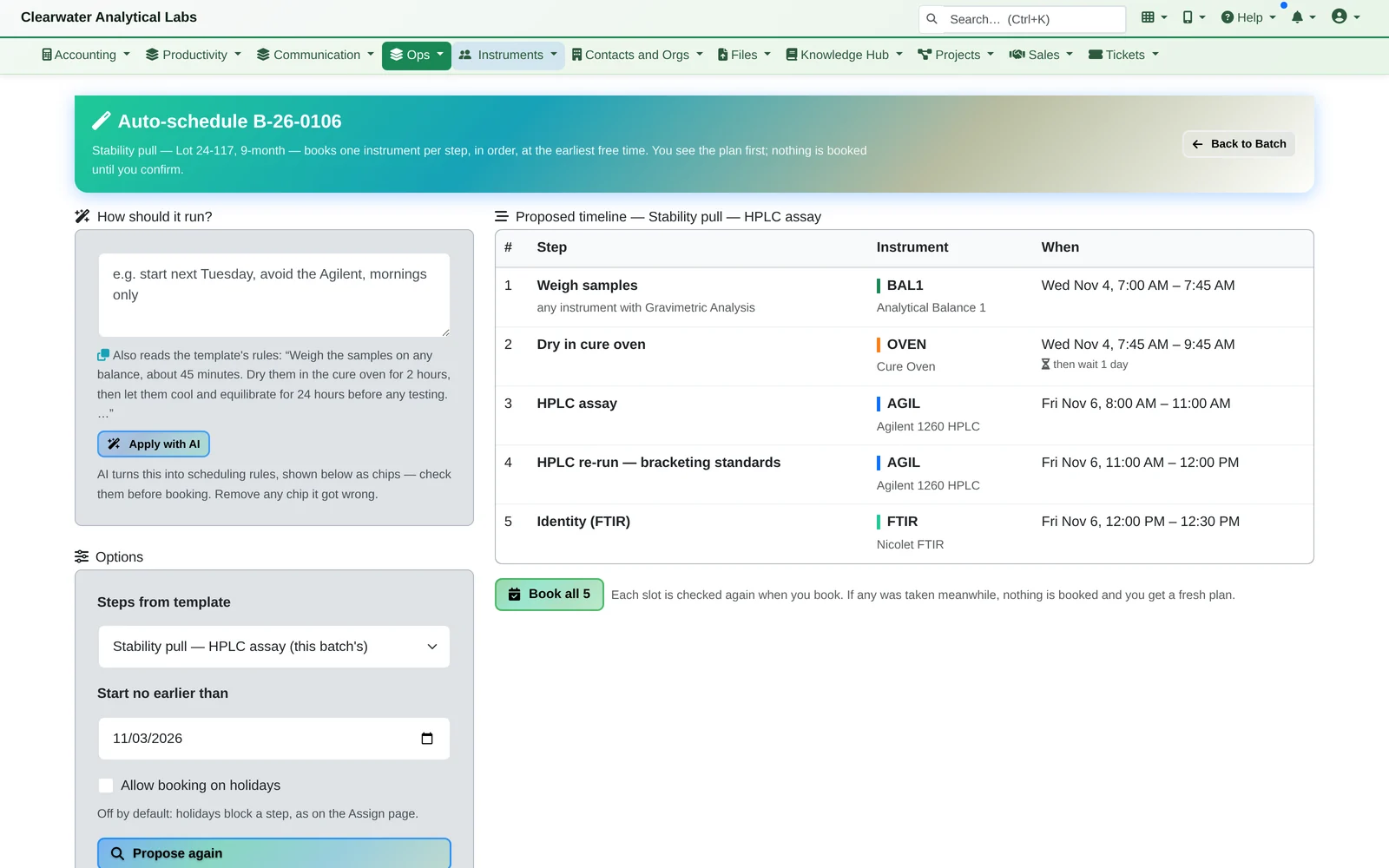
- Auto-schedule proposes the whole run: the balance, then the oven, the 24-hour wait, both HPLC slots on the same Agilent and the FTIR. Each step goes in the earliest free slot that respects instrument hours, downtime and the time window. Nothing is booked until you confirm.
You can also type rules in plain English (“start next Tuesday, avoid the Agilent”) and AI turns them into scheduling rules you can check before booking.
The plain-English rules need AI switched on for your install. Start date, holidays and the template's steps work without it.
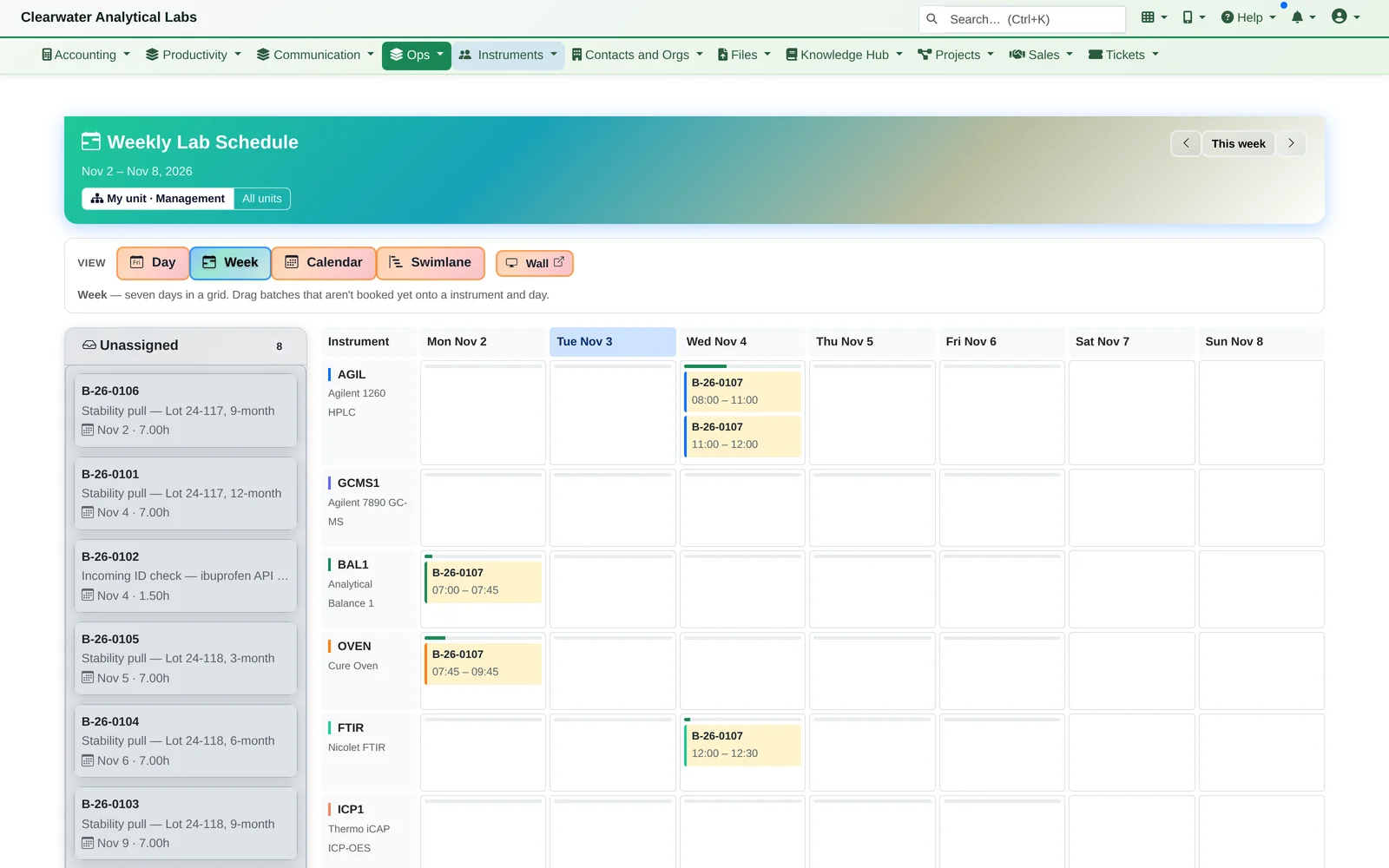
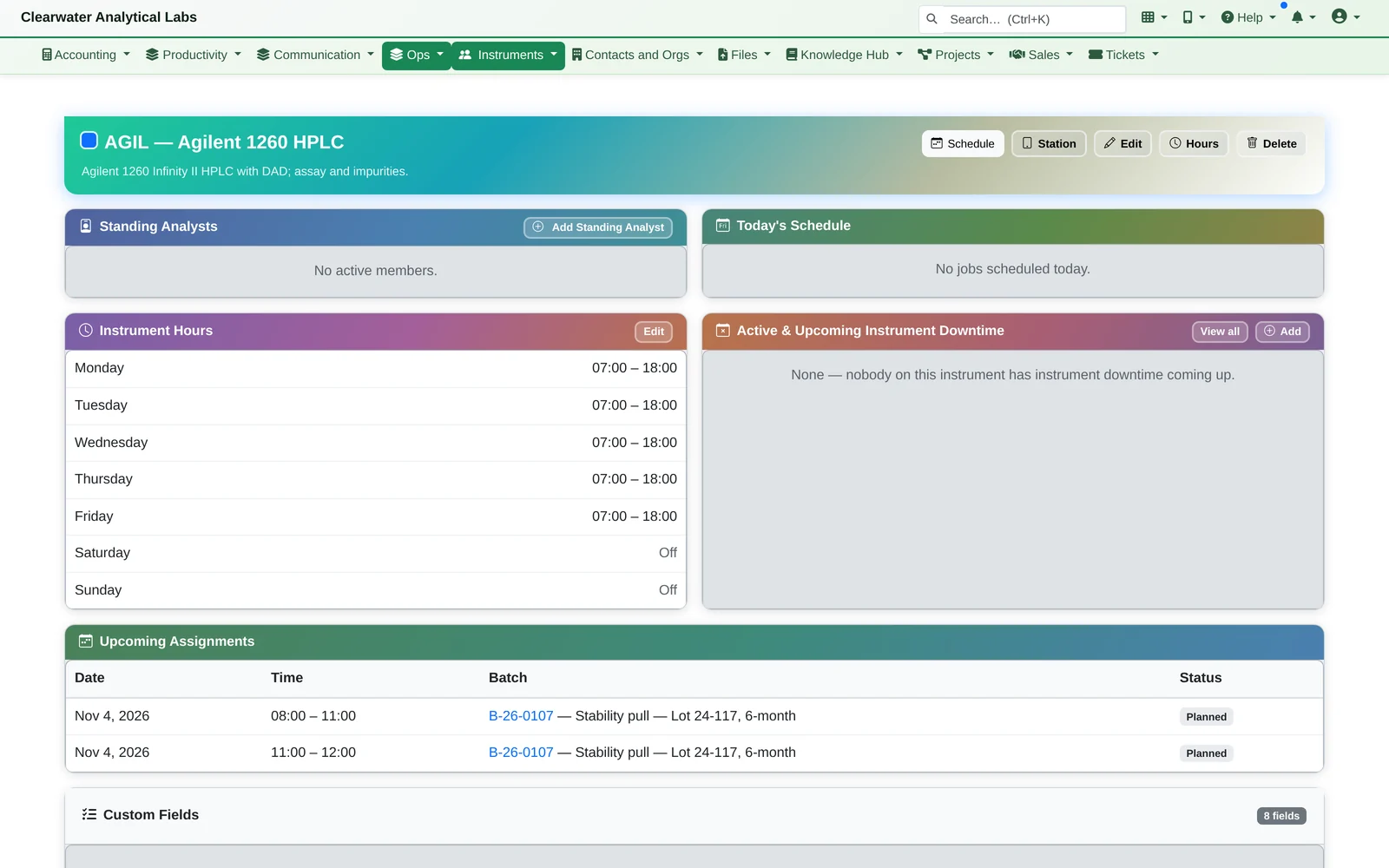
- The lab's week. The Weekly Lab Schedule shows every instrument's bookings, with batches waiting to be placed down the side. Each instrument has its hours, downtime and upcoming work.
At the Bench
Analysts mark each step done.
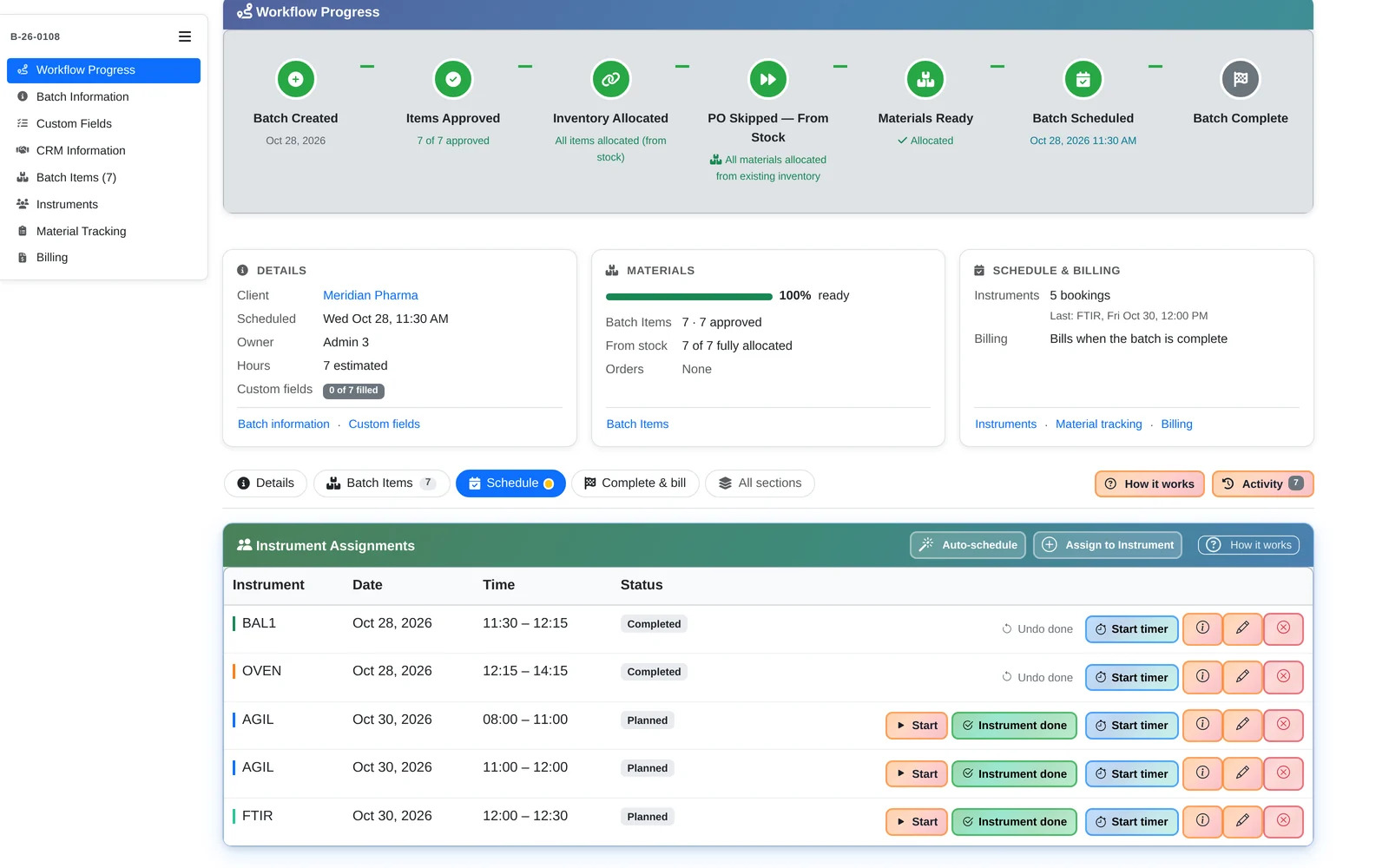
- On the batch, each instrument booking has Start and Done, and a timer for analyst time. Run time comes from analysts pressing Start and Done, not from the instrument's software.
Studies
The study knows when a batch is done.
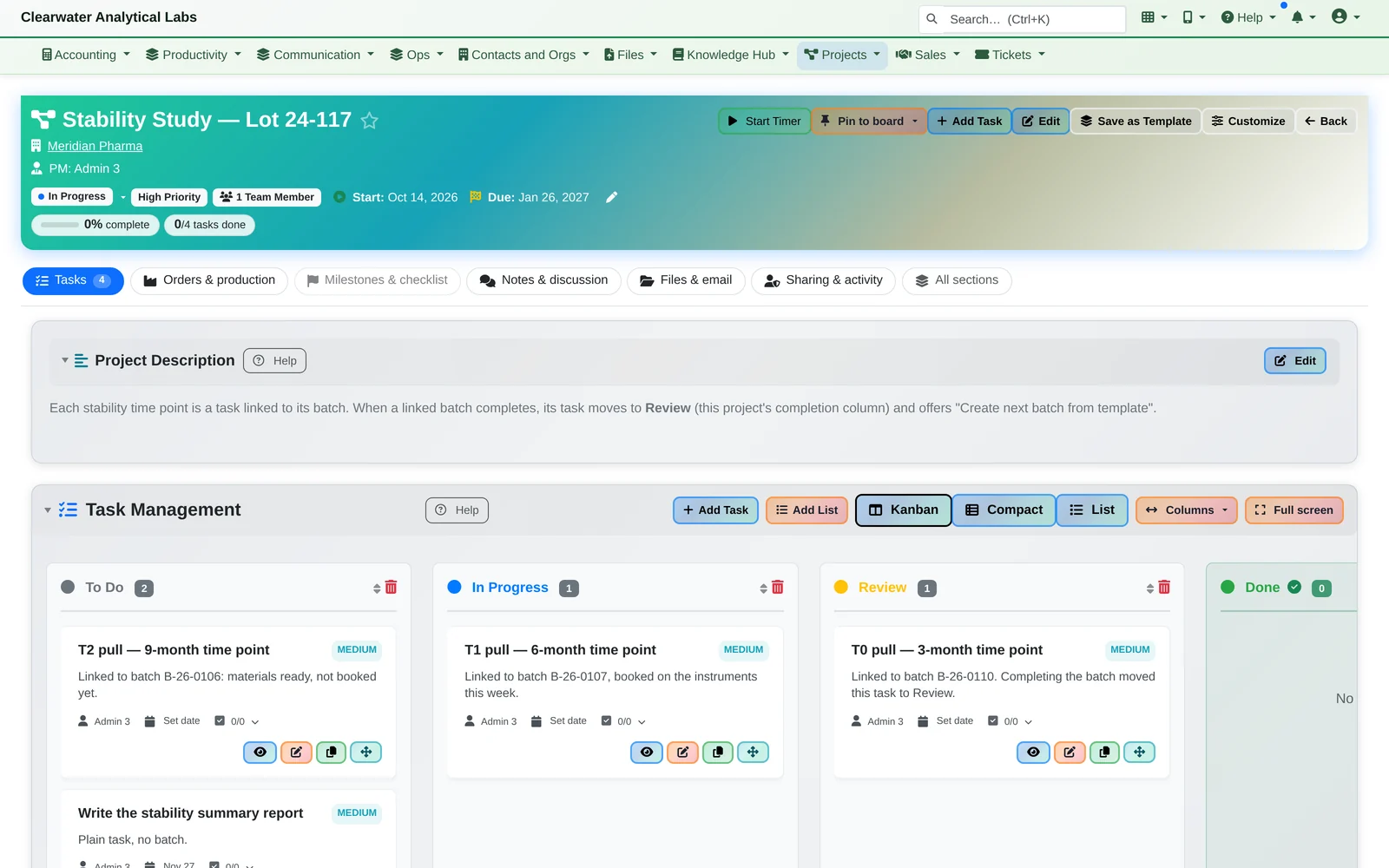
- Each time point is a task linked to its batch. When the batch completes, the task moves to Review on its own, ready to create the next time point's batch from the same template.
Everything in the Laboratory Pack
Batches, instruments, reagents and studies, already linked.
Batches and studies
- Batch templates with steps, instruments or methods, durations, waits and time windows; the same instrument can be used twice in one batch
- Stages follow reagent readiness and scheduling on their own
- Change orders, holds and cancellation, all recorded in each batch's history
- Projects with tasks linked to batches, and the next batch created from a task
Instruments
- Methods, owners, standing analysts, instrument hours and downtime
- Fields for Make / Model, Serial Number, Last Calibration, Calibration Due, Lab Section and Accreditation
- Reminder tasks ahead of the dates you enter: calibration due (14 days), accreditation expiry (30 days), proficiency test due (14 days) and batch turnaround (1 day)
- Weekly schedule, day board, calendar and swimlane views
This is lab operations: batches, instruments, reagents, scheduling and purchasing. Test results, specifications and certificates of analysis stay in the systems you keep them in today.
See it with your own methods.
We'll take one batch from its template to booked instruments and ordered reagents, then show you the rest of the platform it's built into.