
Infinite Expansion · Document AI
Ask your documents anything. Get answers you can check.
The first read in seconds, with its work shown.
Drop in quotes, policies, contracts, statements or reports. Ask a question, or click a ready-made task. You get a structured answer in seconds, and every figure is cited to the page it came from.
Every figure is cited to the page it came from.
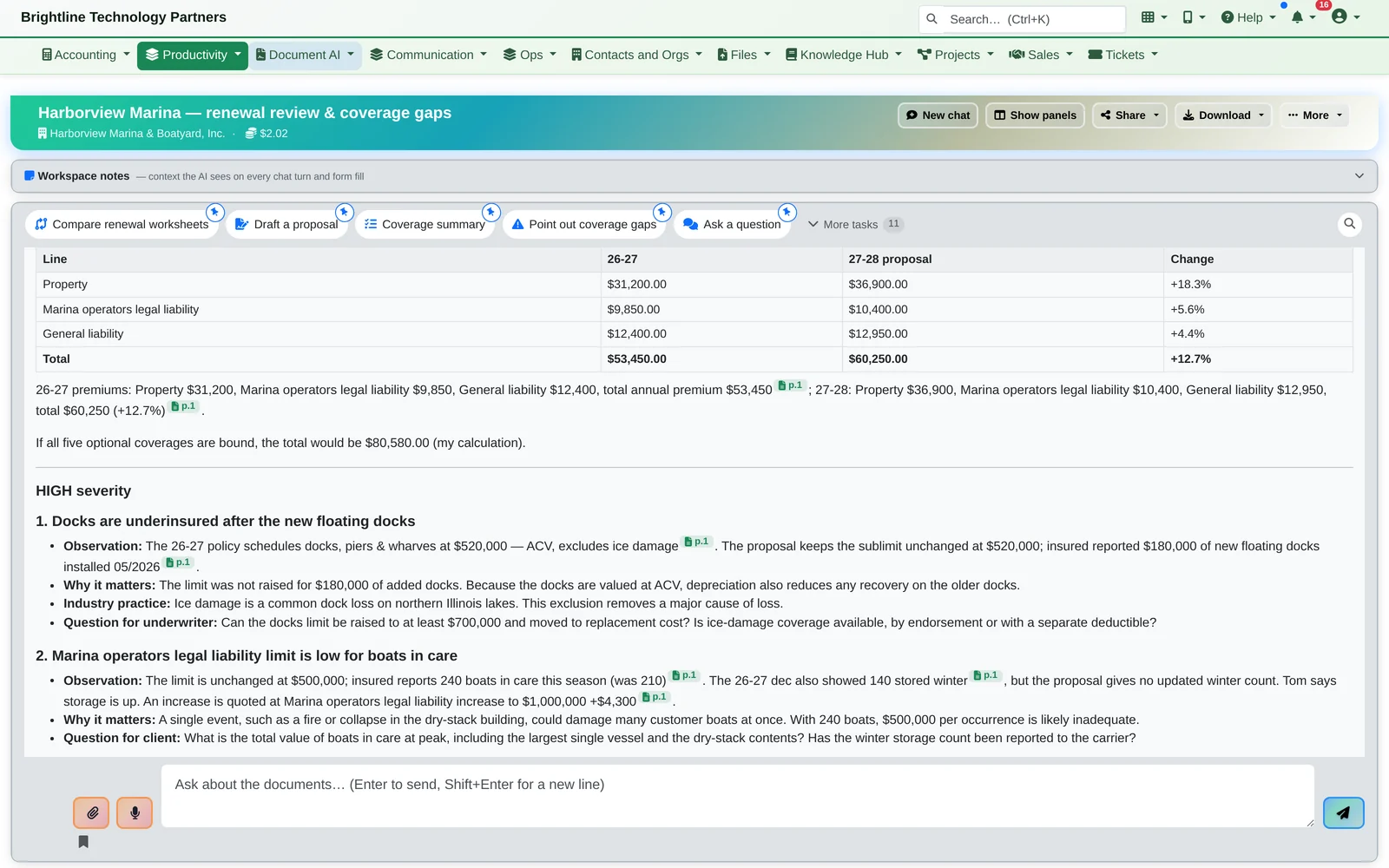
Reading documents is where knowledge workers lose their afternoons. Document AI does the first read in seconds and shows its work, so your expert spends their time judging, not hunting. The examples here come from an insurance agency; the same tools work on any stack of documents.
One Renewal
Two 30-page PDFs, compared before the coffee's cold.
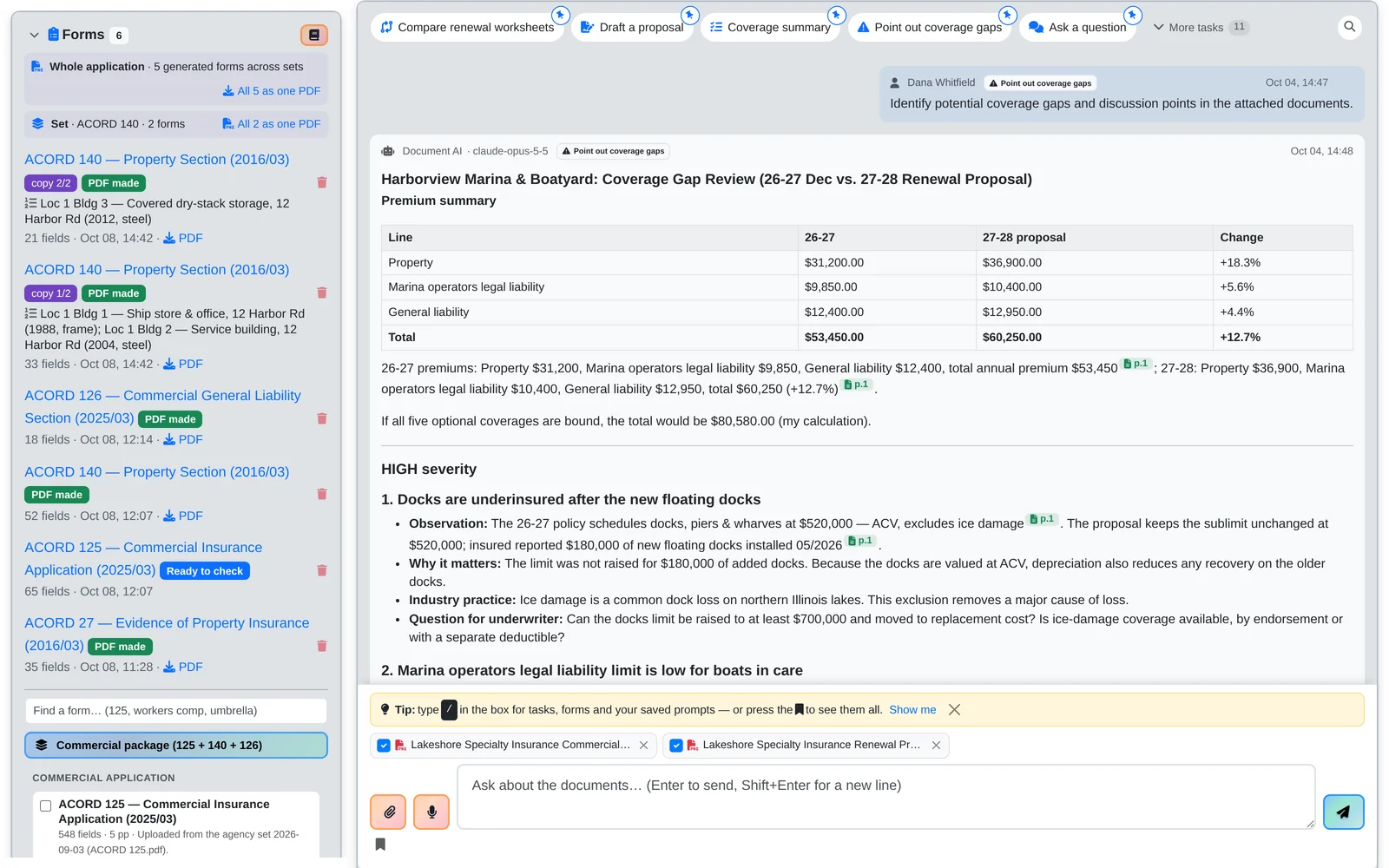
- A renewal proposal arrives 12.7% higher. Instead of reading two 30-page PDFs side by side, the account manager clicks Point out coverage gaps.
- Document AI builds the comparison: property, liability, totals and percent change, then the discussion points for the client meeting, ranked by how much they matter.
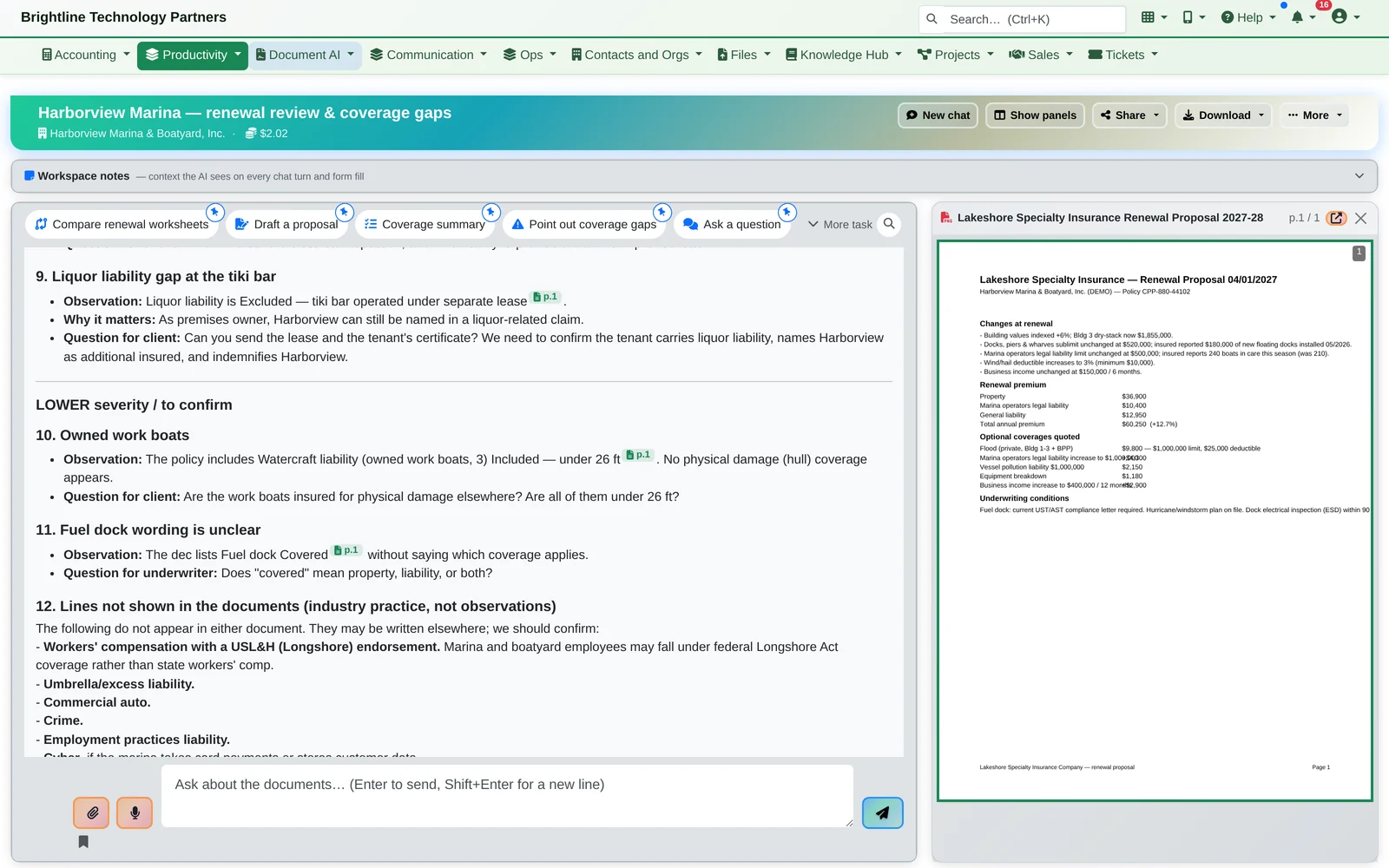
- Every number links back to its page. Click a citation and the source page opens beside the answer, so checking takes seconds too.
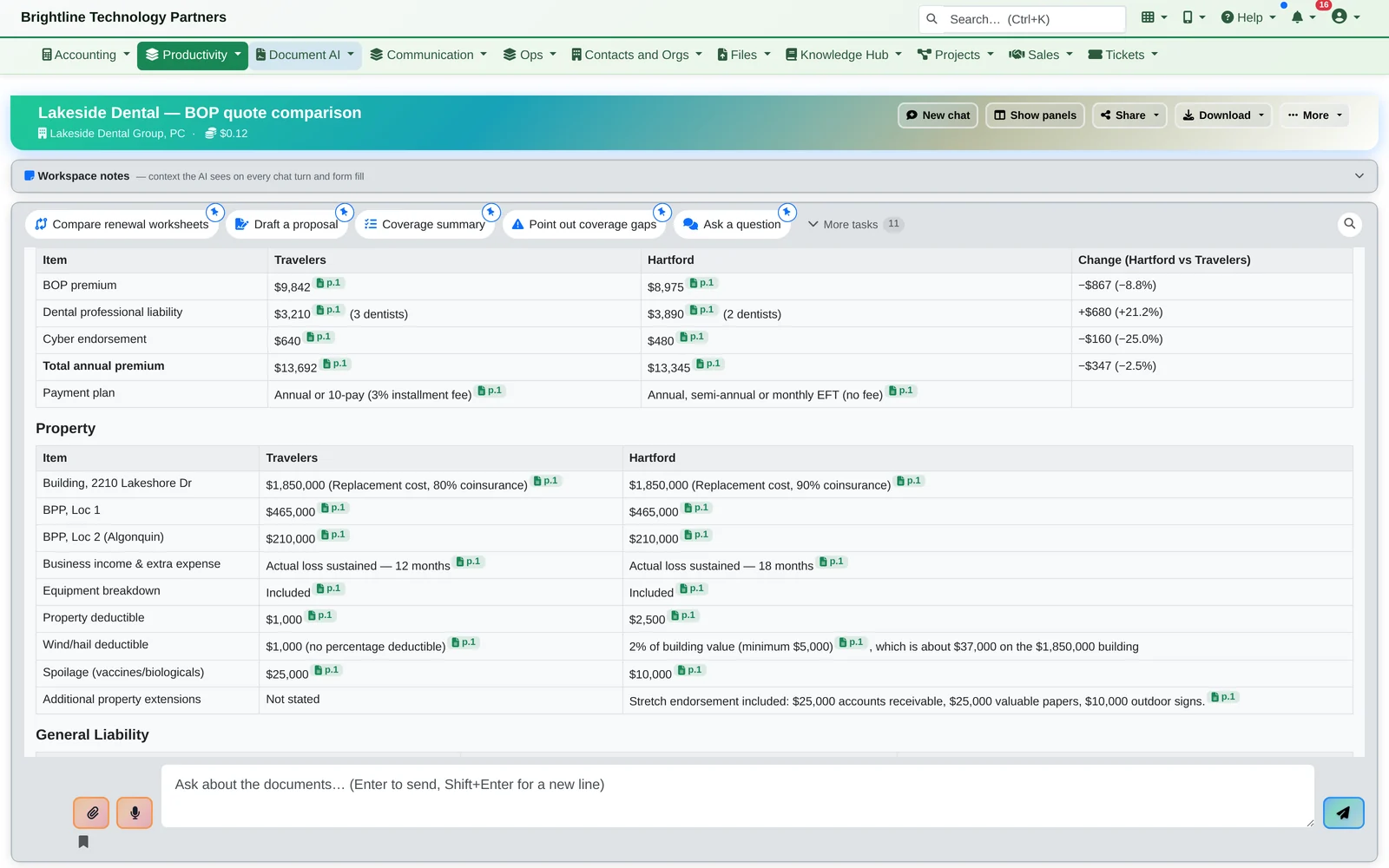
Two quotes, side by side
Same idea for comparing two carriers' quotes, summarizing loss runs, checking a certificate against a contract's requirements, or pulling fields out of an application.
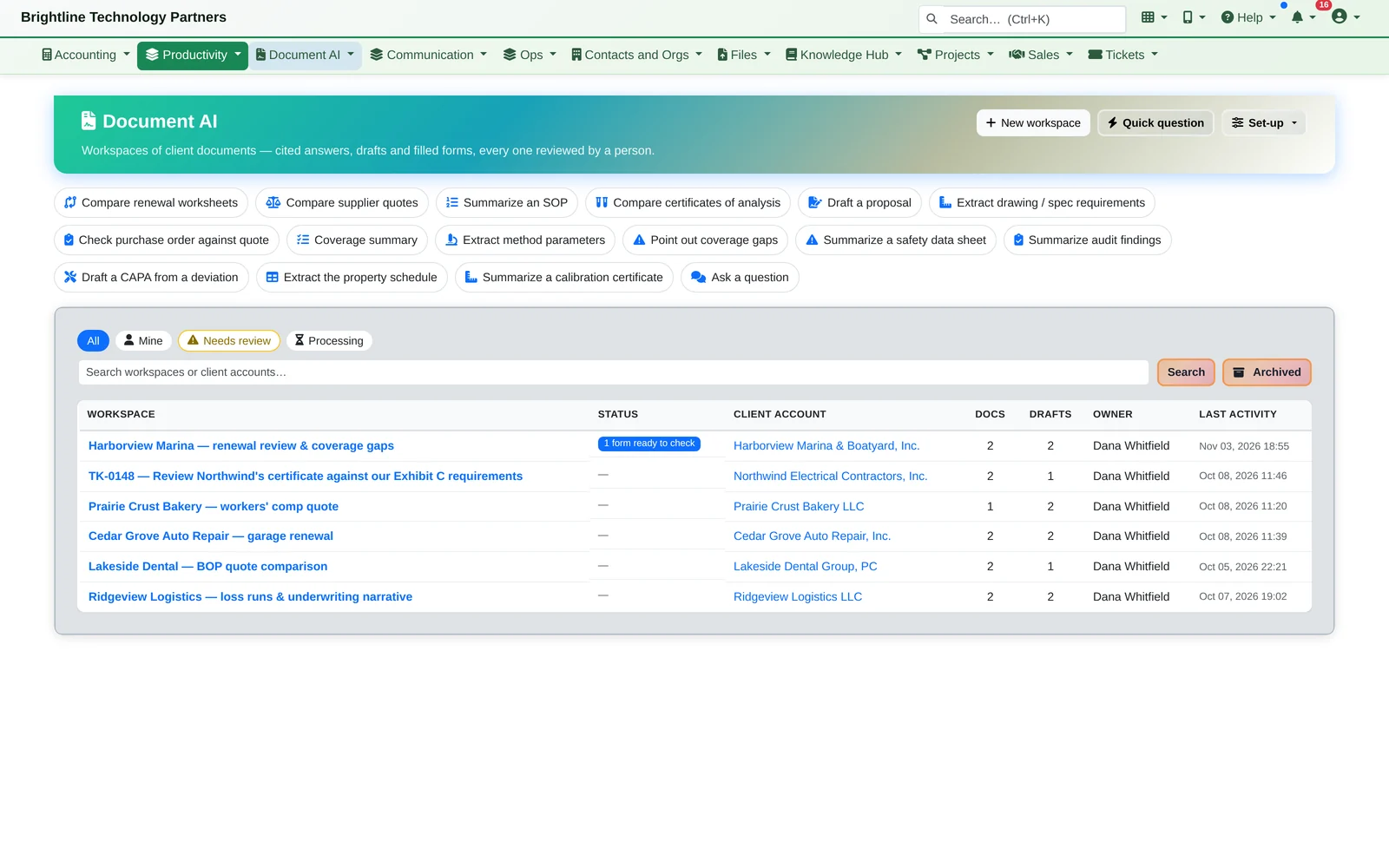
A workspace per client
Workspaces per client or matter, linked to the CRM account and the ticket it came from, with one-click tasks for the jobs you do every week.
From Answer to Document
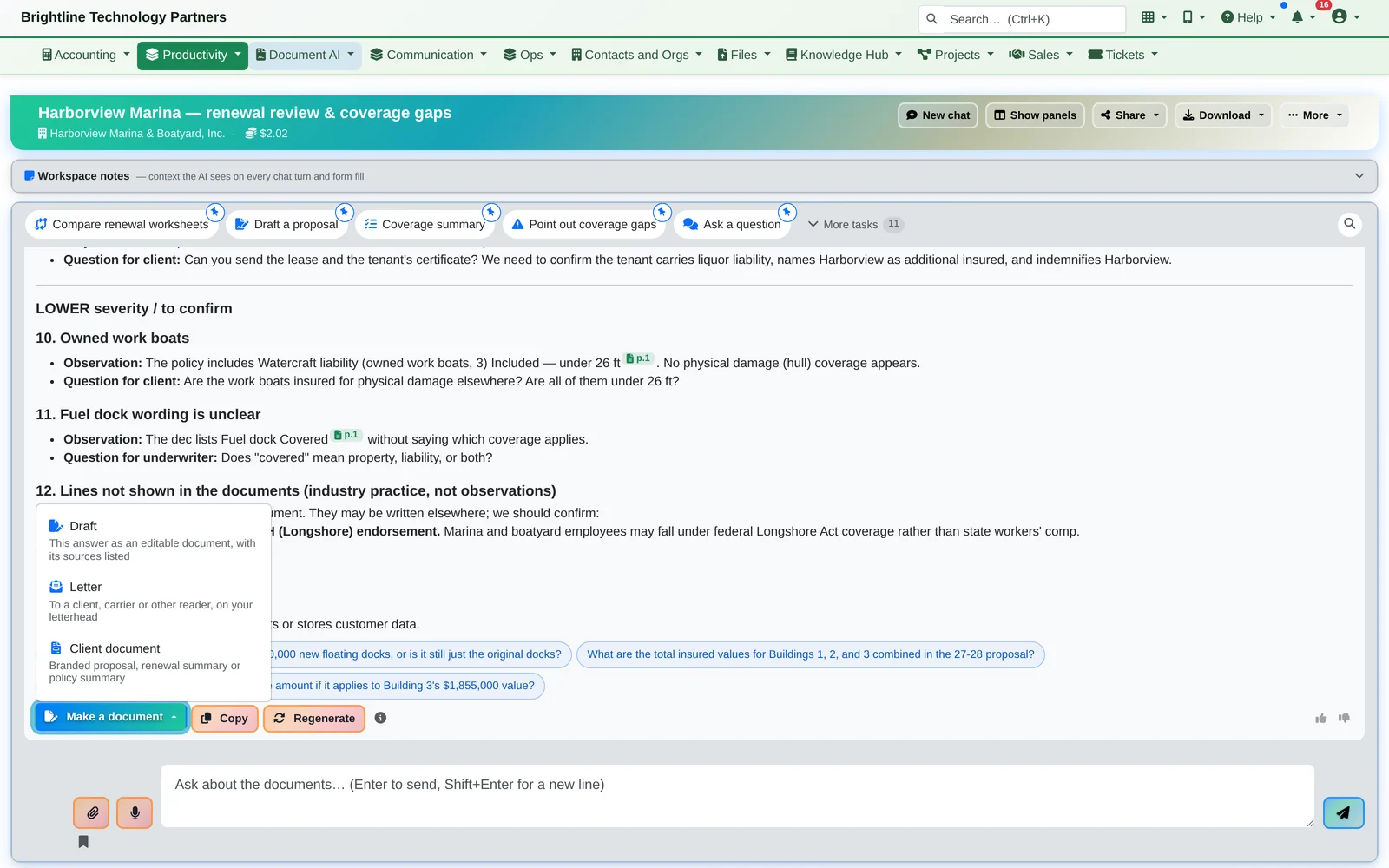
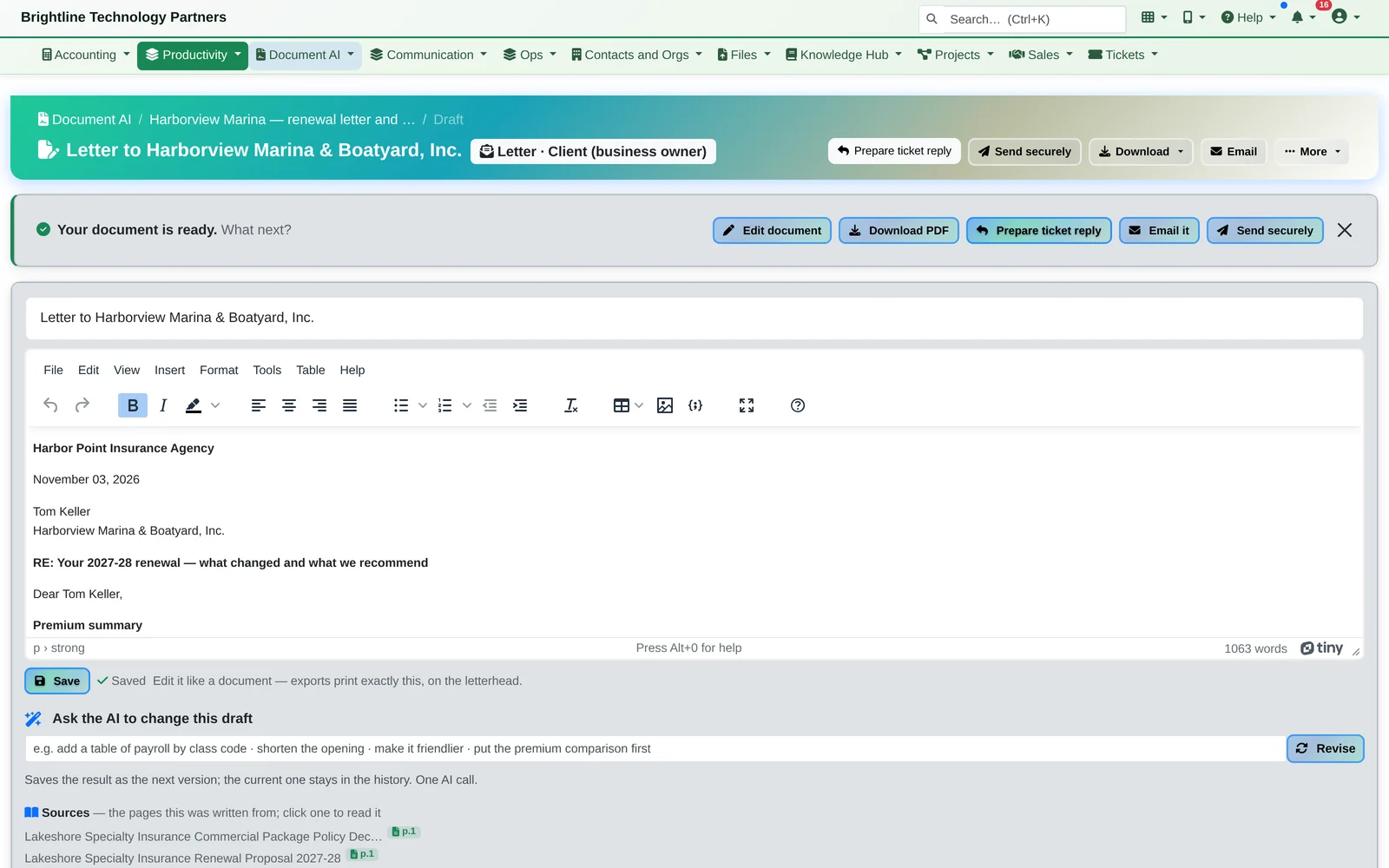
Turn the answer into a letter on your letterhead.
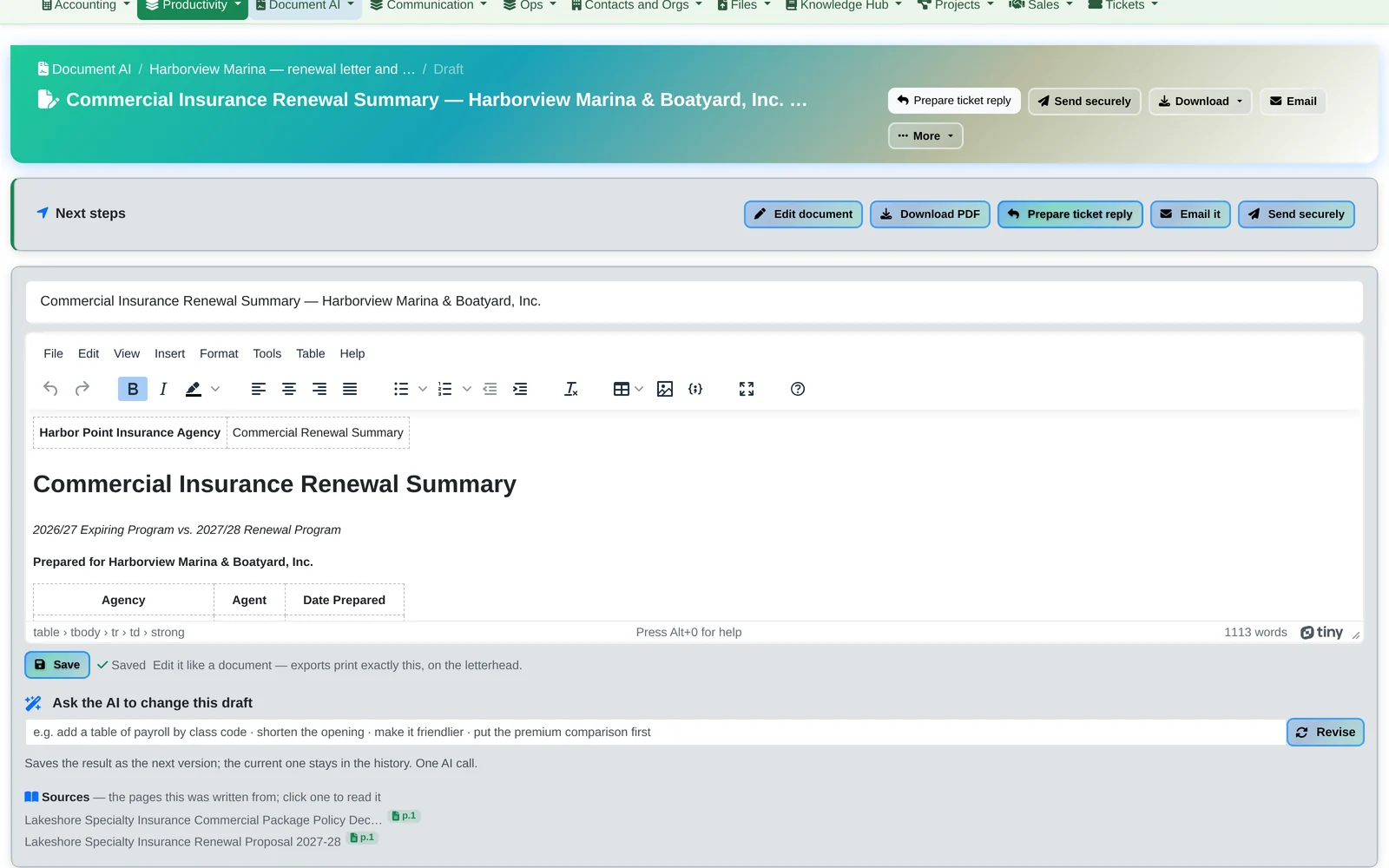
Make a document turns any answer into an editable Draft with its sources listed, a Letter to a client, carrier or other reader on your letterhead, or a branded Client document. Build it from the answer as written, or let the AI rewrite it for the reader.
- Written for the reader: client, carrier, underwriter or internal
- Edit it like any document, then download it as a PDF, exactly as it looks on your letterhead, or as a Word file
- Ask the AI to change the draft (“make it friendlier”, “put the premium comparison first”); each revision is saved as a new version
- Email it, send it securely, or turn it into a reply on the client's ticket
Form Filling
Forms filled from the documents, checked by a person.
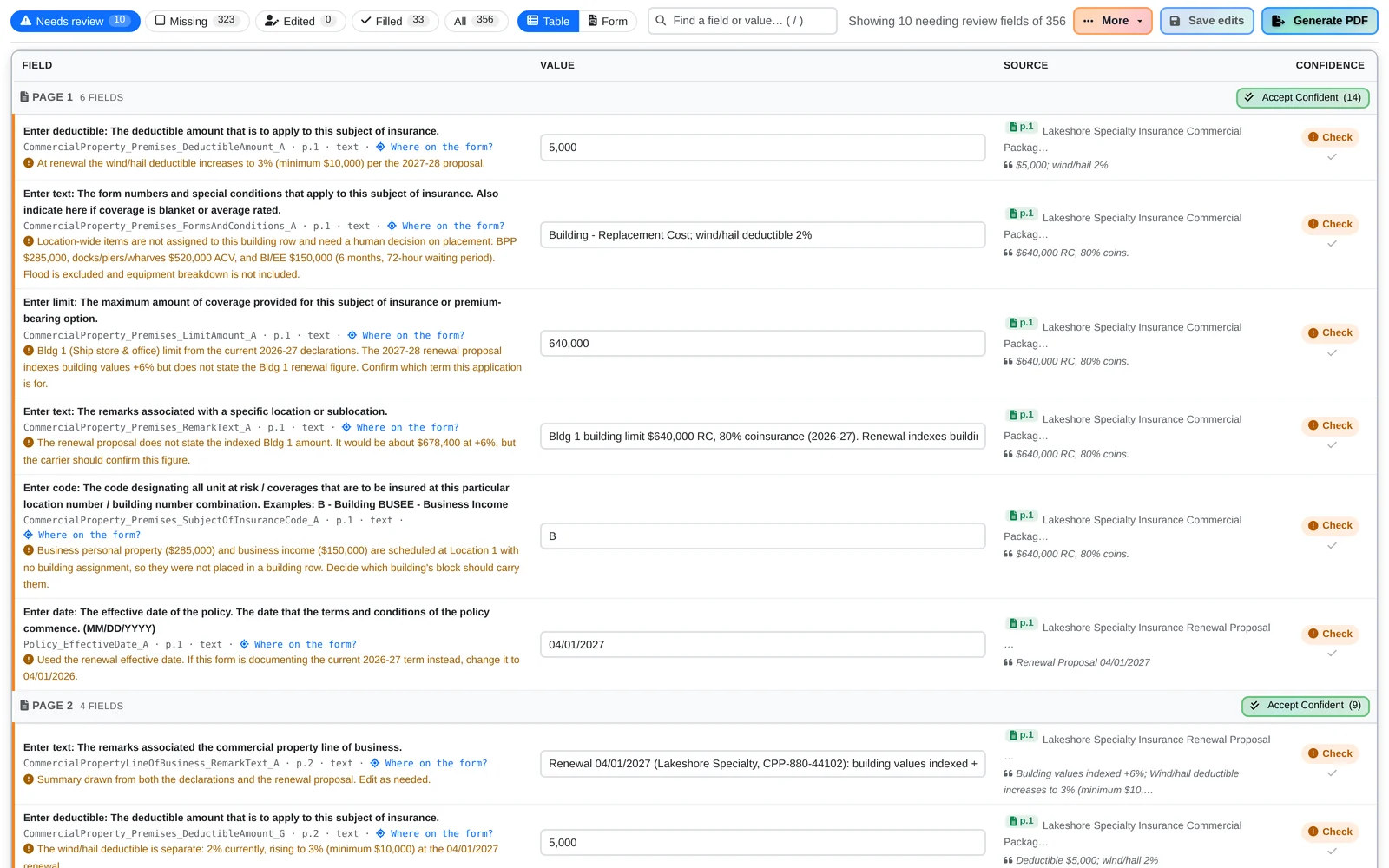
Document AI pulls the data out of your documents into ACORD and other standard forms. Each value shows the page it came from and how sure the AI is, and anything it couldn't confirm is flagged Check with the reason.
A person reviews every form before it's used. Accept the confident values in one click, check the rest, then generate the PDF.
A whole application, in one place
Multi-copy forms continue onto the next copy when there are more locations than one form holds, and every form in a set downloads as one PDF.
Everything in Document AI
Built for the documents your team reads every week.
- One-click tasks (“Compare carrier quotes”, “Coverage summary”, “Loss run summary”, “Draft a proposal”), plus free-form questions
- Industry task packs: insurance shown, others available, such as summarizing an SOP or a safety data sheet
- Page-level citations on every answer
- Workspace notes the AI sees on every question and form
- Team sharing with access control
- See what each workspace costs; admins choose the AI models
- An AI use policy built in, so staff know the rules
- Export answers and drafts
Bring a document you read every week.
We'll show you an answer with its citations, a letter on your letterhead and a filled form, then the rest of the platform it's built into.