Infinite Expansion · Chat

Team chat that lives where the work is.

Ask, paste, answer, without leaving the page you're on.

One-to-one messages, group chats and team channels, built into Infinite Expansion. Answer from any page, share a screenshot in one paste, and take the conversation with you on your phone. Every message is stored encrypted.

The same users, login and permissions as the rest of the platform.

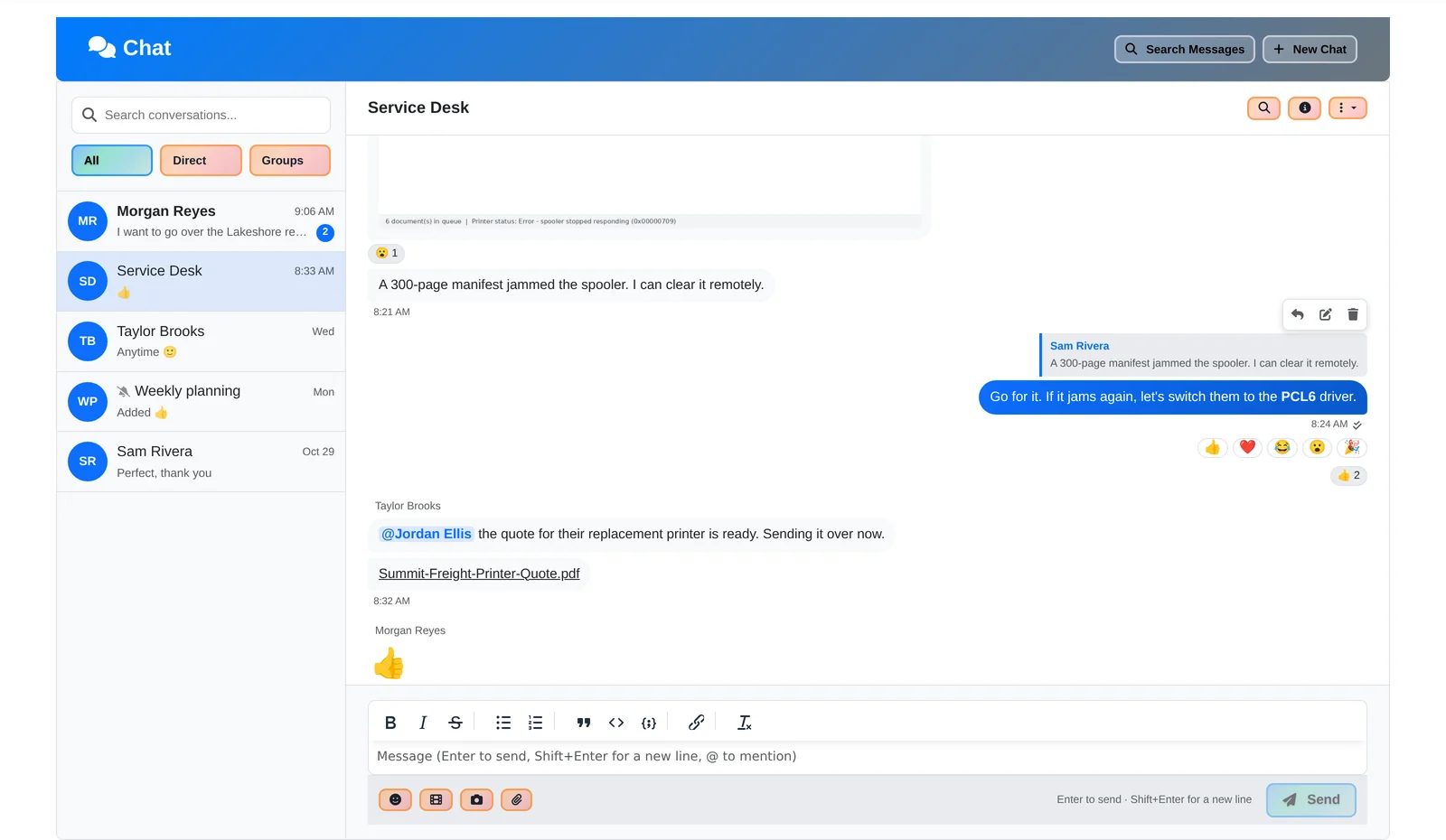
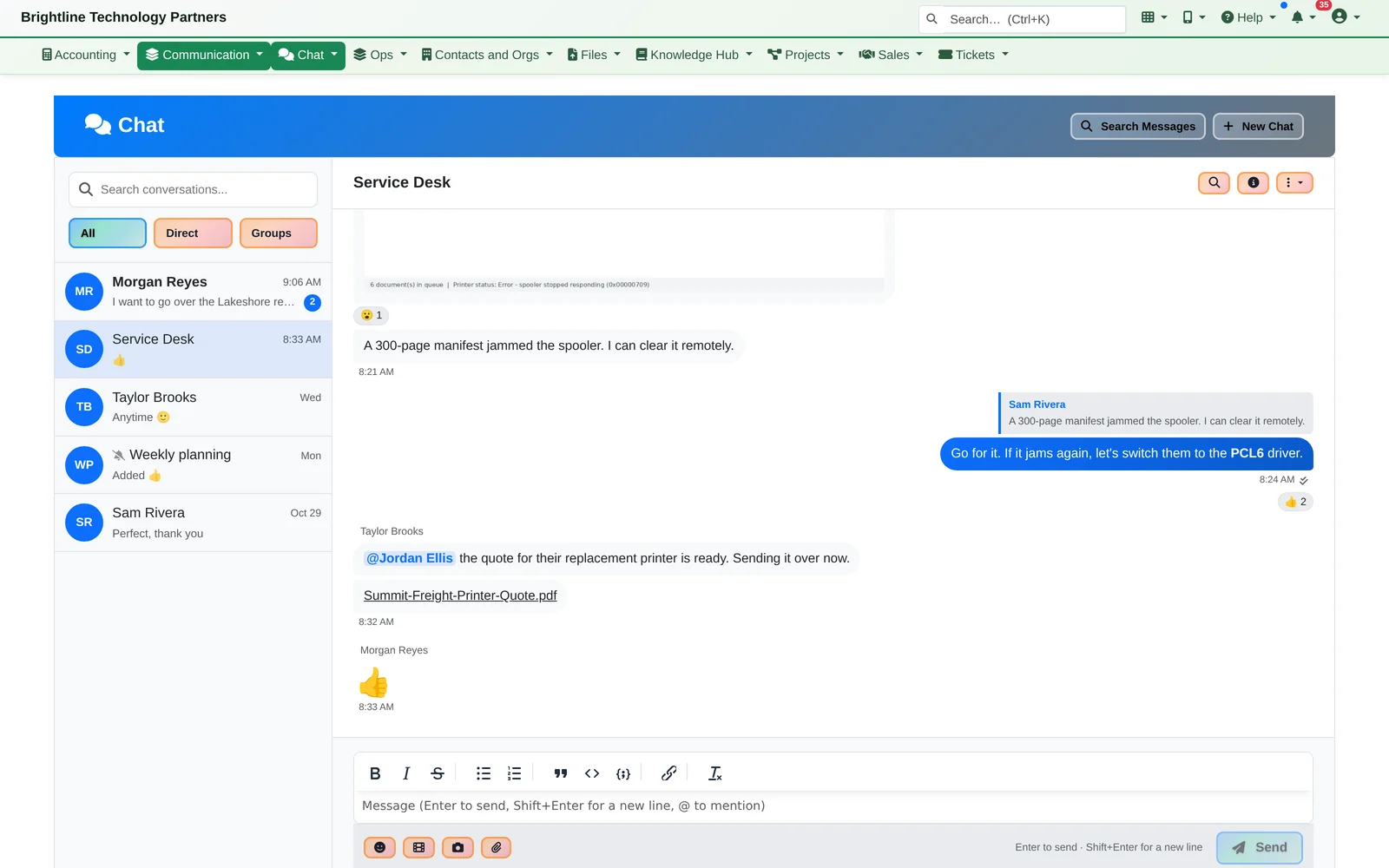
The Chat page: conversations on the left with an unread count, and the Service Desk group chat on the right with a reply, reactions, an @mention and a shared PDF
Conversations on the left with unread counts, the open group chat on the right.

Chat is part of the product, not another app to connect. The people are already your users, the conversations sit next to your tickets, projects and customers, and the same permissions, audit trail and legal holds cover them.

One Morning

A customer's printer is stuck again. Here's the whole conversation.

  1. Morgan posts it in the Service Desk group. The customer's front-desk printer is stuck again.
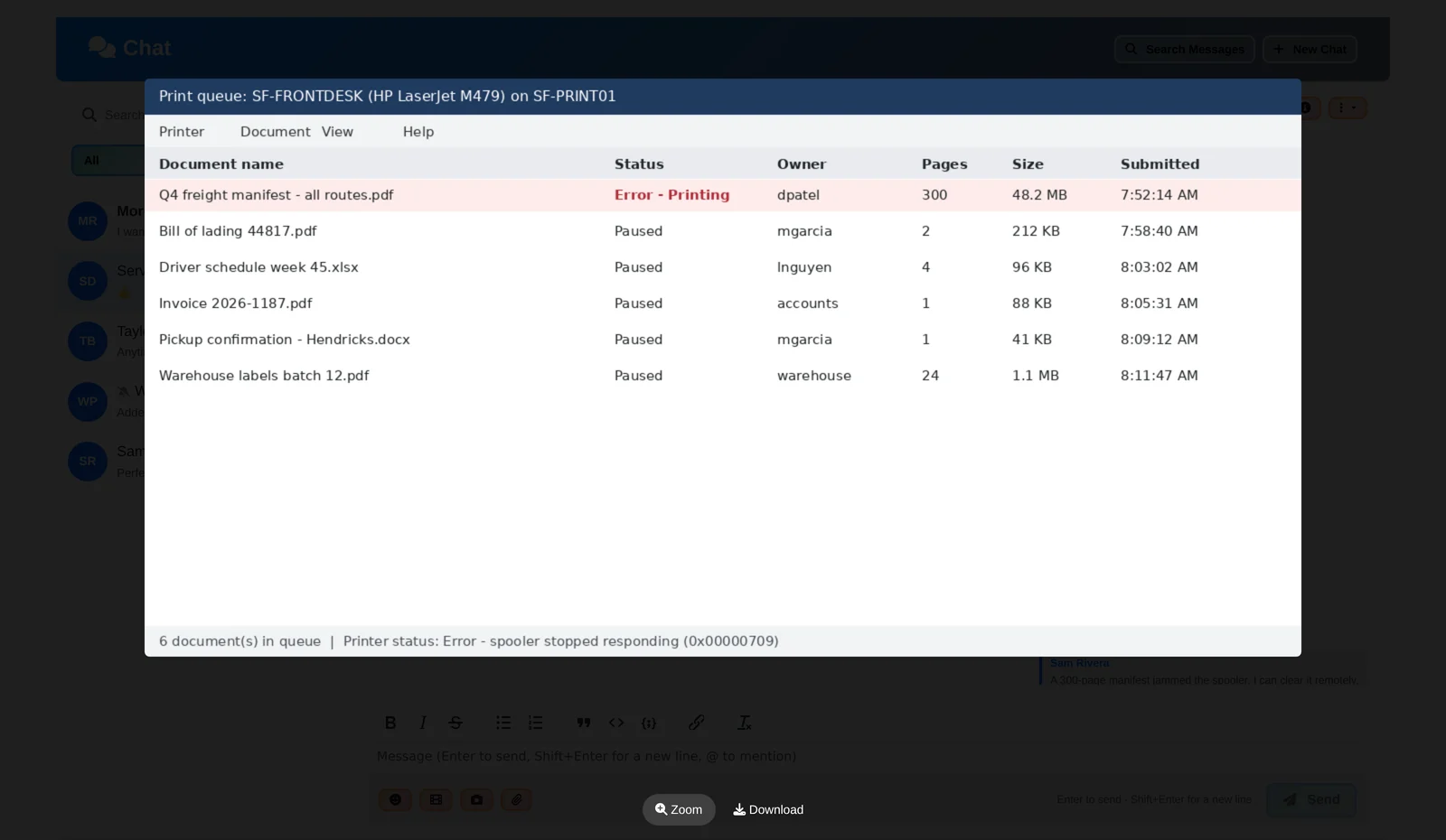
  2. Sam pastes a screenshot of the print queue straight into the chat. Press Ctrl+V, add a line, send. No saving files, no attachments to dig out.
  3. Everyone can read the small print. Click the screenshot and it opens big; click again to zoom in on the exact spot. On a phone too.
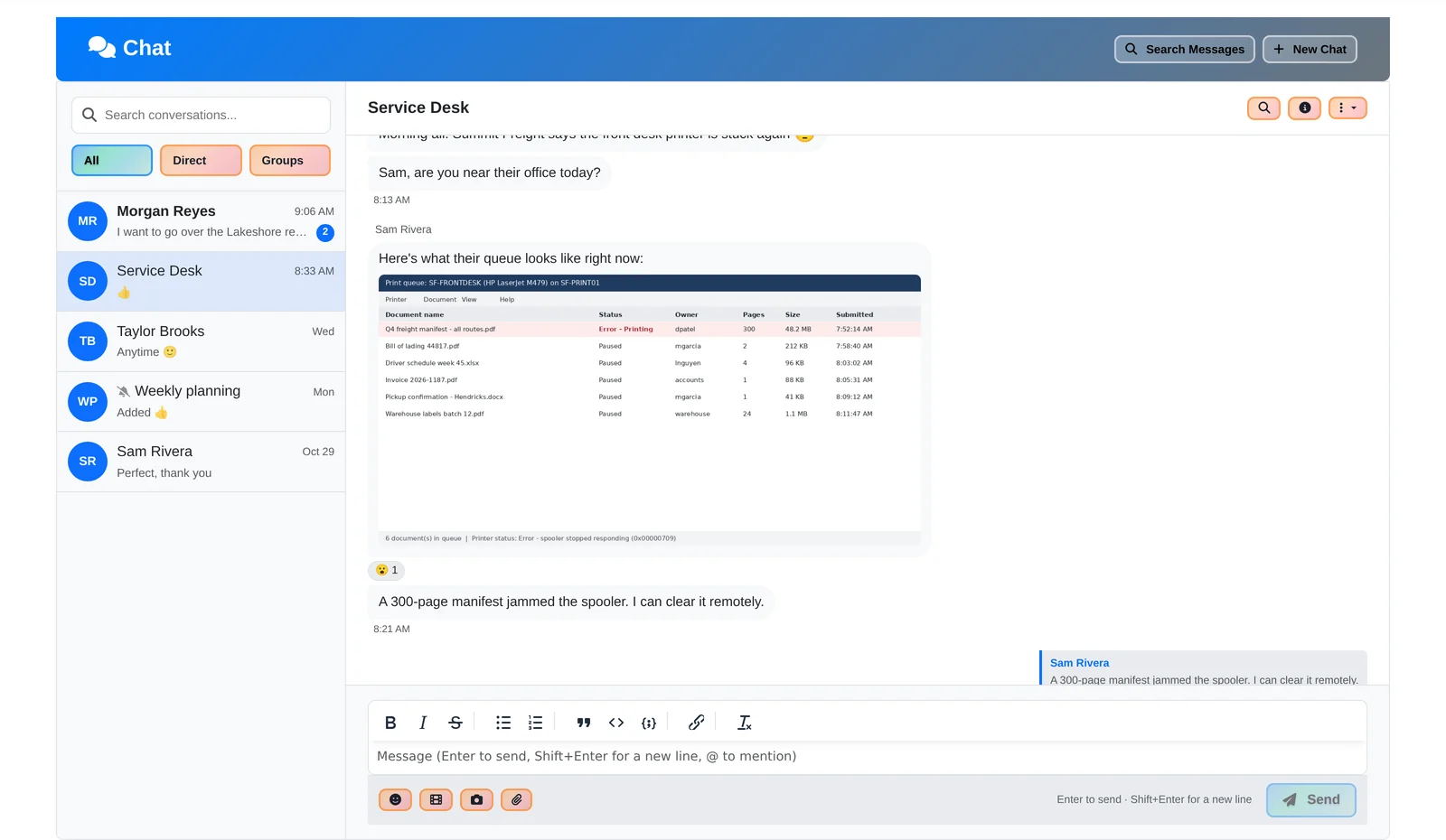
A chat message with a pasted screenshot of a printer queue showing an error on the first document
Paste a screenshot straight into the conversation.
Full-screen picture viewer showing the printer queue screenshot with Zoom and Download buttons
Click any picture to see it big, then zoom in on the detail.

Replies and the Chat Panel

The answer sits right under the question.

  1. Jordan replies to Sam's message, so the answer sits right under the question, and the team agrees with a 👍. Two ticks show it's been read.
  • Reply to a specific message, react with an emoji, mention a colleague by name
  • Bold, lists, quotes, inline code and code blocks for error messages and commands
  • Edit or delete your own messages
  • Read receipts and typing indicators
A reply quoting the earlier message, with Reply, Edit and Delete buttons and a row of quick emoji reactions
Reply to the exact message, react in one click, see who's read it.
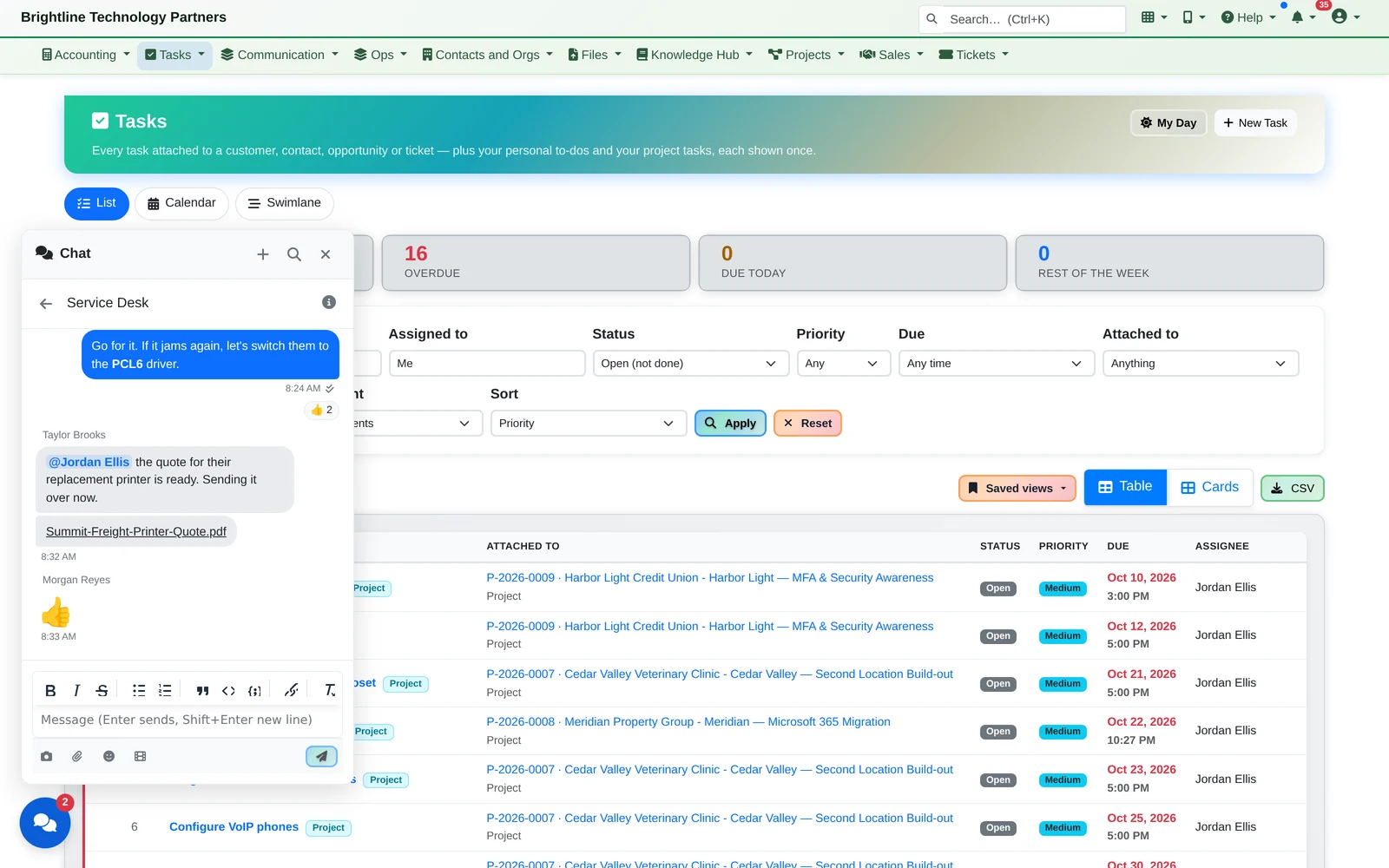
  1. Nobody has to leave what they're doing. A chat button on every screen opens a panel with the full conversation, so Taylor answers from the task list without losing their place.
The task list with the chat panel open in the bottom-left corner showing the Service Desk conversation
Chat from any page: the panel opens over your work.

On the Road

The same conversations on your phone.

  1. On the road? The same conversations are in the phone app, with a notification for each message.
  • Install it on the home screen of an Android phone or an iPhone
  • Write messages without signal, and they send when you're back online
  • Take a photo and send it from the phone
  • Mute busy groups

If the connection drops mid-send, Chat reconnects and sends the message again by itself, and it only ever appears once.

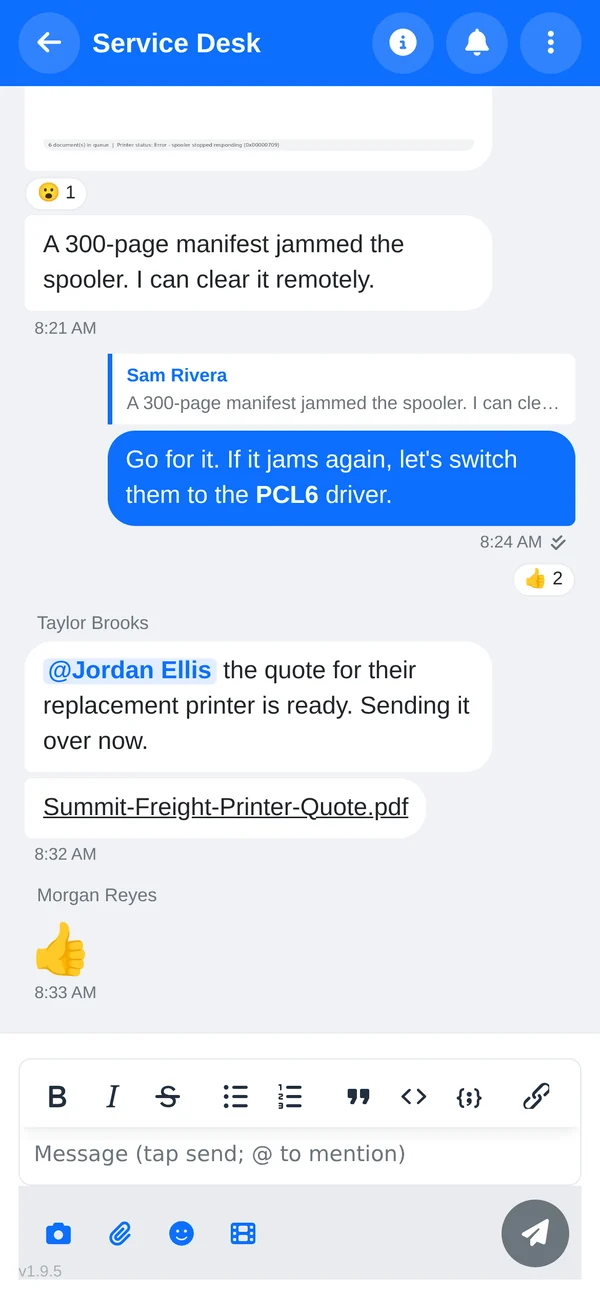
Phone screen showing the Service Desk group chat with a reply, reactions and the message box
The same conversation on your phone.
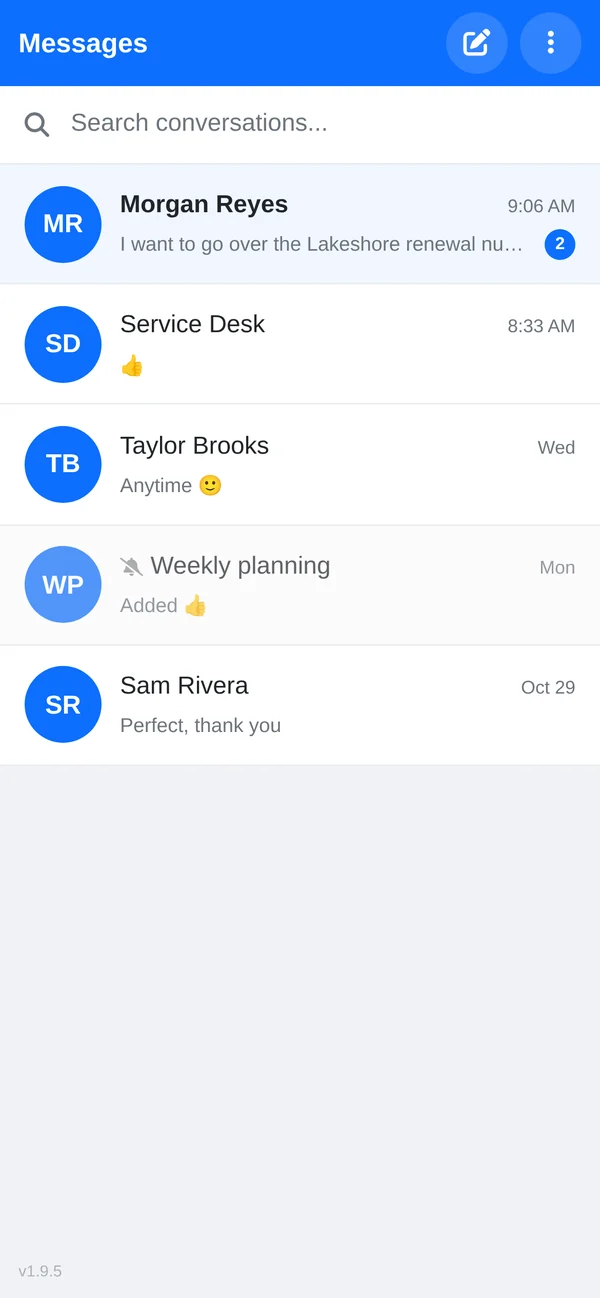
Phone screen listing five conversations, one with two unread messages and one muted group
Your conversations, with unread counts and muted groups.

Everything in Chat

Built in, and covered by the same rules as everything else.

  • Direct messages, group chats and team channels: a team channel adds and removes people automatically as they join or leave the team
  • Pictures and files: paste a screenshot, drag in pictures and files, open any picture full screen and download the original
  • Notifications: an email if a message sits unread for 15 minutes, a morning summary, and quiet hours for those emails
  • Roles: everyone can chat by default, moderators can tidy up any conversation, and administrators can see, export and search everything
  • Messages and files stored encrypted
  • Files only open for the conversation's members
  • Admin access to private conversations is logged
  • Legal Search across all chats, including deleted messages
  • Legal holds that stop held messages from ever being purged

Ask a question from the page you're on.

We'll paste a screenshot into a group chat, answer it from another page and pick it up on a phone, then show you the rest of the platform it's built into.