
For Schools · Chromebooks
ITC Classroom
Classroom screen viewing for schools that use The I.T. Connection to manage their Chromebooks.
During a class a teacher can see the students' screens, share a link, pause the class for “eyes up”, and let a student present. Nothing is recorded.
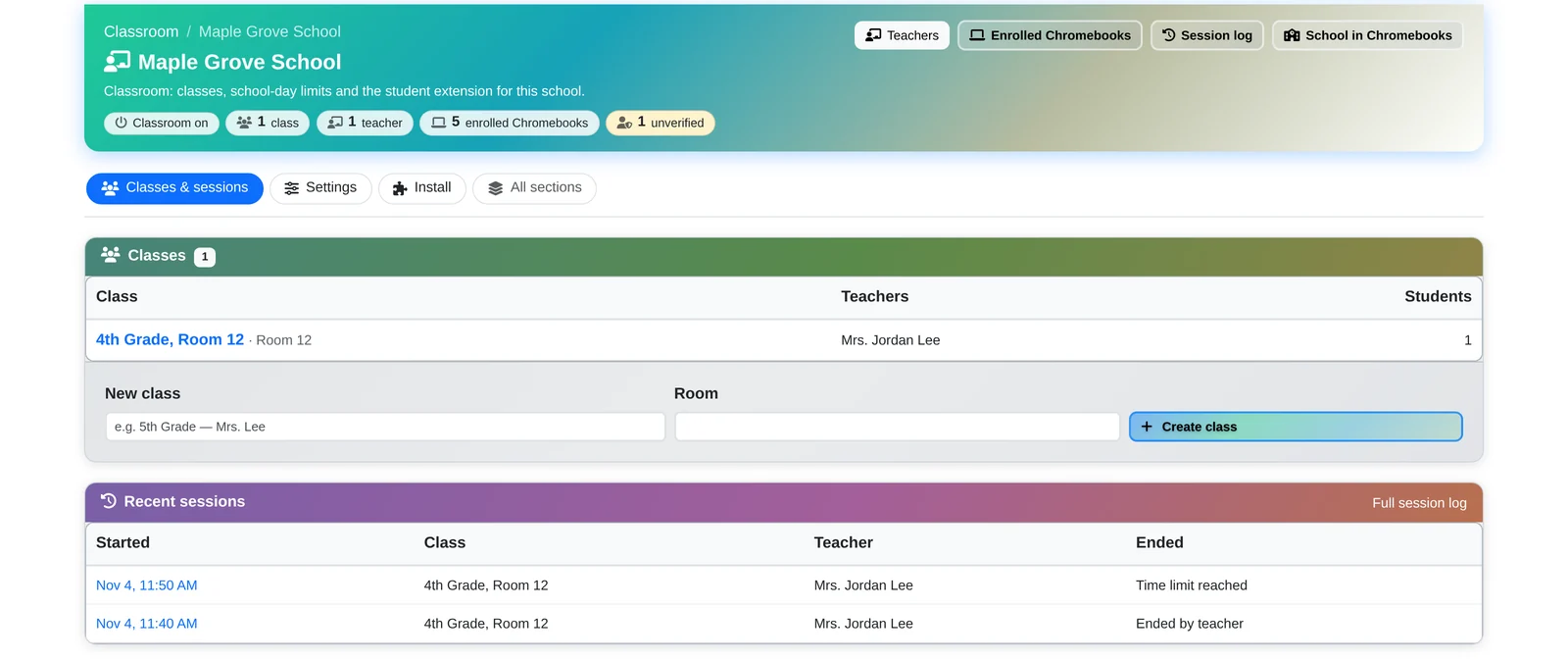
Who it's for. ITC Classroom is part of the Chromebook management service The I.T. Connection provides to K–12 schools. The school's IT administrator installs it on school-owned Chromebooks only. Students don't install it, and it doesn't run on personal devices. Teachers use it from a web page and need no software.
What It Does
A teacher opens their class and clicks Start session.
While the session runs, the teacher can:
- See the class at a glance: a small picture of each student's screen, updated every few seconds, and the titles of their open tabs.
- Share a website: open the same page on every student's Chromebook, or close a tab that shouldn't be open.
- Send a message to the class or to one student.
- Pause screens (“eyes up”): the screens show a pause message until the teacher releases them.
- Focus: allow only the websites the teacher lists, such as Google Classroom or Docs, for the rest of the session.
- Let a student present: when the student clicks Share, the teacher's page shows that student's screen and sound live, for example on the classroom projector.
- Raised hand: a student can ask for help from their Chromebook.
Built-in Limits
Only during a session the teacher starts.
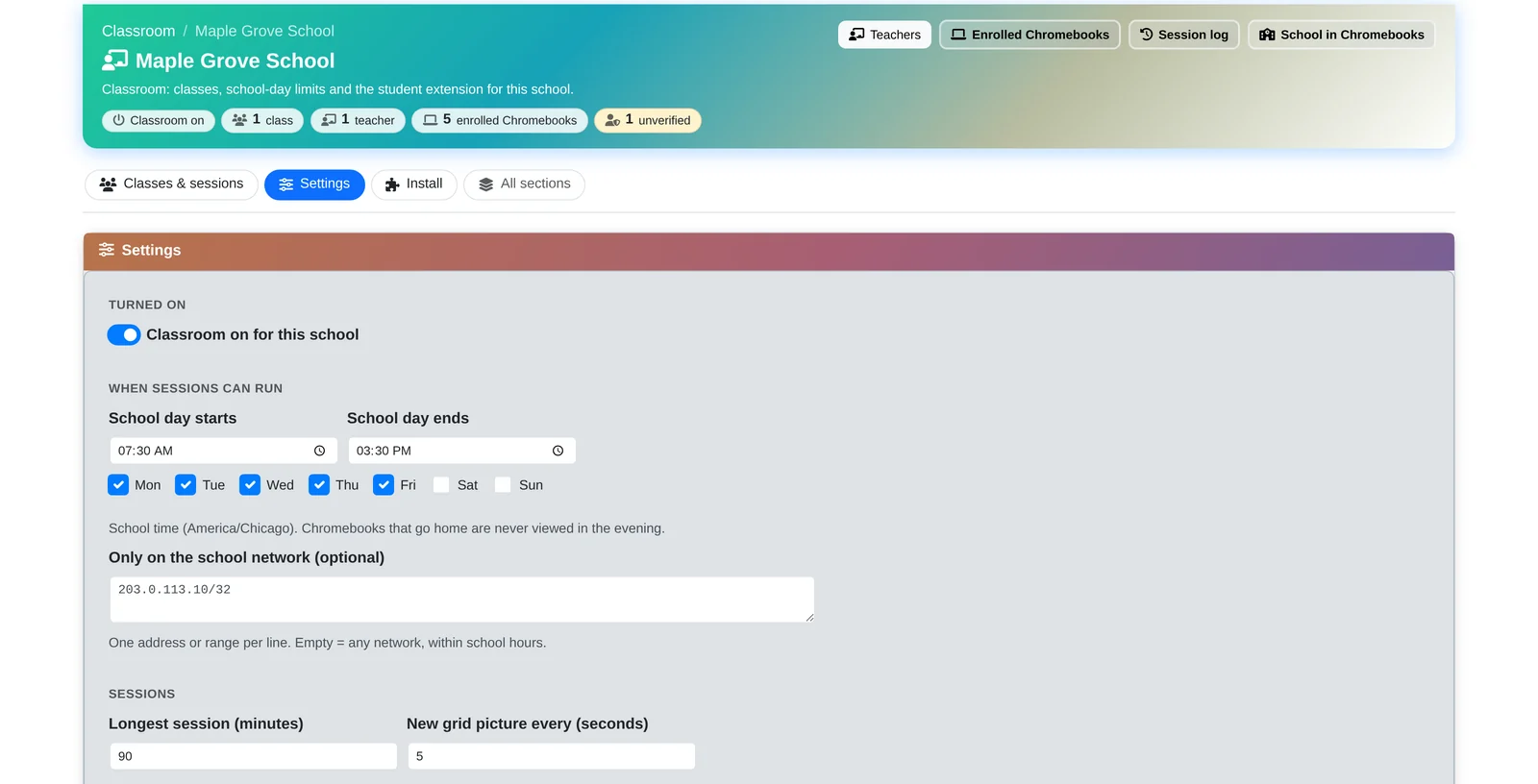
Each school sets these once:
- Sessions run only during the school day and on the school days the school chooses. A Chromebook that goes home is never viewed in the evening.
- Optionally, only Chromebooks on the school's own network can be viewed.
- Every session has a time limit (90 minutes unless the school changes it).
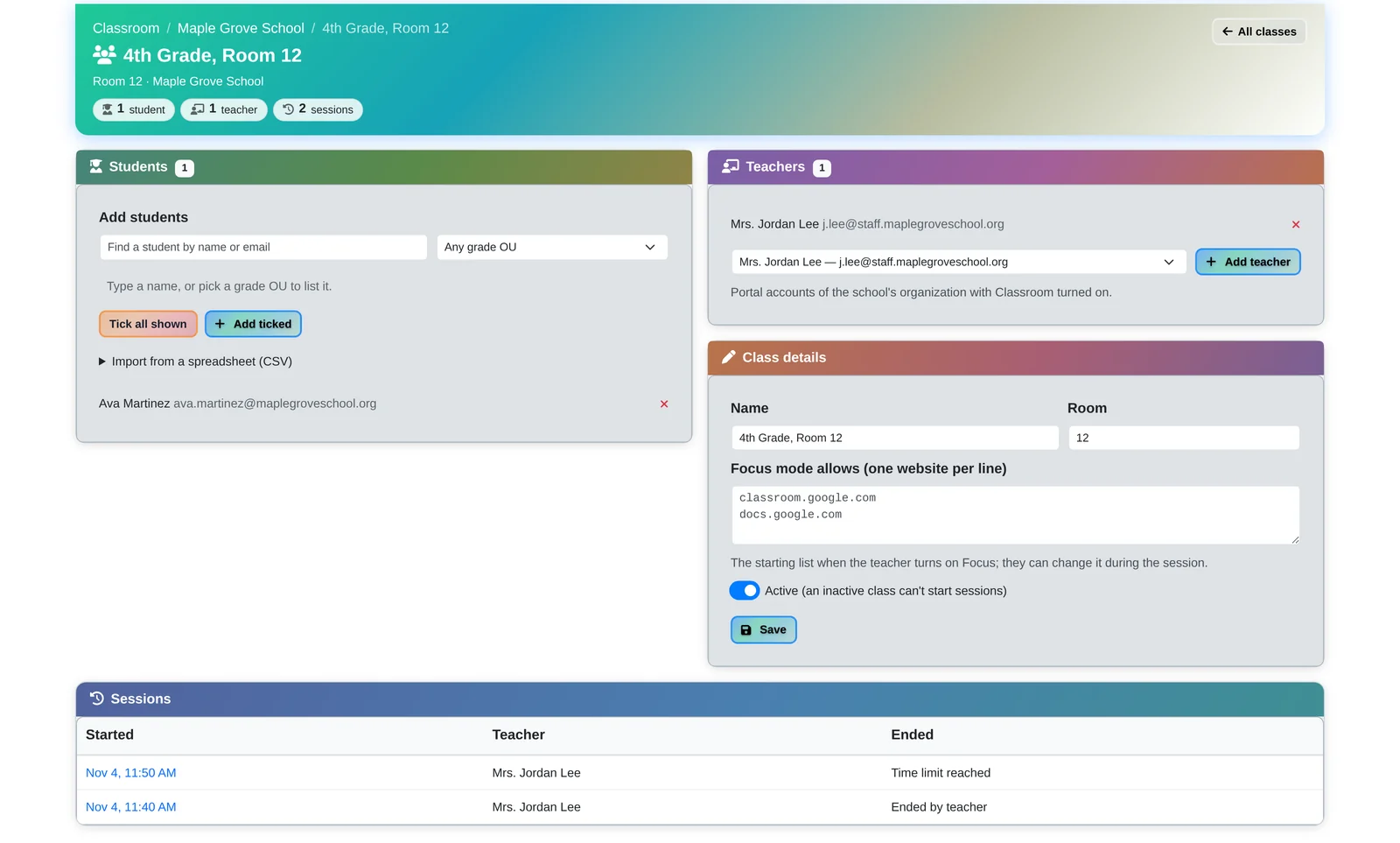
- A teacher sees only the students in their own class, and only during a session they start.
- If the teacher's page closes, viewing stops by itself within about 90 seconds.
Students Always Know
Nothing is recorded.
Students always know
While they're in view, students see a red ON badge and a notice saying their teacher can see their screen. Presenting starts only when the student clicks Share.
Shown live, never saved
Screen pictures and presentations are shown live and never saved.
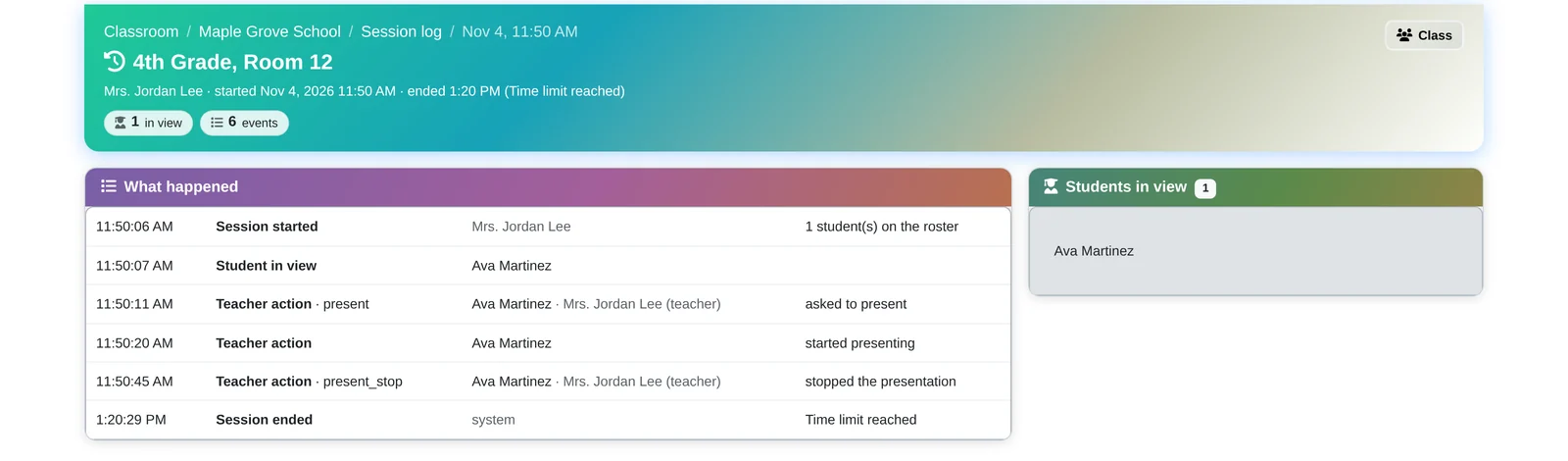
A short session log
The only record kept: who ran a session, when, which students were in view, and the teacher's actions (for example “opened a website” or “paused screens”). The school can review how the tool was used.
The Google Sign-in
What we ask for and why.
ITC Classroom uses Sign in with Google for one reason: to confirm which student is signed in to a school Chromebook, so each teacher sees the right students.
- What we ask Google for: only the student's school email address (Google's
emailandopenidpermissions). Nothing else: no access to Gmail, Drive, Docs, Classroom, contacts or calendar. - How it works: the extension, installed by the school, asks Google for the email of the account signed in to the Chromebook. Our server checks it with Google and matches it to the school's student list and the Chromebook's school device ID.
- Who sees it: the student's teacher during their own sessions, the school's designated classroom administrators, and ITC staff supporting the school.
- What we never do: sell or share it, use it for advertising, or build profiles from it. Google user data is used only to provide ITC Classroom to the school.
- Our use of information received from Google APIs follows the Google API Services User Data Policy, including its Limited Use requirements.
Privacy and Student Data
A school service provider.
The I.T. Connection provides ITC Classroom to schools as a school service provider. We handle student information under FERPA and the school's student data-privacy agreement, and in line with COPPA and the Illinois Student Online Personal Protection Act (SOPPA). Parents and guardians can ask their child's school to see that information.
For schools.
ITC Classroom comes with The I.T. Connection's Chromebook management for schools. To find out more, call 815-526-3600 or email info@the-it-connection.com.
The I.T. Connection, Inc. · 444 N Illinois Rte 31, #102, Crystal Lake, Illinois 60012 · 815-526-3600