
Infinite Expansion · Projects
Client projects, from kickoff to go-live.
In the same system as the client.
Plan with task lists and a Kanban board, set milestones, assign work, track progress, and start from reusable templates for the projects you run over and over. Every project belongs to a client account, so everything around it is one click away.
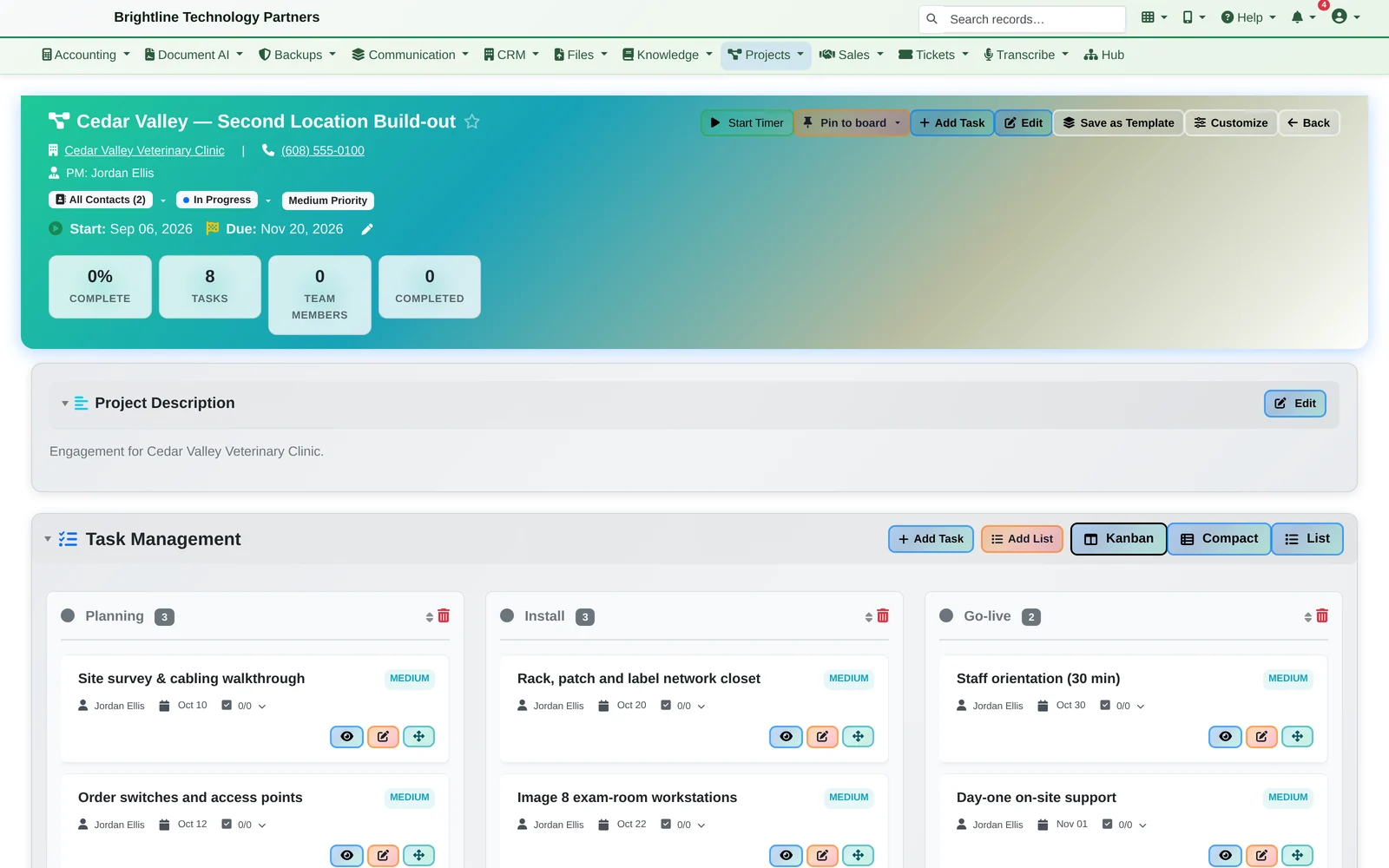
Every project belongs to a client. The emails, tickets, time and invoices around it are one click away, because they're all in the same system.
Plan the Work
Lists, a board and milestones, your choice of view.
Plan it
- Task lists with checklists, due dates, priorities and assignees
- Milestones for the dates that matter
- Kanban, compact and list views of the same tasks
Track it
- Progress, tasks and completion on the project page
- Time tracking against tasks and projects
- Overdue tasks and milestones in your Daily Briefing
Run it again
- Save any project as a template
- Start each repeat engagement from its template instead of a blank page
Every Project at Once
What's overdue, what's due this week, what's next.
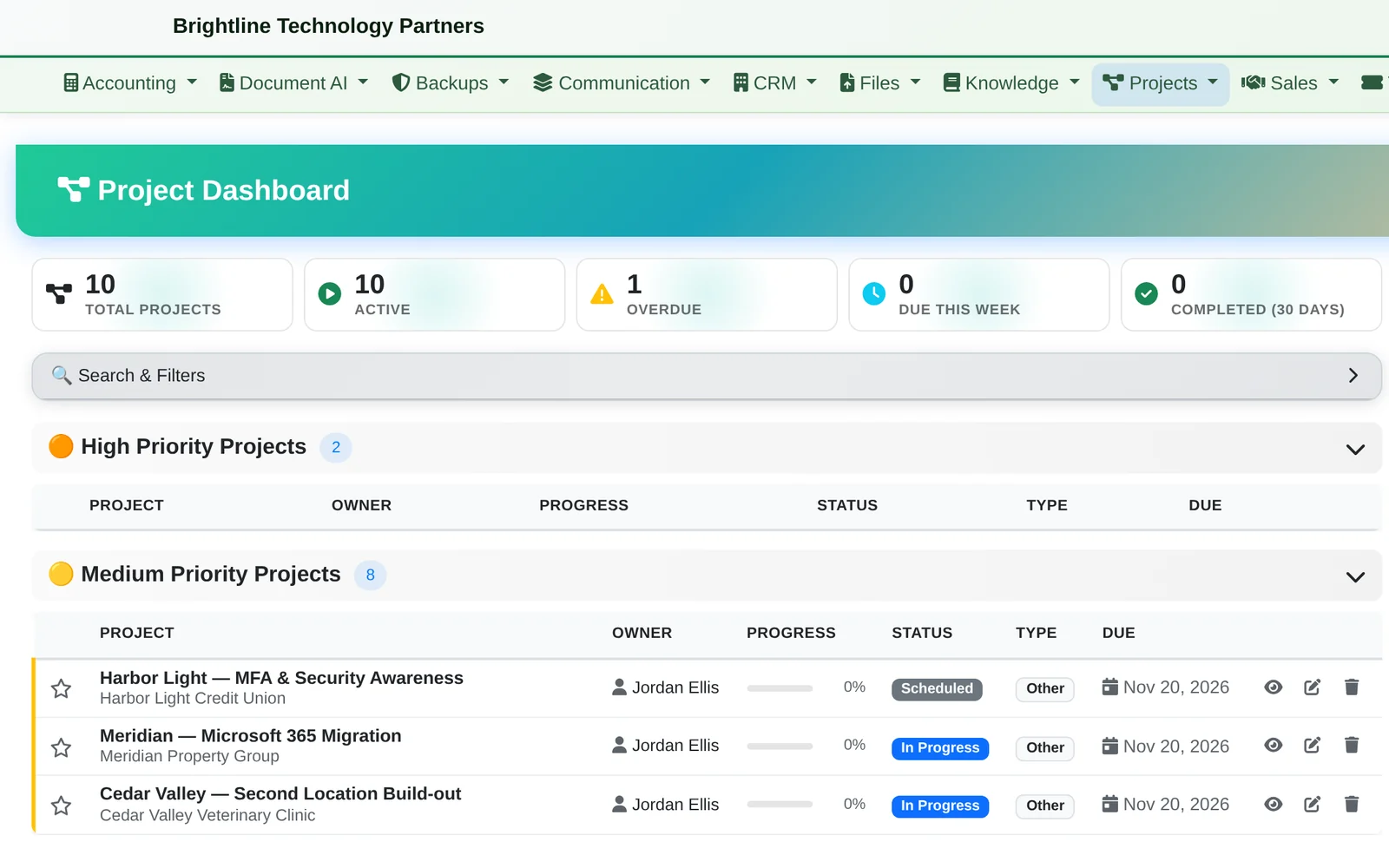
- Overdue, due this week and upcoming tasks across all projects
- Projects grouped by priority, with owner, progress, status and due date
- Search and filters, in a comfortable or compact layout
Linked to Everything Else
The project, the client and the work around it.
Shared with the client
Share a project with the client through the client portal: they see the tasks and messages you choose to make visible to them.
Time to invoice
Time tracked against tasks and projects is there for billing review, and invoices can be made from tracked time.
On your board
Pin a project or a task to your note board, next to the emails and tickets for the same client. See Note Boards
Bring us a project you run every month.
We'll set it up as a template, start a client project from it and show you where its time, tickets and emails land, in about 20 minutes.