
Infinite Expansion · Help Desk
Every request read and summarized before you open it.
A help desk with AI triage, built into the platform.
Client emails become tickets automatically, or in one click from your inbox. Press Process with AI and the AI reads the message and its attachments, writes a plain-English summary, classifies the request, pulls out the key details and suggests the next step.
Advisory only: the AI never replies to a client or changes a ticket on its own.
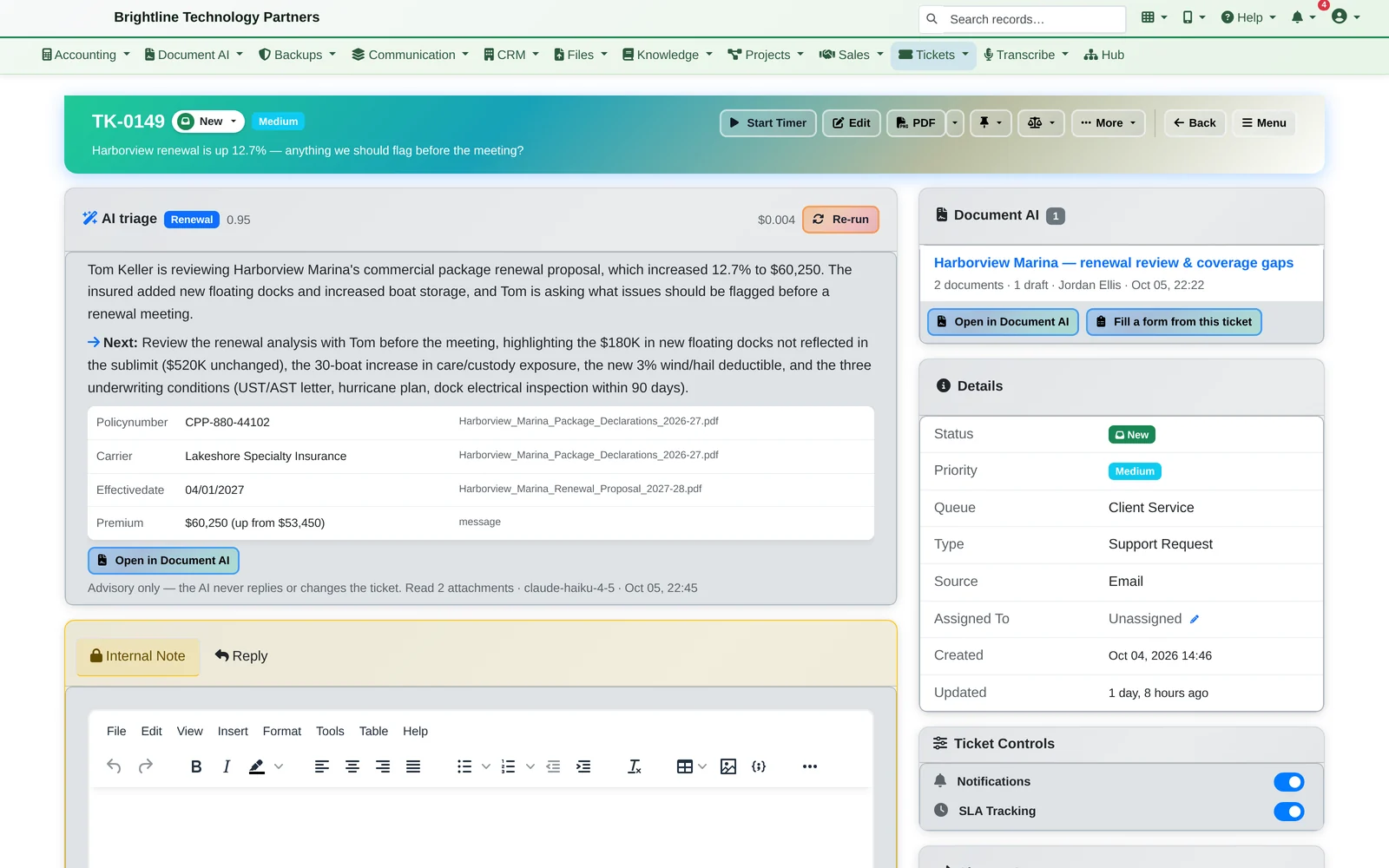
Tickets live with everything else. Every ticket belongs to a client in the CRM, its time is tracked for billing, and its attachments open in Document AI.
One Ticket
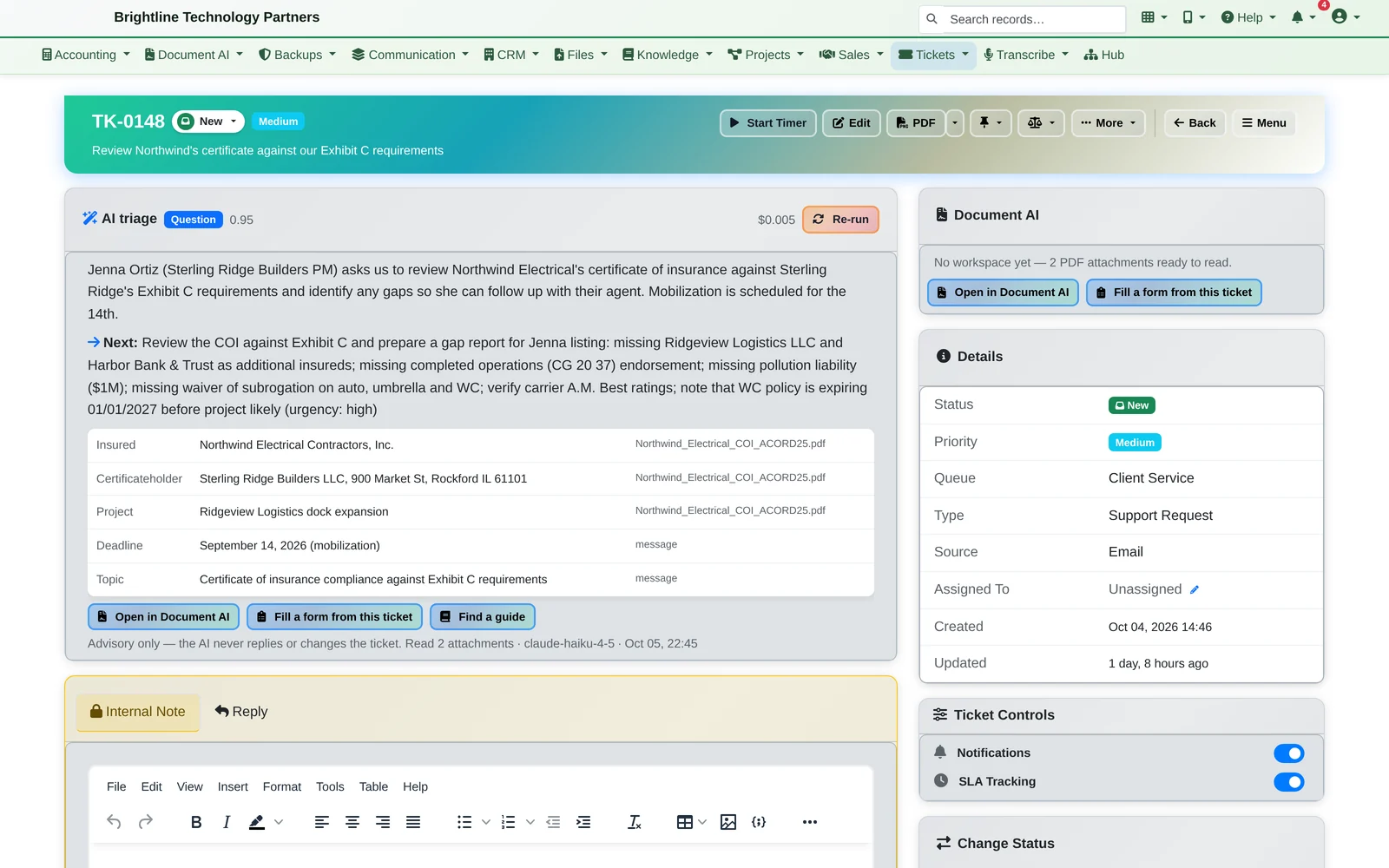
A client sends a certificate to check against a contract.
- The email becomes a ticket, automatically or with one click from your inbox, with both PDFs attached.
- Process with AI reads the email and the attachments. It names the parties, the project and the deadline, and lists the gaps to check.
- The attachments open in Document AI in one click for a deeper review, or to fill a form from the ticket.
The AI suggests. A person decides, replies and closes the ticket.
The Queue
What's unassigned, what's yours, what's waiting.
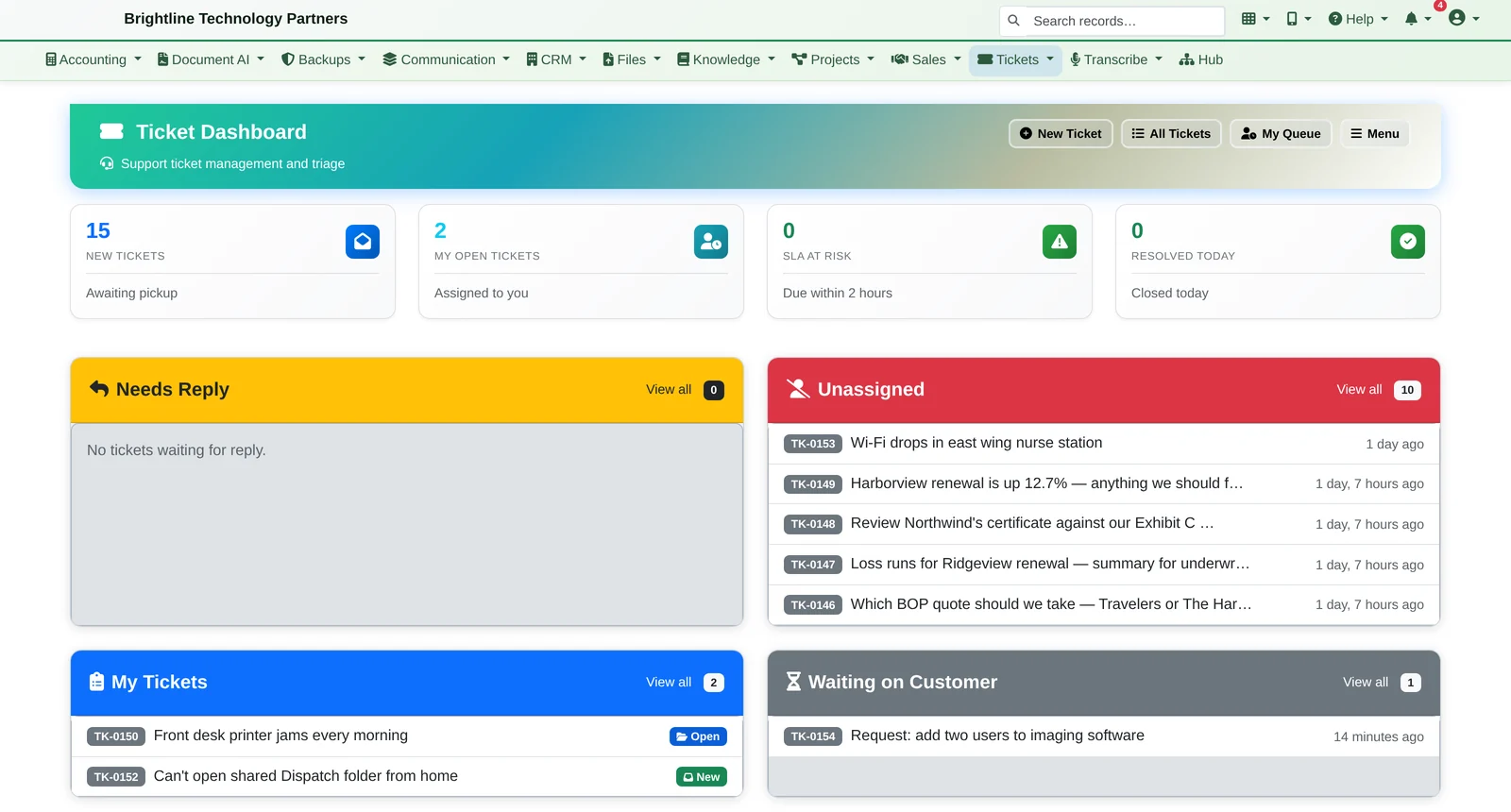
- Unassigned, my tickets, needs reply and SLA at risk, on one screen
- Queues, priorities, assignment and due dates
- SLA timers that follow your business hours
- “Waiting on customer” and “waiting on vendor” pause the SLA clock
Everything in the Help Desk
From the first email to the last reply.
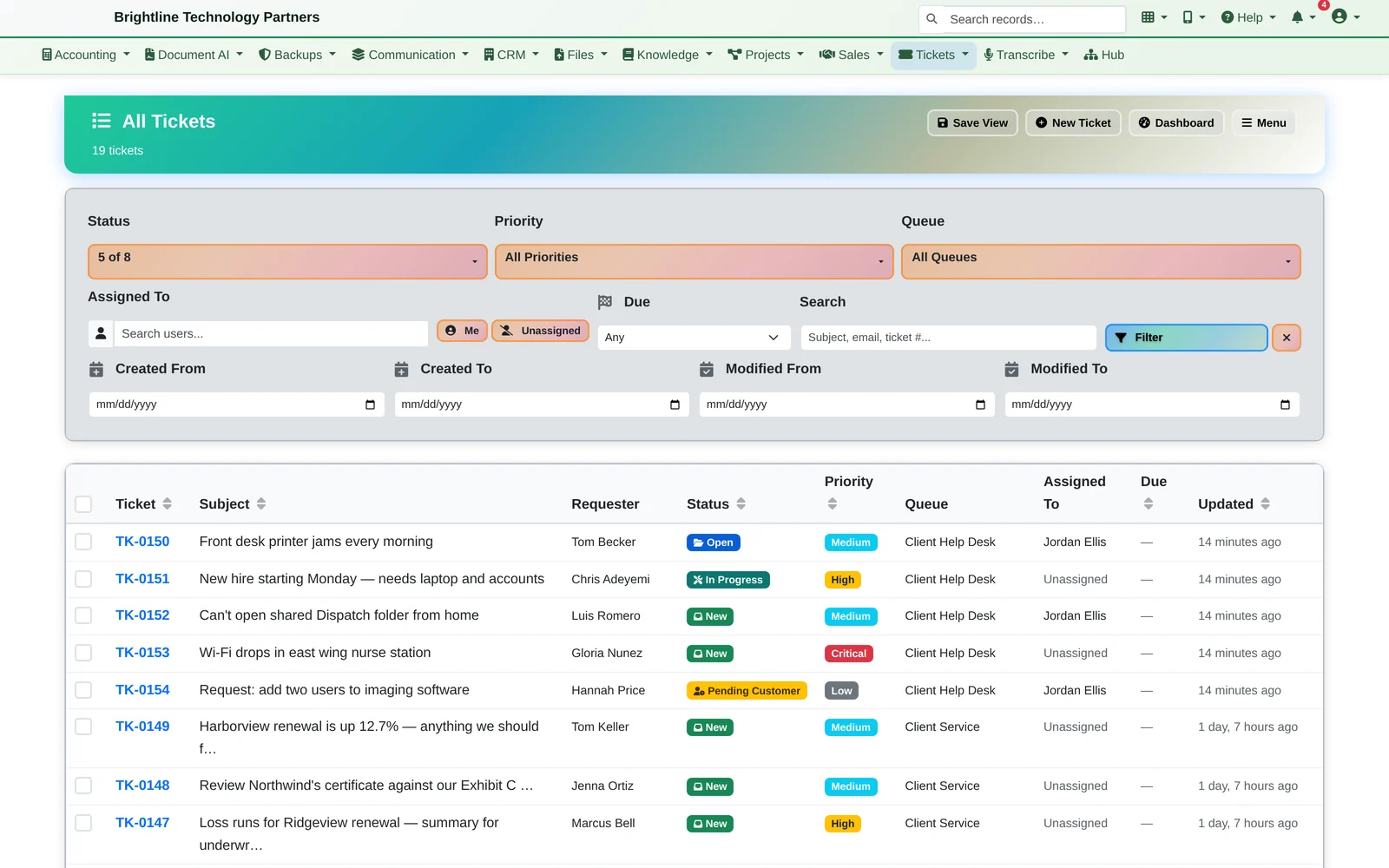
Tickets in
- Email to ticket, automatically or in one click from your inbox
- Web forms
- Submitted by clients through the client portal
Working them
- AI triage: summary, request type, key details and a suggested next step
- Internal notes kept apart from client replies
- Canned responses and attachments
- A built-in timer for billable time on any ticket
- Export a ticket to PDF
Clients kept informed
- Clients follow their tickets through the client portal, with secure links and no password to remember
- Satisfaction surveys
Send us a ticket, and watch the AI read it.
We'll turn an email into a ticket, run the AI triage on it and its attachments, and show you the queue, in about 20 minutes.