
Infinite Expansion · Business Texting
Your business texts, answered by the whole team.
Customers text your number. Your team answers from Chat.
Customers text your company number like they text anyone. The text arrives in Chat for everyone on that number; one person takes it and the rest stop getting notified. If they go home or leave it unanswered, it goes back to the group. Pictures both ways, group texts, saved lists, and an opt-in record on every phone number.
The same Chat your team already uses, not another app.
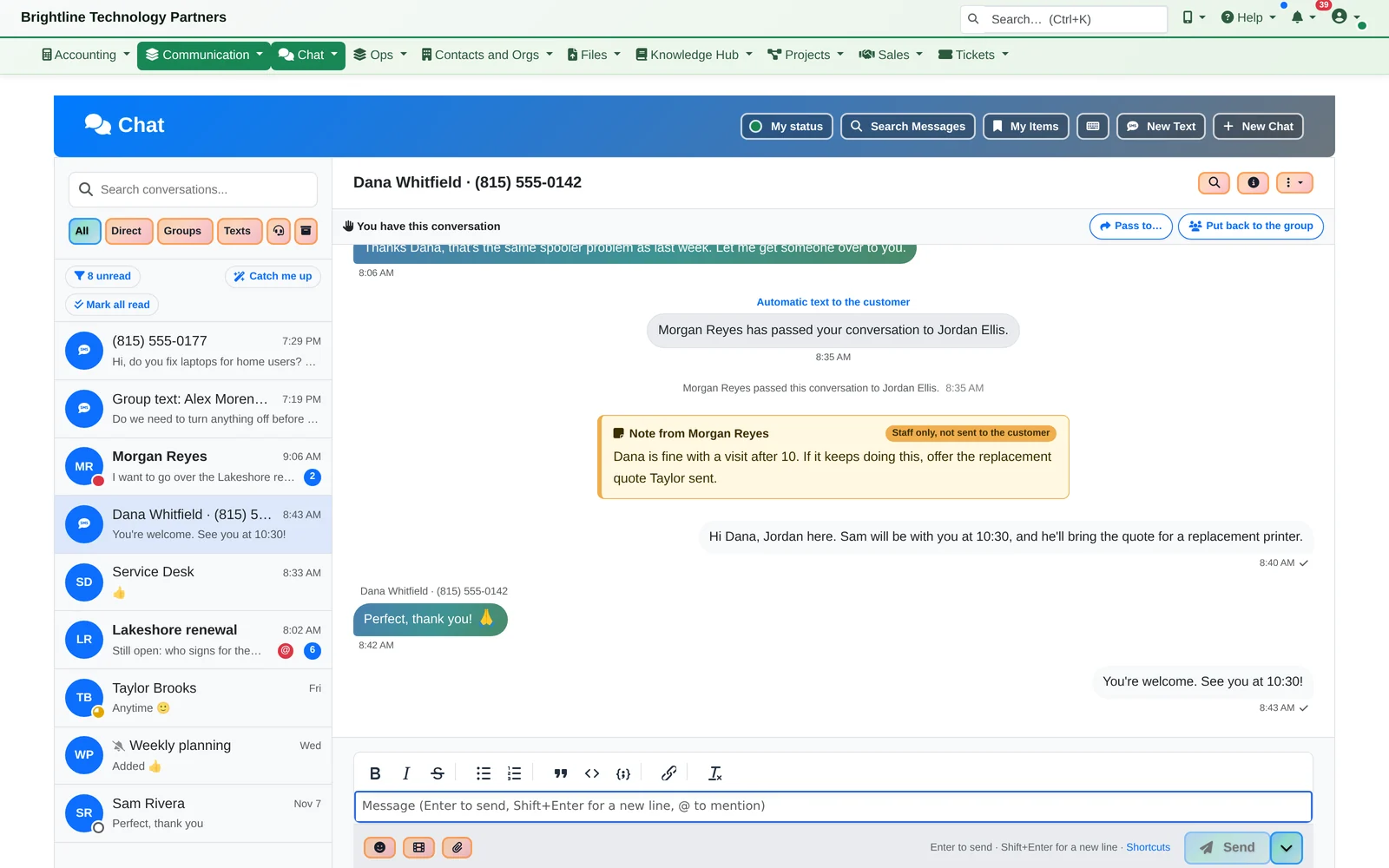
Texts land where the work already is. Each of your business numbers belongs to a person or a group, its texts arrive in Chat next to your tickets and customers, and replies go back as texts from the number the customer texted.
One Text
Dana's printer is showing an error. She texts a photo.
- Dana texts the Service Desk number a photo of her printer's error. It arrives in Chat a moment later, picture and all, and she gets one automatic reply saying her message is in.
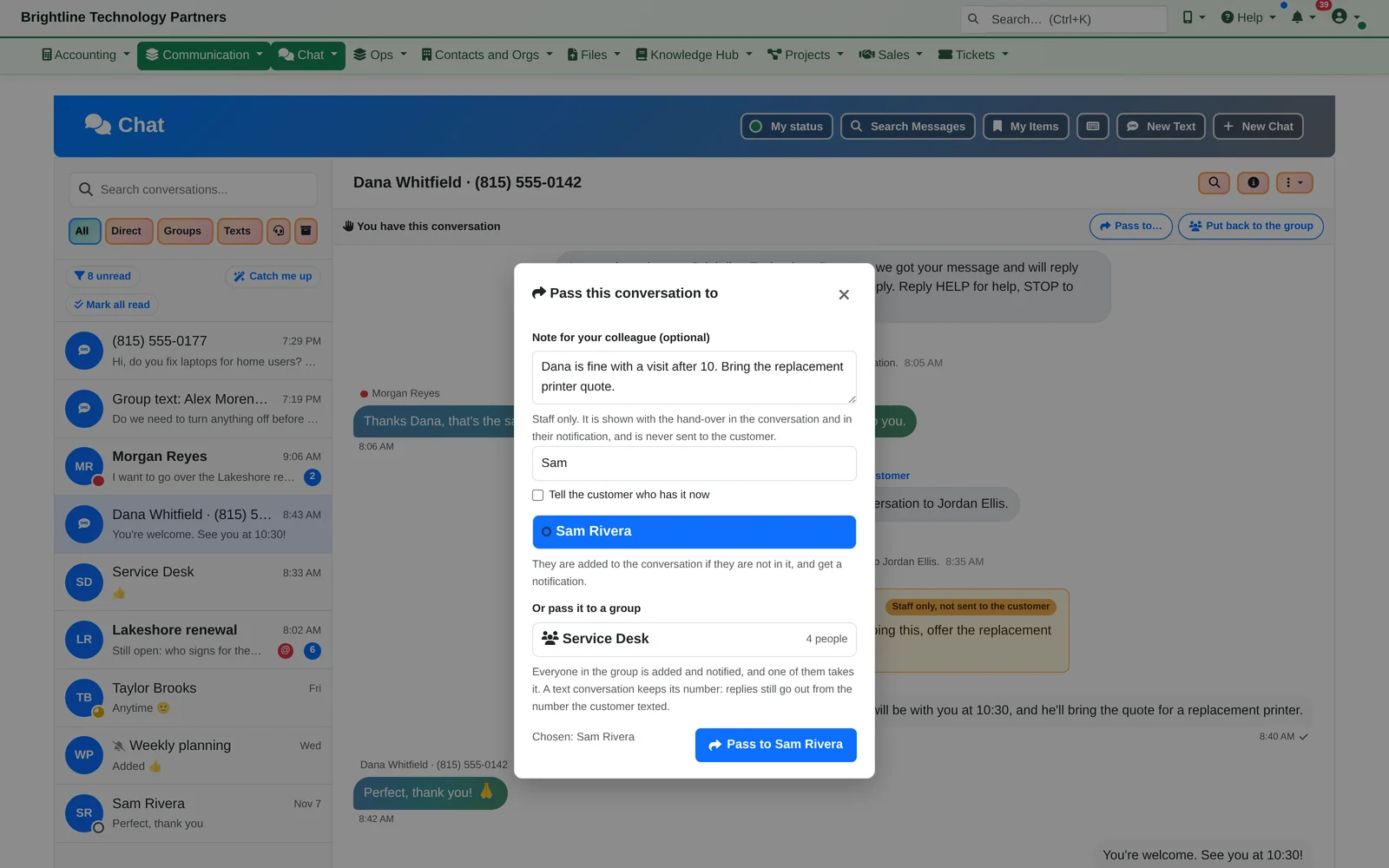
- Morgan takes it, so the rest of the team stops getting pinged, then passes it to Jordan with a note only staff can see: “Dana is fine with a visit after 10.” Dana gets a text saying Jordan has her conversation now.
- Jordan answers from Chat, and it goes to Dana as a text from the number she texted.
The hand-over note is shown with the conversation and in the colleague's notification. It is never sent to the customer.
Texting a Whole Office
One message to everyone, or one conversation with everyone.
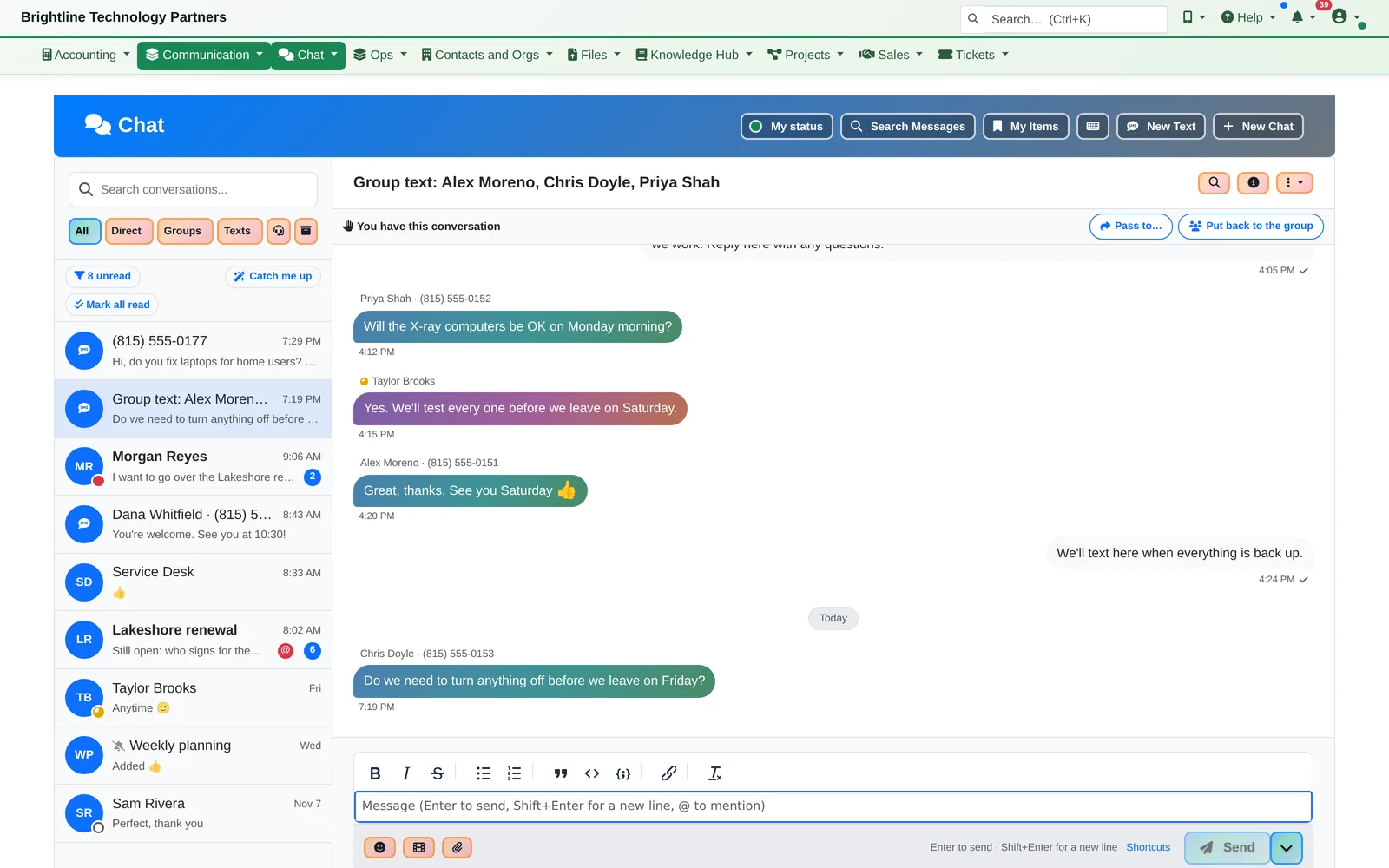
- Telling a whole office at once. Jordan picks the saved list “Lakeshore Dental staff” and sends one group text: everyone sees everyone's replies, in one conversation. Or sends it to each person separately, for private replies.
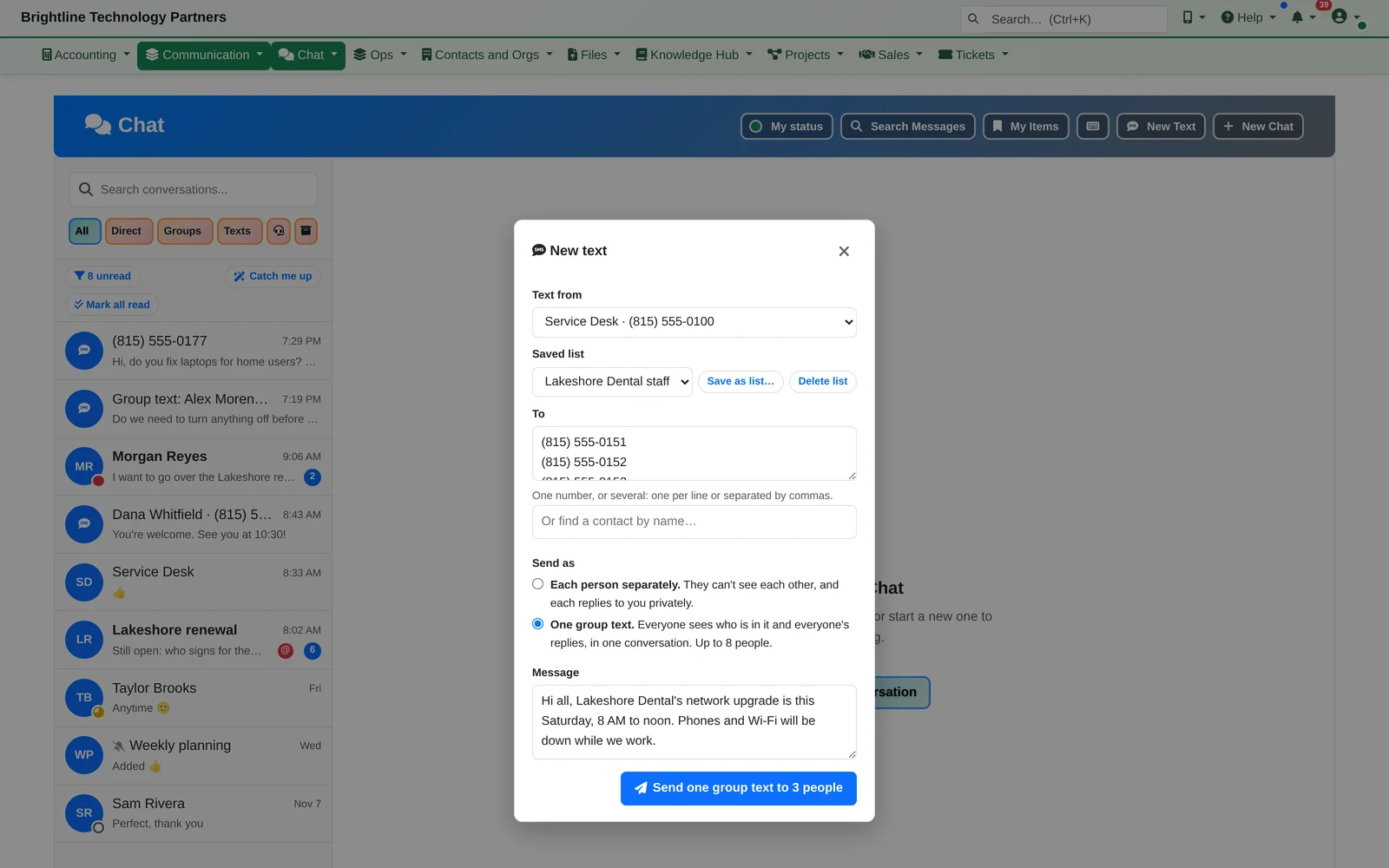
- Start a text yourself, to one number or many, picked from your contacts or a saved list
- Each person separately, for private replies, or one group text of up to 8 people (US and Canada numbers)
- Group sends leave out anyone who hasn't agreed to texts
Who Has the Customer
Nobody slips through.
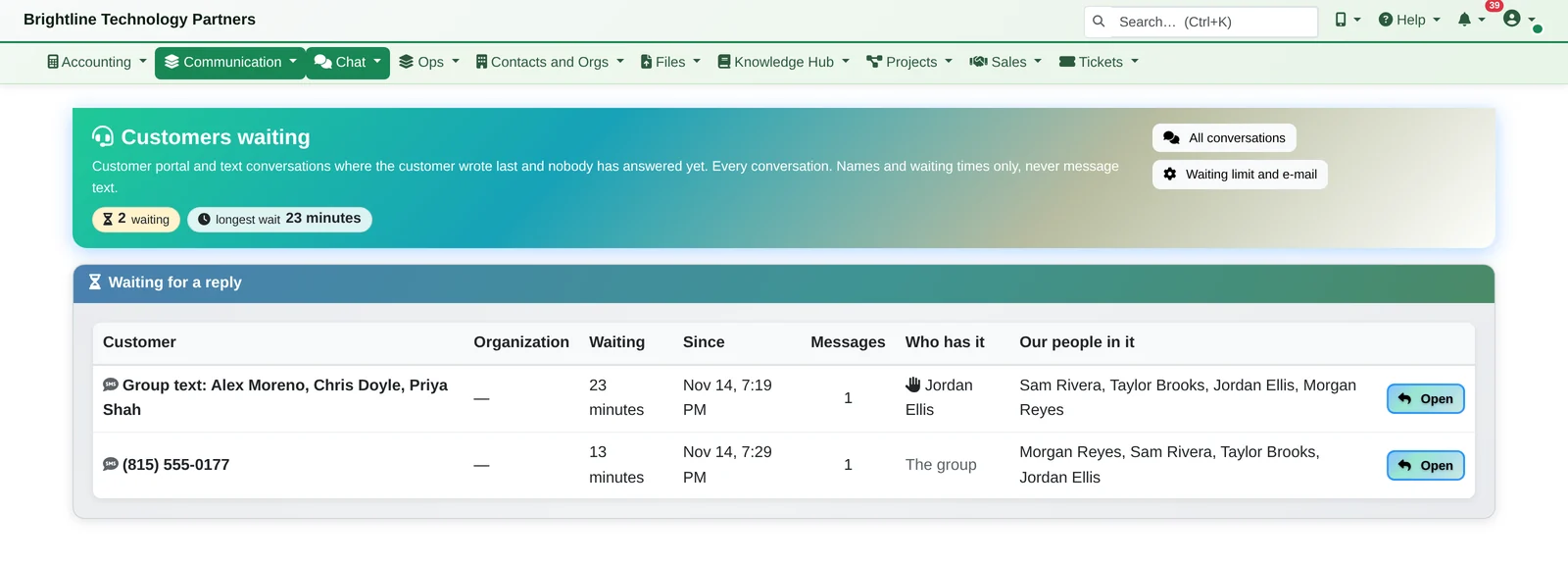
- Customers Waiting lists every customer and text conversation where the customer wrote last, how long they've waited and who has it. If the person who took it leaves a customer waiting, it goes back to the group automatically.
- Take it: one person deals with the customer; the others can still read the conversation but stop being notified
- Take it over: anyone in the group can take a conversation from a colleague who's gone home, with no “release” needed
- Pass it on, with a note: to a colleague or a whole department, and optionally a line to the customer saying who has it now
- Put it back: return it to the group, or it goes back by itself if the customer is left waiting too long
- Private conversations: managers can make a sensitive conversation, such as billing with an owner, visible only to managers and the person handling it
- Long waits: choose a manager to get an email when someone waits past your limit
On the Phone
Texts and who has them, one tap away.
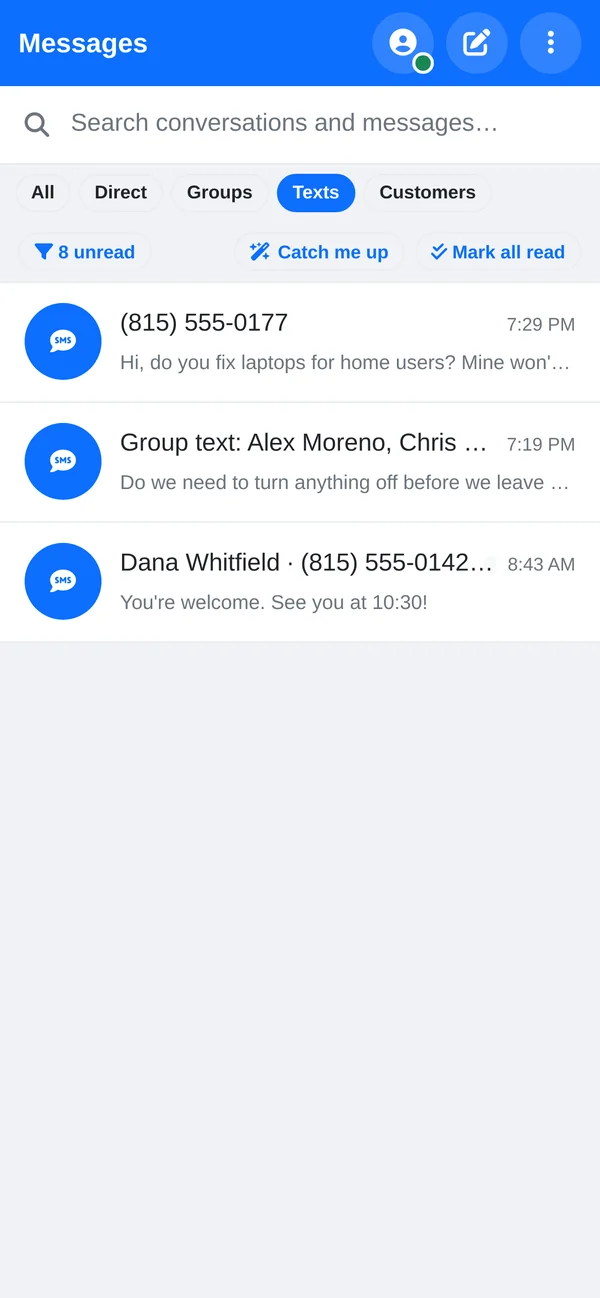
- On the phone too: a Texts filter, and who has each conversation one tap away.
- Filter by All, Direct, Groups, Texts or Customers
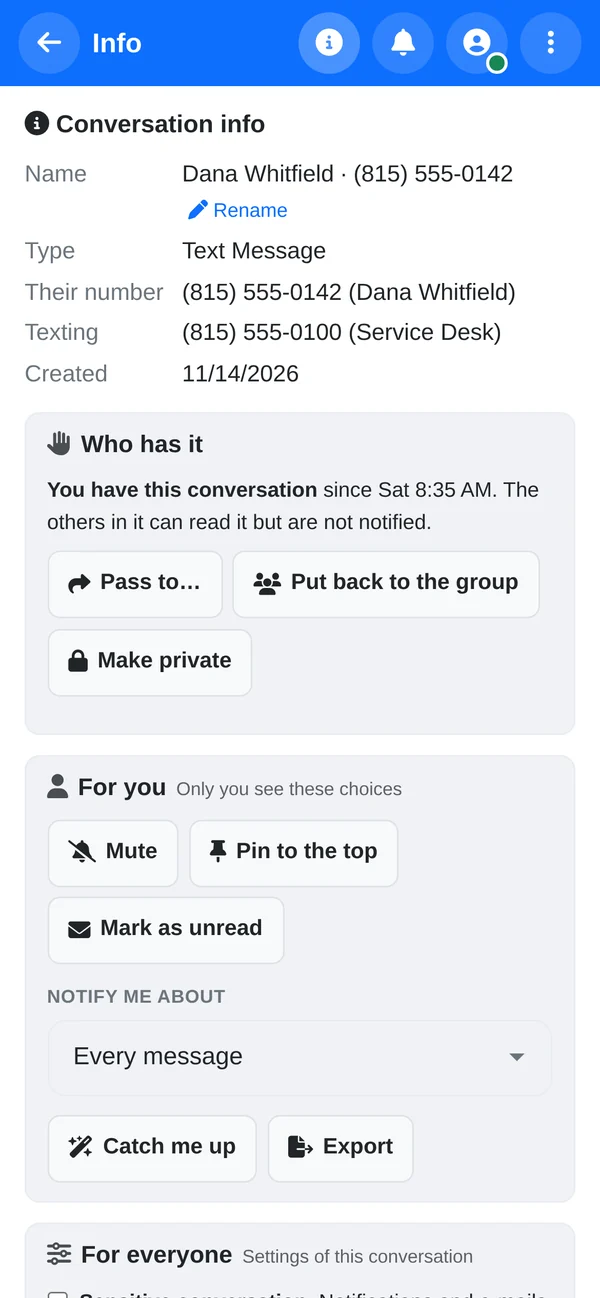
- Pass to, Put back to the group and Make private from the conversation's info
- The same notifications, search and Catch me up as the rest of Chat
Everything in Business Texting
Texting (SMS and MMS) built into Chat.
Texting
- A text to any of your numbers arrives as a conversation for the person or group that number belongs to
- Replies go back as texts from that same number
- Pictures both ways; large photos are resized automatically so carriers accept them
- React 👍 to a text and the customer gets “Reacted 👍 to ‘See you at noon’”
- If a text can't be delivered, the conversation says why
Automatic replies
- One welcome text to a new texter
- A “nobody is available right now” reply when your whole team is away, busy or offline
- Both on by default for each number, in your own wording, such as your opening hours
Opt-in records
- Every phone number in the CRM records whether the person agreed to texts, how (verbally, email, online form, paper or by texting you), when, and who recorded it
- A STOP reply opts them out automatically
- A customer who texts you first is recorded as opted in, by text
Text us, and watch who picks it up.
We'll text a demo number, take the conversation, pass it on with a note and send a group text, then show you the rest of Chat and the platform it's built into.